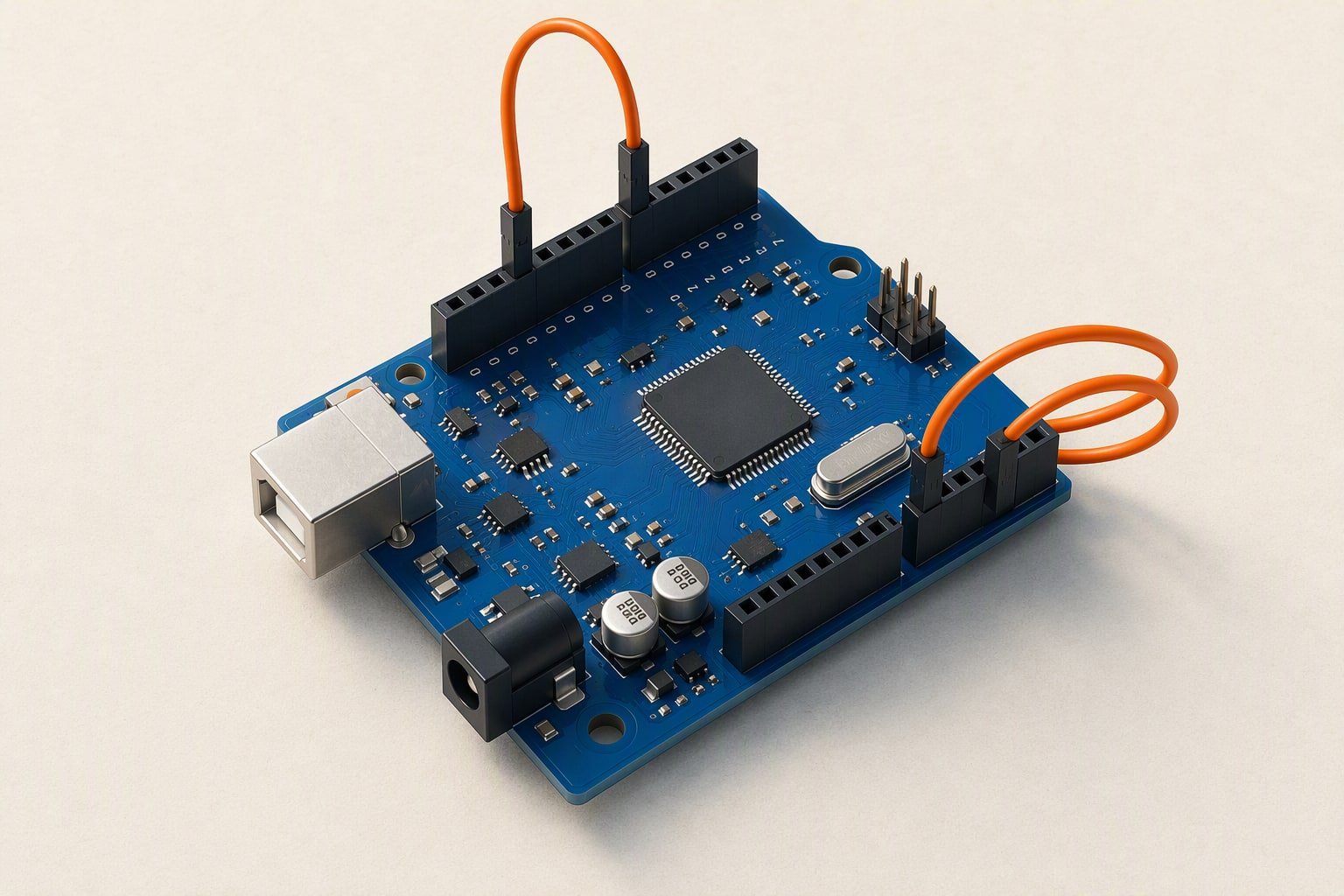
For a first robot in India, buy an Arduino Uno R3 clone if you want the fewest surprises, and an Arduino Nano clone if the board has to fit on a small chassis. Buy the ESP32 DevKit V1 when the robot needs Wi-Fi or Bluetooth. Leave the Raspberry Pi Pico and the Nano 33 BLE alone until a project asks for something the other three cannot do.
All five boards can run a line follower. What separates them is what happens when you add a servo, a 5 V sensor, a radio or a 3.3 V module. Prices are Indian retail planning ranges; check current prices before you order.
The short answer, by job
| Board | Buy it if | Do not buy it if |
|---|---|---|
| Arduino Uno R3 | You are starting, your sensors are 5 V and you want the board that most tutorials and college labs assume. | The robot is small, or it needs wireless. |
| Arduino Nano | You want the same 5 V behaviour as the Uno in half the space, for a finished build. | You want to stack shields, or you will unplug the USB cable every evening. |
| ESP32 DevKit V1 | The robot must talk to a phone, a laptop or a network. | Every part you own is 5 V and you have no divider or level shifter. |
| Raspberry Pi Pico | You are comfortable writing code and want more memory and a faster chip for about ₹500. | You want the largest pile of working examples for a first robot. |
| Nano 33 BLE | You need Bluetooth Low Energy, a built-in IMU and an Arduino-shaped board. | You are on a student budget; it costs several boards’ worth. |
What the five boards give you
| Board | Logic | Digital pins (PWM) | Analog inputs | RAM / flash | Wireless | Price band |
|---|---|---|---|---|---|---|
| Uno R3 | 5 V | 14 (6) | 6, 10-bit | 2 KB / 32 KB | None | ₹450–800 |
| Nano | 5 V | 14 (6) | 8, 10-bit | 2 KB / 32 KB | None | ₹280–450 |
| ESP32 DevKit V1 | 3.3 V | about 25 (most can PWM) | 12-bit; ADC2 is blocked while Wi-Fi is on | 520 KB / 4 MB | Wi-Fi and BLE | ₹350–600 |
| Pico (RP2040) | 3.3 V | 26 (16 PWM channels) | 3, 12-bit | 264 KB / 2 MB | None on the standard board | ₹350–550 |
| Nano 33 BLE | 3.3 V | 14 (all can PWM) | 8, 12-bit | 256 KB / 1 MB | BLE | ₹3,000–4,500 |
The Uno and the Nano share the ATmega328P, so code moves between them with only pin-name changes; the Nano adds two analog inputs and loses the barrel jack and shield footprint. The ESP32 and the Pico have far more memory, but the ESP32 spends part of it on the radio, and half its analog inputs stop working when Wi-Fi is on.
The Pico has no radio unless you buy the Pico W variant. Its three analog channels suit a line follower. Its real advantage is memory: a 264 KB buffer does not overflow the way 2 KB does.
Where each board is the wrong buy
- Uno: 2 KB of SRAM fills up once a display, a radio module and a few strings are in the sketch. There is no wireless, and its 5 V logic will damage a 3.3 V-only part if you wire it without thinking.
- Nano: the USB connector is the weak point on cheap clones, and there is no shield footprint. If the board will be plugged and unplugged daily, the Uno form survives it better.
- ESP32: not 5 V tolerant, so a 5 V sensor output needs a divider. Its ADC is noisier than a dedicated chip, and the radio pulls 240–500 mA in bursts, which resets a weak supply.
- Pico: 3.3 V only, no radio, and fewer ready-made Arduino libraries. If your plan is to copy a working sketch, this is the slowest route.
- Nano 33 BLE: several times the price of an ESP32, with less radio range and no Wi-Fi. The built-in IMU is the honest reason to buy it.
Do you need 5 V or 3.3 V logic?
Most hobby modules sold in India are built for 5 V: HC-SR04 ultrasonic sensors, SG90 servos, L298N drivers, IR tracking modules and most relay boards. A 5 V board accepts them directly. A 3.3 V board does not, and the fix is not always a resistor.
- HC-SR04: it runs from 5 V and its Echo pin outputs 5 V. Into an ESP32 or a Pico, that pin needs a divider (1 kΩ and 2 kΩ works) or a level shifter.
- L298N: it expects a 5 V logic HIGH. At 3.3 V it may switch unreliably; a TB6612FNG is the easier driver for a 3.3 V board.
- Servo signal: a 3.3 V PWM signal usually drives an SG90 or an MG996R, because the signal threshold is low. Power still comes from a separate supply.
- Analog sensors: a 5 V sensor can output close to 5 V, which is above a 3.3 V pin’s limit. Use a divider or buy the 3.3 V version.
If most of your parts came from a 5 V kit, an Uno or a Nano removes a whole class of faults before you write a line of code.
Pin current, in plain numbers
A GPIO pin is a signal, not a power output. The Uno is rated at 20 mA per pin with 40 mA as an absolute maximum, and its 3.3 V pin supplies about 50 mA. The ESP32’s pins are similar or lower and are not 5 V tolerant. The Pico’s drive strength is configurable from roughly 2 mA to 12 mA.
None of those numbers will run a motor, a servo, a relay coil or a strip of LEDs. Use a driver for the motor, a separate 5–6 V supply for servos, a transistor for the relay and a MOSFET for the strip. The total current through all pins is limited too, so five pins at 20 mA is already a lot.
What a first purchase should look like
| Item | Why it earns a place in the first order | Price |
|---|---|---|
| Arduino Uno R3 clone | The learning board: 5 V, barrel jack, shield footprint, the most examples. | ₹450–800 |
| Arduino Nano clone | A second board for the finished build, and a known-good board when the first one is suspect. | ₹280–450 |
| USB data cable | Charge-only cables cause upload errors that look like driver problems. | ₹60–120 |
| Jumper wires, 24 AWG | The thin ribbon in a kit breaks at the crimp and causes faults you will blame on code. | ₹80–150 |
| Total | Enough to build and test any of the beginner projects. | ₹870–1,520 |
Add a multimeter if you do not own one; a basic meter costs ₹250–400 and answers most “why did it reset” questions. The project cost calculator has a line for shipping and contingency so the number you plan is close to the number you pay.
Buy the ESP32 later, when a project needs a phone or a browser. Learning two boards at once doubles the number of things that can be wrong. Clone quality varies more than board choice matters, so read the arrival checks in where to buy robotics parts before you pay. The Uno guide and the ESP32 DevKit V1 guide cover the pin-level traps of each board, and the Arduino vs Raspberry Pi comparison settles whether you need Linux on the robot at all.
Common questions
Is a clone Arduino good enough for a college project?
Usually yes. The differences that matter are the USB chip and its driver, the regulator quality and the header soldering. Test the board the day it arrives: check that the port enumerates, upload the blink sketch and measure the 5 V and 3.3 V rails. Buy from a seller with a returns window and keep one spare.
Can I run a line follower on an ESP32?
Yes. The control loop is short and the board has enough pins. The catch is electrical: every sensor must be 3.3 V safe, and if you use the ADC, keep Wi-Fi off during a run or use ADC1 pins only. An ESP32 line follower behaves like an Uno with a faster chip and much less forgiving pins.
Should I buy the Uno or the Nano first?
The Uno, unless you already own a chassis whose mounting holes only fit a Nano. The Uno is easier to probe with a meter, has a proper power jack and survives being plugged in and out. The Nano is the better second board, and the one that ends up glued to the robot.
If space is the constraint, the Arduino Nano guide covers the same chip on a 45 mm board.
For Wi-Fi on a small rover, the Pico W robot guide covers the pin map and MicroPython motor code that this comparison does not.
If you are deciding between boards, Arduino vs ESP32 for robotics explains when the extra memory and radio are worth the 3.3 V wiring.
When timers, encoders and CAN start to matter, the move to an STM32 board is the usual next step.
Sources and further reading
Documents used to check the numbers on this page:
- Arduino Uno R3 documentation — pinout, current limits and input voltage.
- Arduino Nano documentation — pinout and current limits.
- Espressif ESP32 product page — cores, radio and peripherals.
- Raspberry Pi Pico W datasheet — pin functions and power.
Last reviewed: October 2026. Specifications are checked against common board documentation for the listed variants; clones differ. Prices are Indian retail planning ranges and change with seller and stock.
Newer builds and guides
- Raspberry Pi Pico W — RP2040 specs, Wi-Fi in MicroPython and when to choose it.