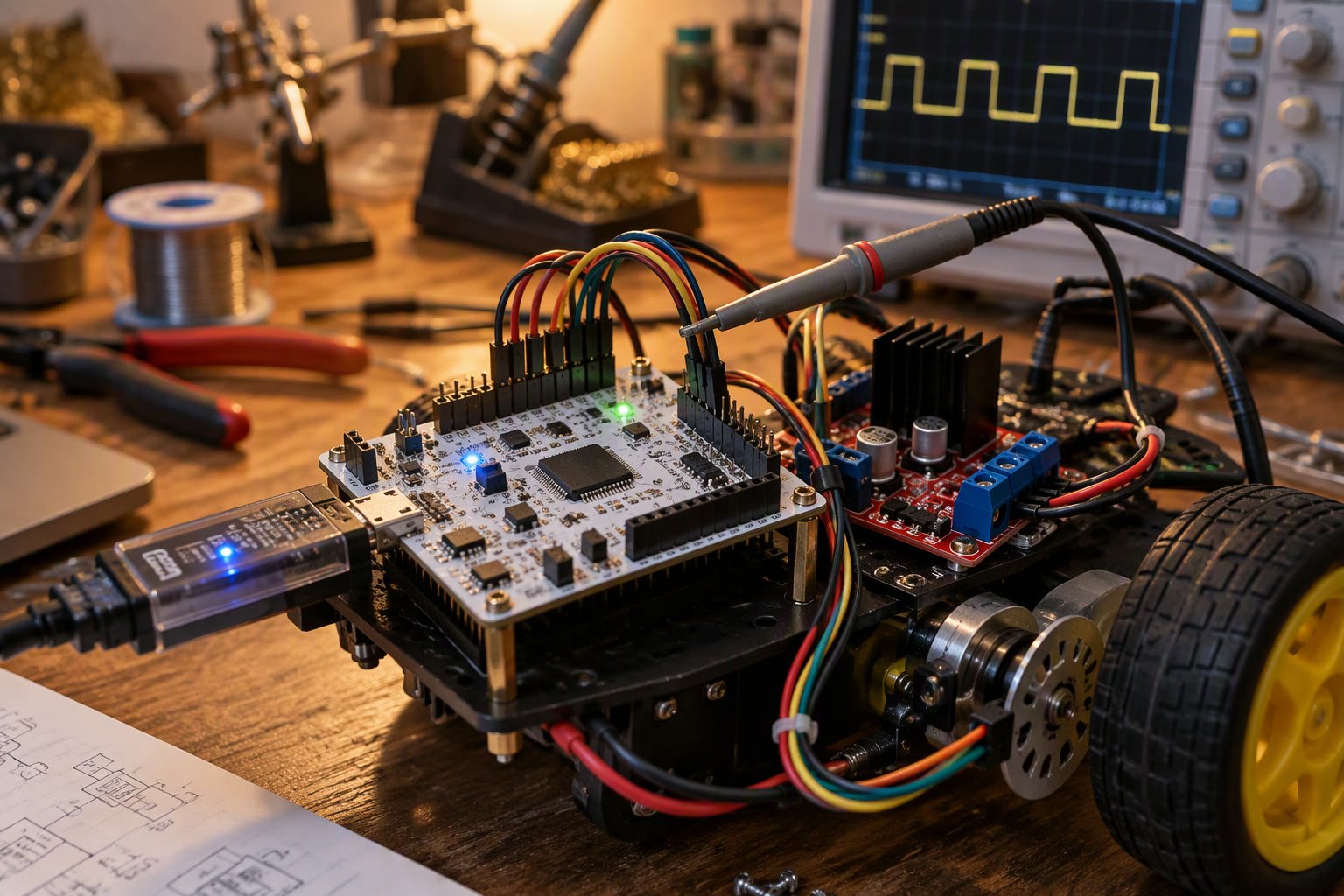
An Arduino is a great first controller and a poor choice for a robot with four motors, two encoders and a current sensor. At that point the hardware timers, encoder interfaces and CAN bus of an STM32 stop being luxuries. STM32 for robotics makes sense once a robot has several motors, encoders and a current sensor to manage.
This guide covers choosing an STM32 board, setting up the toolchain, using timers for PWM and hardware quadrature encoders, reading current with the ADC, and talking to a companion computer over UART or micro-ROS. It ends with the wiring mistakes that destroy boards on the first power-up.
Why STM32 for robotics rather than an Arduino board
| Feature | Arduino Uno | STM32F103 | STM32F4 or G4 |
|---|---|---|---|
| Core | 8-bit AVR, 16 MHz | 32-bit Cortex-M3, 72 MHz | Cortex-M4, 80 to 180 MHz |
| Hardware timers | 3 | 4 general purpose | Many, with advanced features |
| Encoder interface | Software interrupt | Hardware quadrature on timers | Hardware quadrature, more channels |
| CAN | None | One controller | One or two controllers |
| ADC | 10-bit | 12-bit | 12-bit, faster, multiple units |
| Floating point | Software | Software | Hardware single precision |
| Board cost in India | Low | Low | Moderate |
The practical difference is deterministic timing. Hardware quadrature decoding counts encoder edges in silicon, so a busy loop cannot miss pulses. Advanced timers generate complementary PWM with dead time for a motor driver, which software cannot fake reliably.
Choosing a board
- Blue Pill, F103. Cheap and widely available, good for a differential drive robot with two encoders. Watch for clone quality and missing USB bootloader support.
- Nucleo boards. Official, with an onboard programmer and debugger, better documentation and fewer surprises. Slightly larger.
- G431. Modern Cortex-M4 with a good analog front end, a sensible choice for motor control.
- F411 and F401. More speed and memory for micro-ROS or sensor fusion.
- H7 series. Only when you genuinely need the performance, because cost and complexity rise sharply.
For a first STM32 robot, a Nucleo with an onboard ST-Link removes an entire class of setup problems. Buy the clone boards once you know the workflow.
Toolchain: CubeIDE, HAL and the Arduino option
ST provides STM32CubeIDE and CubeMX for pin and clock configuration. The HAL library is verbose but portable, and it is the fastest route to working peripherals. The Arduino core for STM32 lets you keep the familiar API, at the cost of less control over timers.
- Use CubeMX to set the clock tree, then generate code and keep your logic in the marked user sections.
- Set the debug pins early, before you need them.
- Prefer HAL for a first project; move to LL or direct register access only for timing-critical loops.
- Keep the generated code out of version control conflicts by writing your own files and calling them.
PWM for motors
A motor driver needs a PWM signal with a frequency high enough to avoid audible whine and low enough to keep switching losses reasonable. Twenty kilohertz is a common compromise for small DC motors. STM32 for robotics uses hardware timers to generate motor PWM, which is where the board starts to beat an Arduino.
// TIM2 channel 1 at 20 kHz on a 72 MHz clock
// prescaler 0, period 3600 gives 72e6 / 3600 = 20 kHz
htim2.Init.Prescaler = 0;
htim2.Init.Period = 3600 - 1;
HAL_TIM_PWM_Init(&htim2);

TIM_OC_InitTypeDef oc = {0};
oc.OCMode = TIM_OCMODE_PWM1;
oc.Pulse = 0;
oc.OCPolarity = TIM_OCPOLARITY_HIGH;
HAL_TIM_PWM_ConfigChannel(&htim2, &oc, TIM_CHANNEL_1);
HAL_TIM_PWM_Start(&htim2, TIM_CHANNEL_1);

// duty 0 to period
__HAL_TIM_SET_COMPARE(&htim2, TIM_CHANNEL_1, 1800);
Compute the period from the timer clock rather than copying a number. The timer clock on STM32 is not always the system clock, and a wrong assumption produces a motor whine at an unexpected pitch and a driver that runs hotter than expected.
Hardware quadrature encoders
Put the encoder on a timer in encoder mode. The hardware counts up and down as the two channels change, with no interrupt load and no missed edges at speed.
TIM_Encoder_InitTypeDef enc = {0};
enc.EncoderMode = TIM_ENCODERMODE_TI12;
enc.IC1Polarity = TIM_ICPOLARITY_RISING;
enc.IC2Polarity = TIM_ICPOLARITY_RISING;
enc.IC1Filter = 6;
enc.IC2Filter = 6;
HAL_TIM_Encoder_Init(&htim3, &enc);
HAL_TIM_Encoder_Start(&htim3, TIM_CHANNEL_ALL);

int16_t delta = (int16_t)__HAL_TIM_GET_COUNTER(&htim3);
__HAL_TIM_SET_COUNTER(&htim3, 0);   // read and reset each control cycle
Read and reset in the same control cycle, then convert counts to distance using the encoder resolution and gear ratio. Filtering the input pins in hardware saves software debounce and prevents false counts from motor noise.
Current sensing with the ADC
Motor current tells you far more than a stall flag. After a simple moving average, it gives load estimation, jam detection and a crude torque limit. Use a dedicated current sensor IC rather than a shunt alone, and keep the analog ground separate from motor return currents.
HAL_ADC_Start(&hadc1);
if (HAL_ADC_PollForConversion(&hadc1, 2) == HAL_OK) {
  uint32_t raw = HAL_ADC_GetValue(&hadc1);
  float volts = raw * 3.3f / 4095.0f;
  float amps = (volts - 1.65f) / 0.066f;   // example sensitivity
}
HAL_ADC_Stop(&hadc1);
Calibrate the zero point with the motor disabled. A sensor with a 1.65 V zero and a small offset will report a steady current when there is none, and a jam detector built on that reading will trip constantly.
Talking to a companion computer
Send a compact binary frame over UART rather than text. A header byte, a length, a sequence number, the payload and a checksum is enough to recover from framing errors, which do happen when the cable runs beside motor wires.
- Fix the baud rate on both sides and confirm it before debugging logic.
- Sequence numbers expose dropped frames that checksums alone hide.
- Send at a fixed rate from a timer, not from the main loop.
- For ROS 2, micro-ROS removes most of the framing work and gives you topics and parameters.
- Add a watchdog: if the companion stops sending, stop the motors.
Debugging and bring-up
ST-Link with SWD gives breakpoints and variable inspection over two wires. Learn to use it before the robot is assembled, because debugging a live robot with a USB cable attached is awkward and sometimes dangerous.
- Print over UART at a low rate during bring-up; printing every loop breaks timing.
- Blink an LED in the fault handler so a crash is visible without a debugger.
- Enable the hardware watchdog once the robot leaves the bench.
- Keep a map of which pin does what; label the motor connectors physically.
Mistakes that kill boards
| Mistake | Result | Prevention |
|---|---|---|
| 5 V signal into a 3.3 V pin | Damaged pin or chip | Level shifter or open drain |
| Motor supply back EMF | Brownout and resets | Flyback diodes, separate supplies, bulk capacitor |
| Floating input pins | Erratic behaviour | Pull-up or pull-down configured |
| Boot0 held high | Board waits for a programmer | Check the boot jumper |
| Shared ground return | ADC noise and encoder glitches | Star ground, separate power ground |
| No decoupling capacitor | Random resets under load | 100 nF at every supply pin |
Power the STM32 from its own regulator or a clean 5 V source, and keep motor current out of the logic ground path. Most unexplained resets on a first robot are a grounding problem, not a firmware problem.
Related: ESP32 FreeRTOS tasks, Arduino versus ESP32, micro-ROS tutorial, Arduino interrupts and encoders, BLDC motors and ESCs, robot controller PCB design.
Is STM32 too hard for a beginner?
Not if you start with CubeMX and a Nucleo board. The barrier is the toolchain, not the chip, and the payoff is deterministic timing, hardware encoder decoding and a CAN controller that an Arduino cannot match.
What is the difference between HAL and LL?
HAL is a portable abstraction with more overhead; LL uses lightweight inline functions closer to the register. Start with HAL, and move a specific function to LL only if timing demands it.
Can I use the Arduino IDE with STM32?
Yes, through the official Arduino core for STM32. It is convenient, but you lose fine control over timers, which is often the reason to move to STM32 in the first place.
How do I count encoder pulses without missing any?
Configure a timer in encoder mode so the hardware counts the quadrature edges. Reading the counter in a loop in software will miss pulses as speed rises.
Do I need micro-ROS on the microcontroller?
Only if you want the STM32 to appear as a ROS 2 node. A simple binary UART protocol is lighter and easier to debug, and micro-ROS adds a broker and more memory use.
The STM32 peripherals that make CAN practical, including hardware filters, are covered in the CAN bus guide.
Sources and further reading
- STM32CubeMX — pin, clock and peripheral configuration.
- micro-ROS — ROS 2 on microcontrollers.
- Arduino core for STM32 — board support and pin mapping.

