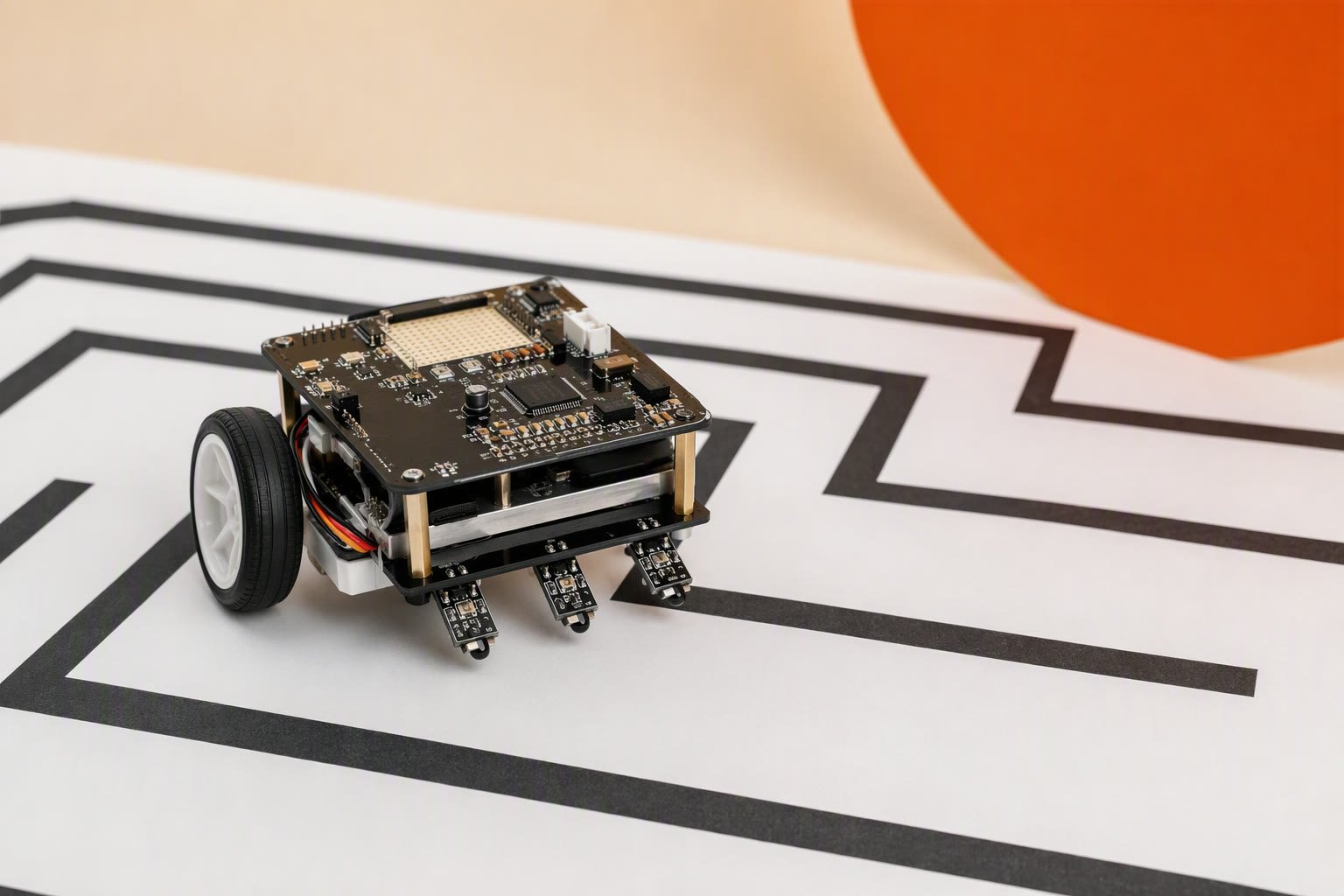
A ₹2,300 maze solver is a grid robot before it is a clever one: three IR wall sensors, two wheel encoders and a flood-fill map will beat a faster motor every time. The robot learns walls as it drives, keeps a 5×5 map and steps toward the neighbour with the shortest known distance to the goal. This sheet covers the left-hand rule, the flood-fill model, the pin map, sensor calibration, the sketch and a paper-maze test plan.
Scope: intermediate. No gyro, no diagonal moves, no PID. The maze is 5×5 with 200 mm cells and a centre goal. Encoders count wheel rotation, not ground truth, and every pivot adds heading error. Finish a paper maze before attempting a 16×16 course.
Bill of materials
| Part | Qty | Unit | Total |
|---|---|---|---|
| Arduino Nano CH340 clone | 1 | ₹320 | ₹320 |
| L298N motor driver module | 1 | ₹180 | ₹180 |
| IR obstacle sensor modules, set of 3 | 1 | ₹180 | ₹180 |
| TT gear motors with wheels, pair | 1 | ₹260 | ₹260 |
| Magnetic encoder kit for TT motors, pair | 1 | ₹380 | ₹380 |
| 2WD acrylic chassis with caster | 1 | ₹190 | ₹190 |
| 2S 18650 holder with protected cells | 1 | ₹420 | ₹420 |
| 5 V 2 A buck converter | 1 | ₹220 | ₹220 |
| Switch, jumper wires and screws | 1 | ₹90 | ₹90 |
| Spare IR sensor module | 1 | ₹60 | ₹60 |
| Parts total | ₹2,300 | ||
Scroll the table sideways to see every column.
Prices checked Oct 2026. Shipping and tools are not included.
The ₹2,300 total excludes the paper maze, which is a consumable. A buck converter gives the Nano and sensors their own 5 V rail; the L298N 5 V output stays disconnected. Prices are typical Indian retail in October 2026, before shipping.
Wall following vs maze solving
A wall follower has no map. It holds one rule, such as “keep the left hand on the wall”, and applies it at every opening. With two sensors, one facing forward and one left, the rule becomes a decision table: turn left when the left side opens, go straight when the front is clear, turn right when it is blocked. It is cheap, quick to write and solves a large class of mazes.
The left-hand rule fails on any maze with a free-standing wall. The wall creates a loop, and the robot can circle the island forever while the goal sits on the other side. A right-hand rule fails on the mirror image. Neither rule remembers where it has been, so neither can notice the loop.
A solver keeps state: the walls it has seen, a distance from every cell to the goal, and a move to the neighbour with the smaller number. When a new wall appears, the distances that used that opening are wrong, so the field is rebuilt. Flood fill is that rebuild: a breadth-first search outward from the goal, blocked by known walls.
A wall follower can be quicker on its first pass. A flood-fill robot may explore dead ends before it solves, but it can solve mazes the rule cannot, and once the map is complete it can run the shortest path.
Why flood fill needs a grid and encoders
Flood fill assigns a number to a cell, not to a point. The maze is divided into square cells and walls live on the lines between them. Each cell stores four wall bits, north, east, south and west, and a wall seen on one side is written to both neighbours because a wall has two faces.
Two hundred millimetres is the minimum for a small two-wheel robot: a 130 mm chassis needs roughly its own diagonal to pivot. Use 250 mm if you have floor space. The cell size also sets sensor range, because a side sensor must see a wall at half a cell without seeing through an opening into the next corridor.
Two side sensors and encoders are enough to map openings, but the centre sensor is what confirms a front wall at a dead end. Without it, the robot can mistake a wall it cannot see for a corridor and drive into it.
The robot also needs its cell and heading. Encoders give distance and stop it at a boundary instead of after a guessed delay; the same 400 ms is a different distance at 8.2 V and at 7.0 V. Dead reckoning still drifts when a wheel slips, so heading is kept in 90° steps and assumed exact. Test ten pivots before trusting a run.
Unknown walls are treated as open when the field is computed. That optimism is deliberate: a robot that assumed unseen walls could conclude no path exists.
Build order and power
- Assemble the chassis, motors, wheels and caster. Spin each wheel by hand.
- Fit the encoders. The left and right IR modules face sideways; the centre module faces forward.
- Wire the L298N to the motors and the Nano, following the pin map. Remove the ENA and ENB jumpers.
- Connect the 2S pack through the switch to the L298N +12V and the buck input. Set the buck to 5.0 V before connecting its output.
- Feed the Nano 5V pin and the IR modules from the buck. Connect every ground together.
- Add 100 µF across the motor supply. Unplug the battery while uploading.
The L298N drops 1.4–2 V, so a 7.4 V pack delivers about 5.5–6 V to the TT motors. The L298N guide covers the drop; the power guide explains why the logic rail should not share the motor regulator.
Pin map
| Module | Arduino Nano | Note |
|---|---|---|
| IR left OUT | A0 | Digital input, not analog |
| IR centre OUT | A1 | Front wall sensor |
| IR right OUT | A2 | Digital input |
| Encoder left A / B | D2 / D4 | A on the interrupt pin, B read in the ISR |
| Encoder right A / B | D3 / D12 | A on the second interrupt pin |
| L298N IN1 / IN2 | D7 / D8 | Left motor direction |
| L298N IN3 / IN4 | D9 / D10 | Right motor direction |
| L298N ENA / ENB | D6 / D11 | PWM speed; remove both jumpers |
| Buck 5 V | 5V pin and sensor VCC | Set to 5.0 V first |
| All grounds | Common GND | Pack, L298N, buck, Nano, sensors |
Sensor calibration
Most cheap IR obstacle modules have a potentiometer that sets the detection distance and an output that goes LOW when something reflective is in range. Mount all three at the same height, about 35–45 mm above the floor, and square to the wall they face. A module angled down sees the floor.
Calibrate with a ruler, not by driving. Hold a piece of the actual wall at 5, 10, 15 and 20 cm in front of each sensor and turn its pot until the LED changes state at about 12 cm. Record the distance for each module; they will not match. Repeat with a dark grey wall. If the sensor cannot see it at 12 cm, use light walls, because matte black returns very little infrared.
Do this under the lighting you will run in. Direct sunlight and some halogen lamps contain enough infrared to keep a sensor triggered. Print the three states and push the robot through a corridor by hand; the left and right states should change at the same point in the cell.
The flood-fill sketch
// Maze solver: Nano + L298N + 3 IR wall sensors + 2 encoders, 5 x 5 grid.
const int IR_L = A0, IR_C = A1, IR_R = A2;
const int IN1 = 7, IN2 = 8, IN3 = 9, IN4 = 10, ENA = 6, ENB = 11;
const int EL_A = 2, EL_B = 4, ER_A = 3, ER_B = 12;
const int W = 5, H = 5, GX = 2, GY = 2;
const int CELL_TICKS = 940, TURN_TICKS = 470;   // CALIBRATE on your robot
const int DRIVE_PWM = 150, PIVOT_PWM = 140;

uint8_t walls[W][H], dist[W][H];
uint8_t rx = 0, ry = 0, heading = 0;            // 0 N, 1 E, 2 S, 3 W
const int8_t dx[4] = {0, 1, 0, -1}, dy[4] = {1, 0, -1, 0};
volatile long ticksL = 0, ticksR = 0;

void leftISR()  { ticksL += digitalRead(EL_B) ? 1 : -1; }
void rightISR() { ticksR += digitalRead(ER_B) ? 1 : -1; }

void setup() {
  Serial.begin(9600);
  pinMode(IR_L, INPUT); pinMode(IR_C, INPUT); pinMode(IR_R, INPUT);
  for (int p = 6; p <= 11; p++) pinMode(p, OUTPUT);
  for (int p = 2; p <= 4; p++) pinMode(p, INPUT_PULLUP);
  pinMode(ER_B, INPUT_PULLUP);
  attachInterrupt(digitalPinToInterrupt(EL_A), leftISR, RISING);
  attachInterrupt(digitalPinToInterrupt(ER_A), rightISR, RISING);
  brake();
  floodFill();
  delay(2000);
}

void loop() {
  readWalls();
  floodFill();
  if (rx == GX && ry == GY) { brake(); while (true) {} }
  int d = bestDirection();
  if (d < 0) { brake(); return; }
  int diff = (d - heading + 4) & 3;
  if (diff == 1) pivot(true);
  else if (diff == 3) pivot(false);
  else if (diff == 2) { pivot(true); pivot(true); }
  moveCell();
  rx += dx[d]; ry += dy[d]; heading = d;
}

void setWall(uint8_t x, uint8_t y, uint8_t d) {
  walls[x][y] |= 1 << d;
  int nx = x + dx[d], ny = y + dy[d];
  if (nx >= 0 && nx < W && ny >= 0 && ny < H)
    walls[nx][ny] |= 1 << ((d + 2) & 3);
}

void readWalls() {
  if (digitalRead(IR_C) == LOW) setWall(rx, ry, heading);
  if (digitalRead(IR_L) == LOW) setWall(rx, ry, (heading + 3) & 3);
  if (digitalRead(IR_R) == LOW) setWall(rx, ry, (heading + 1) & 3);
}

void floodFill() {
  for (uint8_t x = 0; x < W; x++)
    for (uint8_t y = 0; y < H; y++) dist[x][y] = 255;
  uint8_t qx[W * H], qy[W * H], head = 0, tail = 0;
  dist[GX][GY] = 0; qx[tail] = GX; qy[tail] = GY; tail++;
  while (head < tail) {
    uint8_t x = qx[head], y = qy[head]; head++;
    for (uint8_t d = 0; d < 4; d++) {
      if (walls[x][y] & (1 << d)) continue;
      int nx = x + dx[d], ny = y + dy[d];
      if (nx < 0 || nx >= W || ny < 0 || ny >= H) continue;
      if (dist[nx][ny] > dist[x][y] + 1) {
        dist[nx][ny] = dist[x][y] + 1;
        qx[tail] = nx; qy[tail] = ny; tail++;
      }
    }
  }
}

int bestDirection() {
  int best = -1, bestCost = 9999;
  for (int d = 0; d < 4; d++) {
    if (walls[rx][ry] & (1 << d)) continue;
    int nx = rx + dx[d], ny = ry + dy[d];
    if (nx < 0 || nx >= W || ny < 0 || ny >= H) continue;
    int turn = (d - heading + 4) & 3;
    int cost = dist[nx][ny] * 4 + (turn == 0 ? 0 : (turn == 2 ? 3 : 1));
    if (cost < bestCost) { bestCost = cost; best = d; }
  }
  return best;
}

void pivot(bool right) {
  long l0 = ticksL, r0 = ticksR;
  while (labs(ticksL - l0) + labs(ticksR - r0) < 2 * TURN_TICKS) {
    digitalWrite(IN1, right); digitalWrite(IN2, !right);
    digitalWrite(IN3, !right); digitalWrite(IN4, right);
    analogWrite(ENA, PIVOT_PWM); analogWrite(ENB, PIVOT_PWM);
  }
  brake(); delay(150);
}

void moveCell() {
  long l0 = ticksL, r0 = ticksR;
  while (labs(ticksL - l0) + labs(ticksR - r0) < 2 * CELL_TICKS) {
    long l = labs(ticksL - l0), r = labs(ticksR - r0);
    int trim = (int)(l - r) / 4;
    digitalWrite(IN1, HIGH); digitalWrite(IN2, LOW);
    digitalWrite(IN3, HIGH); digitalWrite(IN4, LOW);
    analogWrite(ENA, constrain(DRIVE_PWM - trim, 0, 255));
    analogWrite(ENB, constrain(DRIVE_PWM + trim, 0, 255));
  }
  brake(); delay(150);
}

void brake() {
  digitalWrite(IN1, LOW); digitalWrite(IN2, LOW);
  digitalWrite(IN3, LOW); digitalWrite(IN4, LOW);
  analogWrite(ENA, 0); analogWrite(ENB, 0);
}
The sketch reads walls at each cell centre, rebuilds the field, then turns and drives one cell. The turn penalty stops it zig-zagging between equal-distance cells; because distance is multiplied by four, the penalty never overrides a shorter path. If the printed coordinates jump by two, CELL_TICKS is too low or the interrupt is counting both edges.
Test plan on a paper maze
Build the maze from 3 mm foam board strips about 50 mm high, taped to chart paper. Draw a 5×5 grid at 200 mm spacing and leave the centre cell with one entrance. Keep the walls light and the floor matte; a glossy floor reflects infrared like a wall.
- Sensor truth table: hold the robot at the centre of three cells and print the states. Compare with the maze on paper. A mismatch is calibration, not code.
- Distance: drive 1 m along a marked line and read the tick count. Divide by five for a starting CELL_TICKS, then tune until five cells land within 10 mm of the mark.
- Pivots: command ten 90° turns and measure the final heading. Scale TURN_TICKS by the error.
- Corridor: start three cells from a dead end. The robot should stop in the last cell, see the wall and turn without touching the foam.
- Junction: start one cell before a T-junction. Confirm it records the side wall and takes the open branch.
- Full run: five runs from the same start. Record successes, collisions and time. A robot revisiting the same two cells has a heading error or a missed wall.
What usually goes wrong
| Symptom | Likely cause | Fix |
|---|---|---|
| Drives past the cell centre | CELL_TICKS too high, or one encoder missing edges | Recalibrate over 1 m; check encoder pull-ups and A/B wiring |
| Turns are always short | TURN_TICKS taken from a listing, not measured | Measure ten pivots and scale the constant |
| A wall appears in the map that is not there | Side sensor sees the floor or through an opening | Raise the sensor, shorten its range, shade it from sunlight |
| Misses a dark wall | Too little infrared reflected | Use light walls; do not lengthen the range until it sees through openings |
| Spins in place at a junction | Both side sensors trigger, or walls are read too early | Read walls after a settle delay at the centre |
| Nano resets when motors start | Logic rail sagging or no common ground | Separate buck rail, common ground, 100 µF across 5 V |
| Solves once, fails on the next run | Walls not cleared, or start pose not reset | Clear walls and distance in setup; reset rx, ry and heading |
Upgrading for a competition
- Better sensing: Sharp GP2Y0A41 analog or VL53L0X time-of-flight sensors return a distance, not a threshold. Both need their own calibration.
- Heading: an MPU6050 gyro corrects accumulated pivot error. Fuse it with the encoders; it drifts too.
- Speed: add a PI loop on wheel speed and ramp the motors. A faster robot needs more sensor reads per cell.
- Bigger map: competition mazes are commonly 16×16 with 180 mm cells. Add diagonals only after the orthogonal version is reliable, and check the current rulebook.
- Mechanics: a low chassis, O-ring tyres and a centred battery improve repeatability more than another tuning session.
After this build, the next problem is a speed run on a known map: shortest-path following with wall alignment, not exploration. The encoder interrupt guide covers the counting edge cases, the battery guide explains why a sagging pack changes CELL_TICKS, and the final-year project guide shows how to present the test log.
Sources and further reading
- Arduino language reference for
attachInterrupt(),constrain()and integer types in the map arrays. - Texas Instruments L298 datasheet for the output saturation voltage that sets your real motor voltage.
- Battery University: types of lithium-ion for how a 2S pack behaves under load.
Last reviewed: October 2026. Reviewed against component datasheets and the Arduino reference; this build has not been bench-tested by this site. The sketch is a starting point, not a guaranteed competition entry.