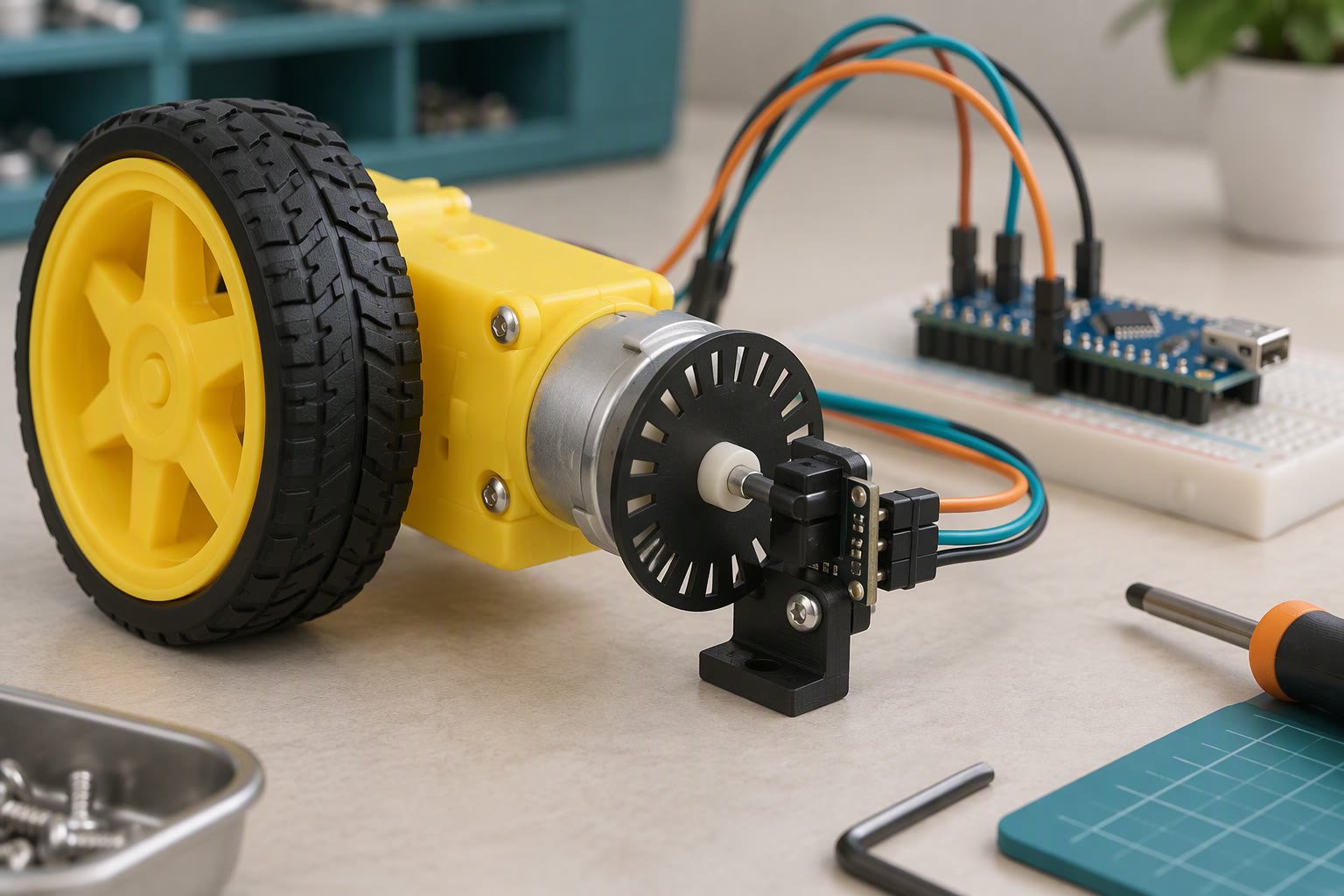
Put the encoder’s A channel on an interrupt pin, count edges in a short ISR, and convert counts to RPM using the encoder’s counts per revolution and a fixed time window. Reading the encoder inside loop() only works while nothing else in the loop is slow. One Serial.print, one LCD refresh or one blocking sensor read is enough to lose counts, and a speed controller built on lost counts will fight itself.
How quadrature output encodes direction
A quadrature encoder gives you two square waves, A and B, offset by a quarter of a cycle. When A rises before B, the shaft is turning one way; when B rises first, it is turning the other. Every transition is a count you can use. Cheap mechanical knob modules (the KY-040 type, roughly ₹90–200 as a planning range, check current prices) produce one detent per full cycle and bounce badly. Gearmotor encoders usually give 11 to 20 pulses per channel per motor revolution, and the gearbox multiplies that.
Four ways to count differ in resolution, CPU cost and how fast they survive.
| Method | What you count | Resolution on one shaft turn | CPU cost | Survives up to |
|---|---|---|---|---|
| Poll A inside loop() | A edges only, whenever the loop happens to look | 1x the pulse count | Zero, until the loop gets slow | A few hundred edges per second |
| Interrupt on A, read B in the handler | A edges, direction from B level | 1x | One short ISR per edge | Tens of thousands of edges per second |
| Interrupt on A and B | All four transitions per cycle | 4x | Two ISRs per cycle | High, but pin reads start to dominate |
| Hardware counter (ESP32 PCNT, STM32 timer) | Everything, in silicon | 4x | None in your code | Mechanical limit of the encoder |
CPR is the number that makes RPM honest
Pulses per revolution (PPR) is what the seller prints: pulses on one channel for one revolution of the encoder shaft. Counts per revolution (CPR) is what your code actually accumulates. If you count all four transitions, CPR is four times PPR per motor revolution, and the gearbox multiplies it again.
Work it through on a common hobby combination: a 20 PPR encoder on a 1:48 gearmotor driving a 65 mm wheel. Four times 20 gives 80 counts per motor revolution, and 80 times 48 gives 3,840 counts per output shaft revolution. The wheel circumference is 3.142 times 65 mm, which is 204 mm, so one output revolution moves the robot 204 mm.
rpm = counts_in_window × 60000 ÷ (CPR × window_ms)If the window is 100 ms and you counted 384 edges, the sum is 384 × 60000 = 23,040,000, divided by 3,840 × 100 = 384,000, which gives 60 rpm at the wheel. Multiply by 0.204 m per revolution and the robot is doing 12.2 m per minute, or about 0.20 m/s. Keep the CPR value in one named constant.
ISR rules that save you a rewrite
- Mark the counter volatile. The compiler cannot see the ISR running, so without volatile it may cache the value and hand loop() a stale count.
- Keep the handler to a few lines. Set a flag or increment a counter. Do the maths and printing in loop().
- No Serial calls in the ISR. Serial uses interrupts of its own, and printing inside a handler can deadlock the board.
- No delay() in the ISR. On AVR, millis() stops advancing during an interrupt, so delay() inside a handler throws your timing off.
- Read multi-byte counters atomically. On an 8-bit AVR, a 32-bit read takes four instructions; if an edge arrives in the middle you can read a half-updated number. Wrap the read in noInterrupts() and interrupts().
- Use the right pins. On an Uno or Nano only pins 2 and 3 take external interrupts; on a Mega it is 2, 3, 18, 19, 20 and 21; an ESP32 allows any GPIO except the input-only 34 to 39.
Here is the counting and the RPM calculation in one sketch. Attach it to a motor you can spin by hand before you trust it.
const uint8_t PIN_A = 2;
const uint8_t PIN_B = 3;
const long CPR = 3840;            // counts per output-shaft revolution

volatile long counts = 0;

void onEdgeA() {
  // A rose; the level of B at that moment gives the direction
  if (digitalRead(PIN_B) == HIGH) counts++;
  else                            counts--;
}

void setup() {
  Serial.begin(115200);
  pinMode(PIN_A, INPUT_PULLUP);
  pinMode(PIN_B, INPUT_PULLUP);
  attachInterrupt(digitalPinToInterrupt(PIN_A), onEdgeA, RISING);
}

void loop() {
  static unsigned long lastMs = 0;
  static long lastCounts = 0;

  unsigned long nowMs = millis();
  if (nowMs - lastMs < 100) return;

  long nowCounts;
  noInterrupts();
  nowCounts = counts;
  interrupts();

  long delta = nowCounts - lastCounts;
  float rpm = delta * 60000.0 / (CPR * (nowMs - lastMs));

  Serial.println(rpm, 1);

  lastCounts = nowCounts;
  lastMs = nowMs;
}
Two details keep this stable. Subtract the previous count instead of resetting to zero, so an edge between the read and the reset cannot be lost. Keep the subtraction signed so reverse rotation gives negative RPM rather than a huge positive number. The Arduino Uno guide covers the pin map if you are wiring this for the first time.
Mechanical encoders bounce, and software debounce inside the ISR does not work
Contacts bounce for a few milliseconds on each transition, which an interrupt counts as several edges. You cannot fix that with delay() inside the handler, because that stalls everything. Filter in hardware first: a 10 kΩ resistor in series with the pin and a 100 nF capacitor from pin to ground forms a low-pass filter that removes most of the chatter. If you still see double counts, decode the channels with a 1 kHz state table, which rejects impossible transitions instead of counting them. That filter caps the edge rate at a few hundred hertz, so use it on a hand-turned knob, not a motor encoder producing kilohertz.
For motor speed, count all four edges because you want resolution. For a menu knob, count one edge per detent, because a user turning the knob one click should move the cursor one step.
Why does my RPM read zero or jump at low speed?
Resolution. A 100 ms window at 3,840 CPR means one count equals 0.156 rpm, which sounds excellent until the robot is crawling. At 5 rpm you collect about 32 counts in the window, so a single missed or extra edge is a 3 percent error, and at 1 rpm the same window holds six counts, so one edge is 16 percent. Blame the window length before you blame the encoder.
Switch strategies at low speed: measure the time between edges with micros() and invert it. Period measurement stays accurate when counts per window are few, and count-per-window stays accurate when they are many. A hybrid, using counts above roughly 20 edges per window and period below it, gives you a usable number across the whole range. Also guard against a zero time difference before dividing, or the first loop pass can throw a divide-by-zero and print nonsense.
When to hand the counting to hardware
An ESP32 has a pulse counter peripheral (PCNT) that counts edges and tracks direction in hardware, so the CPU only reads the total. STM32 timers have an encoder mode that does full quadrature in silicon. On an AVR, Timer1 can count external pulses on the T1 pin, but it counts pulses and not direction, so it suits a single hall sensor on a wheel rather than a quadrature encoder. Move to hardware when the ISR load steals time from sensor reads, or when digitalRead inside the handler takes a noticeable share of each cycle.
Common failure modes
- Interrupt attached to a pin that has none. It compiles, the count never moves, and nothing warns you.
- Encoder powered from a different rail with no shared ground. The signal floats and the count drifts.
- Long unshielded encoder leads beside motor wires. PWM noise arrives as extra edges. Twist the pair and keep it away from the motor cable.
- Three-volt encoder into a five-volt board without checking. Many modules are 5 V tolerant, bare chips are not. Read the module’s markings before powering.
- Counting both channels with a slow handler. At high RPM the handler runs so often that loop() starves and the robot responds late.
- Wrong CPR. A datasheet PPR that already accounts for gearing, multiplied again, gives a speed reading that is off by the gear ratio.
- Assuming the encoder measures the wheel. Wheel slip is invisible to it, so distance from encoders is an estimate.
Common questions
Do I need to debounce a rotary encoder in software?
Add the RC filter first, then see whether you still need software. If you do, use a 1 kHz state-table decoder rather than delay-based debounce, and never put a delay inside the interrupt handler. A cheap mechanical module usually needs both the filter and the state table to give one clean step per detent.
How do I find my encoder’s counts per revolution?
Turn the output shaft exactly ten times by hand, with the robot lifted, and read the total count. Divide by ten and you have the real CPR including every multiplication. This also catches a datasheet that quotes PPR per motor revolution, which is the most common source of a speed reading that is wrong by the gear ratio.
Can I use an interrupt on any Arduino pin?
No. On an Uno or Nano, external interrupts are on pins 2 and 3 only. On a Mega they are on 2, 3, 18, 19, 20 and 21. On an ESP32 any GPIO can interrupt except the input-only pins 34 to 39. Pin-change interrupts exist on AVR but you need to handle the whole port, which is more work than moving one wire.
Next: wire the encoder to a motor you already have, lift the robot off the table, spin the wheel by hand and watch the count change in the serial monitor before you add any control code. Once the count is reliable, use the battery runtime calculator to check that the extra current draw still leaves a sensible run time, and the ESP32 robot car build if you want a platform with hardware counting from the start. If you are measuring speed for a steering loop, the line follower build uses the same count for wheel balance. The free project pack has the wiring diagram.
To turn those counts into distance and heading, the wheel encoder guide covers counts per revolution, calibration and odometry.
Hardware encoder counting, which removes the interrupt load entirely, is covered in the STM32 guide.
Fast, clean feedback makes gains easier to tune, as the PID tuning guide explains.
Sources and further reading
Documents used to check the numbers on this page:
- Arduino attachInterrupt() reference — which pins can interrupt.
- Arduino Language Reference — pin functions, timings and library behaviour.
Last reviewed: October 2026. Pin numbers and interrupt behaviour follow the official board documentation; check your own board revision. Prices are planning ranges, not quotes.

