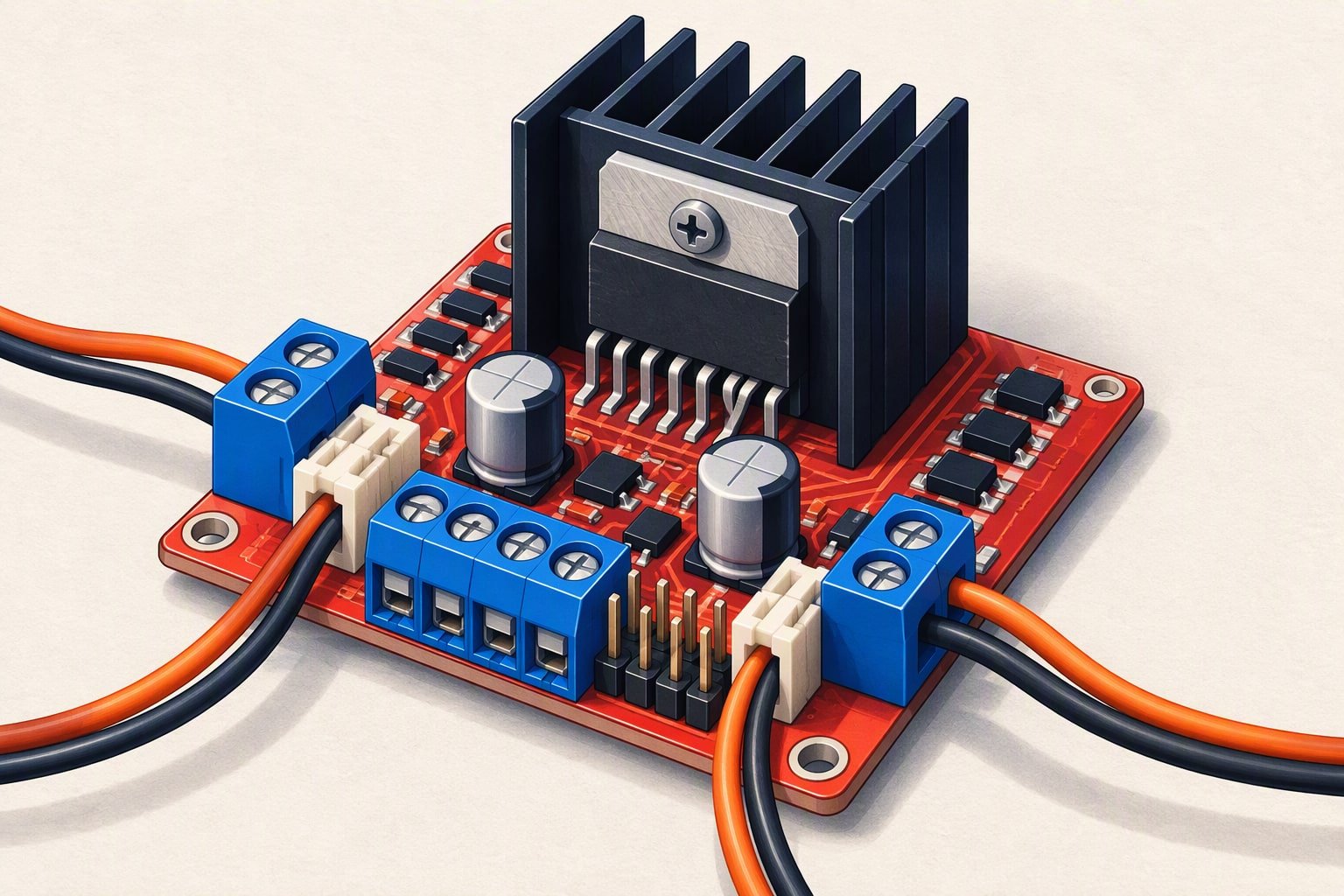
The L298N is a ₹130–₹250 dual motor driver that will run a small robot car reliably — if you respect its 1.4–2 V voltage drop and never ask it for more than about 2 A per channel. It is old, inefficient and sold everywhere. For TT motors and a first build, that trade is still reasonable.
Key specifications
| Motor supply | 5–35 V |
|---|---|
| Logic supply | 5 V (onboard regulator) |
| Channels | 2 |
| Continuous current | about 2 A per channel with heatsink |
| Peak current | 3 A per channel (short) |
| Voltage drop | 1.4–2 V at load |
| PWM frequency | up to about 20 kHz |
| Logic levels | 5 V |
| Board size | about 43 × 43 mm |
Substitute: TB6612FNG for lower voltage drop and 3.3 V logic, or DRV8871 for higher current.
What it does
The module contains two H-bridges. Each bridge can reverse the polarity across one DC motor, which gives you forward and reverse, and each channel has an enable pin that accepts PWM for speed. The board also carries a 5 V regulator, screw terminals for the motors and supply, and a heatsink. That combination is why every starter kit includes one: it turns four microcontroller pins and a battery into two controllable wheels.
Wiring, pin by pin
- 12 V terminal: motor battery positive. The silkscreen says 12 V, but the chip accepts 5–35 V. With a 6 V battery pack, the motors will see roughly 4–4.6 V after the driver’s drop.
- GND: motor battery negative and Arduino GND, joined here. A missing common ground is the most common reason a driver “does nothing”.
- 5V terminal: an output from the onboard regulator when the jumper is fitted. It can power an Arduino from a 7–12 V motor supply. Do not connect an external 5 V supply here at the same time.
- ENA / ENB: PWM speed inputs for motor A and B. Keep the jumper fitted only if you want full speed; remove it to control speed from the microcontroller.
- IN1 / IN2 and IN3 / IN4: direction inputs. IN1 high and IN2 low drives forward; IN1 low and IN2 high drives reverse; both low coasts; both high brakes.
| IN1 | IN2 | ENA | Motor A |
|---|---|---|---|
| High | Low | PWM | Forward at PWM duty |
| Low | High | PWM | Reverse at PWM duty |
| Low | Low | Any | Coast |
| High | High | Any | Brake |
The voltage drop is the whole story
The L298N uses Darlington output stages, and each one loses 1.4–2 V at load. A 6 V AA pack that measures 6.4 V at rest may deliver under 4.5 V to the motors, which is why a robot that works on USB feels slow on batteries. A 2S 18650 pack at 7.4–8.4 V is a better match, but check that your motors are rated for the resulting voltage. The drop also becomes heat: at 2 A per channel, the chip can dissipate several watts, so the heatsink is not decorative.
Current limits and protection
The datasheet figure is 2 A per channel continuous with a heatsink, with short peaks around 3 A. Treat those as ceilings for a well-cooled, genuine chip, not a promise for a clone module in a closed chassis. The board has flyback diodes, which protect it from motor inductance, but it has no reverse-polarity protection and no thermal shutdown you should rely on. A stalled TT motor can pull more than the driver’s continuous rating within seconds; if the robot pushes against a wall, cut the PWM rather than holding full throttle.
- Add a 100–470 µF capacitor across the motor supply terminals, close to the board, to absorb switching spikes.
- Keep motor and signal wires apart. Long parallel runs couple noise into the enable and direction lines.
- Use a common ground at one point, not through two thin jumper wires.
- Test the supply voltage under load. A pack that reads 7.4 V at rest can sag below 5 V during a stall.
When to replace it
| Driver | Why upgrade |
|---|---|
| TB6612FNG | Lower voltage drop (about 0.5 V), 3.3 V logic compatibility and no big heatsink. Better for small robots and ESP32 builds. |
| DRV8871 | Higher current and a resistor-set current limit in a tiny package. Useful when a motor stalls often. |
| BTS7960 | Much higher current for larger motors, with current sensing. Overkill for a ₹1,500 car. |
| Relay module | Only for on/off loads, not speed control. A relay cannot PWM a motor. |
Buying checks
Clone L298N modules vary in diode quality, heatsink contact and terminal soldering. Look for a board where the heatsink sits flat on the chip, the screw terminals are not loose, and the 5 V jumper is present. Avoid listings that show a board with no flyback diodes or one where the power terminals are labelled inconsistently. At ₹130–₹250, buy two and keep one as a spare — a shorted driver is easy to create and hard to diagnose without a replacement.
Common questions
Can I power the L298N from the Arduino 5V pin?
Not for motors. The Arduino 5 V pin cannot supply motor current. Use a separate motor battery into the 12 V terminal, and join the grounds.
Why is my robot slow on batteries?
The L298N loses 1.4–2 V, and the battery sags under load. Measure the motor terminal voltage while the wheels are turning, not at rest.
Why does the driver get hot?
It is dissipating the voltage drop as heat. Reduce the supply voltage, reduce the load, improve airflow, or move to a TB6612FNG.
Does it work with a 3.3 V ESP32?
Usually the logic threshold is low enough, but it is not specified for 3.3 V and clones vary. A TB6612FNG is the cleaner choice for ESP32 builds.
Related: line follower build, obstacle avoiding build, ESP32 robot car, project cost calculator.
Keep reading
- L298N vs TB6612FNG — When the voltage drop is no longer acceptable.
- Servo vs DC motor vs stepper — Match the driver to the actuator.
- How to power a robot — Wiring the motor supply and the logic supply.
Sources and further reading
Documents used to check the numbers on this page:
- TI L293D datasheet page — a comparable dual H-bridge for current and drop-out numbers.
- Pololu brushed DC motor driver comparison — drop-out voltage and current.
Last reviewed: October 2026. Specifications checked against the ST L298 datasheet and common module documentation. Prices are Indian retail ranges.
Sizing the motor comes before choosing this driver; the motor selection guide works through torque, RPM and stall current.
Where to buy in India
These open a store search. Compare seller, price and reviews before you order.