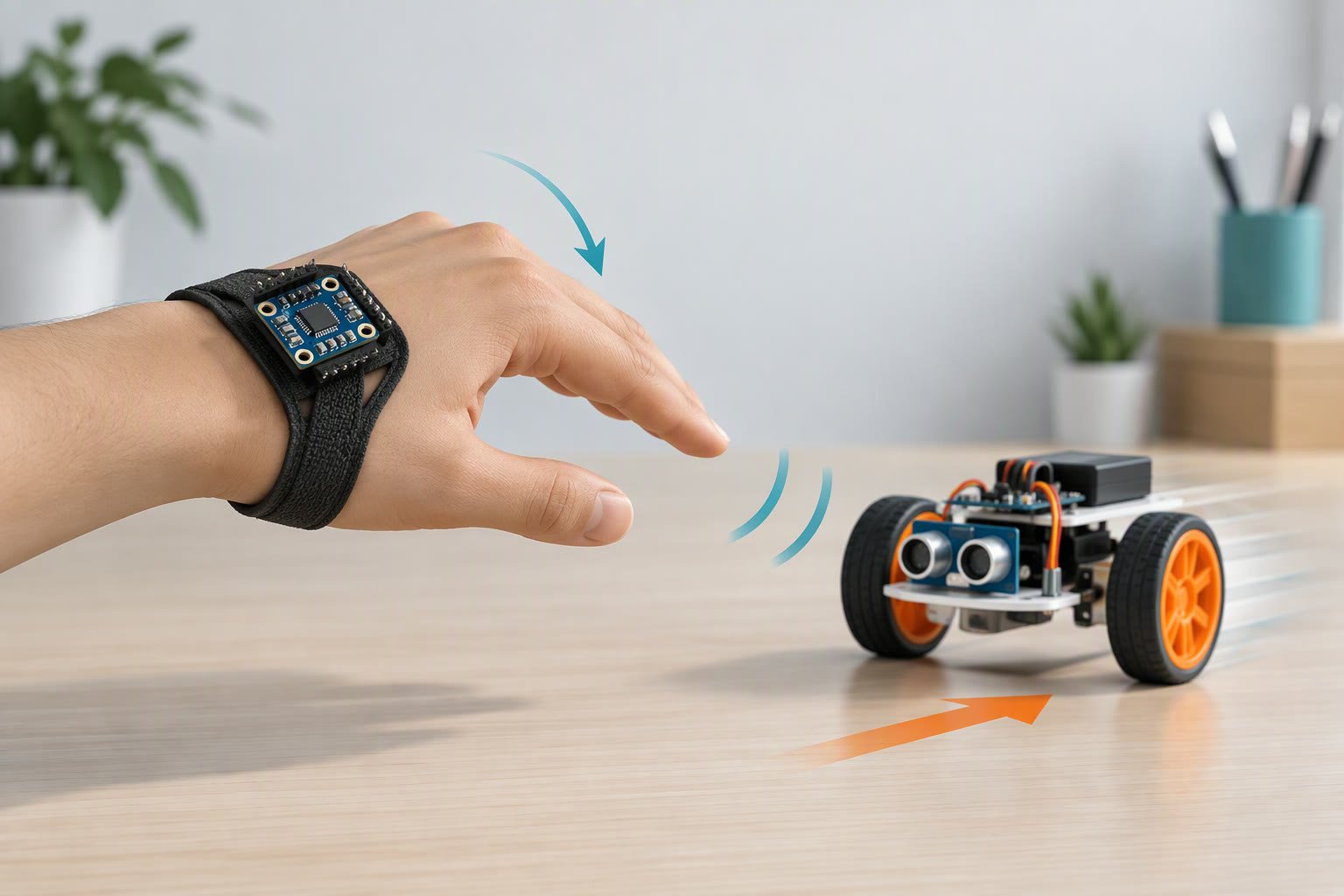
Put an MPU6050 on the back of your hand, map a forward tilt to “forward”, and stop the car when no packet has arrived for 400 ms. The filter is four lines, the mapping is a table, and the part that actually decides whether the demo works is the radio supply. An nRF24L01 module needs a solid 3.3 V and two capacitors, or it will transmit for ten seconds and then vanish. That is the whole idea behind this gesture controlled robot: tilt in, motor command out, and a stop when the signal drops.
This is two Arduinos: a handset that reads tilt and sends one command character, and a car that receives it and drives two motors. Nothing is calibrated by guesswork; the offsets come from readings you take with the handset sitting still.
How the gesture unit maps tilt to motion
Keep the mapping obvious and the deadband generous. A remote that twitches between forward and stop because your hand is not perfectly level is worse than one that needs a deliberate tilt. Nine degrees either side of neutral is a good starting point for a hand-held remote.
| Handset orientation | Axis and sign | Command | Robot action |
|---|---|---|---|
| Tilt forward, top edge down | Pitch below −9° | F | Both motors forward |
| Tilt back, top edge up | Pitch above +9° | B | Both motors reverse |
| Tilt left | Roll below −9° | L | Left motor back, right forward |
| Tilt right | Roll above +9° | R | Left motor forward, right back |
| Held level | Inside the deadband | S | Motors braked |
Pitch and roll are enough for four directions. Adding a twist gesture for a fifth command looks good in a video and is hard to trigger on purpose, so leave it out of a first build. If you want speed control as well, use the size of the tilt: below 20° is half speed, beyond that is full.
Reading tilt without a maths degree
The MPU6050 gives you two useful measurements. The accelerometer tells you which way is down, so it can calculate an absolute angle, but it is noisy whenever the handset moves. The gyroscope measures how fast the handset is rotating; integrate that over time and you get an angle that is smooth but slowly drifts away from the truth.
A complementary filter blends the two. Trust the gyro for fast changes, trust the accelerometer for the slow reference, and pick a weight near 0.98 for the gyro at a 10 ms loop. You do not need to derive it; you need to know that a lower weight follows the accelerometer more and shakes more, and that a weight of 1.0 ignores the accelerometer and drifts.
// ==== first Arduino: transmitter ====
// setup() needs radio.begin(), openWritingPipe(address), setPALevel(), stopListening().
// MPU6050 on I2C (A4/A5), nRF24L01 on D9 (CE) and D10 (CSN).
// Both radios need a 3.3 V supply with 10 uF and 100 uF across it.

#include <Wire.h>
#include <RF24.h>

RF24 radio(9, 10);
const byte address[6] = "ROBOT";
struct Packet { char cmd; byte seq; } packet;

float roll = 0, pitch = 0;
float biasX = 0, biasY = 0;        // measured at rest, raw gyro counts
const float ALPHA = 0.98;
const float DT = 0.01;             // 100 Hz loop
const int DEADBAND = 9;            // degrees

void loop() {
  int16_t ax, ay, az, gx, gy, gz;
  readRaw(ax, ay, az, gx, gy, gz); // Wire reads from register 0x3B onward
  long ay2 = (long)ay * ay, az2 = (long)az * az;

  float accRoll  = atan2(ay, az) * 57.3;
  float accPitch = atan2(-ax, sqrt(ay2 + az2)) * 57.3;

  roll  = ALPHA * (roll  + ((gx - biasX) / 131.0) * DT) + (1 - ALPHA) * accRoll;
  pitch = ALPHA * (pitch + ((gy - biasY) / 131.0) * DT) + (1 - ALPHA) * accPitch;

  packet.cmd = 'S';
  if (pitch < -DEADBAND)     packet.cmd = 'F';
  else if (pitch > DEADBAND) packet.cmd = 'B';
  else if (roll < -DEADBAND) packet.cmd = 'L';
  else if (roll > DEADBAND)  packet.cmd = 'R';

  packet.seq++;
  radio.write(&packet, sizeof(packet));
  delay(10);                       // 100 packets per second
}

// ==== second Arduino: receiver with a 400 ms failsafe ====
// setup() needs radio.begin(), openReadingPipe(1, address), startListening().
unsigned long lastPacket = 0;
char cmd = 'S';
Packet packet;

void loop() {
  if (radio.available()) {
    radio.read(&packet, sizeof(packet));
    cmd = packet.cmd;
    lastPacket = millis();
  }
  if (millis() - lastPacket > 400) cmd = 'S';
  drive(cmd);                      // same drive() as the Bluetooth car sketch
}
The divide by 131 converts raw gyro counts to degrees per second at the default ±250°/s range. If you change that range, change the divisor with it. The 57.3 factor converts radians to degrees, so the printed numbers match your protractor.
A fixed 0.01 s step only holds if the loop is steady. The radio write and the I2C read both vary, so measure the real interval with millis() and use it as dt. A filter fed the wrong step size lags when the handset moves fast and drifts when it is still.
Calibrating a gesture controlled robot: offsets, drift and deadband
- Gyro bias: leave the handset still and average 500 readings of each axis. A gyro that reads 17 counts per second at rest drifts about 8 degrees a minute if you subtract nothing.
- Accelerometer offset: lay the handset on a level surface and read the angles. If roll shows 3°, subtract 3 in the code rather than tilting the sensor on its mount.
- Deadband: start at 9°, raise it to 12° if the car changes direction while your hand is relaxed.
- Warm-up: give the board 30 seconds after power-on before you record bias. Cheap modules shift slightly as they warm.
- Drift: the accelerometer part of the filter pulls the estimate back over a few seconds, which is why a complementary filter is enough for gestures and not enough for navigation.
nRF24L01 or HC-05 for the link?
| Aspect | nRF24L01+ | HC-05 Bluetooth |
|---|---|---|
| Pairing | Same address and channel in both sketches | Bluetooth menu, PIN, then serial |
| Usable range | Good for a room and beyond if the supply is clean | Class 2, roughly 10 m in open air, less through walls |
| Latency | Very low; one small packet per 10 ms | Noticeably higher, and worse when the link is weak |
| Logic level | 3.3 V only. A 5 V signal or supply can destroy it | 3.3 V logic, 5 V through the breakout regulator |
| Extra parts | 2 capacitors and a solid 3.3 V source | One divider on the RX line |
| Pick it when | You want a purpose-built handset with a fast, steady link | You want to reuse a phone, or you already own the modules |
One detail decides most nRF24L01 builds: the module’s 3.3 V pin on an Arduino Nano cannot supply the transmit current spike of a PA+LNA version, and the failure looks like a radio that works on the bench and dies at range. Use a separate 3.3 V regulator or an adapter board with its own regulator, and put 10 µF and 100 µF capacitors right at the module’s pins.
Failsafe when the link drops
Radio links fail silently. The receiver keeps doing whatever it was told unless you make “no news” mean “stop”. The 400 ms timeout in the sketch above is the whole mechanism: a fresh packet refreshes the timer, and anything older than 400 ms brakes the motors. A gesture controlled robot should stop by itself when packets stop arriving, so the failsafe matters as much as the filter.
Test it properly. Walk out of range while driving, switch the handset off mid-run, and take the battery out of the handset. Each test should stop the car within half a second. If the car keeps rolling, the receiver is not reaching the timeout branch, or the last command is being re-applied somewhere else in the loop. Set the timeout shorter than the time it takes the car to cross the room at full speed.
Range and power in a real room
Vendor listings quote long ranges for PA+LNA modules. Those figures assume open air, a clear channel, a clean supply and antennas at the same orientation. In a room with walls, furniture and a dozen phones on 2.4 GHz, expect much less, and expect variation between one corner and another. Test the actual route before a demo rather than trusting a number on a listing.
Power the handset from its own small pack, not from the laptop that is also running the serial monitor. A shared USB ground with a laptop is fine for bench testing and useless on stage. Use protected cells, and do not charge a pack while it is inside the handset. The L298N on the car has the same current limits as any other small build, so keep the logic and motor rails separate.
What it costs
| Item | Planning price (INR) |
|---|---|
| Arduino Nano clones, two | ₹600–900 |
| MPU6050 module | ₹120–250 |
| nRF24L01+ PA+LNA modules, pair | ₹300–600 |
| Adapter boards with capacitors, two | ₹80–200 |
| L298N motor driver | ₹150–250 |
| TT gear motors with wheels, pair | ₹250–350 |
| 2WD chassis with caster | ₹150–300 |
| Two battery holders with protected cells | ₹350–700 |
| Wires, switches, capacitor | ₹100–200 |
| Total | ₹2,100–3,750 |
This build sheet is reviewed against datasheets and vendor listings; test your own robot before relying on it. Test the radio supply first, the filter second and the failsafe third; those three account for most of the faults in this build.
If you would rather skip the second Arduino, the receiver can be an ESP32 DevKit running the same motor code, and the ESP32 robot car build already covers the motor side. The free project pack has a test log page for recording range and failsafe results.
Common questions
Why does the car jitter when my hand is still?
The angle is crossing the deadband, or the gyro bias was never subtracted. Print the filtered angle with the handset on the table and watch the number for a minute. If it wanders, or if it sits within a degree of the threshold, widen the deadband and recalibrate.
Can one Arduino do both jobs?
Not usefully. The handset has to move with your hand and the car has to sit on the floor, so you need two boards and a radio between them. One board plus a long wire is a bench test that teaches you the filter, not a gesture robot.
Does an MPU6050 work at 5 V?
The chip itself is a 3.3 V part. Most breakout boards add a regulator and level shifting so they tolerate 5 V on VCC and on the I2C lines, but not all of them do. Read the markings on your board and check the listing before you connect it to a 5 V Arduino.
Sources and further reading
Documents used to check the numbers on this page:
- TDK InvenSense MPU-6050 product page — sensor ranges and interface.
- Arduino Language Reference — pin functions, timings and library behaviour.
Newer builds and guides
- MPU6050 with Arduino — Reading angles and taming gyro drift with a filter.

