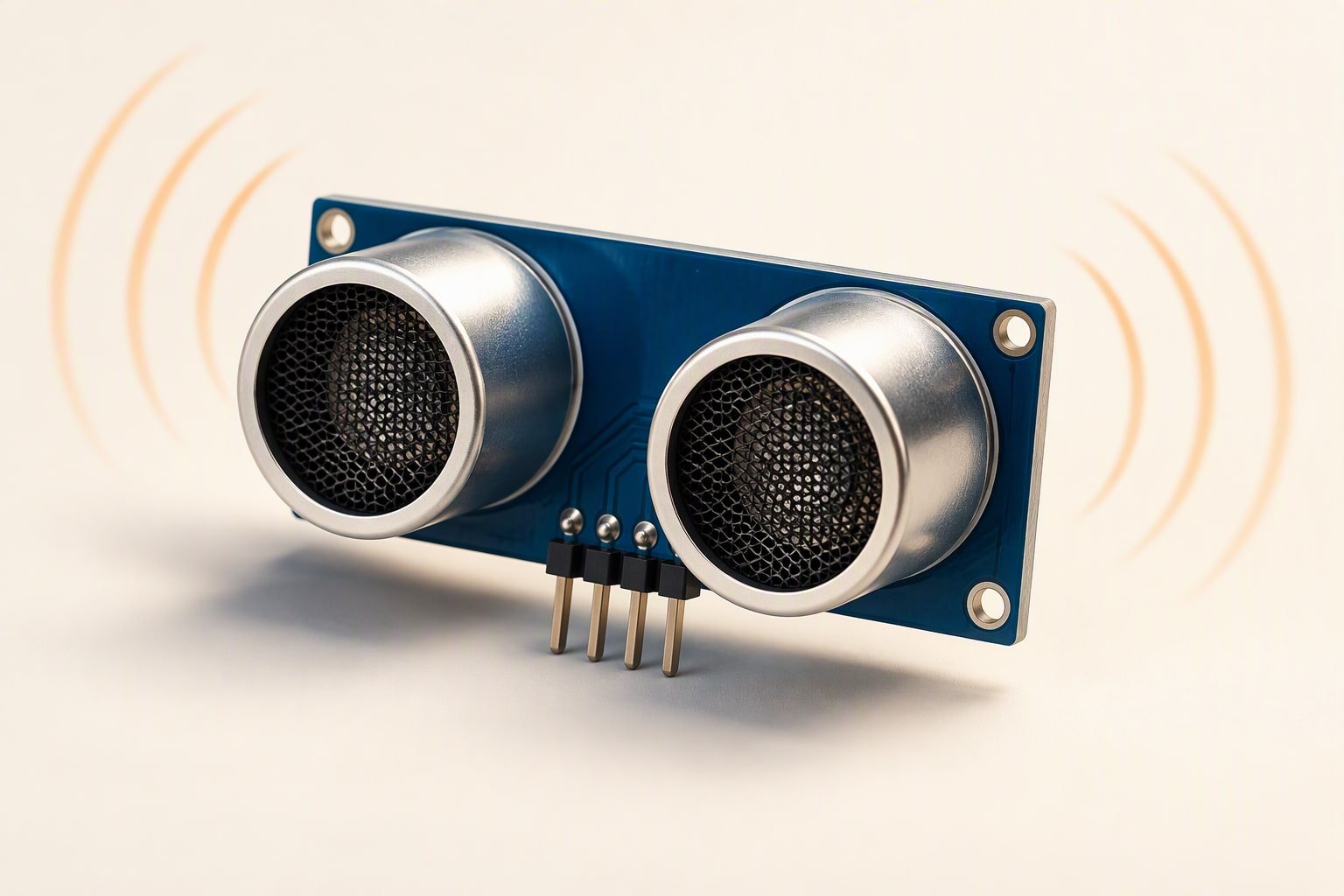
Most jumping HC-SR04 numbers come from four fixable things: no timeout on the echo read, two sensors firing into each other, a supply that sags during the ping, and a target that scatters sound instead of returning it. Fix the measurement before you add a filter. A median on top of a bad reading hides the cause and gives you a robot that still does not know where the wall is.
How it measures, and why pulseIn blocks
You pull the trigger pin high for 10 microseconds. The module fires a burst of 40 kHz sound and raises its echo pin until the reflection comes back. The echo pulse width is the round-trip time, and the conversion comes from physics: at 20 degrees Celsius sound travels at about 343 m/s, so one centimetre out and back takes 58.3 microseconds. Distance in centimetres is the pulse width in microseconds divided by 58.
The commonly published figures for the module are a 2 cm to 400 cm range and a measuring angle of about 15 degrees. Clones vary, and the figures on a listing are worth less than a test against a tape measure. The 2 cm floor is real: closer than that, the burst is still ringing in the transducer when the echo returns, and the module reports nothing or nonsense.
Now the part that causes more “random” readings than any sensor fault. pulseIn() waits for the echo pin to go high, then waits for it to go low, and by default it will wait a full second. If no echo comes back, the loop stalls for 1,000 ms. The robot keeps driving on a stale distance, then lurches when the function finally returns. Passing a timeout of 25,000 microseconds covers roughly four metres and caps the stall at 25 ms, which is already a lot but survivable.
The causes, matched to the symptoms you see
| Cause | What you see | Fix |
|---|---|---|
| No timeout on the echo read | One bad reading stalls the loop for up to a second; the robot twitches or overshoots | Pass a 25,000 microsecond timeout and treat a zero return as invalid |
| Two sensors firing together | Readings alternate between plausible and very short, with no pattern | Fire one at a time, at least 60 ms apart, or separate and angle the sensors |
| Supply noise from motors | Readings are clean on the bench and jump only when the drivetrain runs | Separate 5 V rail, 100 µF plus 100 nF at the module, short leads, common ground |
| Soft or angled target | Zeros, or readings far longer than the real distance | Aim within 15 degrees of a hard flat surface; foam, cloth and curtains absorb |
| Temperature and humidity | A small consistent bias, worse in a hot workshop | Compensate, or accept the error: sound speed rises about 0.6 m/s per degree Celsius |
| Long blocking code elsewhere | Irregular sample rate, readings bunched together | Trigger, wait and read with millis() instead of sitting inside pulseIn |
If the readings are clean with the motors off and wild with them on, the fault is power and wiring. If they are wild everywhere, suspect cross-talk and the target surface.
Cross-talk is the biggest cause of random jumps
An ultrasonic receiver has no idea which transmitter the sound came from. When two modules face the same direction and fire at the same time, each one hears the other’s burst, and that burst arrives almost immediately, so the module reports an object a few centimetres away. Alternating between a real 80 cm and a phantom 3 cm is the classic signature.
The fix is sequencing. Trigger sensor one, wait for its echo, add a 60 ms gap so the previous burst has died away, then trigger sensor two. That caps a pair at about 8 readings per second each. Faster than that needs a different sensing method, not a cleverer filter.
Median of three beats an average
An average spreads one wild sample across the result: a single 2 cm glitch next to two honest 80 cm readings gives you 54 cm, which is a lie in the middle. A median throws the outlier away and returns 80 cm. Three readings reject one bad sample, and three is all a small robot can afford at 60 ms per reading.
const uint8_t TRIG = 9;
const uint8_t ECHO = 10;

long readOnceCm() {
  digitalWrite(TRIG, LOW);
  delayMicroseconds(2);
  digitalWrite(TRIG, HIGH);
  delayMicroseconds(10);
  digitalWrite(TRIG, LOW);

  unsigned long us = pulseIn(ECHO, HIGH, 25000UL);  // cap the wait at 25 ms
  if (us == 0) return -1;                           // no echo came back
  return us / 58;                                   // 58 us per cm, round trip
}

int readMedianCm() {
  long a = readOnceCm(); delay(20);
  long b = readOnceCm(); delay(20);
  long c = readOnceCm();

  if (a < 0) a = 999;
  if (b < 0) b = 999;
  if (c < 0) c = 999;

  if (a > b) { long t = a; a = b; b = t; }
  if (b > c) { long t = b; b = c; c = t; }
  if (a > b) { long t = a; a = b; b = t; }

  return (int)b;                                    // 999 means all three failed
}
The three 20 ms gaps make this function block for about 60 ms plus echo time. That is acceptable for an obstacle-avoiding robot moving slowly, and unacceptable for anything that needs a fast control loop. If you need both, convert it to a small state machine that starts a reading, returns to the main loop, and comes back for the result.
Mounting, separation and a test you should run first
- Mount it rigidly. A sensor on a flapping cardboard bracket measures the bracket, not the wall.
- Keep the cone clear. Wires, the battery holder and a servo horn in front of the transducer all read as obstacles.
- Separate pairs properly. If you must run two, angle them away from each other or space them as far apart as the chassis allows. Side by side at 10 cm is the worst arrangement.
- Match the height. A sensor at 200 mm will not see a 40 mm obstacle, and a downward tilt will measure the floor as a wall in front of you.
- Keep the leads away from motor wires. PWM switching couples into long trigger and echo wires. Twist them and keep them short.
- Power it at 5 V. On a 3.3 V board, feed the module 5 V and divide the echo pin down with a two-resistor divider before it reaches a 3.3 V input.
- Add capacitance at the module. A 100 µF electrolytic plus a 100 nF ceramic across VCC and GND absorbs the current spike during each ping.
Before you trust any filter, test against a tape measure. Put a flat wall or a hard board at 20, 50, 100 and 200 cm, log 100 readings at each distance, and count how many land within plus or minus 2 cm. Repeat with the motors running, then repeat on carpet instead of tile. If more than a couple of readings per hundred are out by more than 2 cm, the problem is hardware or timing, and no amount of median filtering will give you a reliable robot.
Why do I always get 0 cm or 2 cm?
Zero means the echo never came back, or the code timed out interpreting it. Check that trigger and echo are not swapped, that the trigger pulse is 10 microseconds, and that the echo pin is an input on the same board. A dead module usually returns zero forever, so swap in a second unit to confirm before rewriting code.
A steady 2 cm usually means something is inside the blind spot: a bracket, a wire, or the other sensor firing next to it. Pull the sensor out of the chassis, hold it in free air, and read again. If the number is suddenly sensible, the robot was measuring itself.
When to switch to another sensor
Change the sensor when the physics of your scene does not suit ultrasound: soft curtains, angled bottles, a polished floor at a shallow angle, or two sensors that must work side by side. A time-of-flight sensor measures light, so surface softness stops mattering, though sunlight and dark, matte surfaces still do.
| Sensor | Range | Suits | Watch out for | Planning cost |
|---|---|---|---|---|
| HC-SR04 | 2–400 cm | Cheap distance on hard, flat targets | Cross-talk, soft and angled surfaces, blind spot | ₹80–150 |
| VL53L0X (I2C time of flight) | Up to about 2 m indoors | Small robots, soft and angled targets, short range | Narrow field of view, sunlight degrades it | ₹300–600 |
| Analogue infrared distance | 10–80 cm typical | Edge and cliff detection, line-of-sight at short range | Reads surface colour, not just distance | ₹120–350 |
| JSN-SR04T (waterproof ultrasonic) | 25–450 cm | Outdoor, wet or dusty use | Bigger blind spot, slower updates | ₹500–900 |
If the robot is a first build with three sensors on a budget chassis, the HC-SR04 with proper sequencing and a median filter is enough. If you are building something that has to stop reliably in front of a person, spend the extra on time of flight and test it in the actual room, and add a physical bumper switch as a second line of defence. Ultrasonic sensing alone is not a safety device. The HC-SR04 component guide covers the pinout, and the obstacle avoiding robot build shows the full wiring with a motor driver.
Common questions
Can I run more than one HC-SR04 on the same Arduino?
Yes, with one trigger and one echo pin each, and with the triggers sequenced so only one module transmits at a time. Add a gap of at least 60 ms after each echo before firing the next.
Does the HC-SR04 work with a 3.3 V board like the ESP32?
Power the module from 5 V and protect the board’s input: the echo pin outputs 5 V, which is above what a 3.3 V input should see, so use a two-resistor divider on the echo line. Trigger usually accepts a 3.3 V pulse, but check your specific module rather than assuming.
How often can I take a reading?
One sensor cycles in about 60 ms including the settling gap, so roughly 15 readings per second. A median of three drops that to about 5 per second. If your robot needs faster obstacle response than that, it is moving too fast for ultrasonic sensing.
Related: build a robot under ₹2,000, free project pack, all learn guides.
The distance sensor comparison explains when adding a second sensor type is worth the wiring.
If the values jump, the electrical fixes matter; the avoidance guide shows how the sensor is used in a real decision loop.
Sources and further reading
Documents used to check the numbers on this page:
- HC-SR04 datasheet — timing and range figures.
- Arduino Language Reference — pin functions, timings and library behaviour.
Last reviewed: October 2026. Range and angle figures are the commonly published module values and vary between clones. Prices are planning ranges, not quotes.
Related guides
- HC-SR04 reliable distance readings — Timeouts, median filtering and the geometry behind phantom obstacles.

