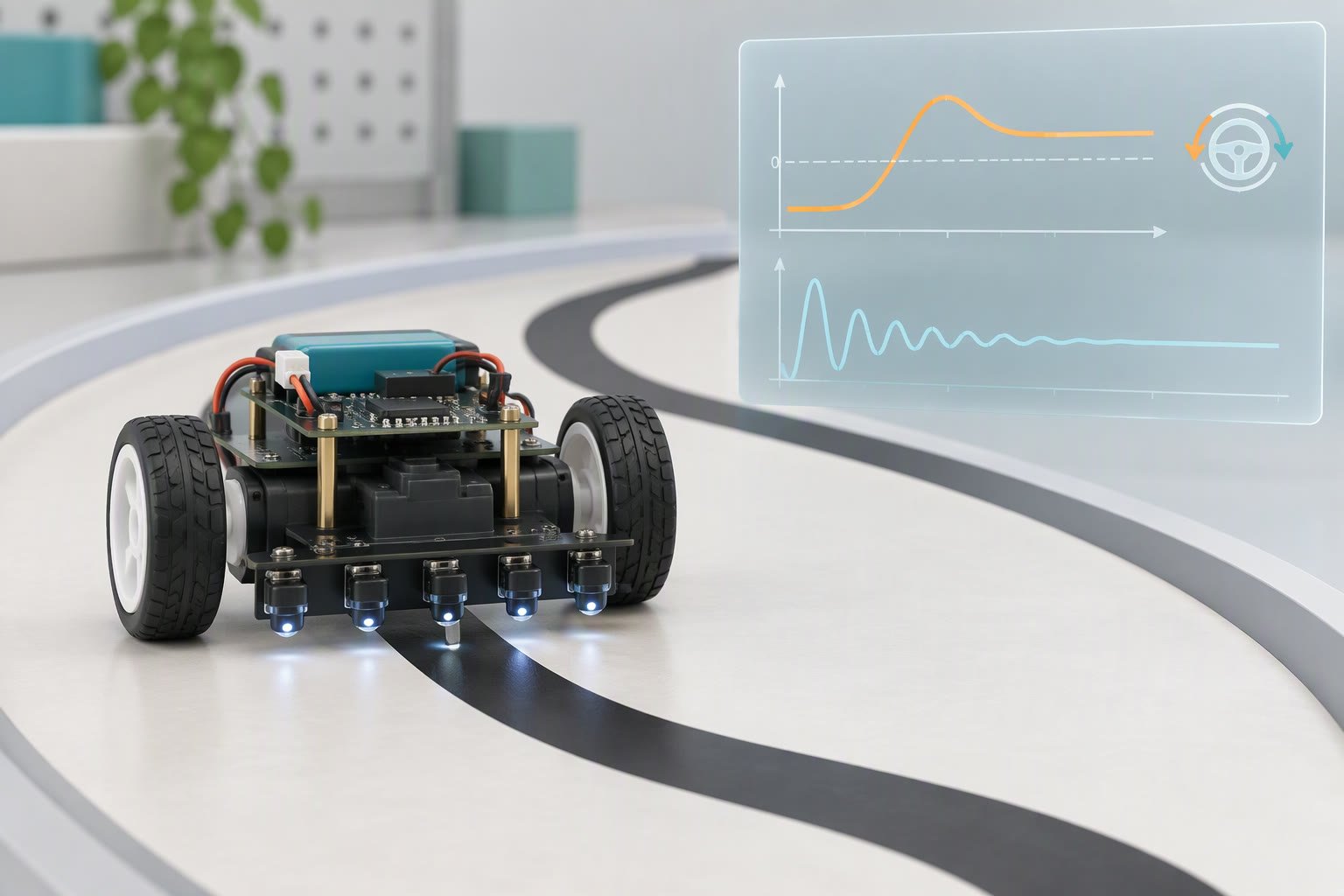
PID turns one number, the error, into a steering correction: P pushes towards the line, D resists a fast approach, and I removes a steady offset that P cannot. Most line followers need P and a little D. I is the term that usually makes an already working robot worse, and it is almost always the one beginners add first.
Turn five sensor readings into one error number
The controller does not see five sensors. It sees one number that says how far the robot is from where it should be. Build that number first, and check it by hand before you tune anything.
With five digital sensors, give each one a weight: minus two on the far left, minus one, zero in the middle, plus one, plus two. The error is the average of the weights of the sensors that currently see the line. On the centre sensor alone, the error is zero. On the far-left sensor alone, it is minus two. Scale it by 100 so you can keep integer gains later, and the working range becomes minus 200 to plus 200.
// digital array: error = mean of the weights that are active
error = (sum_of_active_weights × 100) / active_count

// analog array: weight each reading by how strongly it sees the line
error = 100 × (Σ weight[i] × reading[i]) / (Σ reading[i])
The analog version is smoother because a sensor half on the line contributes half its weight. The digital version jumps by a whole step at each threshold crossing, which is why five digital sensors feel notchier than three analog ones even at the same physical spacing. Whichever you use, print the error while pushing the robot slowly across the line by hand. If it does not sweep smoothly from minus 200 to plus 200, the gains cannot fix it.
Handle the lost-line case separately. If no sensor sees the line, do not report error zero, because that tells the controller everything is perfect. Remember the direction of the last error and steer hard that way for a short time, or stop and report a fault.
What P, I and D actually do
| Term | Reacts to | What it fixes | What too much of it breaks | Start with |
|---|---|---|---|---|
| P | The error right now | General line following, the only term most builds need | Fast left-right weaving, then a robot that leaves the track on a straight | Raise until it weaves, then halve |
| I | Error accumulated over time | A constant pull to one side, such as a dragging castor | Windup at start-up and on the lost-line case, which throws the robot off the track at the first corner | Zero, until P and D are done |
| D | How fast the error is changing | Weaving, and the overshoot when entering a curve | Twitch and motor buzz, because it amplifies sensor noise and threshold flicker | Small, added after P |
D is the term that confuses people, because it responds to the rate of change rather than to the error itself. When the robot swings back towards the centre, the error is falling quickly, so D produces a correction that damps the swing. On a glossy floor, the sensor readings flicker, the derivative of flicker is large, and D turns that into audible motor chatter. Filtering the derivative, or simply using less D, fixes it.
The tuning order that finishes in one evening
Set both Ki and Kd to zero. Run the robot at the speed you actually intend to race at, on the surface you actually use, and raise Kp in small steps until the robot weaves on a straight. Then halve it. That value is your starting point, not your final one.
Add Kd next, again in small steps, until the weave stops and the robot still turns into corners without hesitation. Too much Kd shows up as a high-frequency buzz and a robot that feels nervous rather than smooth. Only after that should you consider Ki, and only if the robot consistently drifts to one side on a long straight. Before you blame the integral, check that both motor drivers get the same PWM for the same command, that both wheels spin freely, and that each sensor’s threshold is calibrated on the actual floor. An offset from a dragging wheel is a mechanical problem wearing a control problem’s clothes.
Change one gain at a time, and write the values down. Without a note of what you tried, an evening of tuning becomes an evening of guessing.
Sample time, integer gains and windup
The derivative is a difference divided by time. If the loop runs at an irregular rate because a Serial.print or a delay slipped in, Kd no longer means what it did during tuning, and the robot behaves differently when you enable debug output. Fix the period with a millis() gate, keep the loop free of blocking calls, and buffer any debug text to print once every few hundred loops.
At a 5 ms period, a robot moving at 0.4 m/s advances 2 mm between samples, which is fine. At 50 ms it advances 2 cm, which is a whole sensor spacing, and no gain value will rescue that. If the loop cannot finish in time, lower the base speed before you touch the gains.
Floating point on an 8-bit board is slow and bulky, so scale the gains by 100 and work in integers. The trap is width: an int is 16 bits on AVR, so a gain of 40 (0.40) times an error of 200 is 8,000, which fits, but multiplying an accumulated integral of 2,000 by 30 gives 60,000, which overflows a 16-bit int. Use long for the products, and clamp the integral term. Windup is the other half of the problem: if the robot is held in your hand at start-up, the error stays large, the integral grows, and the first thing the robot does when you release it is lunge. Stop integrating when the output is already saturated, and clear the integral whenever the line is lost.
A compact loop you can paste
const int KP = 40;      // 0.40, scaled by 100
const int KI = 0;       // leave at zero until P and D are tuned
const int KD = 120;     // 1.20
const int BASE = 110;   // straight-line PWM
const unsigned long DT_MS = 5;

int integral = 0;
int lastError = 0;

void loop() {
  static unsigned long last = 0;
  if (millis() - last < DT_MS) return;
  last += DT_MS;

  int error = readLineError();          // -200 to +200, zero is centred

  if (error == 999) {                   // line lost
    integral = 0;
    setMotors(0, 0);
    return;
  }

  integral += error;
  integral = constrain(integral, -2000, 2000);
  int derivative = error - lastError;
  lastError = error;

  long steer = (long)KP * error
             + (long)KI * integral
             + (long)KD * derivative;
  steer /= 100;
  steer = constrain(steer, -BASE, BASE);

  int left  = constrain(BASE + steer, 0, 255);
  int right = constrain(BASE - steer, 0, 255);
  setMotors(left, right);
}
readLineError() and setMotors() are two short helpers you write for your own pinout. Clamping the steering term to the base speed keeps the inner wheel from being commanded negative, which on a differential drive means a reverse spin that scrubs the floor and confuses the next sensor reading. If you want pivot turns on sharp corners, do that deliberately in a separate mode with a lower speed, not by letting the steering term run wild. The line follower build has the sensor wiring and the motor driver connections this loop expects.
Oscillation or sluggishness: which one is it?
- Fast left-right twitch a few times a second, wheels buzzing means Kp is too high, or Kd is amplifying noise. Lower Kp first, then re-add Kd.
- Wide slow S-curves down a straight means Kp is too low. The robot is correcting, but late and gently.
- Cutting corners and correcting afterwards is usually geometry or speed, not gain: sensors mounted too far ahead of the axle, or a base speed above what the turn radius allows.
- Drifting one way on every straight is motor mismatch, a dragging castor or uneven sensor thresholds. Calibrate before you tune.
- Stopping dead in the middle of the track means the lost-line case fired. Print the raw sensor values and check the thresholds against the floor you are on.
When PID is overkill
A two-sensor bang-bang follower on a slow chassis finishes a fixed course reliably, and no gain will beat it on a simple oval. A single-sensor robot that steers with a servo needs proportional control only, because the integral and derivative add nothing when the correction is a steering angle rather than a wheel speed difference. A robot with a badly spaced sensor array, or one running on a floor where the line contrast changes every metre, is a hardware and calibration problem that PID cannot solve. A five-channel analog reflectance array costs roughly ₹250–500 as a planning range, check current prices, and it gives a smoother error signal than five on/off modules. The project cost calculator is more useful than another hour of gain twiddling when the honest answer is a better sensor array.
One safety note before you tune: put the robot on the floor with a clear run, keep fingers away from the wheels, and give yourself a way to cut power that is not the reset button. A badly tuned follower at full base speed covers ground faster than you expect.
Common questions
What Kp value should I start with?
There is no universal number, because Kp multiplies whatever scale your error uses. With the error scaled to minus 200 to plus 200 and a base PWM around 110, a Kp of 0.2 to 0.5 is a sensible first attempt. If someone quotes 5 or 50, ask what their error range is first.
Do I need wheel encoders for PID on a line follower?
No. The sensor array is already the feedback: it measures how far the robot is from the line. Encoders help with the separate problem of making both wheels turn at the commanded speed, which reduces the constant drift that people try to fix with integral gain.
Why does my robot work on a table but fail on a mat?
The surface changed the sensor readings. Dark mats absorb infrared, glossy tape reflects it, and ambient light adds an offset. Recalibrate the thresholds on the surface you will actually use, and if the contrast is poor, lower the sensor height or reduce the base speed.
Related: L298N motor driver guide, all learn guides, obstacle avoiding robot build.
If the speed measurement comes from wheel encoders rather than a line sensor, the wheel encoder guide explains counts per revolution and calibration.
See also: turning a vision detection into a control signal with the same deadband and gain logic.
The same PID structure appears in joint control, where the robot motion PID guide covers step response and feedforward.
Sources and further reading
Documents used to check the numbers on this page:
- Arduino Language Reference — pin functions, timings and library behaviour.
- Arduino analog output (PWM) reference — how analogWrite() behaves.
Last reviewed: October 2026. Gain values are starting points for one common chassis and sensor layout, not a recipe. Test on your own track.
Newer builds and guides
- Maze solver robot — Flood-fill logic, sensor layout and calibration.
- IR sensor with Arduino — Wiring, threshold calibration and line-follower code.

