Most robotics kits sold in India are toys with a microcontroller inside, and a few are genuine learning tools. The difference is not price. It is whether the kit can be rebuilt into something the child imagines, or only into the one model printed on the box.
Start with the age, not the kit
| Age | What the child can do | Right kind of kit | Budget |
|---|---|---|---|
| 6–8 | Follow a picture sequence, clip parts, needs an adult for charging | Screen-free or block-based, large parts, no soldering | ₹2,000–₹12,000 |
| 9–11 | Drag-and-drop coding, can debug with help | Block coding with motors and sensors, sturdy connectors | ₹5,000–₹20,000 |
| 12–14 | Types code, understands variables and loops, can wire a breadboard | Arduino or micro:bit with real components | ₹2,500–₹15,000 |
| 15+ | Can write functions, read a datasheet, solder | ESP32, Raspberry Pi, 3D printing, ROS later | ₹4,000–₹30,000 |
A 12-year-old given a toddler kit is bored in a week. A 7-year-old given a soldering kit is a burn risk. Buy for the next 12 months of ability, not for the maximum age printed on the box.
The four families of kit
| Family | Examples | Strengths | Limits |
|---|---|---|---|
| Proprietary block kits | LEGO Education SPIKE, Makeblock mBot | Excellent build quality, guided lessons, low frustration | Expensive per part, locked ecosystem, weak on raw electronics |
| Microcontroller starter kits | Arduino Uno kits, micro:bit Go | Real components, huge tutorial base, cheap spares | Needs adult help at first, breadboard wiring is fiddly |
| Robot-chassis kits | 2WD and 4WD car kits with driver and sensors | Immediate movement, good for line following and obstacle avoidance | Quality varies wildly; instructions often poor |
| Single-purpose toy robots | Remote-control or app-driven novelty robots | Fun for a young child, no setup | Nothing to build or modify once the novelty fades |
Prices move constantly, so treat these as bands rather than quotes. Imported kits also swing with duty and shipping.
- LEGO Education SPIKE Essential or Prime: roughly ₹25,000–₹45,000 depending on set. The best classroom experience if the budget exists, and the worst value if the child only builds the models in the app.
- Makeblock mBot or mBot2: roughly ₹8,000–₹18,000. Metal chassis, block coding, decent sensors, and it survives being driven into walls.
- BBC micro:bit Go: roughly ₹2,500–₹3,500. Not a robot by itself, but the best first coding board in this list and a strong base for a paper robot or a servo project.
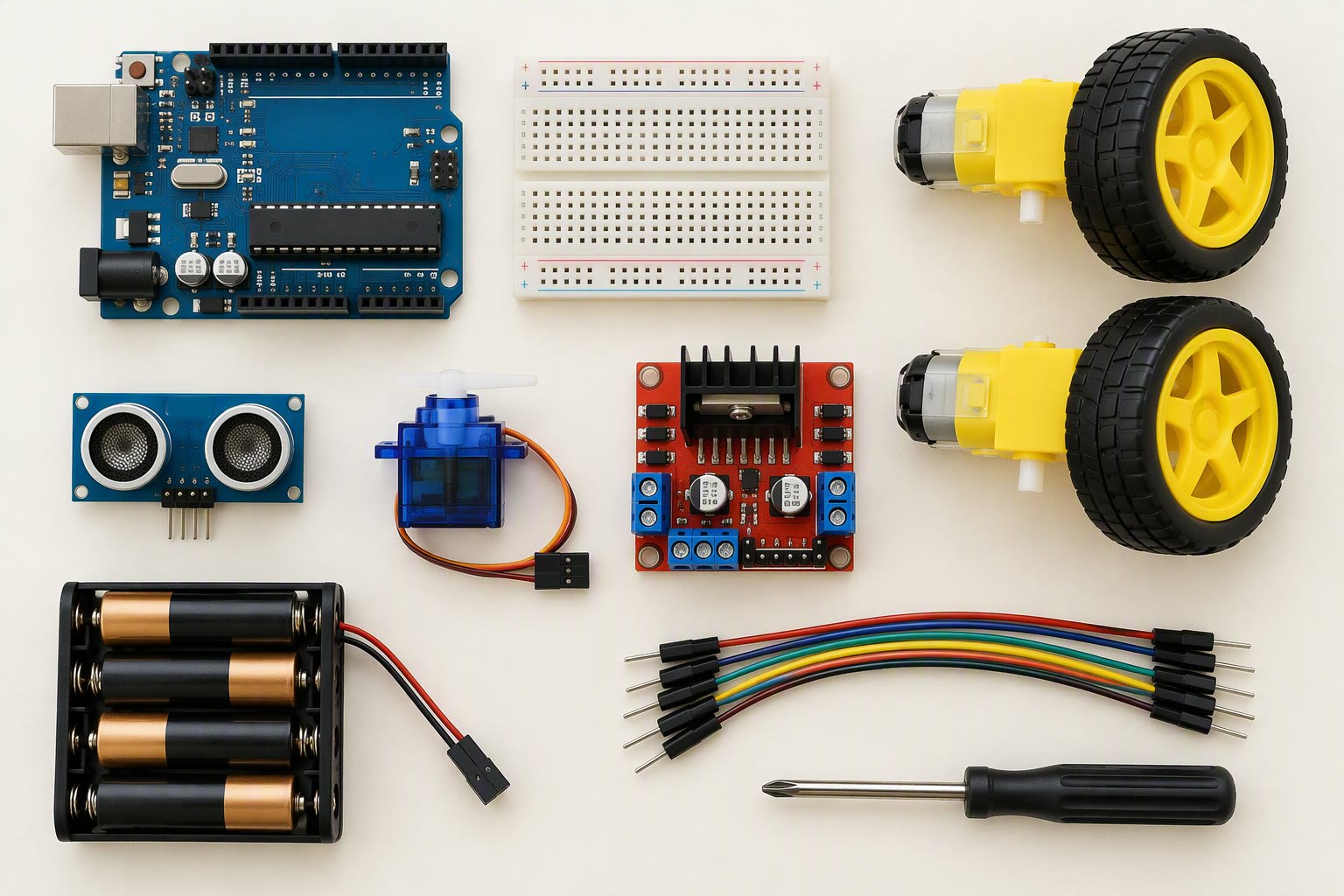
- Arduino Uno starter kit: roughly ₹1,800–₹3,500. Includes breadboard, LEDs, resistors, a servo and a sensor. Requires a laptop and an adult for the first session.
- ESP32 robot car kit: roughly ₹2,500–₹6,000. Wi-Fi control, camera variants, and much more headroom than an Arduino car for the same money.
- Indian house-brand kits: Robu.in, ThinkRobotics and similar sellers assemble kits at several price points. Quality is variable; check that the kit lists every part and includes a wiring diagram.
What a good kit must contain
- A controller that can be reprogrammed without a vendor account or an internet connection.
- At least two motors and a proper driver, not motors wired directly to pins. A kit that runs motors from GPIO pins is teaching bad electronics.
- A battery holder with a switch, and a charger that is not a bare USB cable taped to a LiPo.
- Sensors that teach a concept: ultrasonic, IR line, or a button. A kit with only LEDs is an electronics kit, not a robotics kit.
- Spare jumpers and at least one spare tyre or gear. Children lose parts; a kit that cannot be repaired becomes landfill.
- A printed or downloadable guide with a wiring diagram, not just a QR code to a video.
- Mounting holes that match a standard, so the child can attach cardboard, 3D-printed parts or Mechanix pieces later.
What to avoid
Some kits look impressive and teach almost nothing. The warning signs:
- Soldered, sealed electronics with no exposed pins. If nothing can be rewired, nothing can be learned beyond following instructions.
- An app that is the only interface. When the app is discontinued, the robot stops working.
- No listed components. A kit that will not tell you which motor driver it uses is hiding cheap parts.
- 9 V battery power for motors. A 9 V alkaline cell cannot supply motor current; it will run for minutes and then fade.
- Kits priced above ₹20,000 with no sensors beyond an LED. At that price you are buying plastic, not capability.
- Subscription boxes where each month adds a new disposable toy. The learning compounds only if the parts work together.
A progression that does not waste money
The cheapest path is to buy fewer kits and reuse the parts:
- Stage 1 (age 6–8): one block-based or screen-free kit. Goal: build, test, modify.
- Stage 2 (age 9–11): micro:bit or a block-coding robot. Goal: write a program that reads a sensor and changes behaviour.
- Stage 3 (age 12–14): Arduino Uno starter kit plus a 2WD chassis. Goal: wire a motor driver and write a line follower.
- Stage 4 (age 15+): ESP32 or Raspberry Pi, 3D printing, and a real project. Goal: a robot that does one useful thing reliably.
- Stage 5: ROS 2 and computer vision on a Raspberry Pi or a laptop. Only worth it once the child can debug code independently.
The starter kit guide covers the component-level version of this list, and the ₹2,000 robot guide shows how little the first working robot actually costs.
Safety points parents ask about
- LiPo and 18650 cells need a proper charger and should never be charged unattended. A protected 18650 pack is safer for children than a bare LiPo.
- Soldering is reasonable from about age 12 with supervision, ventilation and a stand. Below that, use screw terminals and breadboards.
- Small parts are a choking hazard under age 3, and magnets in some kits are dangerous if swallowed.
- Motors and gears can pinch. A geared motor has enough torque to trap a finger.
- Drones and fast cars need open space and eye protection. A spinning propeller is not a toy.
Common questions
What is the best robotics kit for a 10-year-old in India?
A block-coding robot with real motors and sensors, such as Makeblock mBot, or a micro:bit with a small chassis. Budget roughly ₹8,000–₹15,000. LEGO Education SPIKE is better built but costs two to three times as much.
Is Arduino or LEGO better for learning robotics?
Arduino teaches electronics and code with cheap, reusable parts. LEGO teaches mechanism building and sequencing with less frustration. For a child who will continue past age 14, Arduino is the better long-term investment.
Are cheap ₹1,000 robot kits worth buying?
Only as a first taste. Most use a single motor, no real sensor and no reprogrammable controller. They are fine for a 6-year-old's first week, not for learning robotics.
Do I need to buy a kit at all?
No. An Arduino Uno, a 2WD chassis, an L298N or TB6612FNG driver, an ultrasonic sensor and a battery holder cost about ₹2,500–₹4,000 and teach more than most kits.
Which kit is best for a school lab?
A kit with reusable parts, spare components and a curriculum. LEGO Education and Makeblock both support classrooms, but budget for spare motors and cables, because those fail first.
Related: robotics starter kit, robot under ₹2,000, Arduino projects for beginners, where to buy robotics parts.
See also: robotics competitions in India to turn a kit into a season.
Sources and further reading
- LEGO Education — SPIKE set specifications and age ranges.
- micro:bit Educational Foundation — board specifications and classroom resources.
- Arduino Education — starter kit contents and learning progression.
- Makeblock — mBot specifications and coding environments.
Last reviewed: October 2026. Prices are Indian retail ranges and change often; check current listings. Not bench-tested by this site.