A starter kit is worth buying only for the parts you cannot buy cheaply one at a time. A 37-in-1 sensor kit gives you 37 modules and about five that a first robot uses. The parts that decide whether the robot works, the motor driver, the buck converter, the connectors and the battery, are usually missing or the weakest item in the box. A robotics starter kit India shops sell is worth buying only for the parts you cannot buy cheaply one at a time.
A kit is a sampler rather than a build plan. Treating it as the plan is how a robot ends up resetting every time the motors start.
What a 37-in-1 sensor kit actually contains
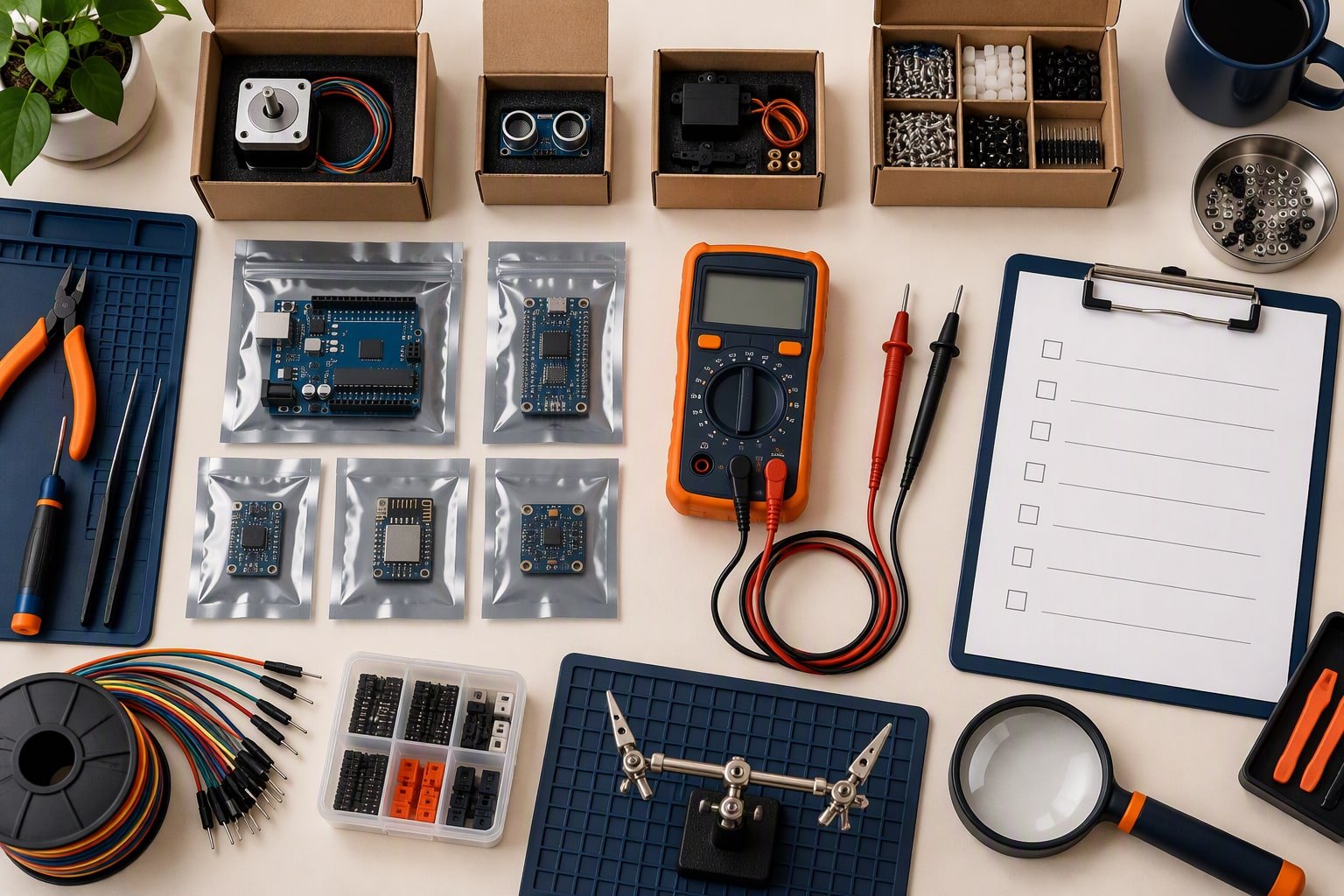
Most kits in the ₹900–₹1,800 band follow the same recipe: a plastic box, a breadboard, a ribbon of thin jumper wires and a set of small modules. The exact list varies by seller, so read the contents photo before paying.
| Category | What is usually inside | How often a student robot uses it |
|---|---|---|
| Distance and line sensing | IR obstacle module, IR tracking pair, sometimes an HC-SR04 | Every build |
| Inputs | Push buttons, joystick, tilt switch, reed switch, touch and knock sensors | The button, and the joystick once |
| Environment | Thermistor, humidity, flame, sound, soil moisture, water level, vibration | One demo each, almost never a robot |
| Light and display | Photoresistor, laser module, RGB LED, 7-segment display | The photoresistor, and the display for a demo |
| Output | Active and passive buzzer, LEDs, a relay module | The buzzer |
| Magnetic and motion | Hall sensor, ball or mercury tilt switch, vibration switch | Rarely, and only if the project is about sensing |
| Passives | Resistors, capacitors, a few transistors | Handy, but rarely the values you need |
The honest sum: a first robot uses an IR pair, a buzzer and a button. A second robot adds an ultrasonic sensor, which many kits leave out. The other thirty-odd items teach you what a sensor is and how a module behaves, which has real value in a lab, but they do not build anything.
Why kits leave out the parts that matter
Kits are assembled to photograph well and ship at a price, so the expensive, boring parts are the first to disappear.
- Motor driver: often missing, or an L298N whose heatsink hides a 1.4–2 V drop.
- Buck converter: a servo or an ESP32 needs a stable 5 V rail. The linear regulator in a kit overheats instead.
- Battery and charger: a 9 V snap is not a power system. No protection board, no charger, no fuse.
- Connectors: JST-XH, XT60, spade terminals and ferrules are what stop a robot resetting when it moves.
- Mechanical parts: standoffs, M3 screws, a caster wheel and a switch rated for the motor current.
- Wire that survives: the included ribbon is usually 28–30 AWG and breaks at the crimp.
That is the difference between a working demo on a desk and a robot that resets the moment it drives on a floor.
What should you buy first?
Buy in the order the robot fails: power and drive first, sensing second, everything else when a project asks for it.
- The board. One Nano or Uno, plus a spare if the submission date is fixed.
- The driver. A motor driver that matches your motor current, not the cheapest module in the shop.
- The drivetrain. Two geared motors, wheels and a chassis plate you can drill.
- The power path. A pack with protection, a switch, a buck converter and a charger.
- One sensor. The one the build needs, not the box of thirty-seven.
Buy the cheap sensor last. A robot that drives and stops is a project; a box of sensors with no drivetrain is a shopping habit.
Build your own robotics starter kit India at ₹2,000
This list builds a working line follower. Add ₹100 for an HC-SR04 if you want an obstacle avoider, and mount it fixed rather than on a scanning servo. The list leaves out the charger, which is the honest gap at this budget: borrow the lab’s charger for the first month, or add ₹350 and accept the total.
| Part | ₹2,000 kit | ₹4,000 kit | ₹6,000 kit |
|---|---|---|---|
| Arduino Nano clone | ₹350 | ₹350 | ₹350 |
| Arduino Uno R3 clone | Not included | ₹520 | ₹520 |
| L298N motor driver | ₹180 | ₹180 | ₹180 |
| Spare L298N | Not included | ₹180 | ₹180 |
| TT motors with wheels | ₹260 | ₹260 | ₹260 |
| 2WD acrylic chassis | ₹150 | ₹150 | ₹150 |
| 2×18650 holder with protected cells | ₹350 | ₹350 | ₹350 |
| 5 V 2 A buck converter | ₹220 | ₹220 | ₹220 |
| IR sensor pair | ₹120 | ₹120 | ₹120 |
| HC-SR04 ultrasonic sensor | Not included | ₹100 | ₹100 |
| SG90 servo | Not included | ₹160 | ₹160 |
| MG90S servo | Not included | Not included | ₹280 |
| Jumper wires, 24 AWG | ₹60 | ₹60 | ₹60 |
| Switch, caster, screws | ₹90 | ₹90 | ₹90 |
| USB data cable | ₹60 | ₹60 | ₹60 |
| 18650 charger | Not included | ₹350 | ₹350 |
| Multimeter | Not included | ₹300 | ₹300 |
| Capacitor and heat shrink | Not included | ₹80 | ₹80 |
| Servo bracket and standoffs | Not included | ₹90 | ₹90 |
| ESP32 DevKit V1 | Not included | Not included | ₹450 |
| Soldering iron, 25–30 W | Not included | Not included | ₹450 |
| Solder and flux | Not included | Not included | ₹150 |
| Side cutters and wire strippers | Not included | Not included | ₹220 |
| JST and XT60 connectors | Not included | Not included | ₹150 |
| 6 V 5 A UBEC | Not included | Not included | ₹350 |
| Shipping and contingency | ₹160 | ₹250 | ₹300 |
| Total | ₹2,000 | ₹3,870 | ₹5,970 |
What ₹4,000 and ₹6,000 add
The ₹4,000 kit buys three things the cheap one cannot: a second board so a dead Nano does not end the project, a charged battery with a charger, and a multimeter. Those are not exciting parts, and they are the ones that turn a build into a submission.
The ₹6,000 kit adds the tools and the second platform. An ESP32 opens Wi-Fi projects, an MG90S replaces the plastic-gear servo where a joint actually works, a 6 V UBEC powers standard-size servos properly, and the soldering iron, cutters and connectors move you off breadboard jumpers for the power path. The three builds under ₹2,000 show what the cheapest column can actually produce.
What to delay until a project needs it
- Specialist sensors: colour, gas, RFID, fingerprint and gesture modules. Buy the one your project needs, with its datasheet.
- A second microcontroller platform: a Raspberry Pi is a different skill, not an upgrade.
- A soldering station: a ₹450 iron is enough until you solder daily.
- 3D-printed parts: useful once the design is stable, expensive while it is still changing.
- Mecanum or omni wheels: four motors, a bigger driver and a power budget you have not planned.
- A camera module: vision needs a different board and a different project.
Delaying keeps the money for the part that unblocks the next build. The project cost calculator and the free project starter pack both ask for a bill of materials before you order, which is the habit that keeps a ₹4,000 plan from becoming a ₹6,000 bill.
Common questions
Is a 37-in-1 kit a waste of money?
Not a waste, but not a starter kit either. It is a sensor sampler: good for an afternoon of learning how modules behave, weak as the base of a robot. Buy it after the drivetrain works, if you still want it.
Do I need a soldering iron for a first robot?
Not for a breadboard build. You need one as soon as you solder motor leads, battery leads or headers, which is usually the second build. A 25–30 W iron, solder and a stand cost about ₹650 together.
Where should I not save money?
The battery holder, the switch and the buck converter. Loose power connections cause resets that look like software bugs, and a converter that sags under a servo costs more time than the ₹100 you saved. The buying checklist covers what to verify before you pay.
If you are buying the frame separately, the robot chassis buying guide explains wheel size, material and drive layout before you spend.
If the kit is for a child rather than yourself, the robotics kits for kids guide compares age bands and price ranges.
Most starter kits include a cheap pencil iron. The soldering guide explains why a temperature-controlled iron is worth the extra spend.
If the kits are for a teaching lab rather than a single builder, read robotics lab setup before ordering in bulk.
Sources and further reading
Documents used to check the numbers on this page:
- Arduino Uno R3 documentation — pinout, current limits and input voltage.
- TI L293D datasheet page — a comparable dual H-bridge for current and drop-out numbers.
Last reviewed: October 2026. Prices are Indian retail planning ranges for common modules and change with seller and stock. Bills of materials exclude tools you already own and exclude shipping unless stated.
Newer builds and guides
- Arduino projects for beginners in India — Twelve beginner projects with rupee costs, ranked by difficulty.
- How to make a robot at home — A ₹1,500 first build with parts, wiring and the common mistakes.