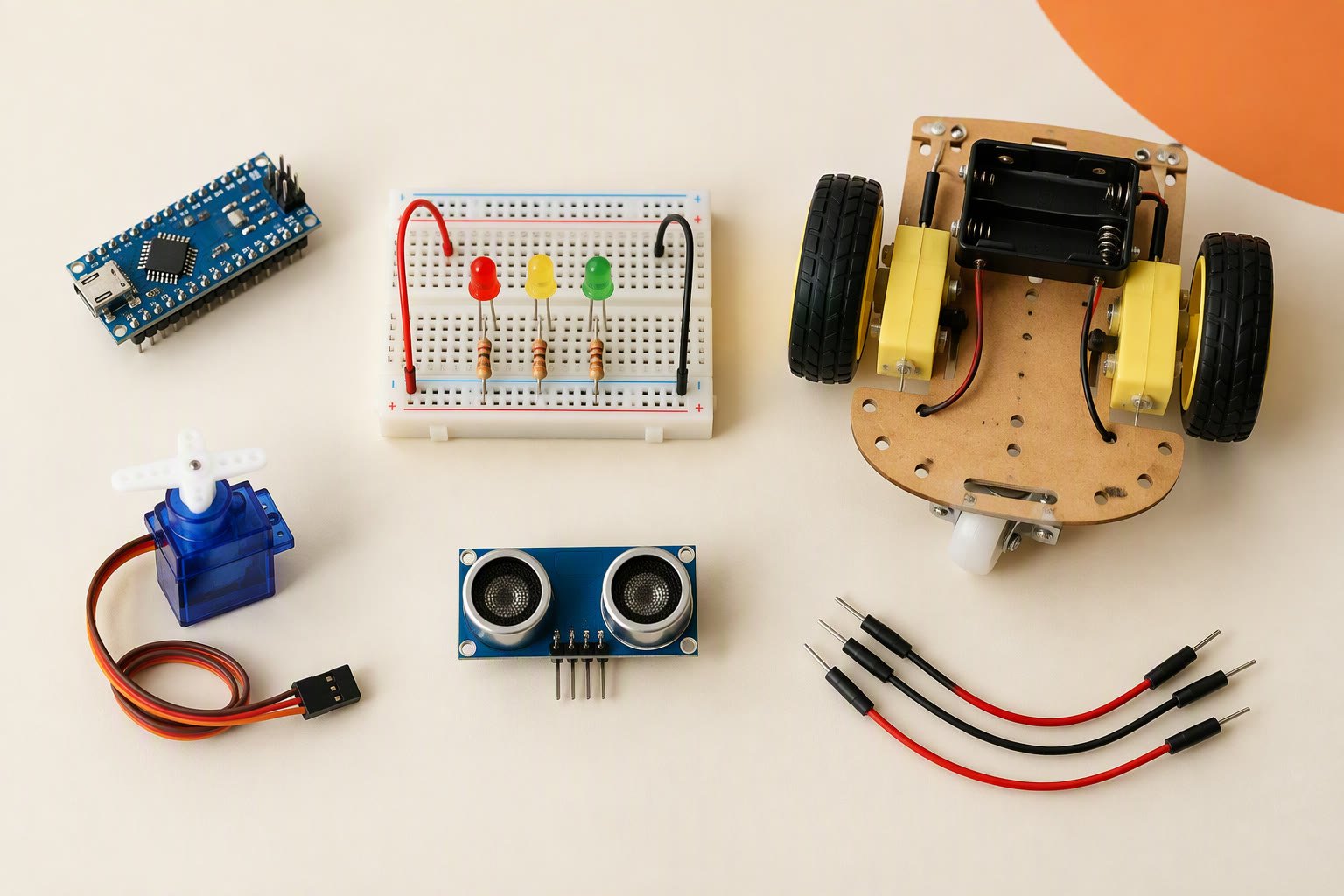
The fastest way to learn Arduino for robotics is to build ten small projects in rising order, where each one adds a new skill — and to admit that blinking an LED on its own teaches you nothing about robots. It proves that the board, cable, driver and IDE work. That is a necessary twenty minutes, not a project. These Arduino projects for beginners rise in difficulty, and each one adds a new skill that robots need.
Every build below is chosen for the skill it forces you to learn, not for how it looks in a photograph. Budgets are parts only, at typical Indian retail prices in October 2026, and they exclude tools, shipping and a charger unless stated.
Blinking an LED is a cable test
A blink sketch proves five useful things: the board is alive, the USB cable carries data, the driver installed, the IDE has the right board and port selected, and an upload completes. Failures in those five areas cause most of the frustration in a beginner’s first week, so the exercise earns its place. It is still not robotics.
Nothing in it senses the world, makes a decision or moves a load. An LED draws milliamps; a motor draws amps. The first real skill is a complete input–decision–output chain: read a sensor, decide in code, and switch something that draws current without damaging the board. The second is closing a loop and measuring whether it got better.
The ten builds at a glance
| # | Build | Skill it teaches | Parts budget |
|---|---|---|---|
| 1 | Blink, then change the timing | Toolchain, upload, digital output, what delay() blocks | ₹600–1,000 |
| 2 | Button controls an LED | Digital input, pull-up and pull-down, debounce | ₹650–1,050 |
| 3 | Potentiometer turns a servo | Analog input, mapping, PWM, separate servo power | ₹750–1,300 |
| 4 | Ultrasonic parking sensor | Timing-based distance sensing, serial output | ₹700–1,100 |
| 5 | Obstacle-avoiding rover | Motors, driver, power rails, sensor-to-action logic | ₹1,600–2,500 |
| 6 | Basic line follower | Reflectance sensors, thresholds, calibration | ₹1,200–2,000 |
| 7 | PID line follower | Error, three control terms, tuning with data | ₹3,500–6,000 |
| 8 | Phone-controlled car | Serial protocol, wireless link, failsafe | ₹2,000–3,500 |
| 9 | 3-DOF pick-and-place arm | Servo torque, geometry, repeatability | ₹3,000–4,500 |
| 10 | Arduino plus Raspberry Pi rover | Splitting real-time control from Linux and vision | ₹10,000–18,000 |
A starter kit covers builds 1 to 4. After that, buy parts for the build in front of you rather than a bigger kit; the sensors you never touch are the most expensive part of a kit.
Builds 1–3: the toolchain and two real inputs
1. Blink, then change the timing. Upload the example, then make the LED blink in a pattern and explain why adding code changes the rhythm. This is where you learn that delay() stops everything else, a fact that ruins the first robot loop. ₹600–1,000 buys an Uno clone, a breadboard, LEDs and resistors.
2. A button controls the LED. Wire a button with a 10 kΩ pull-down, then repeat it with INPUT_PULLUP and inverted logic. Add 50 ms of debounce and watch a counter. One press should count once. A digital input is not a clean 0 or 1, and every limit switch on a robot will teach the same lesson. ₹650–1,050.
3. A potentiometer turns a servo. Read 0–1023, map it to 0–180 degrees, and move an SG90. The hidden lesson is power: a small servo pulls 100–250 mA while moving and can approach 650 mA when stalled, so it gets its own 5 V supply and a shared ground, never the Uno’s 5 V pin. The servo buying guide explains which torque class to start with. ₹750–1,300.
Builds 4–5: a sensor that measures, then a machine that moves
4. An ultrasonic parking sensor. The HC-SR04 runs from 5 V, draws about 15 mA and returns a pulse whose width is the round-trip time of sound. Distance in centimetres is the pulse in microseconds divided by 58. Drive a buzzer faster as the distance falls. You will discover that soft cloth, angled walls and a noisy 5 V rail all produce readings that are wrong in believable ways. ₹700–1,100.
5. An obstacle-avoiding rover. This is the first build where code moves a machine. An L298N, two TT gear motors, a 2S pack and a star ground matter more than the sketch. The obstacle avoider build sheet prices the parts at about ₹1,760; plan ₹1,600–2,500 with spares and a charger. Expect the first failure to be wiring, not logic.
Builds 6–7: follow a line, then control it
6. A basic line follower. Two IR reflectance sensors, a threshold and four decisions — forward, left, right, stop — will follow a line slowly. The real work is calibration on the floor you will demo on, because black tape, grey tiles and sunlight all move the threshold. The line follower build comes in at about ₹1,240; budget ₹1,200–2,000.
7. A PID line follower. Replace the four decisions with an error value and three terms: proportional reacts to the current error, integral removes a steady offset, derivative damps the overshoot. This is the first build that needs data. Log the error, change one gain at a time, and compare lap times over several runs. PID control explained gives the tuning order. ₹3,500–6,000 once you add a wider sensor array, encoders and spares.
The difference between builds 6 and 7 is the difference between a robot that completes a lap and one that completes it at speed, repeatedly. Examiners and buyers can see it immediately, which is why the PID version is the better portfolio piece.
Builds 8–10: wireless, arms and the Linux split
8. A phone-controlled car. An HC-05 Bluetooth module costs ₹250–450 and an ESP32 ₹350–600, typical clone prices. Either works; the skill is the protocol and the failsafe. Send single characters, stop the motors if no command arrives within a few hundred milliseconds, and test what happens when the phone sleeps. ₹2,000–3,500.
9. A 3-DOF pick-and-place arm. Three servos, a laser-cut acrylic frame and a gripper that can actually hold the object. The build sheet for the 3-DOF Arduino arm totals about ₹3,290; plan ₹3,000–4,500. The hard parts are torque at full reach, horn alignment and repeatability, not the angle maths.
10. An Arduino plus Raspberry Pi rover. The Pi runs Linux, reads a camera and makes decisions; the Arduino keeps the motors on a fixed loop over USB serial. This build shows why the two boards exist. The Arduino vs Raspberry Pi comparison covers the split; budget ₹10,000–18,000 depending on the Pi model and camera.
What to buy once, and what to skip
Buying once and skipping the extras keeps Arduino projects for beginners affordable.
- Buy one Uno clone and one spare Nano. A second known-good board saves hours of blaming code. Clones vary, so test both on arrival.
- Buy a multimeter before a second sensor. A basic meter costs ₹250–400 and answers most “why did it reset” questions.
- Buy a protected 2S 18650 pack and a proper charger. Do not run motors from a 9 V block; it cannot supply the current.
- Buy 22 AWG stranded wire and decent jumpers. The thin ribbon jumpers in cheap kits break at the crimp and cause faults you will blame on code.
- Skip the 37-in-1 sensor kit. You will use six modules and lose the rest.
- Skip the Raspberry Pi until build 10. It adds an operating system to every problem you have not met yet.
- Skip carbon-fibre chassis and metal-gear servos until a build genuinely needs them.
A realistic order for Arduino projects for beginners
Builds 1 to 4 fit into two weekends. Builds 5 and 6 take two to three weeks if you are learning as you go. Build 7 is the first one that can absorb a month, because tuning is iterative and the track matters more than the code. Builds 8 and 9 are a few weekends each. Build 10 is a semester project wearing a beginner’s title.
Keep a build log: supply voltage under load, code version, what changed and what happened. When a robot behaves differently on battery than on USB, the log turns a mystery into a measurement. If a build is taking far longer than the estimate, suspect power and wiring before the code.
Do I need an original Arduino?
No. A clone with a known USB chip is fine for learning. Test it the day it arrives: upload blink, measure the 5 V and 3.3 V rails, and keep one spare.
How much should a first kit cost?
₹1,500–2,500 covers an Uno clone, breadboard, jumpers, LEDs, resistors, a few sensors and a servo. Above that you are buying convenience, not capability.
Should I learn Python first?
Not for these builds. Arduino C++ is small enough to learn alongside the hardware. Python becomes useful at build 10, when the Pi enters.
Building with a child? The kids robotics kit guide explains which kits can be rebuilt and which cannot.
The first project worth building is an obstacle avoiding robot, because it teaches sensing, decisions and power in one build.
Sources and further reading
For board behaviour and language details, use the official Arduino language reference and the Arduino Uno Rev3 documentation. Both cover the pin limits and functions quoted above, and both are updated by Arduino rather than by a reseller.
Last reviewed: October 2026. Prices are parts-only Indian retail planning ranges for typical clones and change with seller and stock. They exclude tools, shipping, batteries, chargers where noted, and a laptop.
Related guides
- Arduino Uno pinout for robotics — Every pin, current limit and a wiring map for a two-motor robot.
- Arduino IDE setup — Install the IDE, fix clone drivers and upload without guesswork.
Related guides
- IR sensor with Arduino — Wiring, threshold calibration and line-follower code.
- HC-SR04 reliable distance readings — Timeouts, median filtering and the geometry behind phantom obstacles.
- Servo motor with Arduino — Pulse timing, current draw and wiring that stops brownouts.

