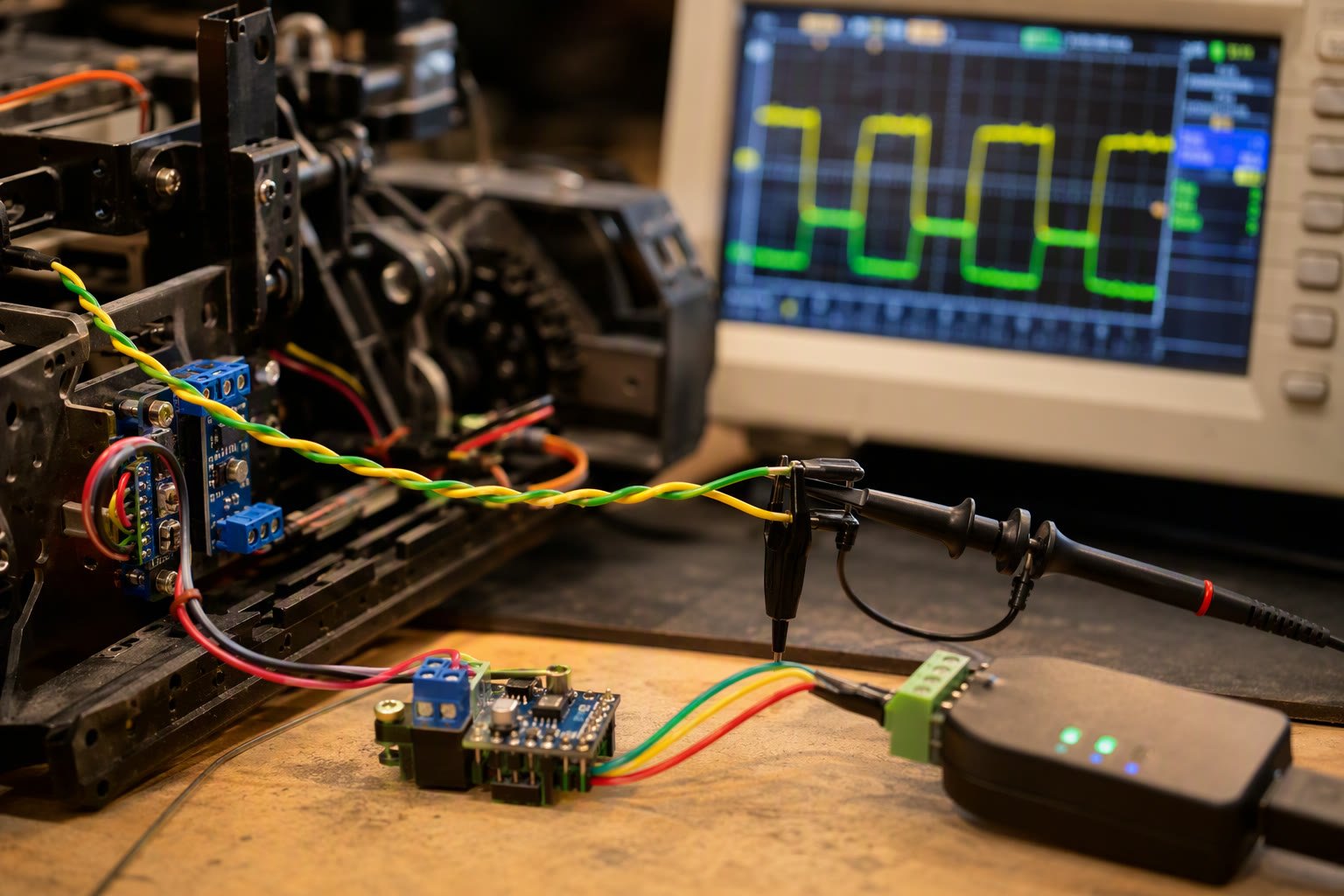
CAN bus is how most robot parts talk to each other once UART stops being enough. One twisted pair carries motor commands, battery data and sensor status between a controller and a dozen devices, with arbitration built in.
This guide covers the wiring rules that decide whether CAN works at all, the frame format you need to understand before designing message IDs, SocketCAN on Linux, and the failure modes that show up on a real robot.
Why robots use CAN
CAN is a differential bus: two wires, CANH and CANL, carry a voltage difference rather than a voltage relative to ground. Motor current switching, PWM and long cables inject noise into ground references, and a differential pair rejects most of it. That is the main reason CAN survives on a robot where I2C and bare UART do not.
The second reason is arbitration. Any node can start transmitting when the bus is idle, and if two start at once the one with the lower numeric ID wins without losing data. That gives you a priority scheme for free: safety stop messages get lower IDs than cosmetic telemetry.
- One pair of wires for many devices, with no master polling loop.
- Hardware error detection: CRC, bit stuffing, acknowledgement and error counters.
- Broadcast by design, so a BMS, a drive and a logger can all use the same frame.
- Deterministic priority through arbitration rather than through software scheduling.
The wiring rules that decide success
CAN is a bus, not a star. All nodes tap the same pair, and the pair must be terminated at both physical ends with a 120 ohm resistor. Two terminations, not one per node. A robot with five devices and five resistors will have a bus impedance low enough to distort edges and cause intermittent errors.
| Bit rate | Practical bus length | Typical robot use |
|---|---|---|
| 1 Mbit/s | Up to about 40 m | Joint drives in a compact arm |
| 500 kbit/s | Up to about 100 m | Mobile robot with several nodes |
| 250 kbit/s | Up to about 250 m | Large cell, long cable runs |
| 125 kbit/s | Up to about 500 m | Slow telemetry, battery racks |
These are limits for a clean installation, and they assume short stubs. A stub longer than about 30 cm from the main pair creates reflections. On a robot, that usually means bringing the pair to each board and keeping the transceiver close to the connector.
- Use twisted pair with a characteristic impedance near 120 ohm, not random hookup wire.
- Keep CANH and CANL as a pair the whole way; do not route one wire around a motor.
- Share ground between nodes, but keep motor return current out of that ground path.
- Terminate only the two end nodes, and make termination switchable on your own boards.
- Check with a multimeter: about 60 ohm between CANH and CANL across the powered-down bus.
Frames, IDs and what a message actually looks like
A classic CAN data frame carries an 11 bit identifier, a data length code, and up to 8 data bytes. The identifier is not an address; it describes the content, and every node decides from the ID whether the payload matters to it.
| Field | Size | Notes |
|---|---|---|
| Identifier | 11 bit standard, 29 bit extended | Lower value wins arbitration |
| DLC | 4 bit | 0 to 8 bytes in classic CAN |
| Data | 0 to 8 bytes | Up to 64 bytes with CAN FD |
| CRC | 15 bit plus delimiter | Hardware checked |
| ACK slot | 1 bit | Any receiving node pulls it low |
Eight bytes forces discipline. A joint command usually packs a target position as a 32 bit integer plus a mode byte and a checksum, and the scaling factor is documented once for the whole product. Write that document before the first board ships, because a scaling mismatch between firmware versions produces motion that looks like a control bug.
CAN FD extends the payload to 64 bytes and allows a faster data phase. It is useful for firmware updates and for streaming data, and it is not a drop-in replacement: both ends, the transceiver and every node on the segment must support it.
Designing a message map
Most robot builders start by assigning IDs in the order devices were added, then regret it. A small amount of planning avoids a rewrite. Group IDs by function and leave gaps.
- 0x000 to 0x07F for safety and stop messages, so they always win arbitration.
- 0x080 to 0x0FF for motion commands, one block per joint or axis.
- 0x100 to 0x17F for feedback: position, current, temperature, faults.
- 0x180 to 0x1FF for battery and power data.
- 0x700 and above for heartbeat and node status, following the CANopen convention if you ever want to adopt it.
Two habits make a message map maintainable. First, send a heartbeat from every node at a fixed period, with a counter and a state byte, so a controller can detect a dead device instead of assuming silence means everything is fine. Second, define one fault frame per node rather than scattering error bits across several messages.
SocketCAN on Linux in five commands
On Linux, a USB-CAN adapter appears as a network interface. SocketCAN turns CAN frames into socket traffic, which means tools you already know work on it.
sudo ip link set can0 up type can bitrate 500000
candump can0
cansend can0 123#DEADBEEF
cangen can0 -g 100 -I 321
candump -l can0
candump prints traffic in real time, cansend sends one frame, and candump with the log flag writes a file you can replay later. The last command is worth adopting early: a captured log of a fault is far more useful than a description of it.
import can

bus = can.interface.Bus(channel='can0', bustype='socketcan')

msg = can.Message(arbitration_id=0x123,
                  data=[0x01, 0x00, 0x7D, 0x00],
                  is_extended_id=False)
bus.send(msg)

for frame in bus:
    if frame.arbitration_id == 0x181:
        print(frame.data.hex(), frame.timestamp)
Bring the interface up before starting your node, and check that the bitrate matches the robot. A device configured for 500 kbit/s on a 1 Mbit/s bus produces error frames and nothing else, and the symptom is indistinguishable from bad wiring until you check the configuration.
The microcontroller side
An STM32 with bxCAN or FDCAN gives you hardware filters, three mailboxes and automatic retransmission. Set the filter to accept only the IDs you care about, otherwise every frame wakes the CPU and a busy bus starves your control loop.
Arduino boards without CAN need an MCP2515 controller over SPI, plus a transceiver such as the TJA1050 or SN65HVD230. That combination works, with two caveats: the SPI link limits sustained throughput, and the module’s onboard termination resistor must be removed unless the module sits at a physical end of the bus.
- Enable automatic bus-off recovery, otherwise one wiring glitch leaves the node silent until a reboot.
- Read the error counters during development; rising receive errors usually mean termination or bitrate.
- Never call blocking transmit from inside a control interrupt.
- Keep a ring buffer of received frames and parse them in the main loop.
Debugging a bus that will not work
| Symptom | Most likely cause | Check |
|---|---|---|
| No frames at all in candump | Interface down or wrong channel name | ip link show can0 |
| Frames sent but nothing acknowledges | Only one node on the bus, or no termination | Measure 60 ohm across the pair |
| Bus-off after a few seconds | Bitrate mismatch or a shorted pair | Compare configuration on every node |
| Works on the bench, fails when motors run | Ground noise and long stubs | Shorten stubs, separate motor return |
| One device never answers | ID filter or wrong node ID | candump -a to see all frames |
| Random dropped frames under load | Receive buffer too small | Increase socket buffer, reduce traffic |
A single node cannot acknowledge its own frame. If you are testing one device on a bench, use an adapter that generates acknowledge bits or add a second node. Otherwise every transmission retries until the error counter drives the controller into bus-off, and the device looks broken when it is not.
Buying CAN hardware in India
- A USB-CAN adapter with Linux SocketCAN support is the single most useful purchase; check the driver before buying.
- Buy two adapters if you plan to develop firmware, so one can act as a monitor and reference node.
- Transceiver modules are cheap; buy spares, because a swapped CANH and CANL is a five-second mistake with a ten-minute diagnosis.
- For production boards, prefer a part with integrated protection and specify the common-mode choke.
- Keep a short twisted test cable with termination built into the connectors for bench work.
Related: STM32 for robotics, industrial Ethernet for robots, robot controller PCB design, BLDC motors and ESCs, robot battery guide.
Does a robot need CAN if it only has two motors?
Not necessarily. UART or even PWM is enough for two independent drivers. CAN starts paying off when several devices must share one cable, when cable runs are long, or when you need arbitration and error detection in hardware.
How many 120 ohm resistors does a CAN bus need?
Exactly two, one at each physical end of the bus. More than two loads the bus and distorts edges. Many breakout modules ship with a resistor fitted, so count them before connecting.
What is the difference between CAN 2.0 and CAN FD?
CAN 2.0 carries up to 8 data bytes at a single bitrate. CAN FD carries up to 64 bytes and switches to a faster data phase, but every node and transceiver on the segment must support it.
Why does my USB-CAN adapter see nothing?
Usually the interface is down, the bitrate is wrong, or the adapter is on a different channel name. Bring it up with ip link, confirm the bitrate matches the robot, and check that the pair is terminated.
Can I run CAN and motor power in the same cable bundle?
You can, but keep the CAN pair twisted and separated from the motor conductors, and avoid long parallel runs. Noise coupling into an unterminated stub is the usual reason a bus works on the bench and fails under load.
Cable entry is a classic leak path, so plan glands and routing with IP-rated enclosure practice in mind.
Sources and further reading
- CAN in Automation — specifications, CAN FD material and CANopen references.
- Linux kernel SocketCAN documentation — interface setup and socket API.
- python-can documentation — bus interfaces and message handling.

