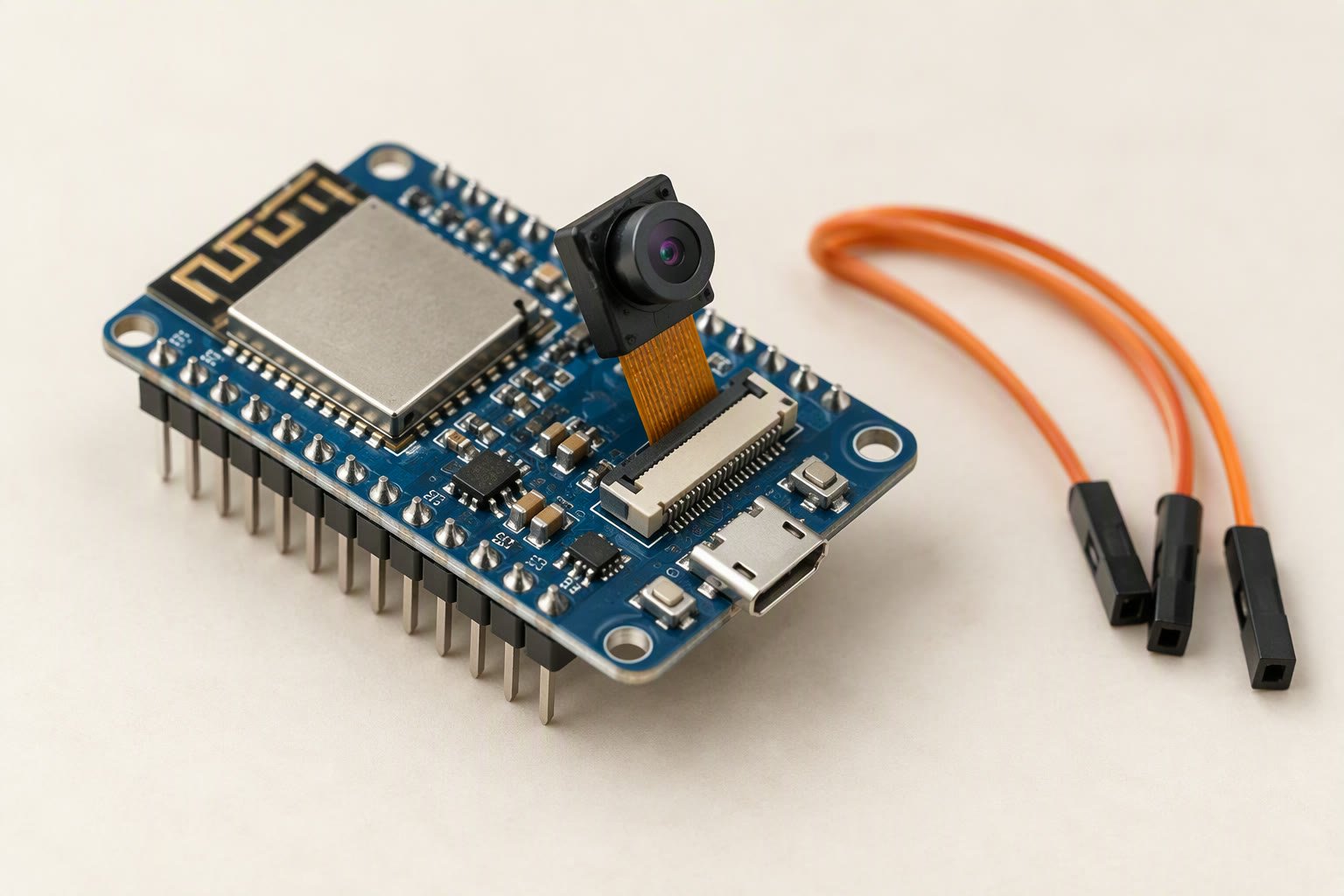
The ESP32-CAM is a ₹350–₹700 board that puts a 2 MP camera, Wi-Fi and a microSD slot on one PCB — and leaves you almost no pins to run a robot with. It is excellent at one job: sending pictures. It is a poor choice as the main controller of a moving robot.
Key specifications
| SoC | ESP32-S, dual-core Xtensa LX6 at 240 MHz |
|---|---|
| SRAM | 520 KB internal + 4 MB PSRAM |
| Flash | 4 MB |
| Camera | OV2640, 2 MP, JPEG output |
| Max still resolution | 1600 x 1200 (UXGA) |
| Wi-Fi | 802.11 b/g/n 2.4 GHz |
| Bluetooth | 4.2 BLE |
| Storage | microSD (1-bit SD mode) |
| USB | none; needs a USB-TTL adapter or ESP32-CAM-MB base |
| Logic voltage | 3.3 V |
| Power | 5 V, peaks of several hundred mA |
| Antenna | PCB, with IPEX connector option |
| Flash LED | GPIO 4 |
| Size | about 27 x 40.5 mm |
Substitute: An ESP32-S3 camera board when you need more pins and on-device vision.
What the camera actually gives you
The common AI-Thinker board carries an ESP32-S module with 520 KB of internal SRAM plus 4 MB of PSRAM, 4 MB of flash and an OV2640 sensor. The sensor is 2 MP and outputs JPEG directly, up to 1600×1200. Because the compression happens in the camera, the ESP32 does not have to hold a raw frame: a 1600×1200 JPEG is roughly 100–200 KB, which fits comfortably in PSRAM.
That does not mean you get 1600×1200 at a useful frame rate. Over Wi-Fi the practical range is a few frames per second at full resolution and perhaps 10–25 fps at 640×480, depending on signal quality and how many clients are watching. Treat it as a stills and slow-video camera, not a machine-vision sensor.
| Resolution | Pixels | Typical use |
|---|---|---|
| UXGA | 1600×1200 | Still capture, inspection, QR and label photos |
| SVGA | 800×600 | Good balance for streaming |
| VGA | 640×480 | Robot first-person view, fastest stream |
| QVGA | 320×240 | Low-bandwidth monitoring, high frame rate |
The power problem comes first
Most “ESP32-CAM keeps rebooting” threads end at the same place: the supply. The board has no USB regulator worth trusting and no bulk capacitance. Camera start-up plus a Wi-Fi transmit burst can pull several hundred milliamps in short spikes, and a thin USB cable or a weak 3.3 V rail drops below the brown-out threshold mid-frame.
- Feed 5 V, not 3.3 V, into the 5 V pin. The onboard regulator makes the 3.3 V rail.
- Use a 5 V 2 A supply and short, thick wires. A laptop USB port through a 1 m cable is not that supply.
- Solder a 470–1000 µF electrolytic capacitor across 5 V and GND close to the board. This single part fixes a large share of random resets.
- Do not power servos or motors from the board. The camera needs the current more than the motors do, and a shared rail couples motor noise straight into the image sensor.
The robot power guide covers sizing a rail that has to feed logic and motors together.
Uploading without a USB port
There is no USB-to-serial chip on the classic board. You need either an ESP32-CAM-MB carrier with USB, or a 5 V USB-TTL adapter wired to U0R (GPIO 3), U0T (GPIO 1), GND and 5 V. The adapter must be set to 5 V because the board’s regulator expects 5 V on that pin; the logic lines are 3.3 V and a 3.3 V adapter works for data but will not power the board reliably.
To enter the bootloader, connect GPIO 0 to GND, press RESET, start the upload, then remove the GPIO 0 jumper and press RESET again. In the Arduino IDE choose AI Thinker ESP32-CAM and the partition scheme Huge APP (3 MB No OTA/1 MB SPIFFS); the default partition is too small for the camera example. If the upload fails at “Connecting…”, the GPIO 0 timing is almost always the cause.
Which pins are left for your robot
The camera, the microSD slot and the PSRAM claim most of the GPIOs. On the AI-Thinker board the camera uses 0, 5, 18, 19, 21, 22, 23, 25, 26, 27, 32, 34, 35, 36 and 39. The SD card adds 2, 4, 12, 13, 14 and 15, and GPIO 4 also drives the flash LED, so the LED and the card cannot be used at the same time. GPIO 16 is often the PSRAM chip-select on modules that carry PSRAM.
| Pin | Status on a typical ESP32-CAM |
|---|---|
| GPIO 1 / 3 | UART TX/RX — usable if you give up serial debugging |
| GPIO 16 | Often PSRAM chip-select — do not use |
| GPIO 33 | Usually free, and the only easy output |
| GPIO 0 | Camera clock and boot strap — not a general output |
| GPIO 2, 4, 12–15 | microSD — unavailable when the card is used |
In practice you get one reliable output (GPIO 33) and a serial port. That is enough for a trigger, a relay or a second microcontroller handshake, not enough to drive a chassis. The usual architecture is an ESP32-CAM for pictures plus a separate Uno, Nano or ESP32 for motors, with the two talking over serial or Wi-Fi.
Camera configuration that compiles
The CameraWebServer example in the ESP32 Arduino core already contains this pin map. If you are writing your own sketch, the minimum is a camera_config_t filled in like this:
#include "esp_camera.h"

camera_config_t config = {};
config.ledc_channel = LEDC_CHANNEL_0;
config.ledc_timer   = LEDC_TIMER_0;
config.pin_d0 = 5;   config.pin_d1 = 18; config.pin_d2 = 19; config.pin_d3 = 21;
config.pin_d4 = 36;  config.pin_d5 = 39; config.pin_d6 = 34; config.pin_d7 = 35;
config.pin_xclk = 0; config.pin_pclk = 22; config.pin_vsync = 25; config.pin_href = 23;
config.pin_sscb_sda = 26; config.pin_sscb_scl = 27;
config.pin_pwdn = 32; config.pin_reset = -1;
config.xclk_freq_hz = 20000000;
config.pixel_format = PIXFORMAT_JPEG;
config.frame_size   = FRAMESIZE_SVGA;   // 800 x 600
config.jpeg_quality = 12;               // lower number = better quality
config.fb_count     = 2;

esp_err_t err = esp_camera_init(&config);
if (err != ESP_OK) {
  Serial.printf("Camera init failed: 0x%x\n", err);
}
On ESP32 Arduino core 3.x the I2C fields were renamed to pin_sccb_sda and pin_sccb_scl. If the compiler complains about pin_sscb_sda, that rename is why.
ESP32-CAM or a different camera board?
For a robot that needs to see and act in the same second, this board is the wrong tool. Motion blur, rolling shutter and 200–500 ms of streaming latency make it unsuitable for line following or obstacle avoidance. Use it for remote viewing, time-lapse, QR and label reading, or a “take a photo when the bumper is pressed” job.
| Option | Strength | Reality |
|---|---|---|
| ESP32-CAM | Cheapest Wi-Fi camera with a dev board | Few pins, high latency, noisy supply |
| ESP32-S3 with camera | USB, more PSRAM, vector instructions | Better for on-device detection, costs more |
| Raspberry Pi Zero 2 W + camera | Full Linux, OpenCV, real processing | Needs 5 V 2.5 A and a proper OS |
| Phone as camera | Best image quality for free | Not a robot sensor; no frame-level control |
The ESP32-CAM robot car build uses the board the way it works best: a separate motor controller drives the chassis, and the camera streams and captures. The Arduino vs Raspberry Pi comparison explains when a Linux board is the right next step.
Common questions
Why does my ESP32-CAM keep rebooting?
Almost always the power supply. Camera start-up and Wi-Fi bursts exceed what a weak USB port or thin cable can deliver. Use a 5 V 2 A supply, short wires and a 470–1000 µF capacitor across 5 V and GND.
How do I upload code to an ESP32-CAM without USB?
Use an ESP32-CAM-MB base or a 5 V USB-TTL adapter on TX, RX, GND and 5 V. Connect GPIO 0 to GND, press reset, upload, then remove the jumper and reset again.
Can the ESP32-CAM run computer vision?
Only lightweight work. It can stream JPEG, detect faces with the bundled example and run small models with difficulty, but it has no NPU and very little usable RAM for vision pipelines. An ESP32-S3 or a Raspberry Pi is the better platform.
Can I use the SD card and the flash LED together?
No. GPIO 4 is shared between the SD card data line and the flash LED, so the LED is unavailable while the card is mounted.
Is the ESP32-CAM good for a line follower?
No. The camera latency and rolling shutter are too slow for a fast control loop. Use IR sensors or a dedicated line-scan camera with a deterministic interface.
Related: ESP32 DevKit V1, ESP32 pinout for robotics, Arduino Uno.
Sources and further reading
- Espressif camera driver documentation — configuration fields and supported formats.
- espressif/esp32-camera — the driver and the CameraWebServer example used above.
- Arduino language reference — serial output and timing functions.
Last reviewed: October 2026. Specifications describe the common AI-Thinker ESP32-CAM board; clones vary. Prices are Indian retail ranges. Not bench-tested by this site.