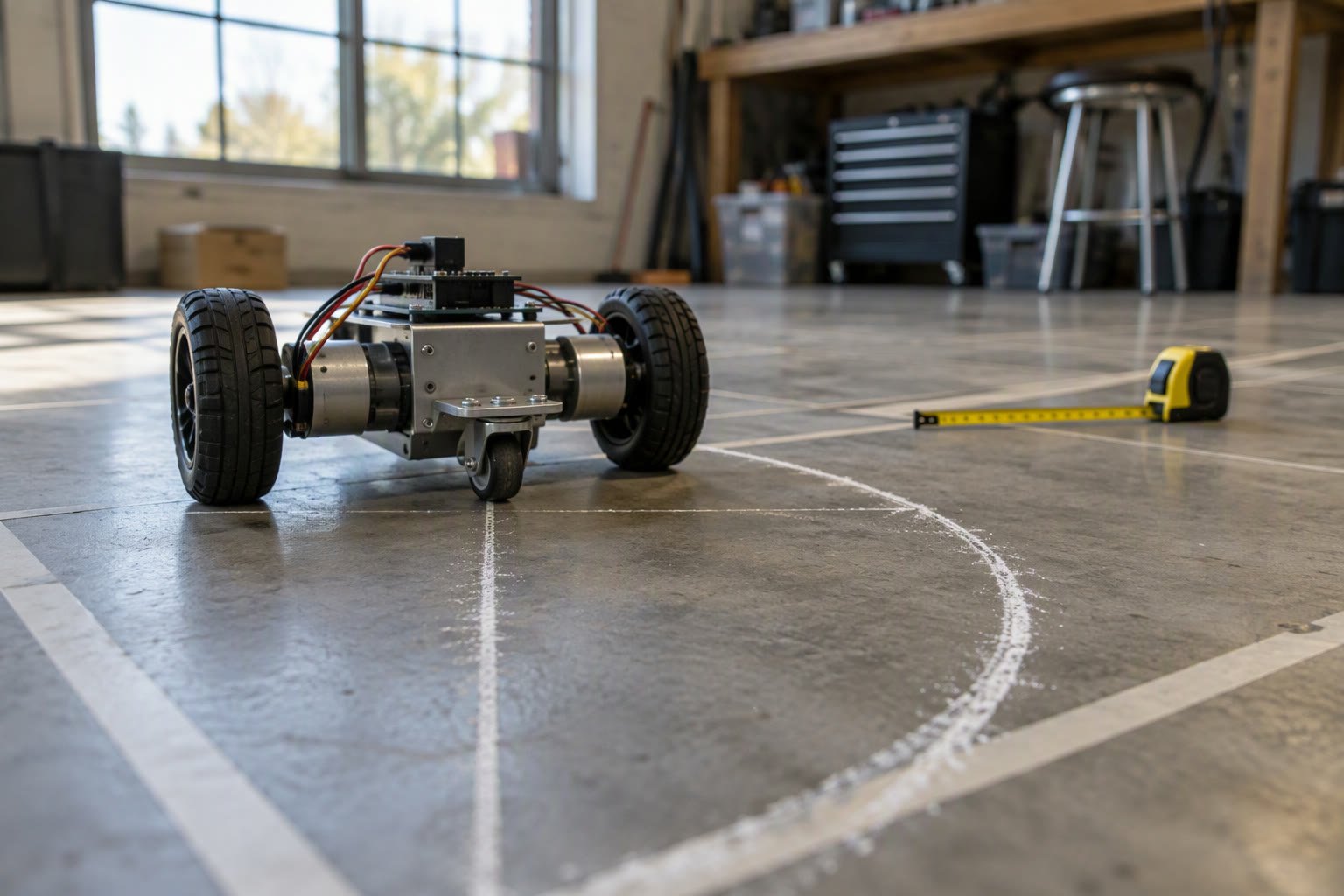
Odometry is the robot’s opinion about where it is, built from wheel rotation alone. Every mobile robot starts with it, and most navigation bugs are odometry bugs wearing a different hat.
This guide takes encoder counts to a pose, covers the two calibration numbers that matter more than any filter, and shows how to publish odometry in ROS 2 without breaking the transform tree.
The three numbers you need first
Before writing integration code, measure and record three quantities. Get them wrong and no amount of filtering will help.
| Quantity | Symbol | How to get it |
|---|---|---|
| Encoder counts per wheel revolution | CPR | Datasheet counts per motor rev multiplied by gear ratio |
| Effective wheel radius | r | Measure loaded, on the floor, with a tape around the tyre |
| Wheel separation | L | Centre of left contact patch to centre of right contact patch |
Effective wheel radius is not the nominal radius. A rubber tyre compresses under load, a foam wheel changes with temperature, and a mecanum wheel’s effective radius depends on the rollers. The number you calibrate is the one that makes the robot travel the correct distance, and it is usually a few percent different from the catalogue value.
From counts to distance
Convert counts to distance per wheel, then take the difference since the last update. This incremental form avoids accumulating a large absolute count.
import math

CPR = 1425.0          # counts per wheel revolution, after gearing
WHEEL_R = 0.0325      # metres, calibrated
TRACK = 0.24          # metres between wheel centres

def wheel_distance(delta_counts):
    return 2.0 * math.pi * WHEEL_R * delta_counts / CPR

ds_l = wheel_distance(delta_left)
ds_r = wheel_distance(delta_right)

ds = (ds_l + ds_r) / 2.0
dtheta = (ds_r - ds_l) / TRACK
This is the differential drive model: the average of the two wheel distances is how far the robot moved, and the difference divided by the track is how much it rotated. Both are exact for a small step, and the mid-point form below keeps the error small over a turn.
# midpoint integration, run at a fixed period
x += ds * math.cos(theta + dtheta / 2.0)
y += ds * math.sin(theta + dtheta / 2.0)
theta += dtheta

# keep theta wrapped for readability only
theta = math.atan2(math.sin(theta), math.cos(theta))
The alternative is an exact arc solution for a constant-curvature step. It matters when the update rate is low and the robot turns fast; at 50 Hz with moderate speed the midpoint form is close enough, and it is much easier to debug.
Why the loop must be periodic
Odometry assumes you know the time between samples, or at least that it is constant. If encoder reads happen whenever the main loop gets around to it, a slow camera frame becomes a large motion step and the pose estimate drifts in a way that looks random.
- Read encoders on a hardware timer or in a fixed-rate task, not in the main loop.
- Keep the integration period constant and log it during development.
- Handle counter wrap explicitly; 16 bit counters wrap quickly at high speed.
- Store the pose in double precision, even on a microcontroller.
- Publish the timestamp of the encoder sample, not the time you finished the calculation.
Calibrating radius and track
Two short tests give you both numbers. Mark a straight line on the floor and drive three metres slowly; compare the commanded distance to the measured distance. The ratio corrects the effective wheel radius. Then rotate the robot in place ten full turns and compare commanded to measured angle; the error corrects the track width.
| Test | What it fixes | Repeat until |
|---|---|---|
| Drive 3 m straight | Effective wheel radius | Error under 1 percent of distance |
| Spin 10 turns in place | Track width | Error under 2 degrees per turn |
| Square path, four sides | Both, plus wheel slip | Returns within 10 cm over 8 m |
| Circle of 2 m diameter | Heading bias | Closes the loop with a small offset |
Do these tests on the surface the robot will actually use. Carpet, tile and concrete give different slip, and a robot calibrated on a smooth factory floor will drift on a tiled showroom floor.
The error sources that remain
Calibration removes systematic errors. What remains is slip, uneven surfaces and mechanical play, and it accumulates without bound because odometry has no absolute reference.
| Source | Visible as | Mitigation |
|---|---|---|
| Wheel slip on acceleration | Distance overestimated, heading noise | Limit acceleration, use current limits |
| Unequal wheel radius | Curved path when commanded straight | Per-wheel radius calibration |
| Track width error | Heading error after every turn | Spin calibration |
| Encoder resolution | Quantised, jumpy pose at low speed | Higher CPR, better gearbox |
| Backlash in the gearbox | Lost counts on direction change | Anti-backlash gearbox or encoder on the wheel |
| Caster drag | Yaw drift on turns | Better caster, lower centre of gravity |
The best mechanical fix is an encoder on the wheel axle rather than on the motor. It sees the wheel’s actual rotation, so gearbox backlash and slip inside the transmission disappear from the measurement. The cost is a second sensor per side and a tidier cable route.
Fusing odometry with something absolute
Odometry is continuous and drifts. An IMU is fast and drifts differently. A camera marker, a lidar scan match or a docking beacon is absolute and intermittent. A usable estimate combines them.
- Use odometry for the prediction step between other measurements.
- Use the gyro for heading on short timescales; a complementary filter is enough for many indoor robots.
- Use marker or scan-match corrections for position, weighted by measured confidence.
- Publish covariance that grows with distance travelled, not a constant.
- Log raw and fused pose together during development; the divergence is the diagnostic.
Publishing odometry in ROS 2
ROS 2 has a convention: an odom frame that is continuous, a base_link frame attached to the robot, and a map frame that can jump when the robot is relocated. Odometry publishes the transform from odom to base_link, and a localisation node publishes map to odom.
from nav_msgs.msg import Odometry
from geometry_msgs.msg import TransformStamped
from tf2_ros import TransformBroadcaster

odom = Odometry()
odom.header.stamp = self.get_clock().now().to_msg()
odom.header.frame_id = "odom"
odom.child_frame_id = "base_link"
odom.pose.pose.position.x = x
odom.pose.pose.position.y = y
odom.pose.pose.orientation.z = math.sin(theta / 2.0)
odom.pose.pose.orientation.w = math.cos(theta / 2.0)
odom.twist.twist.linear.x = v
odom.twist.twist.angular.z = w
self.odom_pub.publish(odom)
Two mistakes break navigation more often than bad calibration. Publishing map to odom from the odometry node, which prevents any correction, and publishing the transform with the wrong timestamp, which makes the robot appear to move in bursts. The transform for a sample must carry that sample’s time.
Related: robot wheel encoder guide, complementary filter for IMU tilt, ROS 2 tf2 tutorial, ROS 2 Nav2 tutorial, ArUco marker localisation.
How accurate is wheel odometry in practice?
On a calibrated indoor robot with good encoders, expect about 1 percent distance error and a few degrees of heading error after a few metres. Slip and uneven floors make it worse quickly, which is why odometry is always fused with an absolute sensor for navigation.
Do I need a gyro for odometry?
Not for the basic model, but heading is the weakest part of differential drive odometry. A cheap gyro improves it a lot, and a complementary filter is usually enough.
Why does my robot curve when commanded straight?
Almost always unequal effective wheel radius or a track width error, plus motor mismatch. Calibrate each wheel separately before changing the controller.
Should odometry run on the microcontroller or the companion computer?
Run encoder capture and integration on the microcontroller when possible, and publish the resulting pose or the raw counts to the companion computer. Reading encoders over USB after the fact loses the timing that odometry depends on.
What is the difference between odom and map frames?
Odom is continuous and drifts; map is corrected by localisation and can jump. Odometry publishes odom to base_link, and the localisation system publishes map to odom.
Wheelbase and wheel diameter come straight from the chassis, so settle them with this chassis design guide before tuning odometry.
Runtime targets come from mission length, and the battery sizing guide turns drive duty cycle into watt-hours.
Sources and further reading
- ROS 2 tf2 concepts — frame conventions and transform trees.
- Nav2 documentation — odometry sources and localisation integration.
- REP 105 — coordinate frames for mobile platforms.

