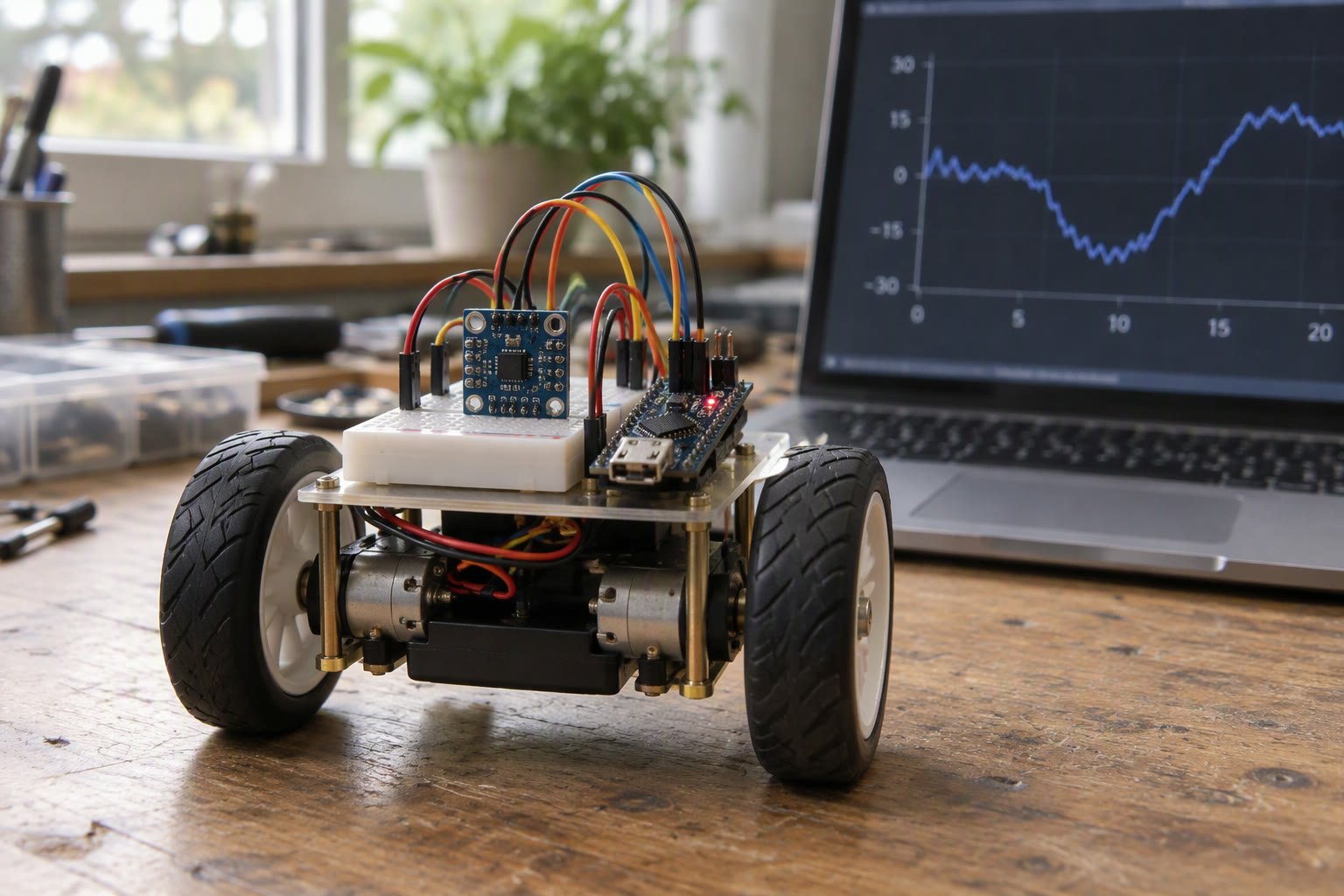
A complementary filter is the cheapest way to get a usable tilt angle from an IMU. Twenty lines of code, no matrix maths, and it beats both sensors used alone.
An accelerometer knows which way is down but is noisy and reacts to every bump. A gyroscope is smooth and fast but drifts within seconds. Fuse them the right way and each sensor covers the other’s weakness. This guide covers the maths, the Arduino implementation, how to pick the filter constant, and the failure modes that make a filter look broken when the wiring is at fault.
Why the two sensors fail differently
An accelerometer measures specific force, which on a stationary robot is gravity. The direction of that vector gives roll and pitch directly. The problem is that it also measures every vibration, motor buzz and bump, and the angle you calculate jumps around by a degree or more even when nothing moves.
A gyroscope measures angular rate. Integrate it and you get a smooth angle that responds instantly. But every gyro has a small bias, typically one to five degrees per second on a cheap MPU6050 after warm-up. At two degrees per second, a pure integration is twenty degrees wrong after ten seconds.
| Sensor | Good at | Bad at | Error behaviour |
|---|---|---|---|
| Accelerometer | Long-term reference, no drift | Vibration, linear acceleration | Zero-mean noise, large spikes |
| Gyroscope | Fast changes, smooth output | Absolute reference, bias drift | Slow ramp away from truth |
| Complementary filter | Cheap fusion of both | Yaw, sustained acceleration | Bounded, easy to tune |
The key observation is that the two error types live in different frequency bands. Accelerometer noise is high frequency. Gyro drift is low frequency. So filter the accelerometer angle with a low-pass, filter the integrated gyro angle with a high-pass, and add them. The two filters are complementary, which is where the name comes from.
The equation in discrete form
On a microcontroller you do not build two filters. You write one blending line that is mathematically equivalent:
angle = alpha * (angle + gyro_rate * dt) + (1 - alpha) * accel_angle;The first term is the previous estimate advanced by the gyro. The second term pulls that estimate towards the accelerometer angle. Alpha close to one trusts the gyro and ignores the accelerometer. Alpha close to zero trusts the accelerometer and lets vibration straight through.
The relationship between alpha, the loop period and the filter time constant is worth memorising because it lets you move code between boards without retuning by feel:
// time constant tau in seconds, loop period dt in seconds
alpha = tau / (tau + dt);| Loop rate | Time constant | Alpha | Behaviour |
|---|---|---|---|
| 100 Hz | 0.1 s | 0.909 | Fast, follows bumps |
| 100 Hz | 0.5 s | 0.980 | Balanced for balancing robots |
| 100 Hz | 1.0 s | 0.990 | Smooth, slow correction |
| 50 Hz | 0.5 s | 0.962 | Same response at half the rate |
| 200 Hz | 0.5 s | 0.990 | Same response at double the rate |
Notice the last two rows. A fixed alpha of 0.98 is only correct at one loop rate. If you change the loop from 100 Hz to 200 Hz and keep alpha, the filter becomes twice as slow. Compute alpha from the time constant instead of hard-coding a number copied from a tutorial.
Reading an MPU6050 without a library
The MPU6050 is still the default IMU on Indian hobby and student builds because it costs a few hundred rupees and is on every breakout board. Reading it over I2C directly makes the timing behaviour obvious, which matters for a filter.
#include <Wire.h>

const uint8_t MPU = 0x68;
const float GYRO_SCALE = 131.0;    // LSB per deg/s at +/-250 dps
const float ACCEL_SCALE = 16384.0; // LSB per g at +/-2 g

void setupMpu() {
  Wire.begin();
  Wire.beginTransmission(MPU);
  Wire.write(0x6B);  // PWR_MGMT_1
  Wire.write(0x00);  // wake up
  Wire.endTransmission(true);
  delay(50);
}

void readMpu(float &ax, float &ay, float &az, float &gx) {
  Wire.beginTransmission(MPU);
  Wire.write(0x3B);
  Wire.endTransmission(false);
  Wire.requestFrom(MPU, (uint8_t)14, (uint8_t)true);

  int16_t rawAx = (Wire.read() << 8) | Wire.read();
  int16_t rawAy = (Wire.read() << 8) | Wire.read();
  int16_t rawAz = (Wire.read() << 8) | Wire.read();
  Wire.read(); Wire.read();          // temperature, unused
  int16_t rawGx = (Wire.read() << 8) | Wire.read();
  Wire.read(); Wire.read();          // gyro Y and Z, unused here

  ax = rawAx / ACCEL_SCALE;
  ay = rawAy / ACCEL_SCALE;
  az = rawAz / ACCEL_SCALE;
  gx = rawGx / GYRO_SCALE;
}
One I2C burst reads all seven values so the samples are as close in time as the sensor allows. Reading axes in separate transactions adds tens of microseconds of skew, which shows up as noise when the robot rotates quickly.
The full filter loop
Roll uses the Y and Z accelerometer axes, pitch uses X and Z. Use atan2 rather than asin so the output stays correct past ninety degrees and does not blow up on division by zero.
float pitch = 0.0;
unsigned long lastUs = 0;
const float TAU = 0.5;

void loop() {
  float ax, ay, az, gx;
  readMpu(ax, ay, az, gx);

  unsigned long nowUs = micros();
  float dt = (nowUs - lastUs) / 1000000.0;
  lastUs = nowUs;
  if (dt <= 0.0 || dt > 0.2) return;   // skip bad timing

  float accelPitch = atan2(-ax, sqrt(ay * ay + az * az)) * 57.2958;
  float alpha = TAU / (TAU + dt);

  pitch = alpha * (pitch + gx * dt) + (1.0 - alpha) * accelPitch;
}
Three details in that loop are not optional. The dt guard rejects the first sample and any loop where the board was blocked for a long time. The dt is measured, not assumed. And the accelerometer angle uses atan2 with the magnitude of the other two axes, which keeps the output valid when the board is tilted far from level.
Removing gyro bias before you filter
A complementary filter survives a small bias because the accelerometer correction keeps pulling it back. But a large bias produces a visible steady-state offset, and on a balancing robot it shows up as a slow lean. Measure the bias at startup while the robot is still.
float gyroBias = 0.0;

void calibrateGyro() {
  const int samples = 500;
  float sum = 0.0;
  for (int i = 0; i < samples; i++) {
    float ax, ay, az, gx;
    readMpu(ax, ay, az, gx);
    sum += gx;
    delay(4);
  }
  gyroBias = sum / samples;
}
Then subtract the bias in the loop: gx - gyroBias. Keep the robot absolutely still during this two-second calibration. If a motor driver is already energised, its vibration will be averaged into the bias and the filter will slowly drift in the opposite direction all session.
- Calibrate every power-up; bias changes with temperature.
- Do not calibrate while the robot is on a moving surface or being held.
- Store the value and print it; a sudden change between boots points at wiring or supply noise.
- Re-check after ten minutes of running; a large shift means the sensor is warming or the supply is sagging.
Where the filter stops working
Roll and pitch have a gravity reference. Yaw does not. A complementary filter cannot correct yaw drift because there is nothing to correct it against, which is why every guide that adds a magnetometer suddenly talks about hard and soft iron calibration.
| Condition | Effect on the estimate | Mitigation |
|---|---|---|
| Robot accelerating forward | Accelerometer sees gravity plus motion, pitch offset | Raise tau during known acceleration |
| Motor vibration | Accelerometer noise passes into correction | Mount on soft foam, add low-pass at 20 to 40 Hz |
| Yaw rotation | No absolute reference, drift remains | Add a magnetometer or use wheel odometry |
| Sustained tilt beyond 60 degrees | Roll and pitch couple | Use a quaternion filter instead |
| Long loop blockage | Large dt, one bad gyro step | Reject dt above a limit and re-seed from accelerometer |
That last row is the most common bug in student code. A blocking delay() or a serial print inside the loop produces a dt of half a second, the gyro term integrates a huge angle, and the filter takes seconds to recover. Keep the loop non-blocking and print on a timer, not every pass.
Tuning it against a real reference
Tuning by watching a serial plotter is guesswork. Do it properly with a straight edge and a protractor, or a phone angle app laid on the chassis:
- Hold the robot at 0, 15, 30 and 45 degrees and log the estimate for ten seconds at each position.
- Steady-state error tells you about gyro bias; oscillation tells you the time constant is too short.
- Tap the chassis and watch recovery. A good filter settles in about one time constant without overshoot.
- Rotate quickly and check that the estimate lags by no more than a couple of degrees.
- Log the raw accelerometer angle too, so you can tell sensor problems from filter problems.
If the estimate is wrong at rest and correct when moving, suspect the accelerometer mounting or a scale factor error. If it is correct at rest and wrong while driving, suspect vibration and linear acceleration, not the filter constant.
When to move on to a Kalman or Madgwick filter
A complementary filter assumes one fixed trade-off between trust in each sensor. A Kalman filter varies that trust with measured noise, and a Madgwick or Mahony filter works in quaternions so it handles full 3D orientation and yaw with a magnetometer.
Move on when you need yaw hold, when the robot tilts past sixty degrees, when acceleration is significant and sustained, or when you need a covariance to feed into a navigation stack. Stay with the complementary filter when the job is a two-wheel balancing robot, a tilt alarm, or a first IMU project on an Arduino, because it is short enough to debug line by line.
Related: MPU6050 balancing robot, Kalman filter for robot localisation, ROS 2 sensor fusion, Arduino interrupts and encoders, I2C, SPI and UART in robotics.
What does the complementary filter actually do?
It blends two angle estimates. The gyroscope integration is trusted for fast changes, the accelerometer angle is trusted over the long term, and the blend removes drift without adding much noise.
How do I choose alpha?
Pick a time constant in seconds, then compute alpha as tau divided by tau plus the loop period. For a balancing robot at 100 Hz, a time constant near half a second works well.
Can I use a complementary filter for yaw?
Not without a reference. Roll and pitch are corrected by gravity, but yaw has no absolute measurement, so it drifts. Add a magnetometer or blend in wheel odometry.
Why does my angle drift even after calibration?
Usually because the gyro bias was measured while a motor was running, or because the loop occasionally blocks and produces a huge dt. Recalibrate at rest and guard the loop timing.
Is a Kalman filter better?
It is more flexible, not automatically better. A well-tuned complementary filter often matches a Kalman filter on a two-axis tilt estimate and is far easier to debug on a small microcontroller.
Heading from the IMU and heading from wheel odometry disagree over time, so fusing them needs both models.
Sources and further reading
- TDK InvenSense MPU-6050 — sensor specifications and register map.
- x-io open source IMU and AHRS algorithms — Madgwick and Mahony filter references.
- Arduino Wire library — I2C transactions used in the examples.

