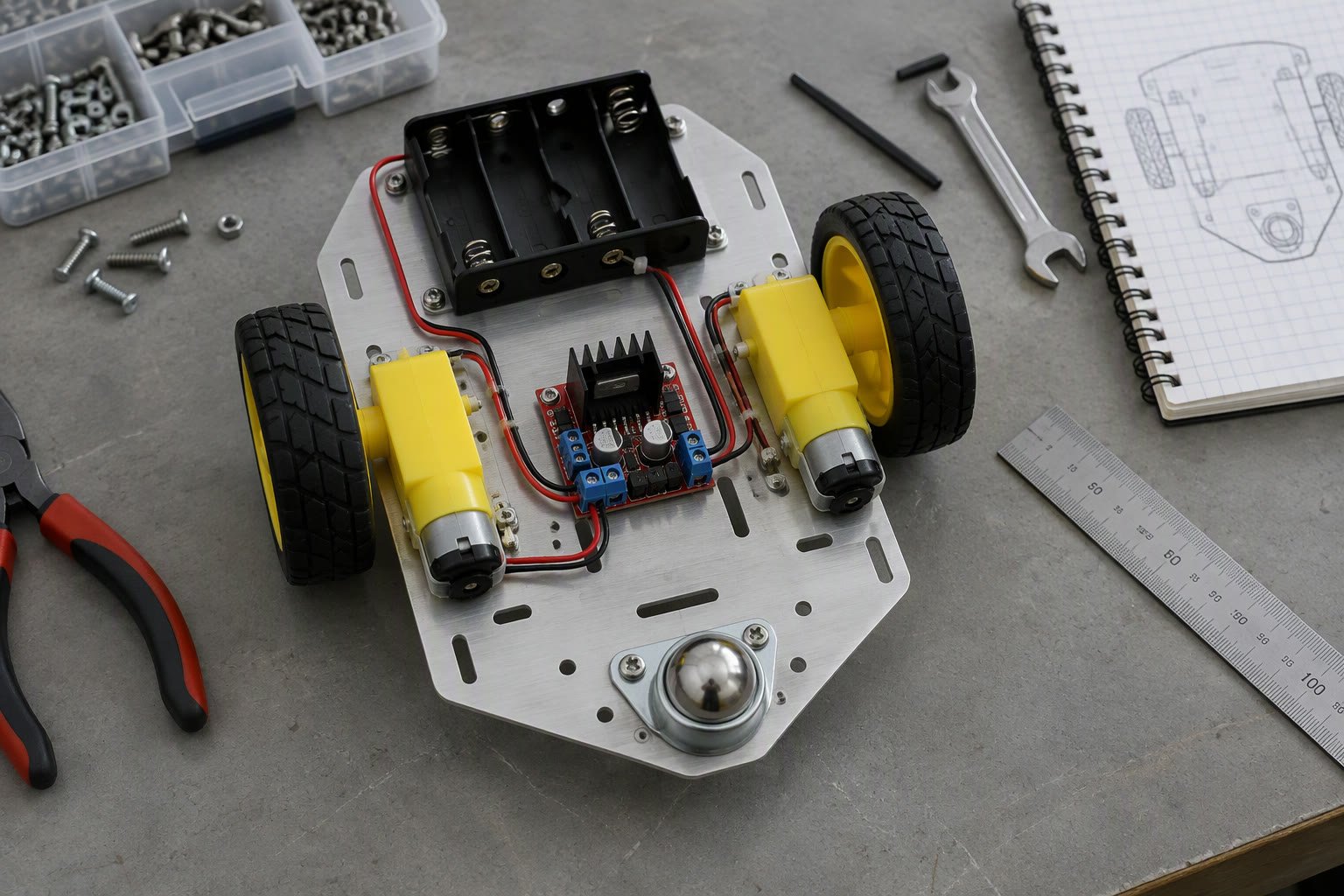
A chassis is a promise about stiffness, weight and service access. Most beginner robots break that promise in the same three places: motor mounts, wheel alignment and the battery tray.
This guide covers drive layouts, the simple load checks worth doing, material choices available in India, and the assembly decisions that decide whether the robot survives its first month.
Choose the drive layout first
The chassis follows from how the robot moves. Every layout is a trade between simplicity, manoeuvrability and cost, and no layout wins on all three.
| Layout | Strength | Weakness | Typical project |
|---|---|---|---|
| Two driven wheels plus caster | Simple, cheap, turns in place | Needs balance and a good caster | Line follower, indoor rover |
| Four driven wheels, skid steer | More traction, simple mechanics | Tyres scrub on turns | Outdoor or rough-floor robot |
| Mecanum or omni | Moves sideways | Roller wear, poor on rough floors | Competition, tight indoor cells |
| Ackermann steering | Efficient at speed, car-like | Cannot turn in place | Outdoor AGV, road vehicle |
For a first build, two driven wheels with a swivel caster is the least frustrating choice. It has fewer parts, the maths is simple, and odometry is well understood. Four-wheel skid steer is the next step when traction or floor condition demands it.
The three checks worth doing
You do not need a full structural analysis. Three simple checks prevent most beginner failures: tipping, wheel loading and motor torque.
# tipping: lateral acceleration before the robot lifts a wheel
# a_tip = (track / 2) * g / h
# track 0.30 m, centre of gravity height 0.25 m
a_tip = (0.30 / 2) * 9.81 / 0.25   # about 5.9 m/s2

# static load per wheel
# total mass 6 kg on four wheels, evenly loaded
load_per_wheel = 6 * 9.81 / 4      # about 14.7 N
A low centre of gravity and a wide track are cheap stability. Battery placement is the easiest lever: put the heaviest item as low and as central as the layout allows, and the tip threshold rises immediately.
- Keep the centre of gravity below the wheel axle height if possible.
- Check tipping with the payload fitted, not with an empty chassis.
- Remember that acceleration and braking are what tip a robot, not top speed.
- Allow for a caster that carries real load; a tiny caster on a heavy robot fails early.
Materials you can actually buy
| Material | Best for | Practical note |
|---|---|---|
| Aluminium extrusion | Prototypes, adjustable frames | Easy to modify, needs brackets and care with vibration |
| MS sheet, laser cut | Flat plates and brackets | Cheap and stiff, needs painting or powder coat |
| Acrylic | Demo robots, light loads | Cracks at bolt holes and under vibration |
| 3D printed PETG or ASA | Mounts, covers, complex shapes | Creep under sustained load, weak threads |
| Plywood or MDF | Very first prototype | Fast, cheap, swells with moisture |
Laser-cut aluminium plate with bent flanges is the best value for a small production run in India, and extrusion is the best value for a prototype that will change. Mixing both is common: an extrusion frame with laser-cut motor plates.
Stiffness where it counts
A chassis that flexes twists the wheel alignment, and a twisted chassis makes the robot steer itself. The fix is rarely thicker plate everywhere; it is bracing in the right plane.
- Triangulate the frame in the plane that carries the drive loads.
- Mount motors to a plate that ties into both side rails, not to a single thin panel.
- Use a gusset at right angles rather than a larger bolt.
- Keep the wheel axle line parallel; measure it after assembly, not just in CAD.
- Add a skid plate or a lower deck as a shear panel if the frame is open.
Three millimetre aluminium plate is stiff enough for most small robots when it is flanged or braced. Six millimetre plate with no bracing is heavier and still flexes.
Wheels, clearance and the floor
Ground clearance is set by the smallest obstacle the robot must cross and by the caster. A robot with 10 mm clearance will not cross a cable, a doorway threshold or a floor drain, and Indian workshop floors have all three.
| Wheel | Good on | Avoid |
|---|---|---|
| Rubber tyre with tread | Concrete, tile, mixed floors | Cleanrooms, very smooth epoxy |
| Smooth rubber | Indoor smooth floors | Dust and oil |
| Foam filled | Rough outdoor surfaces | Precision odometry |
| Omni or mecanum | Flat, clean indoor floors | Gravel, thresholds, carpet |
Match the wheel to the floor the robot will actually see. A mecanum robot on a rough concrete shop floor will not track straight, no matter how the controller is tuned.
Layout for service, not just for looks
The best chassis is the one you can repair in ten minutes with the tools in the workshop. Design the layout around access, and the robot will stay in service.
- Battery in a tray that slides out without removing the electronics.
- Controller and driver on a removable plate with labelled connectors.
- Cable routing with service loops and strain relief at every moving joint.
- Fuses and the main switch reachable without opening the electronics bay.
- Fasteners of two or three sizes only, with spares in the kit.
- Every connector unique or clearly labelled; two identical connectors can be swapped and will be.
Assembly details that decide reliability
3D printed parts are useful and need specific treatment. Threads printed directly into plastic strip under load, so use heat-set inserts or a through-bolt with a nut. Load-bearing holes should be printed in the plane that puts layers in compression, not tension.
- Use nyloc nuts or threadlocker on anything that vibrates.
- Washers spread load on plastic and thin sheet.
- Slotted holes for motor mounts make belt or gear alignment possible.
- Leave clearance for tools; a bolt you cannot reach is a permanent bolt.
- Add a physical stop so a joint cannot drive into its own cable.
Test the chassis before the electronics
- Push the robot sideways and watch for frame flex at the motor plates.
- Lift one side and check that the opposite wheel stays loaded.
- Drive in a straight line and measure the deviation over three metres.
- Run for twenty minutes and check motor and driver temperatures.
- Carry the robot by its handle; if there is no handle, add one.
Related: wheel encoder guide, designing 3D printed robot parts, differential drive odometry, how to power a robot, robot arm CAD guide.
What material is best for a beginner robot chassis?
Laser-cut aluminium plate or aluminium extrusion for anything that moves, with 3D printed parts for mounts and covers. Acrylic looks good but cracks at bolt holes under vibration.
How much ground clearance does a robot need?
Enough to clear the worst obstacle on its route, usually a cable, threshold or floor joint. Ten millimetres is a minimum for indoor floors, and twenty or more for outdoor use.
Why does my robot not drive straight?
Usually wheel alignment, unequal wheel diameter, a flexing frame or motor mismatch. Check the axle alignment and frame stiffness before touching the controller.
Can I use mecanum wheels on a workshop floor?
Only if the floor is smooth and clean. Mecanum and omni wheels lose traction and direction on rough concrete, dust or thresholds, so a differential drive is usually the better choice.
How thick should the chassis plate be?
Three millimetres of aluminium is enough for most small robots when the plate is flanged or braced. Thickness does not replace bracing; a stiff shape in thin material beats a flat slab in thick material.
Wheel torque at the rim follows the same speed trade-off, covered in the stepper torque curve guide.
The pack decides the battery bay, so size the battery from an energy budget before cutting the chassis plate.
Sources and further reading
- WPILib drive classes — differential and mecanum drivetrain models.
- Engineering Toolbox — material properties and mechanics references.
- Robotics Stack Exchange — practical build questions and answers.

