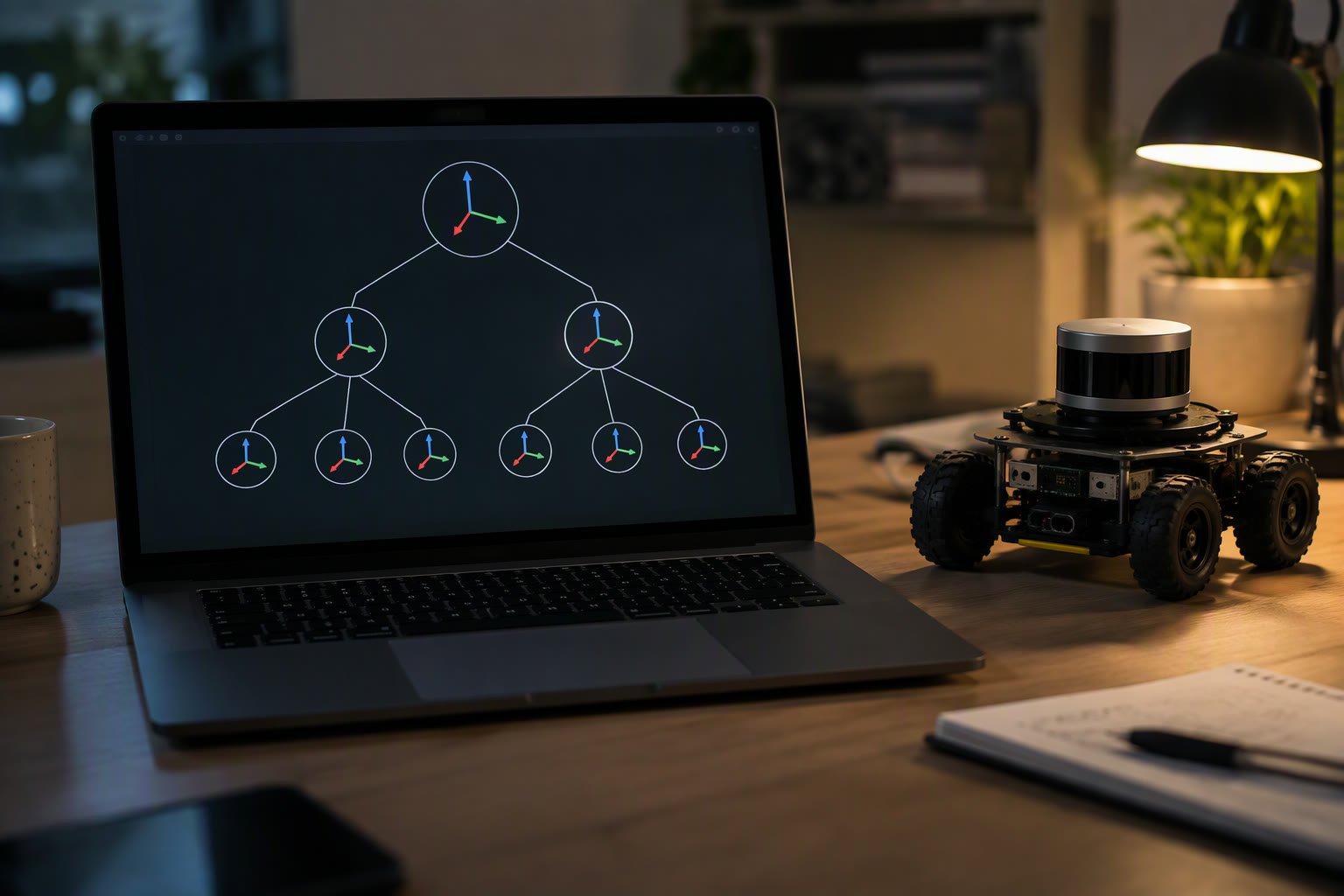
TF2 answers one question: where is this thing relative to that thing, right now? Everything above it depends on the answer — merging a LiDAR scan, placing a detected object, driving to a goal. When the frame tree is wrong, the robot is confidently wrong.
This tutorial covers the frame tree, the standard frames every mobile robot should have, how to publish and look up transforms, and the errors that account for most TF2 debugging time.
The frame tree
TF2 stores transforms in a tree. Every frame has one parent, and the chain from any frame to any other is unique. A transform is a translation and rotation with a timestamp; TF2 interpolates between timestamps so a lookup can ask for a moment in the past.
| Frame | Meaning | Published by |
|---|---|---|
| map | Fixed world frame | Localisation or SLAM |
| odom | Continuous, drifting frame | Wheel odometry or visual odometry |
| base_link | Robot body | Odometry / robot_state_publisher |
| laser | LiDAR sensor | Static transform or URDF |
| camera_link | Camera body | Static transform or URDF |
| tool0 | Arm flange | robot_state_publisher |
REP 105 defines the map → odom → base_link convention. Map to odom jumps when the localiser corrects the robot’s position; odom to base_link stays continuous. Getting this wrong produces a robot that teleports in RViz or a planner that fights the controller.
The commands you will use every day
ros2 run tf2_tools view_frames
ros2 run tf2_ros tf2_echo map base_link
ros2 topic echo /tf_static
ros2 run tf2_ros static_transform_publisher --x 0.1 --y 0 --z 0.2 --frame-id base_link --child-frame-id laser
view_frames writes a PDF of the current tree. It is the fastest way to see a missing link or a frame with two parents. tf2_echo prints the transform between two frames at the current time and keeps updating.
static_transform_publisher is for transforms that never change: a sensor bolted to the chassis. It publishes on /tf_static, which is latched, so a subscriber that starts later still receives it.
Looking up a transform in Python
import rclpy
from rclpy.node import Node
from tf2_ros import Buffer, TransformListener
from rclpy.time import Time

class Lookup(Node):
    def __init__(self):
        super().__init__('lookup')
        self.buffer = Buffer()
        self.listener = TransformListener(self.buffer, self)
        self.create_timer(1.0, self.tick)

    def tick(self):
        try:
            t = self.buffer.lookup_transform(
                'map', 'base_link', Time())
            p = t.transform.translation
            self.get_logger().info(f'x={p.x:.2f} y={p.y:.2f}')
        except Exception as e:
            self.get_logger().warn(str(e))

def main():
    rclpy.init()
    rclpy.spin(Lookup())
    rclpy.shutdown()
Use Time() for “latest available” and Time(nanoseconds=stamp) for a specific stamp. Asking for a future timestamp is the most common cause of an extrapolation error.
A worked mobile robot example
- The LiDAR driver publishes
/scanin thelaserframe. - A static transform connects
base_linktolaser. - Wheel odometry publishes
odom→base_linkat 50 Hz. - SLAM publishes
map→odomwhen it corrects drift. - Nav2 asks for the robot pose in
mapand gets it through the chain.
Each link has one owner. If two nodes publish odom → base_link, the robot jitters between two truths. TF2 does not arbitrate; it reports the conflict and the last writer often wins.
Errors and what they actually mean
| Error | Cause | Fix |
|---|---|---|
| Frame does not exist | Typo, missing static transform, node not running | Run view_frames and check exact names |
| Extrapolation into the future | Asking for a stamp newer than the latest transform | Use latest available or wait for the transform |
| Lookup would require extrapolation | Timestamp older than the buffer | Increase buffer size or use a closer stamp |
| Frame has multiple parents | Two publishers for the same child | Keep one owner per transform |
| Tree disconnected | Missing link between groups | Add the missing static transform |
| Transform jumps | Localiser correction published to the wrong frame | Respect map → odom → base_link |
Practical habits
- Name frames once and never rename them casually; they appear in configs, code and launch files.
- Publish sensor extrinsics as static transforms, not as parameters that get copied into three places.
- Keep one node responsible for each dynamic transform.
- Set the TF buffer to cover the longest latency you expect, usually a few seconds.
- Check
view_framesafter every launch change; it takes ten seconds and saves hours.
Related: ROS 2 for beginners, URDF tutorial, Nav2 tutorial, SLAM for beginners, topics, services and actions.
What is TF2 in ROS 2?
TF2 is the transform library that tracks where every frame on a robot is relative to every other frame over time. It is used for sensors, localisation, navigation and arm kinematics.
What are map, odom and base_link?
Map is the fixed world frame, odom is a continuous but drifting frame, and base_link is the robot body. REP 105 defines the chain map to odom to base_link that most mobile robots follow.
Why do I get an extrapolation into the future error?
You asked for a transform at a timestamp newer than the latest one published. Use the latest available time, or wait until the publisher has produced data for that stamp.
How do I see the TF tree?
Run ros2 run tf2_tools view_frames, which writes frames.pdf showing every frame and its parent. Then use ros2 run tf2_ros tf2_echo source target to inspect a specific transform.
What is a static transform used for?
For parts that never move relative to each other, such as a LiDAR bolted to the chassis. It is published once on /tf_static and latched for late subscribers.
Transforms tell you where the robot is; ros2_control is what actually commands the joints.
SLAM depends on a correct transform tree, and the SLAM Toolbox tutorial shows exactly which frames it needs.
The transform tree comes from the robot description; URDF vs SDF explains what belongs where.
A common use is transforming a detection into a robot pose.
Sensor fusion depends on the TF tree; see fusing wheel odometry and IMU for a working setup.
Filter updates arrive as transforms, and our Kalman filter walkthrough shows how the map-to-odom correction is applied.
The odom to base_link transform comes from wheel odometry, which this guide explains in detail.
Sources and further reading
- ROS 2 TF2 tutorials — writing a broadcaster and listener.
- REP 105 — coordinate frames for mobile platforms.
- TF2 concepts — buffers, interpolation and time travel.
- Nav2 documentation — how navigation consumes the frame tree.

