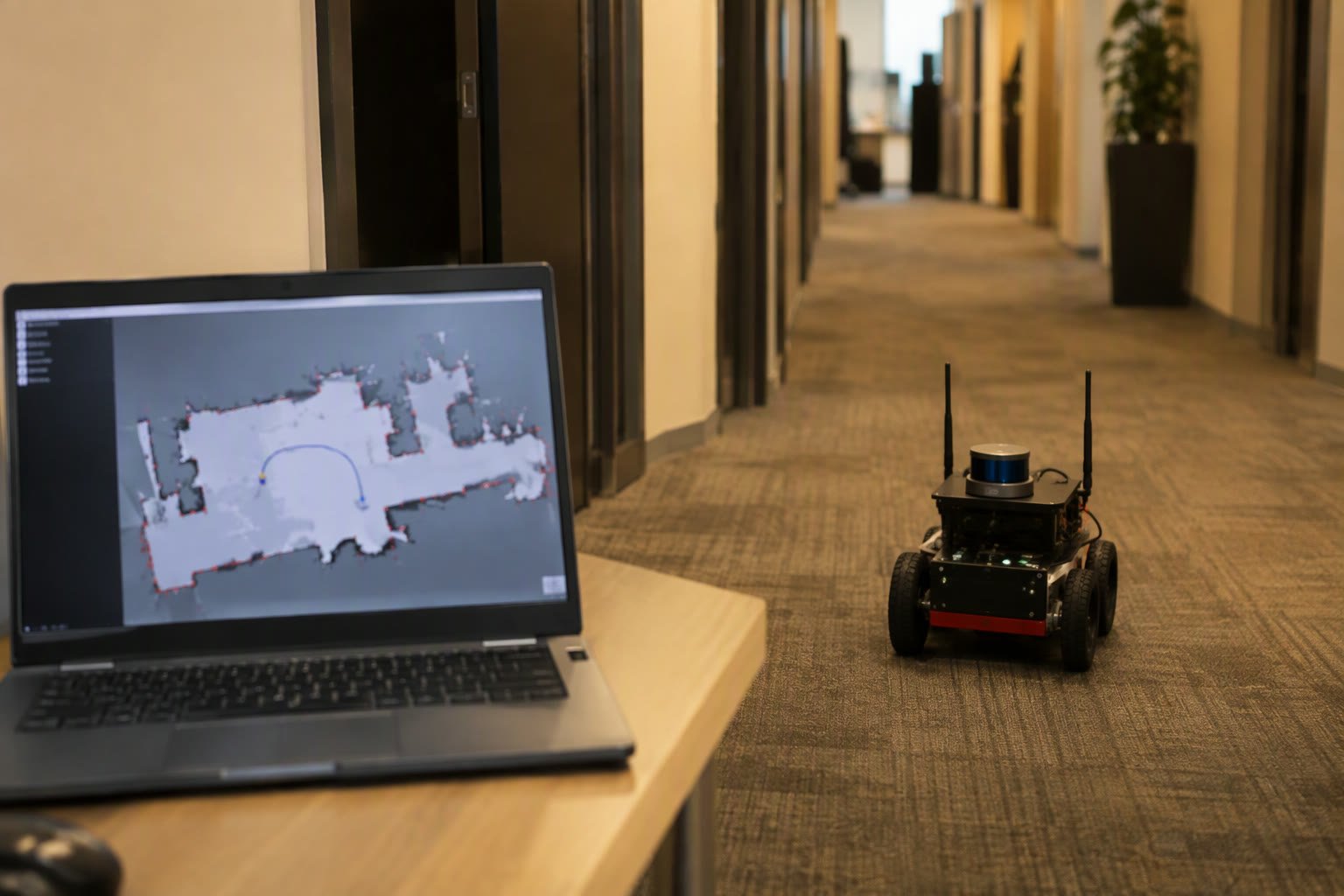
Nav2 is the part of ROS 2 that turns a map into a robot that goes somewhere. Once you have a saved occupancy grid, Nav2 handles localisation, path planning, obstacle avoidance and recovery. Most first attempts fail not because the stack is complex but because the robot’s footprint, transforms or costmap settings do not match reality.
This tutorial assumes you already have a map from SLAM and odometry that works. It walks through the minimum Nav2 setup, the tuning order that saves days, and the failure modes you will actually meet.
What you need before starting
- A saved map — a
.pgmor.pngplus the matching.yamlmetadata. - Working odometry — a smooth
odomtobase_linktransform from encoders or a motor controller. - Sensor data — a 2D lidar publishing
sensor_msgs/LaserScan, correctly placed in the TF tree. - A base controller — something that accepts
geometry_msgs/Twistand moves the wheels. - ROS 2 installed — Humble or newer is the practical choice for most Indian teams in 2026.
The nodes that do the work
| Node | Job | Typical package |
|---|---|---|
| Map server | Serves the saved occupancy grid | nav2_map_server |
| AMCL | Localises the robot on the map using lidar | nav2_amcl |
| Planner | Computes a global path | NavFn or Smac Planner |
| Controller | Follows the path and avoids local obstacles | DWB or Regulated Pure Pursuit |
| Costmaps | Inflation and obstacle layers around the robot | nav2_costmap_2d |
| BT navigator | Runs the behaviour tree that sequences the above | nav2_bt_navigator |
| Lifecycle manager | Starts and stops the nodes in order | nav2_lifecycle_manager |
The transform chain must be complete: map to odom from AMCL, odom to base_link from your base, and base_link to laser from a static transform. A missing link produces the classic “robot does not move and the costmap is empty” symptom.
Launch the standard bringup
ros2 launch nav2_bringup bringup_launch.py \
  map:=/home/pi/maps/office.yaml \
  use_sim_time:=false \
  params_file:=/home/pi/nav2_params.yaml
In RViz, set the fixed frame to map, add the map, laser scan, path and costmap displays, then use 2D Pose Estimate to tell AMCL roughly where the robot is. If the laser scan does not line up with the map walls after a few seconds, localisation will not recover on its own. Fix that before sending goals.
Send a goal with 2D Goal Pose in RViz or from the command line. If the robot plans a path but does not follow it, the problem is usually the controller or the base, not the planner.
Tune in this order
- Footprint. Set the real robot radius or polygon, including wheels and any protruding sensor. Too small and the robot clips corners; too large and it refuses narrow doors.
- Inflation radius. Start slightly larger than the robot radius. Reduce only after the robot navigates cleanly.
- Controller. Tune linear and angular limits first, then lookahead. A controller that is too aggressive oscillates; too conservative and it never reaches the goal.
- Planner. Change planner only after the costmap is correct. Most “bad planner” complaints are bad costmaps.
- Recovery behaviours. Keep the defaults at first. Clearing the costmap and rotating in place solve many stalls.
A minimal parameter set to start from
controller_server:
  ros__parameters:
    controller_frequency: 20.0
    FollowPath:
      plugin: "nav2_regulated_pure_pursuit_controller::RegulatedPurePursuitController"
      desired_linear_vel: 0.35
      lookahead_dist: 0.5
      min_lookahead_dist: 0.3
      max_lookahead_dist: 0.9
      use_velocity_scaled_lookahead_dist: true

local_costmap:
  local_costmap:
    ros__parameters:
      robot_radius: 0.22
      inflation_layer:
        inflation_radius: 0.35
        cost_scaling_factor: 3.0
These numbers suit a small differential-drive robot in an office. Treat them as a starting point and change one value at a time.
Why navigation fails
| Symptom | Likely cause | Fix |
|---|---|---|
| Costmap is empty | Lidar not in TF or wrong topic | Check ros2 run tf2_tools view_frames and the scan topic name |
| Robot does not move | Base not subscribed to /cmd_vel | Echo the topic; check frame and message type |
| Robot spins in place | Initial pose wrong or scan mismatched | Re-set the pose in RViz; check lidar mounting |
| Path goes through walls | Map alignment or costmap layer missing | Verify the map YAML resolution and origin |
| Robot stops at doorways | Footprint or inflation too large | Measure the robot and reduce inflation gradually |
| Oscillation near goals | Lookahead too small or controller too aggressive | Increase lookahead; reduce max angular velocity |
Test before you demo
Run the same route ten times and log success rate, time and interventions. Then add people, chairs and a moving obstacle. A navigation stack that works in an empty corridor and fails in a busy one is not finished.
Related: SLAM for beginners, ROS 2 for beginners, wheel encoders and odometry, service robots in India, choosing distance sensors.
What is Nav2 in ROS 2?
Nav2 is the navigation stack for ROS 2. It provides map serving, localisation, global planning, local control, costmaps and recovery behaviours, coordinated through a behaviour tree.
Do I need SLAM to use Nav2?
You need a map and localisation. You can build the map with SLAM first, then use Nav2 with AMCL to localise on that saved map. Some setups run SLAM and navigation together, but it is harder to tune.
Why does my robot not move in Nav2?
The most common causes are a missing TF link, the base not subscribing to the velocity topic, or an invalid initial pose. Check the transform tree and echo the command topic before changing parameters.
What is a costmap?
A costmap is a grid around the robot that marks obstacles and inflated safety margins. The local costmap uses live sensor data; the global costmap uses the saved map.
Which controller should I use?
Regulated Pure Pursuit is a good default for differential-drive indoor robots. DWB offers more tuning options but takes longer to configure.
Test the stack in Gazebo first; navigation bugs are cheaper to find in simulation.
Nav2 is started from a launch file; see ROS 2 launch files explained for the arguments and remaps it uses.
Nav2 relies on actions, topics and services together; see when to use each in ROS 2.
Nav2 needs a robot description with correct frames and footprints; see URDF for ROS 2.
Nav2 exists only in ROS 2; ROS 2 vs ROS 1 covers the wider differences.
Nav2 depends entirely on a correct frame tree; see TF2 frames and lookups in ROS 2.
Nav2 testing rarely needs photoreal rendering; see which simulator fits the task.
Nav2 commands velocity, but the wheels are turned by the layer described in this ros2_control guide.
Nav2 needs a map; build one with the SLAM Toolbox tutorial first.
Nav2 failures are much easier to diagnose from a rosbag recording than from logs.
Navigation needs a continuous pose, which usually means fusing wheel odometry and IMU.
Most navigation complaints are costmap settings; see Nav2 costmap tuning.
Nav2 nodes subscribe with a sensor-data profile, which is why a reliable subscriber can miss lidar data. The QoS tutorial explains the compatibility rules.
Odometry is the input Nav2 assumes, and the odometry guide covers the maths and calibration behind it.
Sources and further reading
- Nav2 documentation — setup guides, configuration reference and tuning advice.
- ROS 2 documentation — TF2, launch files and lifecycle nodes.
- navigation2 repository — source, examples and issue discussions.
- slam_toolbox — mapping package used before navigation.

