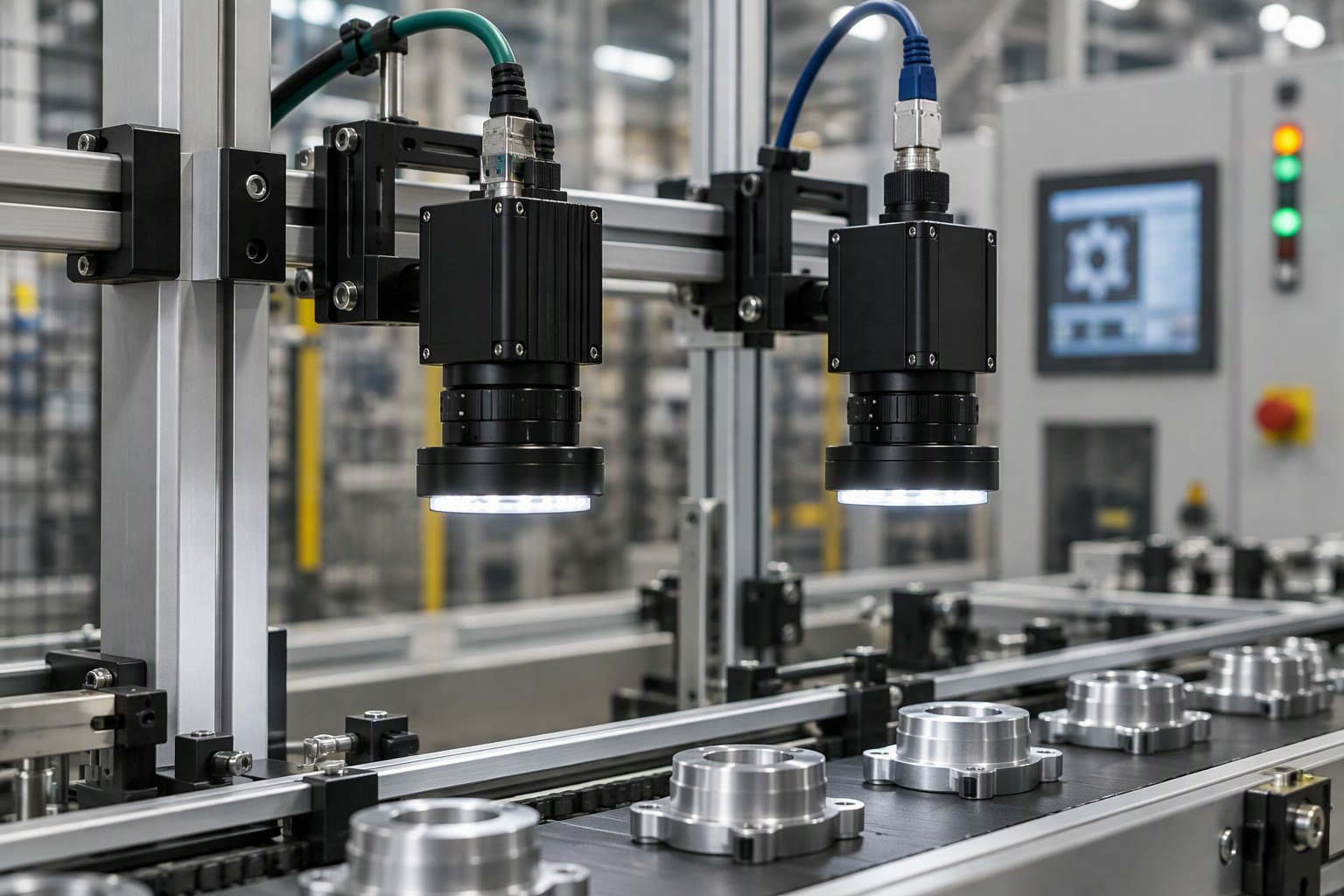
The camera interface decides your cable length, your frame rate and your CPU load before you choose a single lens. USB is easy until the cable run crosses ten metres, and GigE is simple until someone expects uncompressed 4K at 120 frames per second.
This guide compares the interfaces used in Indian machine-vision projects, the practical limits of each, and the selection order that avoids buying a camera the rest of the system cannot feed.
The five interfaces you will meet
| Interface | Cable limit | Bandwidth | Best fit |
|---|---|---|---|
| USB 3.0 Vision | 3–5 m passive, longer with active cables | Up to 5 Gbit/s | Benchtop, short runs, low cost |
| GigE Vision | 100 m per hop | 1 Gbit/s | Factory floor, multi-camera lines |
| 10 GigE | 100 m with copper, longer with fibre | 10 Gbit/s | High-resolution inspection |
| Camera Link | About 10 m | Up to 6.8 Gbit/s | Legacy high-speed lines |
| CoaXPress | Up to 100 m and beyond | 12.5 Gbit/s per lane | High-speed, long runs, multiple lanes |
For most first projects in India, the real choice is USB3 or GigE. Everything else appears when resolution, speed or distance exceeds what those two can carry.
USB3 is not a toy, but it is a desk interface
USB3 Vision cameras are cheap, widely available and easy to power over the same cable. They are a good fit for a lab, a prototype cell or an inspection station inside a control cabinet.
- Keep passive cables short; active extensions work but add failure points.
- Use a powered hub or a dedicated host controller, not a laptop dock shared with storage.
- Check that the host controller is USB 3 and not a USB 2 port with a blue connector.
- Expect CPU load from image copying; large frames at high rate cost real CPU time.
- Avoid running USB cables beside motor drives without shielding and separation.
USB is not unreliable by nature. It becomes unreliable when a 5-metre cable runs next to a servo drive, through an unpowered hub, into a laptop that is also charging.
GigE is the default for a factory floor
GigE Vision runs over standard Ethernet, reaches 100 metres per switch hop, and lets several cameras share infrastructure. That makes it the practical default for a production line where the cabinet is far from the camera.
The catch is bandwidth. A 5 MP camera at 8 bits runs about 40 Mbit per frame; at 30 frames per second that is 1.2 Gbit/s, which exceeds a single gigabit link. Either reduce the frame rate, use a region of interest, compress, or move to 10 GigE.
# bandwidth estimate, uncompressed
width, height = 2448, 2048
bytes_per_pixel = 1
fps = 30

bits_per_frame = width * height * bytes_per_pixel * 8
gbit_per_s = bits_per_frame * fps / 1e9

mbit_per_frame = bits_per_frame / 1e6

print(round(mbit_per_frame, 1), "Mbit per frame")
print(round(gbit_per_s, 2), "Gbit/s at", fps, "fps")
Design the network as a separate VLAN for vision traffic, with jumbo frames enabled end to end and no shared link to office traffic. A camera that drops frames under load is usually a network design problem, not a camera fault.
When USB3 and GigE are not enough
High-resolution inspection at speed, or long cable runs with multiple cameras, pushes past both. CoaXPress and 10 GigE take over, at a higher price for the frame grabber, the cabling and the host machine.
- 10 GigE when you want standard networking and 100 m copper runs.
- CoaXPress when you need very high bandwidth per camera over long cable.
- Camera Link mainly when an existing line already uses it.
- GigE with region of interest when only part of the sensor matters.
Before moving up, check whether a smaller sensor with better lighting would meet the defect specification. Many “we need more resolution” problems are lighting and optics problems wearing a resolution costume.
Triggering and timing
Free-running cameras are fine for monitoring. Inspection needs a trigger, either from a sensor on the conveyor or from the PLC. Hardware triggering is more repeatable than software triggering over a network.
Check the trigger latency and jitter the camera specifies, and confirm the encoder or photoelectric sensor can deliver a clean signal. A part that moves during exposure produces a blurred image no algorithm can recover.
If the camera must expose while the part is moving, calculate the blur budget: exposure time multiplied by part speed must stay below the smallest feature you need to resolve, typically a third of a pixel.
Cabling, power and environment
- Use industrial-rated cables with locking connectors; RJ45 latches break in a moving cell.
- Provide strain relief at the camera; the connector is not a cable clamp.
- Power over Ethernet simplifies wiring if the camera supports it and the switch can supply it.
- Check the IP rating of the camera and housing against washdown or dust.
- Keep cable runs away from drives and use shielded cable where they must cross.
A camera that works on the bench and fails on the line is usually a cable, connector, power or network issue. Buy one spare cable and one spare camera for a production cell; the cost is small compared with a stopped line.
A selection order that saves money
- Define the smallest defect and the field of view; calculate the resolution you need.
- Decide the frame rate from line speed and the number of parts per second.
- Choose the interface from cable distance and bandwidth, not from habit.
- Pick the lens and lighting before the camera model; they set the image quality.
- Confirm the host can sustain the data rate with the software you plan to run.
- Buy one camera, test it on the real line for a week, then order the rest.
The lighting guide and the defect detection guide cover the optics and algorithm side. Get those right and the interface choice becomes straightforward.
What it costs in practice
A 5 MP GigE camera with a basic lens starts around ₹40,000 to ₹90,000. The host, frame grabber if needed, lighting and enclosure often cost as much as the camera again. CoaXPress systems can run several times higher once the grabber and cabling are included.
Budget for integration and software, not just hardware. The camera is usually the easiest line in the project.
USB or GigE for a factory inspection camera?
GigE for cable runs over five metres, multiple cameras or a production line. USB3 is fine for a bench, a prototype or a short run inside a cabinet.
How many GigE cameras can share one switch?
Each camera needs its own link, and the uplink must carry the total. Four 2 MP cameras at 15 fps can saturate a single gigabit uplink, so plan the network topology before the camera count.
Does cable length affect image quality?
Not directly when the link is within specification, but long or poor cables cause dropped packets and frame loss. Use industrial cables and check error counters on the switch.
What is the difference between GigE Vision and a normal Ethernet camera?
GigE Vision defines discovery, control and streaming standards so software from different vendors can talk to the camera. A consumer IP camera uses proprietary streaming.
Do I need a frame grabber?
Only for Camera Link and CoaXPress, or when a specific GigE setup requires one. USB3 and GigE cameras connect directly to a suitable host port.
Interface bandwidth is wasted if the optics cannot resolve the feature, so calculate the lens and field of view first.
Interface bandwidth decides whether you can read codes on the fly, as the code reading guide explains.
Sources and further reading
- A3 Vision Online — GigE Vision and USB3 Vision standards information.
- EMVA — European Machine Vision Association standards and resources.
- Basler — camera interface comparisons and cable guidance.
- FLIR India — industrial camera documentation and selection tools.

