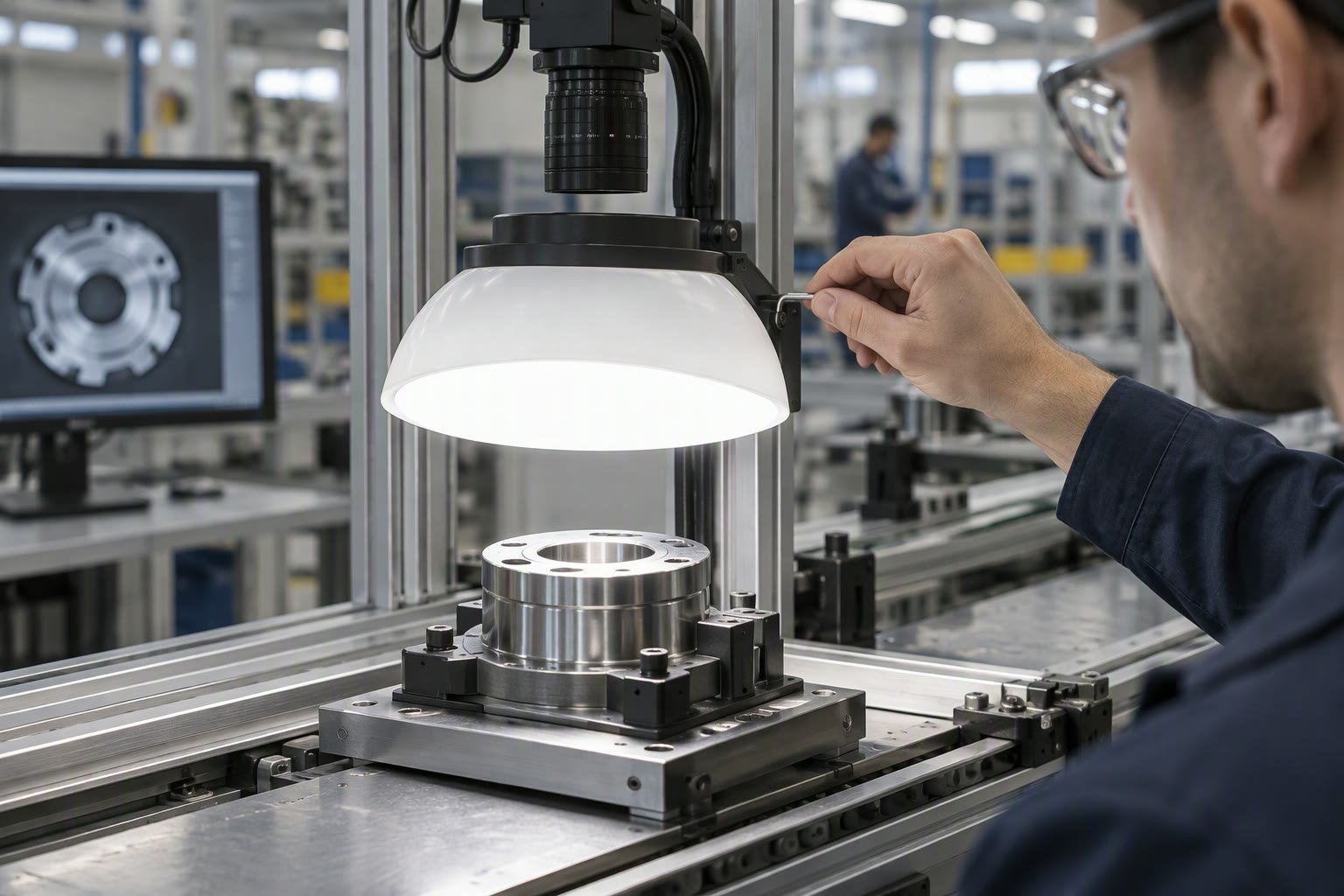
Most vision failures are lighting failures. A better camera cannot recover contrast that was never there, and no model can classify a part that is blown out to white.
This guide covers what lighting has to achieve, the six geometries that solve most inspection problems, how colour and wavelength change what the camera sees, and a setup order that turns a vague “it works badly” into a measurable improvement.
Lighting does four jobs
- Contrast: make the feature brighter or darker than everything around it.
- Consistency: produce the same image at 9 am and at 9 pm.
- Speed: allow a short exposure so the part can be moving.
- Stability: reduce the variation that the algorithm has to tolerate.
A lighting design that improves contrast but flickers with daylight has failed the second job. A design that needs a 30 ms exposure cannot inspect a part moving at speed. Judge lighting against all four, not just how the sample image looks.
The six geometries worth knowing
| Geometry | Best for | Weakness |
|---|---|---|
| Ring light | General illumination at short range | Hot spot and reflection on shiny parts |
| Dome light | Curved or reflective surfaces | Large, and needs space around the part |
| Backlight | Silhouettes, hole presence, dimensions | Part must be between light and camera |
| Coaxial | Flat, reflective surfaces and engravings | Shows every scratch and dust speck |
| Bar or linear | Large areas, line scan, low angle | Needs careful aiming and mounting |
| Dark field | Edges, scratches, surface defects | Low light level, sensitive to alignment |
Start with the feature you must detect. A missing hole is a backlight problem. A scratch on a machined face is a dark field problem. A label on a curved bottle is a dome problem. Choosing a ring light because it is in the drawer is how projects stall.
Angle matters more than brightness
Light at a low angle to the surface, called dark field, skips across the part and lights up edges, scratches and texture. Light straight down the camera axis, called bright field, reflects flat surfaces back into the lens and makes them bright.
That single distinction explains most “the part is too shiny” problems. Moving a light from 45 degrees to 15 degrees can turn an invisible scratch into a clear line, or remove a glare patch that was hiding a defect.
Colour and wavelength
Colour filters are a cheap way to change contrast. If the part is red and the marking is black, red light makes the part appear bright and the marking dark. Blue light on a red part makes the part dark, which can help when the background is light.
- Use a monochrome camera and a bandpass filter for stable contrast.
- Match the light colour to the surface you want bright.
- Use the opposite colour to make a surface dark.
- Consider infrared to see through some surface layers or reduce visible-light interference.
- Test with the real parts, not a sample from the bench.
Bandpass filters also reject ambient light, which is often worth more than the contrast gain. A filter that passes only the wavelength of your light makes the cell far less sensitive to ceiling lamps and windows.
Strobing, exposure and motion
If the part moves, the light must freeze it. A short exposure needs a bright pulse, and many industrial lights support overdriving for a few microseconds. The camera triggers the light, the light fires, the image is captured, and the part is effectively stationary for that instant.
- Trigger the light from the camera, not from a timer.
- Check the light’s duty cycle; overdriving continuously will overheat it.
- Measure motion blur at the real line speed.
- Keep exposure constant; change light intensity instead.
- Log the strobe timing so a later change does not break synchronisation.
Control the ambient light
Daylight through a window changes by the hour. A forklift passing the cell casts a moving shadow. Neither is visible in a bench test and both appear in production. An enclosure around the inspection station is usually cheaper than any algorithmic fix.
If an enclosure is impossible, use a bandpass filter, a shielded light and a fixed exposure, then test at different times of day. Do not tune thresholds on one afternoon’s images.
A setup procedure that converges
- Fix the camera position and field of view first.
- Turn off ambient light and confirm the image is black.
- Add the candidate light geometry and inspect the raw image.
- Adjust angle before intensity.
- Set exposure for the brightest valid part, not the average.
- Test the darkest, brightest, dirtiest and most reflective parts you have.
- Run for a full shift and compare images hour by hour.
Histogram tools in the camera software show whether the feature of interest sits in a usable range. If the histogram is clipped at either end, no threshold will recover it. Fix the light, not the algorithm.
Lenses, filters and protection
The lens is part of the lighting system. A dirty lens scatters light and lowers contrast across the whole image, and a cheap lens flares when a bright light sits near its field of view. Check the lens before blaming the light.
- Use a lens hood or shield against stray light.
- Add a protective window in dusty or coolant-heavy cells.
- Keep the front element clean and inspect it weekly.
- Match the filter wavelength to the light, not to the camera.
- Fix the lens focus and lock it with a set screw.
In welding, laser or outdoor cells, the light source may need to be much brighter than a standard bar light, and the camera may need a filter that blocks the process wavelength. That is a lighting decision, not a camera upgrade.
Test before you buy
Most lighting vendors will lend a sample. Test with your camera, your lens and your worst parts before ordering a permanent fixture. A two-hour test with three light geometries is cheaper than a retrofit after commissioning.
Photograph the same part under each candidate and compare histograms, not impressions. The image that separates the feature most clearly, with the least variation between parts, is the one to specify.
Mistakes that cost weeks
| Mistake | Effect |
|---|---|
| Tuning on one good sample | Fails on the first dirty or dark part |
| Ring light on a shiny surface | Glare hides the defect |
| Long exposure on a moving line | Blur that no filter fixes |
| Ignoring ambient light | Results shift through the day |
| Light mounted on a vibrating frame | Flicker and inconsistent images |
| No lens protection | Dust and coolant on the optics |
Related: robot vision camera guide, YOLO object detection, OpenCV on Raspberry Pi, ESP32-CAM streaming, integration checklist.
What is the best lighting for machine vision?
There is no universal best. Backlight for silhouettes and holes, dome for reflective or curved parts, coaxial for flat reflective surfaces, and low-angle dark field for scratches and surface defects.
Why does my vision system work on the bench but fail in production?
Almost always ambient light, part variation or motion. The bench has stable light and one sample; production has windows, dirt, different finishes and moving parts.
Do I need a colour camera?
Usually not. A monochrome camera with coloured light and a bandpass filter gives better contrast and stability for most inspection tasks.
What is a bandpass filter for?
It passes only the wavelength of your light and blocks ambient light, which stabilises the image and improves contrast without changing the algorithm.
How do I freeze a moving part?
Use a strobe triggered by the camera with a very short pulse, and keep the exposure short enough that motion blur is below the feature size you need to detect.
Once the image is repeatable, the next step is calibration, covered in the vision-guided robotics guide.
Lighting controls contrast, then camera calibration removes lens distortion so measurements hold across the frame.
Good lighting still beats a faster board, but the Jetson setup guide shows what compute headroom buys you.
Lighting is the difference between a working inspection and a demo, so read it alongside the defect detection guide.
Lighting and interface decisions interact, so plan the camera interface before buying lights for the station.
Light sets the contrast and the lens sets the geometry, so size the optics with our lens selection guide before you buy lights.
Most failed reads are lighting failures, and the OCR and code reading guide lists the lighting patterns that suit each code type.
Sources and further reading
- A3 Vision Online — machine vision standards and resources.
- EMVA — European Machine Vision Association standards.
- Basler — camera and lighting application notes.
- KEYENCE — lighting geometry and inspection examples.

