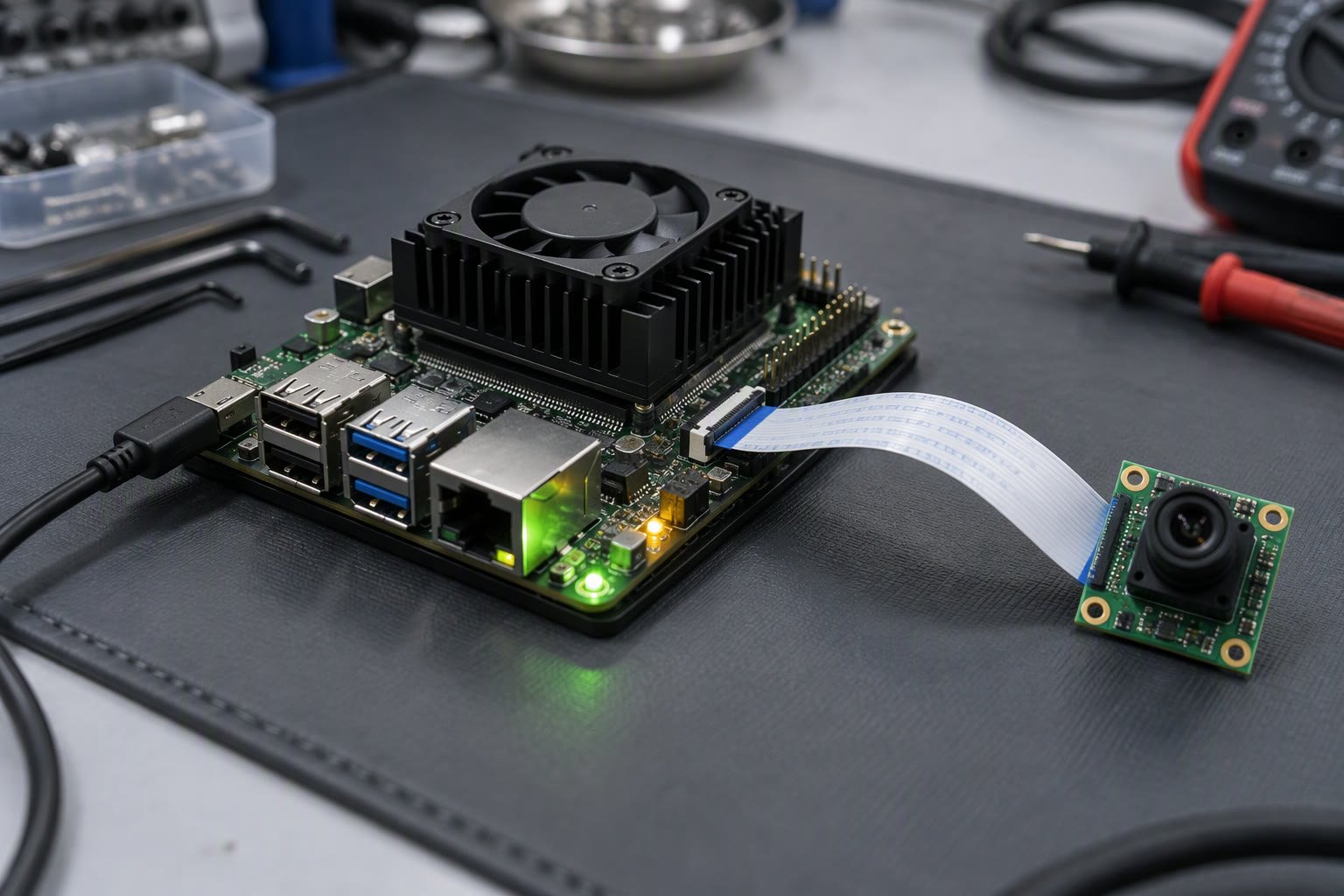
A Jetson turns a robot from something that sees into something that understands. The Orin Nano is the usual entry point, and most first builds fail on power, thermals or software versions rather than on the model.
This guide covers what the Orin Nano is good at, how to flash and set it up, how to run a vision model with TensorRT, and the practical limits you hit on a battery-powered robot in India.
Jetson or Raspberry Pi
A Raspberry Pi is a general computer with a GPU that is not designed for neural networks. A Jetson has an embedded GPU with tensor cores and a software stack built for inference. That difference decides what is possible.
| Task | Raspberry Pi 5 | Jetson Orin Nano |
|---|---|---|
| Camera streaming, simple OpenCV | Fine | Overkill |
| ArUco, colour thresholding | Fine at low resolution | Comfortable |
| YOLO at 30 fps | Not realistic at useful resolution | Realistic with TensorRT |
| Multiple cameras plus SLAM | Very limited | Possible with care |
| Power budget | 5 to 15 W | 7 to 25 W modes |
| Cost | Low | Several times higher |
If the robot only needs to follow a line or detect a marker, a Pi or even a microcontroller is cheaper and easier. The Jetson earns its price when the robot must run a learned model continuously, or fuse several camera streams.
Which Orin variant to buy
NVIDIA’s naming is confusing: Orin Nano and Orin NX are modules, and the developer kit bundles a module with a carrier board. For a first robot, buy the developer kit, because the carrier board, power supply and flashing path are already solved.
| Option | Suited to | Notes |
|---|---|---|
| Orin Nano 4 GB kit | One camera, small models | Memory is the first limit |
| Orin Nano 8 GB kit | Most robot vision projects | The usual starting point |
| Orin NX 8 or 16 GB | Multiple cameras, larger models | More compute and memory, more power |
| Industrial module plus custom carrier | Production units | Longevity and certification, higher NRE |
Memory matters more than benchmark TOPS for robotics. A model that fits in 8 GB runs; a pipeline with two cameras, a detector and a tracker can exhaust 4 GB quickly. Check current specifications and pricing with the supplier, because NVIDIA revises both.
Flashing and first boot
The developer kit can be flashed from an SD card or over USB from an Ubuntu host using SDK Manager. The SD card route is faster to start, the host route gives you more control and is required for eMMC modules.
- Use a good quality SD card or an NVMe drive; cheap cards cause random boot failures.
- Install the latest JetPack release that matches your ROS 2 distribution.
- Set the power mode deliberately instead of leaving the default.
- Update packages before installing anything else, then take an image of the working system.
- Record the exact versions of CUDA, cuDNN, TensorRT and OpenCV in the project notes.
The last point saves days later. A TensorRT engine built against one version does not load against another, and “it worked last month” is usually a version drift problem.
OpenCV with CUDA, and why it matters
The OpenCV that ships with JetPack is not built with CUDA by default in every release. If your pipeline resizes and converts frames on the CPU, you lose much of the Jetson’s advantage before the model even runs.
import cv2
print(cv2.getBuildInformation())   # look for CUDA and cuDNN entries

# check the CUDA device count from Python
import torch
print(torch.cuda.is_available(), torch.cuda.device_count())
If CUDA is missing, either rebuild OpenCV with the CUDA flags or move preprocessing into the model graph. Many vision pipelines are dominated by resize and colour conversion, so this is not a detail.
Running a detector with TensorRT
PyTorch on the Jetson works, but TensorRT is what makes real-time inference possible. The usual path is to export the trained model to ONNX, then build a TensorRT engine on the target device.
# on the Jetson, after exporting model.onnx
trtexec --onnx=model.onnx --saveEngine=model.engine --fp16

# then load the engine in Python with the TensorRT runtime
# allocate bindings once, reuse buffers for every frame
Build the engine on the device that will run it. Engines are specific to the TensorRT version, the GPU and sometimes the power mode. Keep the ONNX file in the repository and treat the engine as a build artifact.
- Use FP16 first; INT8 gives more speed but needs a calibration set and careful validation.
- Batch size one is normal for robots; do not optimise for throughput you will not use.
- Pin the input resolution to what the task needs, not to the training default.
- Pre-allocate buffers and avoid per-frame allocations in Python.
- Measure end-to-end latency, including capture and decode, not just inference.
Cameras and GStreamer
CSI cameras connect directly and are efficient; USB cameras are easier to source in India and more flexible. Either way, capture through GStreamer rather than a naive read loop, so frames are decoded in hardware where possible.
gst = ("nvarguscamerasrc ! video/x-raw(memory:NVMM),width=1280,height=720,"
       "framerate=30/1 ! nvvidconv ! video/x-raw,format=BGRx ! "
       "videoconvert ! appsink")
cap = cv2.VideoCapture(gst, cv2.CAP_GSTREAMER)
For USB cameras, MJPG at 30 fps is often faster than raw YUYV because the USB bandwidth, not the sensor, is the limit. Test both and measure, rather than assuming.
Power and thermals on a moving robot
A Jetson that runs at 25 W needs a supply that can deliver it continuously, with headroom for the camera and peripherals. Motor startup on the same battery causes voltage dips that reset the board, and a reset mid-move is dangerous.
- Power the Jetson from a regulated rail, not directly from a sagging battery pack.
- Use a separate DC-DC converter with enough current, and add bulk capacitance at the board.
- Add a small UPS or a supervised shutdown so the board does not lose power while writing storage.
- Fit the heatsink and fan that the power mode requires; passive cooling is for 7 W modes only.
- Keep the Jetson out of the hot enclosure corner, and measure the temperature under load.
# check thermal zone temperatures under load
cat /sys/devices/virtual/thermal/thermal_zone*/type
cat /sys/devices/virtual/thermal/thermal_zone*/temp

# set a power mode
sudo nvpmodel -q
sudo nvpmodel -m 0
What to expect in practice
The numbers below are realistic starting points, not specifications. Measure on your own model, resolution and power mode; the same board can differ by a factor of three between a small detector at 640 pixels and a large model at 1280.
| Pipeline | Orin Nano 8 GB, realistic expectation |
|---|---|
| Small detector, 640 px, FP16 | Comfortably real time |
| Medium detector, 640 px, FP16 | Real time with a tuned pipeline |
| Large detector, 1280 px | Marginal; expect to reduce resolution or frame rate |
| Detector plus tracker plus depth | Possible, but power and thermal budget matter |
| Two cameras plus detector plus SLAM | Orin NX territory |
Buying a Jetson in India
- Buy the developer kit from an authorised distributor with a warranty you can claim locally.
- Budget for a heatsink and fan, a good power supply, an NVMe SSD and a spare SD card.
- Check the module’s longevity if you plan production; consumer kits are for development.
- Keep one spare kit for the team; a dead board should not stop a project for a month.
- Confirm the JetPack version supports the ROS 2 release you plan to use before committing to a stack.
Related: Raspberry Pi versus Jetson, YOLO object detection for robots, depth cameras for robot vision, ROS 2 for beginners, OpenCV on Raspberry Pi.
Do I need a Jetson for a simple robot vision project?
No. ArUco detection, colour tracking and line following run on a Raspberry Pi or even a microcontroller. A Jetson makes sense when you need a learned detector running continuously at usable frame rates.
Can I run ROS 2 on a Jetson Orin Nano?
Yes. Install a ROS 2 release that matches the Ubuntu version in your JetPack, or run it in a container. Building from source works but takes time and disk space.
Why is my TensorRT engine not loading?
Engines are tied to the TensorRT version, GPU and often the power mode. Rebuild the engine on the target device after any JetPack update instead of copying engines between boards.
How do I stop the Jetson resetting when the motors start?
Power it from a regulated DC-DC converter with adequate current and add bulk capacitance. Motor startup current dips the battery rail, and a brownout resets the board mid-move.
Is the Orin Nano enough for YOLO at 30 fps?
Usually yes for small and medium models at 640 pixels in FP16 after TensorRT conversion, provided the rest of the pipeline is efficient. Large models at high resolution need an Orin NX or a smaller input size.
If inference happens at the line, size the compute with the inspection guide before buying an edge device.
Sources and further reading
- NVIDIA JetPack — SDK versions, flashing and component list.
- NVIDIA TensorRT documentation — engine building and runtime APIs.
- ROS 2 documentation — installation and platform support.

