A PLC programmer owns the sequence; a robot programmer owns the motion. Most cell failures happen in the gap between them, which is why the handshake gets more space here than either language.
Two different jobs that get confused
The PLC programmer owns behaviour over time: conveyor, clamp, guard, HMI, reset. It is boolean logic and state, judged by what happens in the wrong situation.
The robot programmer owns where the tool goes: frames, taught points, approach, blend, takt. It is spatial work, judged by whether the arm reaches without hitting the fixture.
Indian ads merge the two. Small integrators put both on one person; Tier-1 plants split them, and the split is where blame lands when the cell will not run. The hardware side of that split, from fieldbus master to safety circuit, is in PLC vs robot controller.
What a PLC actually controls
A PLC runs a loop:
1. copy inputs into the input image
2. solve networks top to bottom, left to right
3. copy the output image to the physical outputs
4. comms, diagnostics, HMI refresh
5. repeat, every few milliseconds to a few tens of milliseconds
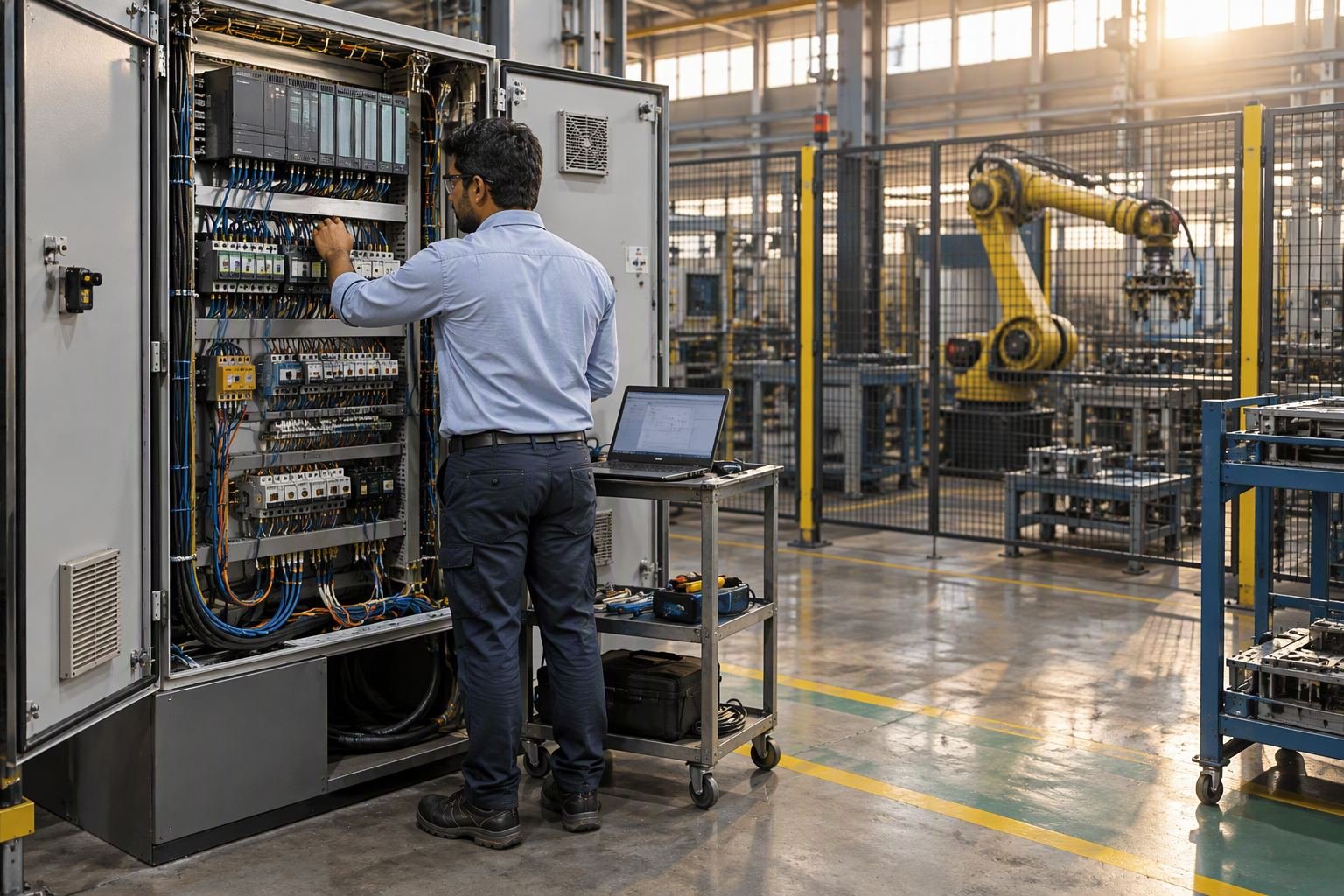
Half the job is electrical: 24 V cards, PNP versus NPN sensors, 4-20 mA loops, earthing. A programmer who cannot read a panel drawing debugs software for two hours and misses a loose ferrule.
Interlocks are ordinary booleans: the conveyor starts only if the downstream conveyor runs and the guard is closed. Safety is separate: an E-stop or light curtain runs through a safety relay or safety PLC on two channels with a monitored reset, and stops motion without asking the program. A standard PLC output is not a safety function.
A step advances when its permissives are true and its completion condition is met, and that condition should be a sensor.
Ladder is the default because an electrician can read it at two in the morning. Structured text suits arrays, recipes and state machines, and most Indian projects use both. The HMI reads and writes tags above them: a request, not an interlock.
What a robot controller actually does
A robot controller is a motion device with a computer: servo loops, inverse kinematics, path planning, following error. Your program runs on top and says where to go next.
Frames define everything spatial: base, tool (origin at the tool centre point), and a work object for the fixture. A taught point is stored as joint angles, plus a Cartesian position relative to the frame in use.
This is where beginners lose days. Set the tool centre point at the gripper face when the part sits deeper in the jaws, and every point is wrong by that distance, in a direction that changes as the wrist rotates. Move the fixture without re-teaching the work object and the program stays correct while the robot misses.
The program is short: approach, linear move to the pick, close, wait, retreat, move to place, open.
The PLC link is a fieldbus: the robot is a device on the PLC’s network with a block of bits mapped to names, and a few bytes carry a full handshake. Safety is separate. The controller also holds cycle counts and stop reasons, where machine monitoring begins.
The handshake is where most projects fail
Both programs can look correct on their own. What breaks is the contract between them: a few bits, and two different ideas of what those bits mean.
Take a plain cell: castings arrive on a conveyor, a photo-eye sees one in the pick window, the robot loads a fixture, the fixture clamps, the conveyor restarts.
PLC    PartAtPick := PhotoEye AND ConveyorRun
       IF AUTO AND RobotReady AND PartAtPick AND NOT PickRequest
          THEN ConveyorRun := FALSE; PickRequest := TRUE
       IF PickDone THEN PickRequest := FALSE; PickDone := FALSE
          ConveyorRun := TRUE
       IF RobotFault OR NOT HeartbeatOK THEN ConveyorRun := FALSE

ROBOT  WAIT PickRequest, timeout 30 s -> RobotFault
       MoveJ AbovePick; MoveL PickPoint; CloseGripper
       WAIT GripperClosed, timeout 2 s -> RobotFault
       Place; PickDone := TRUE
       WAIT NOT PickRequest, timeout 5 s -> RobotFault
       PickDone := FALSE
The stale part-present bit. The PLC latches a bit when the eye first sees a part and clears it on PickDone. Clear a jam by hand and the part leaves while the bit stays set, so the robot picks nothing. Read part present as a level at the pick.
The robot waiting on a cleared signal. An operator switches to manual, or HMI reset zeroes the handshake. The PLC returns to idle; the robot waits for PickRequest forever. Nothing is in fault, the HMI is green, the cell is dead. Every wait needs a timeout.
The fault that is not propagated. The gripper loses vacuum, the robot aborts, and the busy bit drops to zero. The PLC reads that as cycle complete and restarts the conveyor while the arm is over the belt. Done and not busy are different facts; require a Healthy bit before moving anything. That also decides whether the stop is booked as planned in OEE calculation.
The rules that prevent most of this: one writer per bit, request and acknowledge pairs with a timeout, a heartbeat whose loss is a fault, and a signal list written before either program.
Languages and what employers ask for
PLC languages are standardised. IEC 61131-3 defines five: ladder diagram, function block diagram, sequential function chart, structured text and instruction list. Vendors implement dialects; SCL is Siemens’ structured text, close to another’s ST but not identical, and libraries do not travel. Ladder dominates in India, FBD in drives, ST in recipes.
Robot languages are not standardised that way: RAPID on ABB, KRL on KUKA, KAREL on FANUC, INFORM on Yaskawa, AS on Kawasaki, VAL3 on Stäubli, PacScript on Denso, SPEL+ on Epson, PDL2 on Comau, URScript on Universal Robots. None is an IEC 61131-3 dialect.
| Skill | PLC side | Robot side | Transfers? |
|---|---|---|---|
| Boolean and interlocks | Core of the job | Grippers, permissives | Yes |
| Sequences and state | Steps, conditions | Flow around motion | Yes |
| I/O and fieldbus | Device configuration | Same bits, other end | Yes |
| Frames and tool centre point | Not applicable | Central to everything | No |
| Motion and blending | Motion modules only | Core of the job | No |
| Safety circuit | Safety relay, performance level | Safe stop inputs | Partly |
Employers test narrowly: maintenance roles for a drawing and a sensor fault, integrators for a platform and a robot handshake, OEMs for a brand. One PLC learned deeply plus one robot family beats tutorials on six of each.
Where each salary band sits
No salary figures here. Published Indian numbers blend technicians with project engineers, quote a CTC including site allowance, and rarely say who could commission a cell alone.
- Who employs you. OEM service pays for certification and travel; integrators for delivery speed; end users for reliability; machine builders for repeatable design.
- What you can be left alone with. The strongest factor: taking a cell from drawing to handover beats editing a running program under supervision.
- Sector. Automotive and Tier-1, pharma packaging and large FMCG lines sit above job-shop and MSME work, because a stopped line costs more.
- Travel. Part of the gap between two offers is allowance, not skill: ask for base, allowance and travel separately.
The capital committed to a bay also sets what a company will pay to keep it running, which is why our guide to industrial robot cost in India belongs in this conversation.
Which one to learn first, and why the answer depends on your job
Maintenance technician in a plant with PLCs: learn the PLC in your panel. You have free access to the hardware, drawings and failures. The robot will arrive, and you will own the half of the cell the integrator is least willing to explain.
Student with no plant access: learn the PLC first. It is cheap to simulate, and the handshake is where robot work lives. A robot alone is a demonstration.
Robot operator or teach-pendant programmer: learn the PLC next. That is the step to cell engineer, and where most people stall: the pendant is comfortable and the panel is not.
Aiming at a robot OEM: the robot comes first, because the OEM’s certification is the gate and it is brand-specific. You will still need the PLC side, and people with both get the difficult sites.
The PLC wins because it decides when anything may move; the robot program is a few dozen lines wrapped around motion. Learn the conductor first.
A 12-week self-study plan that costs almost nothing
The software below is free; the only real spend is a used brick PLC, and that waits until week nine.
- Weeks 1-2, bit logic. OpenPLC Editor or Rockwell’s Connected Components Workbench, both free with simulation. Build a latch, a timer-driven pump and a part counter in ladder and structured text.
- Weeks 3-5, sequences. Six steps for clamp, drill, retract, unclamp, eject, wait, each with a permissive and a completion condition. Remove a sensor and fix it without a timer, then add a Node-RED alarm over Modbus TCP.
- Week 6, safety. Draw the E-stop circuit: two channels, monitored reset, force-guided contactors. With one relay, prove it drops the contactor while the PLC output is on.
- Weeks 7-8, robot. URSim, free from Universal Robots. Set a tool centre point, teach a pick and a place in a user frame, build a pallet, then shift the TCP and watch every point move.
- Weeks 9-10, handshake. Soft PLC to URSim over Modbus TCP, with request, acknowledge, done, fault and heartbeat.
- Week 11, break it. Pull the cable, clear the handshake from the HMI, force the gripper signal. Add the timeout that would have caught it.
- Week 12, document. Signal list, sequence chart, I/O table, safety description, bill of materials. Few candidates can show the paperwork.
For a bench, a used brick PLC with a 24 V supply, push buttons, one sensor and two lamps is enough; Delta and Siemens LOGO! units are common second-hand.
What to ask in an interview, and what to ask an integrator
Ask about scope and support:
- Which PLC and robot platforms will I touch in the first six months?
- Does “programming” mean cell logic, teach-pendant work, or both?
- Who owns the handshake specification, and is it written before the program starts?
- How much of the year is site commissioning, and how is travel compensated?
- Who signs off safety validation, and will I be trained to do it?
With an integrator you are the customer, so ask for proof. Who writes the signal list, and do you get it before the programs? How is cycle time measured? What arrives at handover: I/O list, network map, as-built drawings, program backups, safety validation report? The full list is in our robot integration checklist, and the questions your panel will ask are in our robotics engineer interview questions guide.
Frequently asked questions
Can a PLC programmer move into robot programming?
Yes, easier than the reverse. Sequence, interlock and fieldbus thinking transfer intact; the new part is frames, the tool centre point and motion. What takes time is physical intuition: why a point that looks right on the pendant misses in reality.
Do I need ladder logic to program a robot?
Not to move it, but to use it in a cell. Almost every robot waits on PLC inputs and reports back, so you will read signal tables and fault codes written in ladder. Someone still has to wire and diagnose the safety circuit and the fieldbus.
Is robot programming harder than PLC programming?
Narrower, not easier. A robot language has a small instruction set and most programs use a few motion types plus waits. The difficulty is spatial: reach, singularities, collisions, cycle time, and a mistake that moves real mass.
Which PLC should I learn first in India?
The one in the panel you can touch. With no panel, Siemens and Mitsubishi are the platforms you meet most often in Indian factories, Delta and Allen-Bradley close behind. Concepts move; software and libraries do not.
Do robot brands use the same programming language?
No. ABB, KUKA, FANUC, Yaskawa, Kawasaki, Stäubli, Denso, Epson, Comau and Universal Robots each use their own language and pendant, none an IEC 61131-3 dialect. Concepts transfer, syntax does not.
Can I learn PLC programming without buying hardware?
Yes. OpenPLC and the free Connected Components Workbench simulate, CODESYS runs in demo mode until you buy a runtime licence, and Siemens publishes free SCE documents. Simulation cannot teach wiring, noise or earthing.
Connecting the cell to the plant is covered in the OPC UA, PROFINET and EtherNet/IP guide, including which protocol to ask for at the PLC.
Sources and further reading
- PLCopen, the association behind IEC 61131-3.
- IEC Webstore, for IEC 61131-3 and IEC 62061.
- ISO robotics standards, including ISO 10218 and ISO/TS 15066.
- PI, for PROFINET and PROFIsafe.
- ODVA, for EtherNet/IP and CIP Safety.
- Modbus Organization, for the protocol behind most retrofits.
- OpenPLC, free open-source IEC 61131-3 editor and runtime.
- CODESYS Store, where the Development System downloads free.
- Rockwell configuration software, including free Connected Components Workbench.
- Siemens Automation Cooperates with Education, free learning documents.
- ABB RobotStudio, offline programming with a free trial.
- FANUC Tech Transfer, free robot and ROBOGUIDE tutorials.
- Universal Robots download centre, where URSim is published free.
- Skill India Digital Hub, Government of India skilling platform.