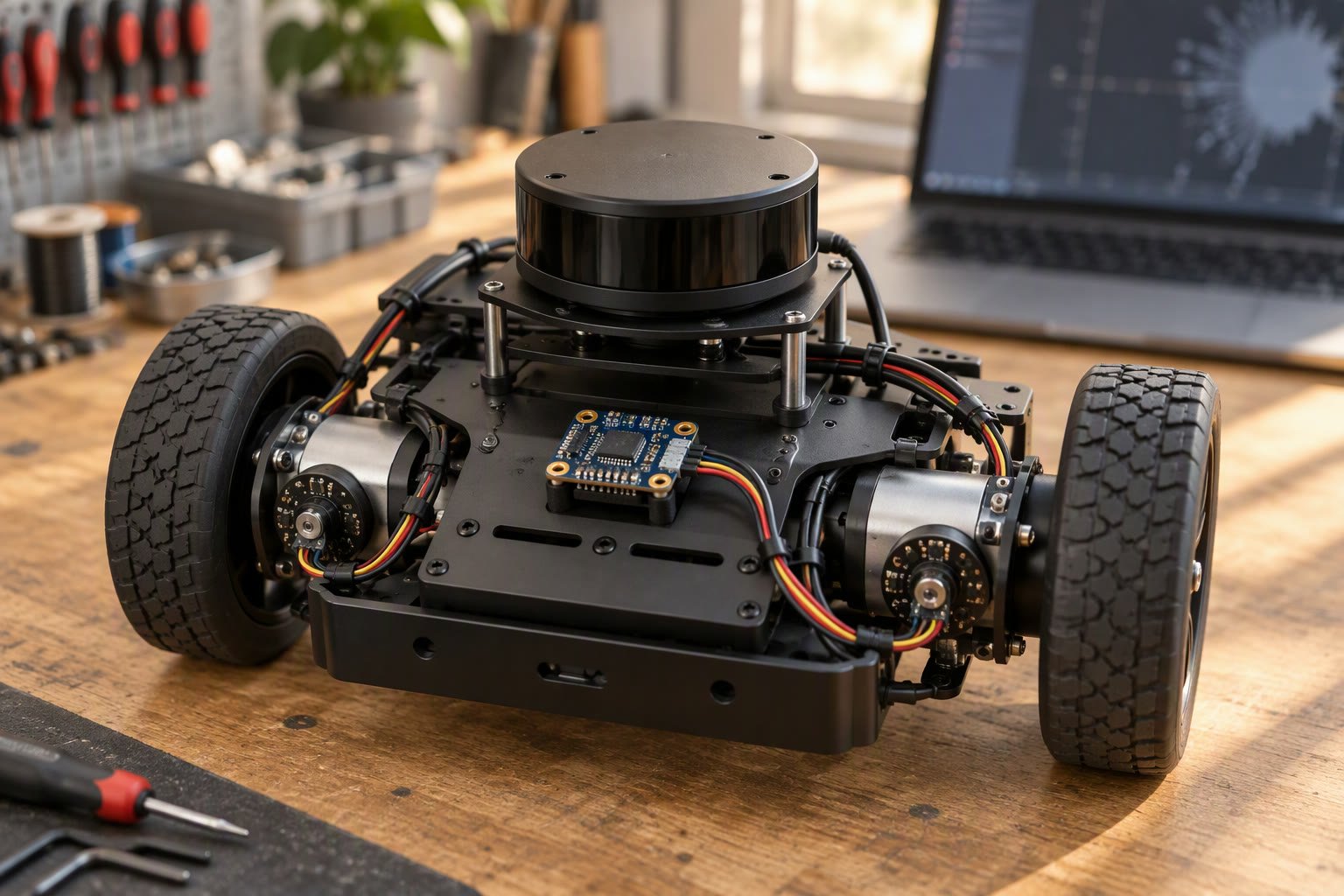
Wheel odometry drifts. An IMU alone drifts faster. Fusing them gives a pose estimate that survives both. In ROS 2, that fusion is usually robot_localization.
This guide covers what the package does, a minimal working configuration, the two-filter layout used on real robots, the parameters that actually change behaviour, and the mistakes that make the output worse than a single sensor.
What robot_localization fuses
The package provides an extended Kalman filter and an unscented Kalman filter node, plus a node that converts GPS into a map-frame pose. Each filter takes any number of odometry, IMU and pose inputs and produces one fused estimate, with its own transform.
ekf_node— the usual choice for wheel and IMU fusion.ukf_node— better for strongly non-linear cases, heavier to tune.navsat_transform_node— converts GPS to a map-frame pose for outdoor robots.- Inputs:
odom0,imu0,pose0and so on, each configured separately. - Output: a fused
odometry/filteredtopic and a TF transform.
The filter does not “clean up” bad inputs. If the wheel odometry reports a covariance of zero, the filter trusts it completely and ignores the IMU. Most disappointing results come from covariance values, not from the algorithm.
A minimal configuration
Start with one filter, one wheel odometry source and one IMU. Two files are enough: a parameter file and a launch file.
ekf_filter_node:
  ros__parameters:
    frequency: 30.0
    sensor_timeout: 0.1
    two_d_mode: true
    publish_tf: true

    map_frame: map
    odom_frame: odom
    base_link_frame: base_link
    world_frame: odom

    odom0: /wheel_odom
    odom0_config: [false, false, false,
                   false, false, false,
                   true,  false, false,
                   false, false, true,
                   false, false, false]
    odom0_differential: false
    odom0_queue_size: 10

    imu0: /imu/data
    imu0_config: [false, false, false,
                  false, false, false,
                  false, false, false,
                  false, false, true,
                  true,  false, false]
    imu0_differential: false
    imu0_remove_gravitational_acceleration: true
The config array has fifteen booleans in a fixed order: x, y, z, roll, pitch, yaw, x velocity, y velocity, z velocity, roll velocity, pitch velocity, yaw velocity, x acceleration, y acceleration, z acceleration. Reading that order wrong is the most common configuration error.
In this example, wheel odometry contributes forward velocity and yaw rate, and the IMU contributes yaw rate and linear acceleration. Everything else is left to the filter’s prediction step.
Do not fuse the same thing twice
If wheel odometry already reports yaw, and the IMU also reports yaw, feeding both absolute yaw measurements fights the filter. Either fuse yaw from one source, or fuse yaw rate from one and absolute yaw from another, but not both absolute values.
- Fuse wheel velocity and IMU yaw rate; let the filter integrate yaw.
- Or fuse IMU absolute yaw and wheel velocity; do not add wheel yaw.
- Never fuse IMU acceleration if the driver already removes gravity and you also enable gravity removal.
- Never fuse
odom0pose and a separatepose0from the same source.
The two-filter layout used on real robots
Most mobile robots run two filters. A local filter produces a continuous odom to base_link transform from wheel and IMU data. A global filter produces map to odom by fusing the local result with a localization source such as AMCL, GPS or a fiducial system.
| Filter | World frame | Inputs | Output TF |
|---|---|---|---|
| Local | odom | Wheel odom, IMU | odom → base_link |
| Global | map | Local filtered odom, AMCL pose, GPS | map → odom |
The split matters because it keeps the odom frame continuous. A jump in map to odom is acceptable after a relocalisation; a jump in odom to base_link would break local planning and control.
Note that only one node may publish a given transform. If your base driver publishes odom to base_link and the EKF also does, you get two parents for one frame and TF starts complaining. Disable the driver’s TF or the filter’s, never both.
Covariance: the part everyone skips
A Kalman filter weights each measurement by its stated uncertainty. Your wheel driver probably publishes zeros or a constant. Zeros mean “perfectly certain”, so the filter ignores everything else. That is why a robot with a good IMU still drifts like pure odometry.
- Set realistic diagonal values for each measurement you fuse.
- Use larger values for noisier sources, smaller for trusted ones.
- Do not leave the whole matrix at zero.
- Re-check after changing encoders, wheels or IMU.
- Log the filtered output against raw inputs to see which one dominates.
A practical starting point for a small differential drive robot: wheel velocity variance around 0.01 to 0.05, yaw rate variance around 0.001 to 0.01 for a decent IMU. Then tune from logs, not from intuition.
Timing and frame problems
| Symptom | Likely cause |
|---|---|
| Filter output lags the robot | Sensor timestamps in the future or the past |
| TF tree has two parents | Driver and filter both publishing odom → base_link |
| Output jumps at startup | First IMU sample has a bad orientation estimate |
| Yaw drifts anyway | Yaw rate not fused, or IMU covariance too large |
| Robot thinks it moves sideways | Wheel odometry reports y velocity in a non-holonomic drive |
| Filter stops publishing | A required input timed out beyond sensor_timeout |
Use ros2 run tf2_tools view_frames and inspect the timestamps. If the IMU driver stamps messages with the time of arrival rather than the time of measurement, fusion will be biased by the transport delay.
Input rates and queue sizes
Set the filter frequency at or above your fastest input. Running a 30 Hz filter on a 50 Hz IMU throws away data and adds jitter; running a 100 Hz filter on a 10 Hz odometry source mostly burns CPU. A queue size of 10 is enough for Wi-Fi-transported topics, while a wired IMU can use a smaller queue and still keep every sample.
Watch for inputs that arrive in bursts after a brief network stall. The filter will process them with old timestamps, and the pose can jump. If that happens, fix the transport or the driver’s buffering rather than increasing sensor_timeout.
A tuning routine that works
- Record a bag with raw wheel odometry, IMU and ground truth if you have it.
- Run the filter offline on the bag with
use_sim_time. - Plot raw and filtered yaw over time; look for lag and overshoot.
- Drive a square and compare the closing error with and without fusion.
- Change one covariance at a time and re-run the same bag.
- Keep the configuration in version control with a note on what changed.
Offline replay is the whole trick. Tuning live on a robot introduces variables you cannot control, and you will chase the same bug for days.
When fusion is not the answer
If the wheel odometry is wrong because of a miscalibrated wheel radius, fix the calibration first. If the IMU is mounted on a vibrating plate, add damping. Fusion cannot recover from a systematic error that both sources share, and it will happily produce a smooth, confident, wrong pose.
Related: ROS 2 TF2 tutorial, Nav2 tutorial, ROS 2 topics, services and actions, SLAM for beginners, wheel encoders.
What does robot_localization do in ROS 2?
It fuses wheel odometry, IMU and pose sources with an extended or unscented Kalman filter to produce one continuous pose estimate and the odom to base_link transform.
What is the difference between ekf_node and ukf_node?
Both fuse the same inputs. The EKF is faster and adequate for most differential drive robots; the UKF handles stronger non-linearities at higher computational cost.
Why does my filtered odometry still drift?
Usually unrealistic covariances. If wheel odometry publishes zero covariance, the filter treats it as perfect and ignores the IMU. Set realistic variances and fuse complementary measurements.
Why do I get a TF error with two parents for base_link?
The base driver and robot_localization are both publishing odom to base_link. Disable one of them so exactly one node owns the transform.
Should I use one filter or two?
Use two on a robot that also localises in a map: a local filter for odom to base_link, and a global filter that fuses the local result with AMCL or GPS to produce map to odom.
High-rate sensor streams need best-effort QoS and a shallow queue. Check the ROS 2 QoS guide before tuning fusion weights, because a mismatched profile looks exactly like a broken sensor.
For the theory behind the package, read the practical Kalman filter introduction with worked numbers.
Marker detections can enter a fusion filter as a low rate absolute update, as shown in ArUco pose estimation.
Before tuning a fusion node, understand the cheap baseline in this complementary filter walkthrough.
Sources and further reading
- robot_localization documentation — parameters and state estimation reference.
- ROS 2 documentation — TF2 and time handling.
- Nav2 documentation — how localisation feeds navigation.
- robot_localization source — example configurations and issues.

