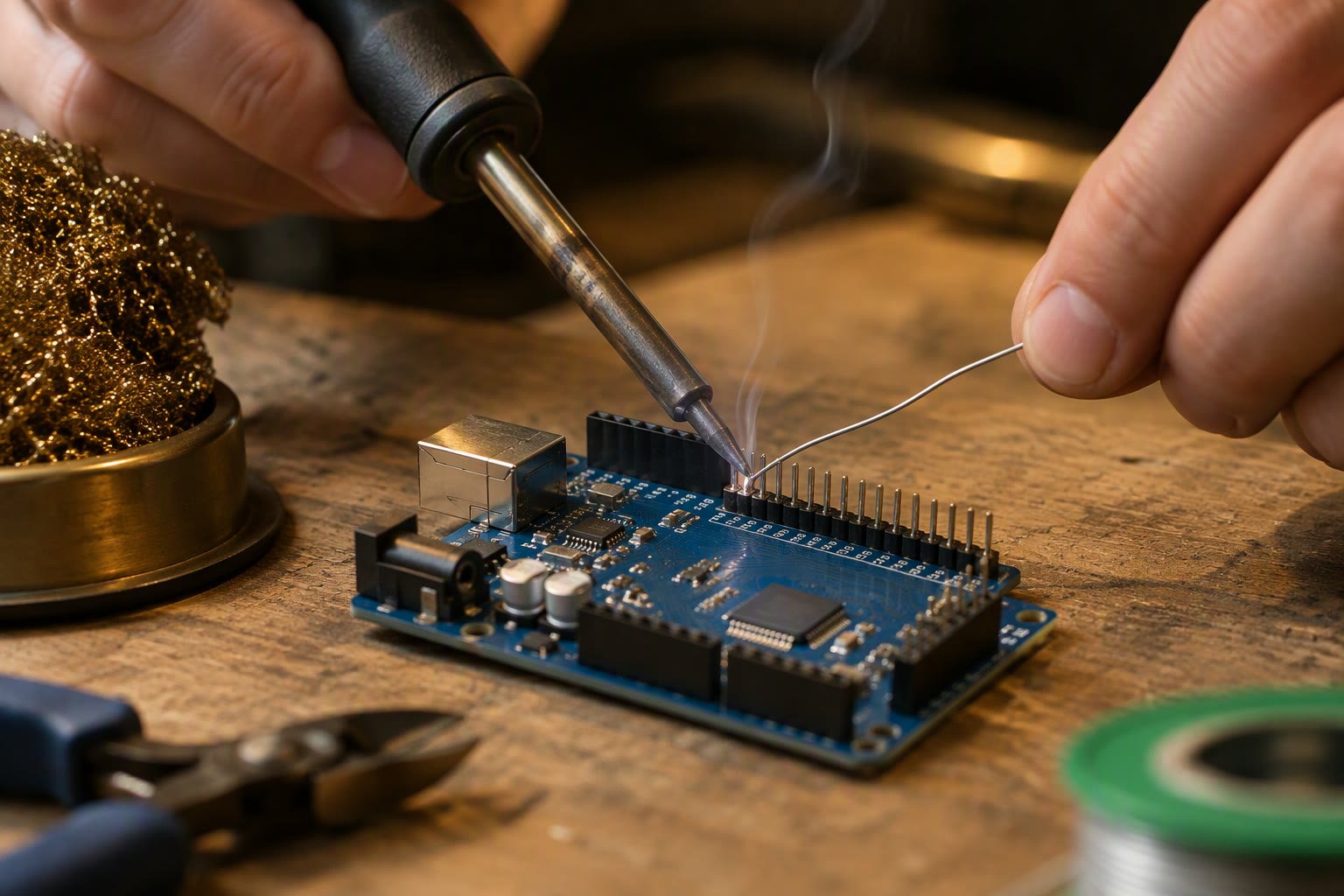
Soldering is the one robot skill that fails silently: a joint that looks fine can be a cold joint that opens the first time the robot vibrates. A ₹700 temperature-controlled iron and twenty minutes of practice will produce better joints than a ₹200 pencil iron and a year of guessing.
The tools that actually matter
| Tool | What to buy | Indicative price | Why |
|---|---|---|---|
| Iron | Temperature-controlled, 60 W, adjustable 200–450 °C | ₹700–₹2,000 | Stable heat; a pencil iron cools on every joint |
| Solder | 0.8 mm rosin-core, 60/40 or lead-free | ₹150–₹350 per roll | 0.8 mm suits headers and pads; thinner for SMD |
| Flux | Rosin or no-clean gel in a syringe | ₹100–₹300 | Makes old pads and wire wet properly |
| Tip cleaner | Brass wool, not a wet sponge | ₹100–₹250 | Sponges thermally shock the tip |
| Helping hands | Weighted base with clips and magnifier | ₹250–₹600 | You need both hands for iron and solder |
| Fume fan | Small extractor or open window and fan | ₹500–₹2,500 | Rosin fumes are a respiratory irritant |
| Cutters | Flush side cutters | ₹150–₹400 | Clean lead trimming without pulling pads |
| Heat shrink | Assorted 2–6 mm | ₹100–₹250 | Strain relief for every wire joint |
Lead-free solder needs a higher tip temperature, around 330–360 °C, and wets less easily than 60/40. It is the safer choice for a home with children, but it is harder to learn on. Whichever you choose, do not mix them on the same joint, and wash your hands after handling leaded solder.
The technique, in five steps
- Tin the tip. A thin film of solder transfers heat; a dry black tip does not.
- Heat the joint, not the solder. Touch the tip to the pad and the lead together for about a second.
- Feed solder into the joint. Touch the solder to the heated joint, not to the iron. It should flow around the lead and form a cone.
- Remove solder first, then the iron. Total contact time on a PCB pad should be 2–4 seconds, never more than 5.
- Hold still while it cools. A joint moved while freezing becomes dull and weak.
A good joint is shiny, concave and smooth. A cold joint is dull, blobby or ball-shaped, and it will fail under vibration even if it conducts today. If a joint looks doubtful, add flux and reheat it rather than adding more solder.
The four joints a robot needs
| Joint | Where | Key point |
|---|---|---|
| Header pin to PCB | Arduino shields, driver boards | Heat pad and pin together; do not fill the hole with solder before inserting |
| Wire to pad | Motor terminals, switches, battery tabs | Tin wire and pad separately, then join; add strain relief |
| Wire to wire | Splices, extensions | Use a lineman’s splice, solder, then heat shrink over the joint |
| Connector to wire | XT60, JST, DC jack | Use a heat sink clip; plastic melts fast |
For anything that carries motor current, crimping is better than soldering. A proper crimp with a matching connector is mechanically stronger, does not stiffen the wire, and can be inspected. Solder a wire that will be flexed repeatedly and it will break just past the joint. Use solder for boards and splices, crimp for connectors that see vibration.
Common mistakes and what they cost
- Too much solder: a ball hides whether the joint is good and can bridge to the next pin. Use less than you think.
- Too little heat: the solder sits on top instead of alloying. Raise the temperature or hold the tip longer, not both at once.
- Moving the joint: creates a cold, grainy joint that fails under vibration.
- Melting connectors: plastic housings deform before the metal reaches soldering temperature. Use a heat sink and work fast.
- No flux on old pads: oxidised copper rejects solder. Clean with isopropyl alcohol, add flux, then retry.
- Burning the insulation: shrink the stripped length and keep the tip away from the wire jacket.
- Soldering a live circuit: unplug the battery and the USB cable. Every time.
Practice before you touch the robot
Buy a ₹100 perfboard and a bag of resistors. Solder twenty joints, inspect them under light, then desolder and do it again. The skills transfer directly:
- Ten header pins in a row without bridges.
- Two wires joined and covered with heat shrink that does not scorch.
- A wire soldered to a pad without lifting the copper.
- A connector soldered without melting the housing.
If the iron has been sitting at 400 °C for ten minutes, the tip is oxidised. Clean it on brass wool, re-tin, and turn it down to 330–350 °C for leaded solder. Tips are consumable; a replacement costs less than a ruined board.
A small soldering kit for ₹2,000
| Item | Indicative price |
|---|---|
| 60 W adjustable iron with stand | ₹800–₹1,200 |
| 0.8 mm solder, 50 g | ₹150–₹250 |
| Flux gel | ₹100–₹200 |
| Brass wool and extra tips | ₹200–₹350 |
| Flush cutters | ₹150–₹300 |
| Heat shrink assortment | ₹100–₹200 |
| Perfboard and practice components | ₹150–₹300 |
That is enough to assemble an Arduino robot, repair motor leads and make reliable battery connectors. The Arduino IDE setup guide covers the software side, and the Uno pinout guide shows which pins you will be soldering to.
Common questions
What wattage soldering iron do I need for robotics?
A 60 W adjustable iron is the practical choice. It heats pads and motor tabs quickly without waiting, and can be turned down for small joints. A 25 W pencil iron struggles with anything larger than a header pin.
Is lead-free solder harder to use?
Yes. It needs a higher temperature, around 330–360 °C, and does not flow as easily. It is safer for home use, but 60/40 is easier to learn on.
Why do my solder joints look dull and blobby?
The joint was too cold or was moved while cooling. Add flux, reheat until the solder flows, and hold the parts still until it sets.
Can I solder motor wires directly to the terminals?
Yes, but crimp a connector if the wire will flex. Solder stiffens the wire and creates a stress point that breaks under vibration.
How do I stop melting plastic connectors?
Use a heat sink clip between the metal and the plastic, work quickly, and tin the wire before inserting it. If the housing starts to soften, stop and let it cool.
Related: Arduino IDE setup, Arduino Uno pinout, where to buy robotics parts, robot under ₹2,000.
Hand soldering a robot board is easier when the layout was designed for assembly in the first place.
Sources and further reading
- IPC J-STD-001 — the industry standard for soldered electrical connections.
- Hakko soldering guides — tip temperature, tinning and technique.
- OSHA lead exposure — handling and hygiene for leaded solder.
Last reviewed: October 2026. Technique advice assumes a temperature-controlled iron and rosin-core solder. Not bench-tested by this site.

