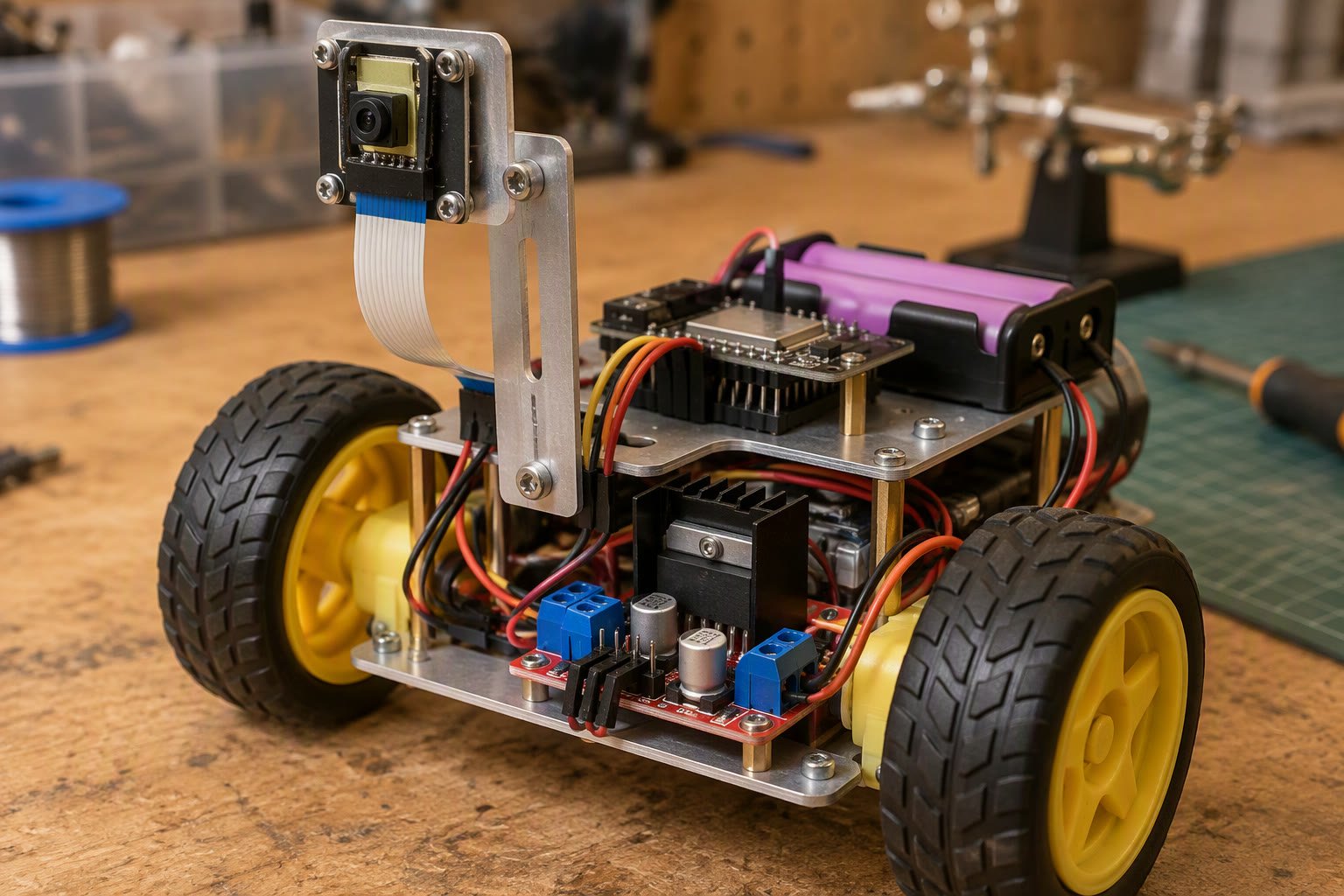
The ESP32-CAM is the cheapest way to put a camera on a robot, and it is good enough for line following, colour tracking and remote viewing. It is not good enough for real-time control loops or high-resolution perception.
This guide covers the hardware, the two firmware paths (CameraWebServer sketch and ESP32-CAM over MJPEG), the latency you should expect, the power supply mistakes that ruin the stream, and the point where a Raspberry Pi or Jetson becomes the cheaper option.
What the module actually is
The common board is the AI-Thinker ESP32-CAM: an ESP32-S module with 4 MB PSRAM, a microSD slot, an OV2640 camera connector and a 5 V regulator, all on a board roughly 27 by 40 mm. Variants exist with an external antenna connector, a USB-C socket, or an OV7670 camera instead of the OV2640.
| Spec | Value | What it means |
|---|---|---|
| Camera | OV2640, 2 MP | Up to 1600×1200 stills, 640×480 video is realistic |
| Memory | 4 MB PSRAM | Needed for JPEG buffers above VGA |
| Wi-Fi | 2.4 GHz only | No 5 GHz, so crowded 2.4 GHz sites suffer |
| GPIO free | About 10 usable pins | Enough for motors and a sensor, not much more |
| Power | 5 V, peaks near 300 mA | Weak supplies reset the board on Wi-Fi transmit |
| Storage | microSD | Store stills locally when Wi-Fi drops |
The OV2640 has a rolling shutter and poor low-light performance. In a dim room the image is noisy, and a moving robot produces skew. That matters for vision algorithms far more than the pixel count suggests.
Power is the first problem to solve
Almost every “ESP32-CAM keeps rebooting” report is a power problem. The board draws a short current spike when the Wi-Fi radio transmits, and a 3.3 V supply fed from a small buck converter or a weak USB port sags below the brownout threshold.
- Feed the 5 V pin from a regulator that can supply at least 500 mA continuously.
- Add a 470 µF to 1000 µF electrolytic capacitor close to the 5 V and GND pins.
- Do not power it from the 3.3 V pin of an Arduino Uno or a NodeMCU regulator.
- Use a separate 3.3 V LDO for the camera rail if your board has the older layout.
- Keep motor power and camera power on separate regulators, with a common ground.
Brushless or geared DC motors inject noise onto the supply. A robot that streams perfectly on the bench and reboots the moment it drives is showing you conducted noise, not a firmware bug.
Flashing the board without a USB port
The classic AI-Thinker board has no USB-serial chip. You need a 3.3 V USB-TTL adapter and a jumper from GPIO0 to GND to enter flash mode.
- Connect adapter TX to the board’s U0R (RX), and RX to U0T (TX).
- Connect adapter 3.3 V to the board’s 3.3 V pin, and GND to GND.
- Tie GPIO0 to GND, then press reset, then start the upload.
- Remove the GPIO0 jumper and press reset to run the sketch.
- Never connect the adapter’s 5 V to the 3.3 V pin.
Boards with an onboard USB-C socket and CH340 or CP2102 chip remove this ritual. For a student build, the extra cost is usually worth it.
The two firmware paths
The Arduino IDE ships a CameraWebServer example under ESP32 > Camera. It joins a Wi-Fi network and serves a small control page with a live MJPEG stream, resolution and brightness controls. That is enough for a teleoperated robot or a fixed inspection camera.
The second path is to skip the HTML page and consume the raw stream directly. The example exposes a stream endpoint; a Python script on a laptop or a Raspberry Pi can read the multipart MJPEG frames and run detection on them.
import cv2
cap = cv2.VideoCapture('http://192.168.1.42:81/stream')
while True:
    ok, frame = cap.read()
    if not ok:
        break
    cv2.imshow('robot cam', frame)
    if cv2.waitKey(1) == 27:
        break
That is the lowest-effort way to get frames into OpenCV. It works with the default CameraWebServer sketch once the stream URL is known. Expect trouble if the laptop and the robot are on different subnets or if the access point isolates clients.
Latency: what to expect and why
| Configuration | Typical glass-to-glass delay |
|---|---|
| QVGA 320×240, good Wi-Fi | 100–200 ms |
| VGA 640×480, good Wi-Fi | 200–400 ms |
| SVGA or higher | 500 ms to over 1 s |
| Congested 2.4 GHz channel | Unpredictable, often above 1 s |
Three things add delay: sensor exposure and JPEG encode, Wi-Fi retries on a busy channel, and buffering in the viewer. The browser adds its own buffer, which is why the same stream feels faster in a raw MJPEG reader than in the built-in page.
For teleoperation at walking pace, 200–300 ms is tolerable. For a robot that must stop before hitting something at 1 m/s, it is not: 300 ms is 30 cm of travel. Use the camera for awareness, and an ultrasonic or ToF sensor for the stop decision.
What you can and cannot run on the ESP32 itself
The ESP32 has no neural accelerator and roughly 520 KB of internal SRAM plus the PSRAM. Simple frame differencing, colour thresholding on a downscaled image, and line detection on a narrow region of interest are realistic. A CNN detector is not.
- Works: colour blob tracking, line position, motion detection, QR decoding at close range.
- Marginal: optical flow on tiny frames, template matching at low frame rate.
- Does not work: YOLO-class detection, depth, pose estimation, face recognition.
For anything in the last row, send frames to a companion computer. A Raspberry Pi Zero 2 W or a Pi 4 on the robot, or an off-board laptop, will run the model. The ESP32-CAM becomes a sensor, which is the role it is good at.
Wiring a camera to a moving robot
- Mount the camera on a bracket, not on ribbon cable hanging in the air.
- Keep the camera ribbon away from motor wires and the motor driver.
- Strain-relieve the ribbon with tape or a printed clip; it cracks at the connector.
- Point the camera slightly downward for ground-relative tasks.
- Add a diffused LED or a small ring light for indoor use.
- Seal the lens area against dust if the robot drives outdoors.
The OV2640 ribbon is fragile and the connector is a flip-lock type. Insert it fully, close the latch, and never pull the cable to unplug it.
When to stop using an ESP32-CAM
Move to a Raspberry Pi when you need more than 10 frames per second at VGA, when you need to run a detector, when you need stereo or depth, or when you need reliable recording. Move to a Jetson or a used mini PC when you need multiple cameras or real-time inference above 15 fps.
| Need | ESP32-CAM | Raspberry Pi 4/5 | Jetson Orin Nano |
|---|---|---|---|
| Remote view | Good | Good | Good |
| Line following | Good if simple | Good | Overkill |
| Object detection | No | 5–10 fps at 640 px | 30 fps at 1080 px |
| Stereo depth | No | Possible | Good |
| Power draw | Under 1 W | 3–8 W | 7–15 W |
| Cost in India | Lowest | Mid | Highest |
A realistic first project
Build a remote-view rover. Mount the ESP32-CAM on a two-wheel chassis with an L298N driver, power the motors from a 7.4 V pack and the camera from a separate 5 V buck converter, and control the rover over Wi-Fi from a phone. That project teaches power isolation, antenna placement and latency without requiring any machine learning.
Then add a colour-tracking mode: threshold the stream on the laptop, compute the centroid, and send left and right motor commands back over a simple HTTP endpoint on the ESP32. This is the shortest path to a working vision-guided robot that actually moves.
Related: Arduino vs Raspberry Pi, OpenCV on Raspberry Pi, robot vision camera guide, ESP32 pinout, how to power a robot.
Why does my ESP32-CAM keep restarting?
Almost always a power supply that sags during Wi-Fi transmit. Use a 5 V regulator rated above 500 mA, add a large electrolytic capacitor near the board, and keep motor power on a separate regulator.
How do I get the ESP32-CAM video into OpenCV?
Run the CameraWebServer example so the board serves an MJPEG stream, then open the stream URL with cv2.VideoCapture. Keep the computer on the same subnet and avoid client-isolated Wi-Fi.
Can an ESP32-CAM run YOLO?
No. It has no neural accelerator and too little memory for a real-time detector. Use it as a camera and run YOLO on a Raspberry Pi, Jetson or laptop that receives the stream.
What latency should I expect from an ESP32-CAM?
About 100–200 ms at QVGA and 200–400 ms at VGA over a clean 2.4 GHz link. Congested channels and higher resolutions push it past one second.
How do I flash an ESP32-CAM without USB?
Use a 3.3 V USB-TTL adapter, cross TX and RX, tie GPIO0 to ground, press reset, upload, then remove the jumper and reset again. Never apply 5 V to the 3.3 V pin.
Add phone controls next to the camera feed for a complete rover.
Adding video to a network robot is the natural next step; start from the Wi-Fi control build.
Sources and further reading
- Espressif ESP32 documentation — camera driver, PSRAM and power guidance.
- esp32-camera — official camera component and examples.
- OpenCV documentation — video capture and image processing reference.
- Raspberry Pi documentation — camera and compute module comparisons.

