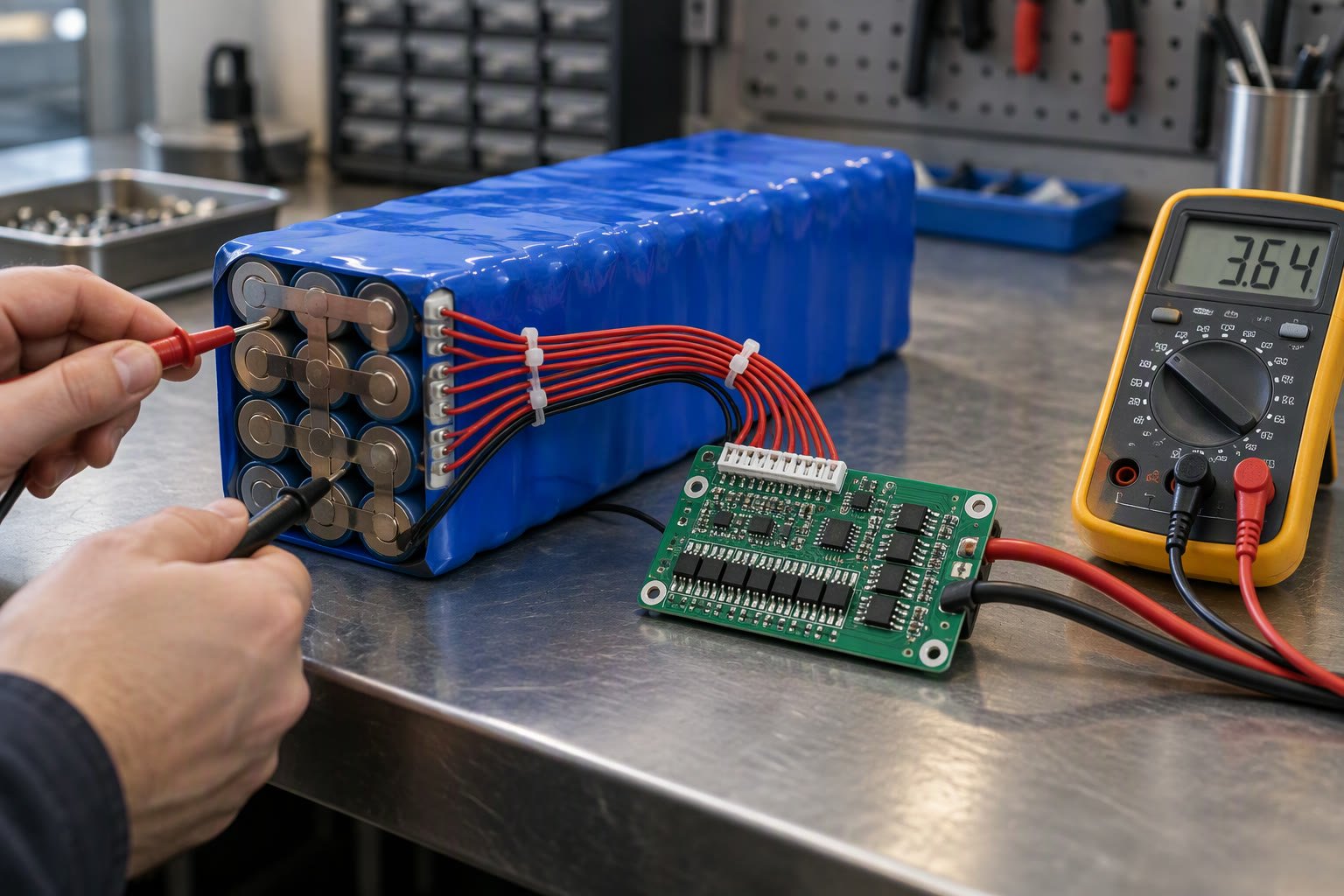
A battery management system is the part of a robot that stops a lithium pack from becoming a fire. If your robot uses a 3S or 4S lithium pack without one, the pack is unprotected.
This guide explains what a BMS does, the difference between a protection board and a full smart BMS, how to size the current rating, how balancing works, and the wiring mistakes that destroy packs in Indian student builds.
What a BMS actually does
- Over-voltage protection — stops charging a cell above roughly 4.2 V.
- Under-voltage protection — disconnects the load before a cell drops below the safe floor.
- Over-current protection — cuts the pack if the load pulls too much.
- Short-circuit protection — reacts in microseconds to a dead short.
- Temperature protection — on better boards, using an NTC thermistor.
- Cell balancing — bleeds the highest cell during charge so the pack stays matched.
- State of charge estimation — on smart boards, reported over UART, I2C or Bluetooth.
A cheap “3S 40A BMS” board usually provides the first four. It may or may not balance, and its current rating is often optimistic. A smart BMS such as the Daly, JBD or ANT series adds balancing current you can trust, temperature sensing and a data link your robot can read.
Protection board vs smart BMS
| Feature | Basic protection board | Smart BMS |
|---|---|---|
| Over/under voltage | Yes | Yes, configurable |
| Over-current | Yes, fixed | Yes, configurable |
| Balancing | Sometimes, tiny current | Yes, 30–200 mA typical |
| Temperature sensing | Rare | Yes |
| Data output | None | UART, I2C, CAN or Bluetooth |
| State of charge | No | Yes, coulomb counting |
| Price in India | Lowest | Several times higher |
| Best for | Small hobby packs | Robots that need runtime data |
For a small line follower with a 2S pack and a 3 A load, a basic board is proportionate. For an AGV, a delivery robot or anything drawing 20 A for hours, a smart BMS with temperature sensing and a data link is the right choice.
Sizing the current rating
Take the worst-case continuous current, not the average. A differential drive robot with two 12 V geared motors rated 3 A each, plus a Raspberry Pi and sensors, has a continuous draw near 7 A and a stall current that can exceed 20 A for a fraction of a second.
- Add the continuous current of every load, then add 30% headroom.
- Check that the BMS can survive the stall current briefly, not just the continuous rating.
- Size the discharge path and the connectors for the same current.
- For charging, the BMS charge rating is often much lower than the discharge rating.
- Remember that MOSFETs have resistance; a 40 A board at 20 A wastes heat.
A BMS rated exactly at your continuous draw will run hot and may nuisance-trip. The common failure in student builds is a 20 A board on a robot that stalls at 30 A: the board cuts out every time the robot pushes against a wall.
How balancing works, and why it matters
Cells in series drift apart. After a few dozen cycles, one cell may reach 4.2 V while another sits at 4.05 V. The charger stops when the highest cell is full, so the pack never actually fills, and the weakest cell is worked harder on discharge. Balancing slowly corrects that drift.
Passive balancing burns energy from the highest cell through a resistor. Active balancing moves charge between cells and is more efficient but more expensive. For robot packs, passive balancing at 30–60 mA is enough if you charge regularly and do not abuse the pack.
Balancing only happens during charge, and only near the top of the curve. A pack that is never fully charged never balances. That is one reason to charge to full at least occasionally rather than always stopping at 80%.
Wiring a BMS without destroying the pack
Most BMS boards use a shared port: the same negative terminal carries charge and discharge. Separate-port boards have a charge negative and a discharge negative, and are common on e-bike packs.
- Identify B− (pack negative) and P− (output negative) before soldering anything.
- Connect the balance leads in order, starting from the most negative cell.
- Never let balance leads short against each other; insulate each joint.
- Connect the balance connector to the BMS before connecting the main leads.
- Check each cell voltage at the connector with a multimeter before powering up.
- Use a fuse on the main positive as a second layer of protection.
The classic mistake is wiring the balance leads in the wrong order. On a 4S pack, a swapped lead can put 11 V across a single cell input and kill the BMS instantly, sometimes with smoke. Build the harness on the bench, measure every pin, and only then connect.
Reading BMS data on a robot
Smart BMS boards expose pack voltage, per-cell voltage, current, temperature and state of charge. On a ROS 2 robot, the usual pattern is a small microcontroller that reads the BMS over UART and publishes a sensor_msgs/BatteryState message.
ros2 topic echo /battery_state
# percentage: 0.72
# voltage: 15.41
# current: -4.8
# temperature: 34.0
Publishing battery state lets your navigation stack send the robot home before the pack dies, instead of stopping in the middle of a corridor. That single feature matters more for uptime than most perception work.
Charging safety
- Use a charger matched to the pack chemistry and series count.
- Charge on a non-flammable surface, never on a bed or carpet.
- Do not charge unattended overnight in a living space.
- Stop using a pack that swells, smells sweet or gets hot while idle.
- Store packs at around 50–60% charge if unused for weeks.
- Keep a Class D extinguisher or a bucket of sand nearby for large packs.
A BMS protects against many faults, but it is not a substitute for a correct charger, good wiring and attention. Cheap packs with unknown cells are the highest-risk item in a student robot, and no BMS fixes bad cells.
Choosing a BMS for a robot in India
| Robot | Pack | BMS type | Current rating |
|---|---|---|---|
| Line follower | 2S 18650 | Basic | 10–15 A |
| Small rover | 3S Li-ion | Basic with balancing | 20–30 A |
| Raspberry Pi robot | 3S or 4S | Smart, UART | 30–40 A |
| Delivery or AGV prototype | 4S–7S Li-ion | Smart, CAN or UART | 60 A and up |
Buy from a seller who publishes the cell datasheet and the BMS model. Boards sold only as “3S 40A BMS” with no brand are a gamble on the protection thresholds, and those thresholds are the entire point of the component.
Related: robot battery guide, how to power a robot, buck converters for robots, mobile robot charging and docking, Li-ion vs LiPo.
Do I need a BMS on a robot battery?
Yes for any lithium pack. A BMS provides over-voltage, under-voltage, over-current and short-circuit protection, and balancing on better boards. Without one, a single cell fault can destroy the pack or start a fire.
What size BMS do I need for my robot?
Add the continuous current of all loads, add about 30% headroom, and check the stall current your motors can draw. Choose a board rated above that, and size connectors and wiring to match.
What is the difference between a protection board and a smart BMS?
A basic protection board only cuts power on fault. A smart BMS adds real balancing current, temperature sensing, configurable limits and a data link for voltage, current and state of charge.
Why do my BMS balance leads get hot?
Usually a wiring order mistake or a short between adjacent balance leads. Measure every pin against the cell stack with a multimeter before connecting the BMS.
Can I charge a robot battery without a BMS?
No. Use a charger matched to the chemistry and series count and let the BMS supervise. Charging unprotected lithium cells is the most common cause of pack fires in hobby robotics.
Weight and voltage sag matter on a small balancer; the balancing robot parts list sizes the pack against motor stall current.
A protection board still needs correct charging practice, and the LiPo safety rules explain where a BMS helps and where it does not.
BMS units often broadcast cell data over CAN bus, which the CAN guide covers from wiring to frames.
The BMS current rating has to match the pack, and the battery sizing calculation shows how to derive the number the BMS must survive.
Sources and further reading
- Texas Instruments battery monitor ICs — protection and balancing reference designs.
- Battery University — charging, balancing and ageing behaviour.
- ROS 2 documentation —
sensor_msgs/BatteryStatemessage reference. - ISO 12405 — test specification for lithium battery packs.

