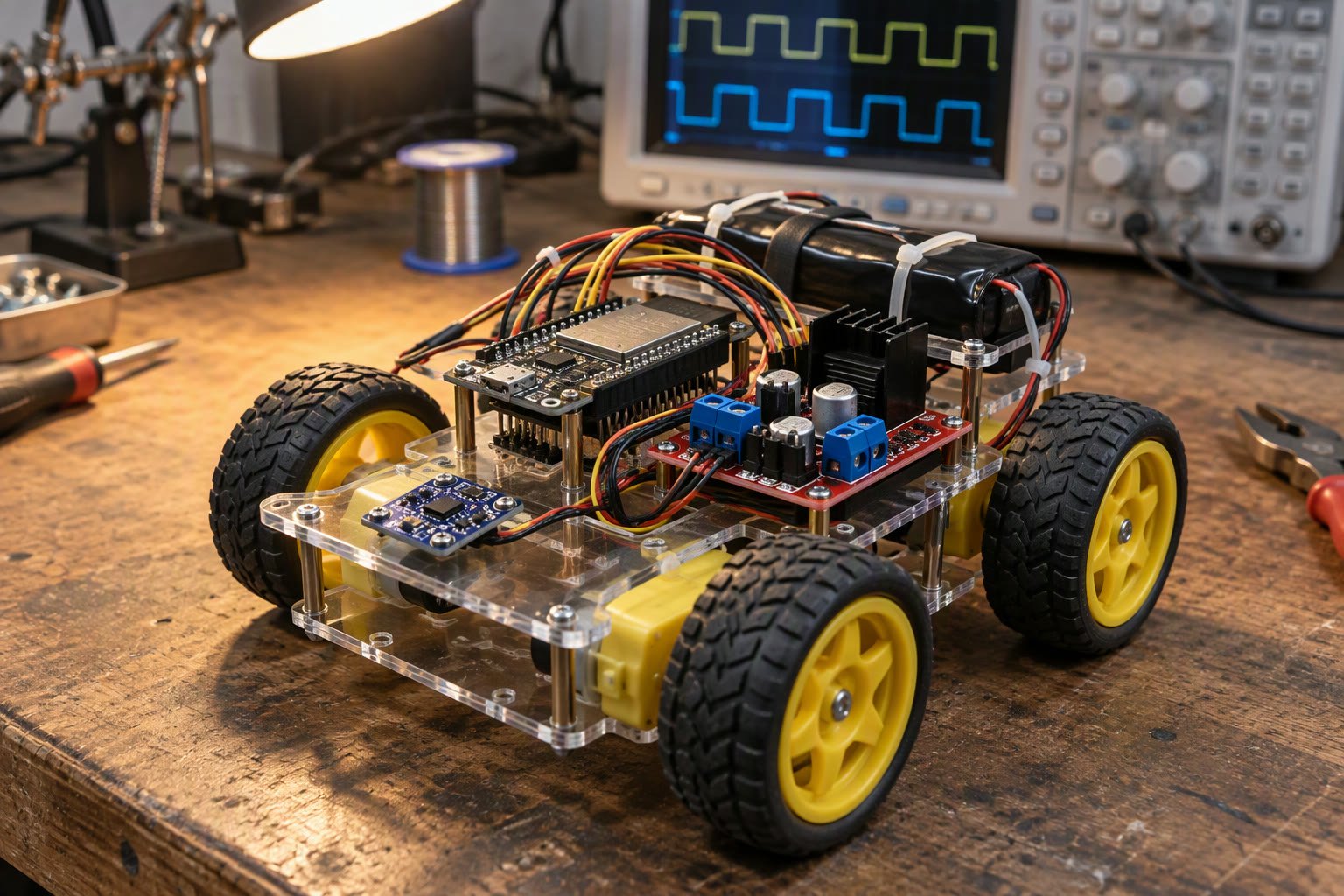
A robot that reads sensors, drives motors and talks over Wi-Fi cannot do all three well in one loop. FreeRTOS on the ESP32 lets you split them into tasks with separate timing and priorities. Below I show how an ESP32 FreeRTOS robot is split into tasks, so sensors, motors and Wi-Fi stop competing for one loop.
This guide covers how the ESP32 runs FreeRTOS, how to structure a robot into tasks, how to pass data safely between them, and the timing traps that make a task-based robot behave worse than a single loop until you fix them.
FreeRTOS is already running on your ESP32
Every ESP32 Arduino sketch runs on FreeRTOS. The setup and loop functions execute inside a task created by the core, usually called loopTask. When you call delay, the task yields. When you call Wi-Fi functions, the Wi-Fi stack runs in its own tasks.
That means you do not need to install anything. You need to decide how to divide the work, and you need to respect the fact that other tasks are competing for the same two cores.
| Concept | What it means on ESP32 |
|---|---|
| Task | An independent function with its own stack and priority |
| Core | The ESP32 has two; tasks can be pinned to one |
| Priority | Higher number runs first when both are ready |
| Tick | Usually 1 ms, the resolution of vTaskDelay |
| Queue | Thread-safe way to pass data between tasks |
| Mutex | Locks a shared resource such as an I2C bus |
A sensible task split for an ESP32 FreeRTOS robot
Start with the timing requirement, not the code layout. Anything that must happen at a fixed rate belongs in its own high-priority task. Anything that can wait belongs in a lower-priority task.
| Task | Rate | Priority | Core | Responsibility |
|---|---|---|---|---|
| Control | 200 Hz | 5 | 1 | Read IMU, run PID, write motor PWM |
| Safety | 50 Hz | 6 | 1 | Check cliff, bumper and battery; stop motors |
| Comms | Event | 3 | 0 | Wi-Fi, MQTT or web socket; parse commands |
| Telemetry | 5 Hz | 2 | 0 | Publish pose, battery and fault flags |
| Housekeeping | 1 Hz | 1 | 0 | Logging, LEDs, non-critical updates |
Safety is above control on purpose. If the bumper is pressed, stopping the motors should pre-empt the next control cycle, not wait for it. The control task stays on core 1 with the IMU, while Wi-Fi work stays on core 0 where the radio stack already lives.
Creating the control task
Use xTaskCreatePinnedToCore so the task does not wander between cores. The stack depth on ESP-IDF is in bytes, not words, which is a common source of overflow when porting code from other FreeRTOS platforms. In an ESP32 FreeRTOS robot, the control task is the one that must keep its timing.
#include <Arduino.h>

TaskHandle_t controlTaskHandle = nullptr;

void controlTask(void *arg) {
  TickType_t lastWake = xTaskGetTickCount();
  const TickType_t period = pdMS_TO_TICKS(5);  // 200 Hz

  for (;;) {
    imuRead();
    updateEstimate();
    pidUpdate();
    writeMotors();

    vTaskDelayUntil(&lastWake, period);
  }
}

void setup() {
  Serial.begin(115200);
  initImu();
  initMotors();

  xTaskCreatePinnedToCore(
      controlTask,       // function
      "control",         // name
      4096,              // stack in bytes
      nullptr,           // parameter
      5,                 // priority
      &controlTaskHandle,
      1);                // core
}

void loop() {
  vTaskDelay(pdMS_TO_TICKS(1000));
}
vTaskDelayUntil keeps the period constant even when a cycle takes longer than expected. Plain vTaskDelay waits after the work finishes, so the period drifts by however long the work took.
Passing commands without racing
The Wi-Fi task receives a command such as a new target speed. The control task reads it. If both touch the same variable without protection, the control task can read a half-written value, and on a 32-bit float that produces a nonsense number rather than a crash.
A queue is the clean answer: the comms task sends a small struct, the control task receives it without blocking in the control loop.
struct Command {
  float linear;
  float turn;
};

QueueHandle_t commandQueue;

// in setup()
commandQueue = xQueueCreate(8, sizeof(Command));

// comms task
Command cmd = {0.25f, 0.0f};
xQueueSend(commandQueue, &cmd, 0);  // do not block the network task

// control task, once per cycle
Command latest;
if (xQueueReceive(commandQueue, &latest, 0) == pdTRUE) {
  targetLinear = latest.linear;
  targetTurn = latest.turn;
}
Size the queue for the burst you expect, not for the average. A queue depth of eight commands is enough for a human operator and small enough that stale commands are flushed quickly if the control task stalls.
Sharing a bus with a mutex
I2C is a shared bus. If the control task reads the IMU and the housekeeping task reads a battery gauge on the same bus at the same time, transactions interleave and both fail. A mutex serialises access.
SemaphoreHandle_t i2cMutex;

void readBatterySafely() {
  if (xSemaphoreTake(i2cMutex, pdMS_TO_TICKS(10)) == pdTRUE) {
    battery.read();
    xSemaphoreGive(i2cMutex);
  }
}
Keep the critical section short. Never hold a mutex while doing Serial prints, delays or network calls, because that turns a microsecond lock into a millisecond stall for every other task.
Watchdogs and why tasks stop
The ESP32 has a task watchdog that resets the chip if a task hogs the CPU or blocks for too long. It also has an interrupt watchdog. Both are there because embedded systems fail silently, and a robot that stops responding while still powered is dangerous.
- Never use delay inside a high-priority task; use vTaskDelay.
- Do not spin in a while loop waiting for a flag; use a semaphore or a queue.
- Feed the watchdog from the task that is supposed to be alive, not from a timer.
- Check the return value of xTaskCreate; a failed task creation is easy to miss.
- Log the reset reason at boot, so you can tell a watchdog reset from a power cycle.
A useful pattern is a heartbeat counter per task. The safety task checks that the control task’s counter is advancing, and stops the motors if it is not. That catches a hung task even when the watchdog has not fired yet.
Stack sizes, in bytes
Each task has its own stack. Too small and it overflows into another task’s memory, producing corruption that looks like a random bug. Too large and you waste RAM you need for buffers.
| Task type | Starting stack | Notes |
|---|---|---|
| Simple control loop | 3072–4096 bytes | No string formatting |
| Comms with JSON | 6144–8192 bytes | Parsers use stack |
| Logging with printf | 4096 bytes | Formatting is stack hungry |
| TLS or HTTPS | 8192 bytes or more | TLS handshakes need room |
Measure rather than guess: uxTaskGetStackHighWaterMark returns the smallest free stack seen, so you can log it during a test run and size each task with margin.
Debugging a task-based robot
- Log the time between control cycles and watch for spikes when Wi-Fi traffic arrives.
- Print the high water mark for every task after ten minutes of running.
- Disable one task at a time to find which one causes the jitter.
- Check that no task calls a blocking library function without a timeout.
- Verify priorities: a low-priority task holding a mutex can block a high-priority one, which is priority inversion.
Priority inversion is the classic failure. If the control task waits for a mutex held by a low-priority logging task, and a medium-priority task pre-empts the logger, the control task waits longer than either of them would. FreeRTOS mutexes include priority inheritance to limit this, but keeping critical sections short is still the real fix.
When not to use tasks
A blinking LED and a single sensor do not need an RTOS design. Tasks add stack usage, synchronisation and a new class of bugs. Use them when you have genuinely different timing requirements, or when one job can block for an unpredictable time, such as Wi-Fi or SD card writes.
A good rule: if two jobs can be written as one loop with millis(), write one loop. If one job can stall for tens of milliseconds, split it out.
Related: ESP32 pinout for robotics, MQTT telemetry with ESP32, Android control for ESP32 robots, Arduino vs ESP32, PID control explained.
Do I need to install FreeRTOS on an ESP32?
No. The ESP32 Arduino core and ESP-IDF both run FreeRTOS already, and loop() executes inside a task created by the core. You only need to add tasks of your own.
How many tasks can an ESP32 run?
There is no small fixed number, but each task costs stack memory and scheduling overhead. A robot with four to six tasks and a few thousand bytes of stack each is a comfortable, common design.
Should control tasks run on core 0 or core 1?
Pin control and safety to core 1, and leave network work on core 0 where the Wi-Fi stack runs. This keeps network timing spikes away from the motor loop.
Why does my robot jitter when Wi-Fi is enabled?
Wi-Fi interrupts and radio tasks steal CPU time, and a control loop that is not pinned or not periodic will show that as jitter. Pin the control task, use vTaskDelayUntil, and keep network work off its core.
Is a queue better than a global variable?
Yes for data that crosses tasks. A queue is thread-safe and gives you a defined behaviour when the consumer is slow. A bare global works only if you can prove exactly one task writes it and the access is atomic.
Sources and further reading
- ESP-IDF FreeRTOS reference — task creation, queues and stack units.
- FreeRTOS — API documentation and scheduling concepts.
- Arduino ESP32 core — task and core pinning support.

