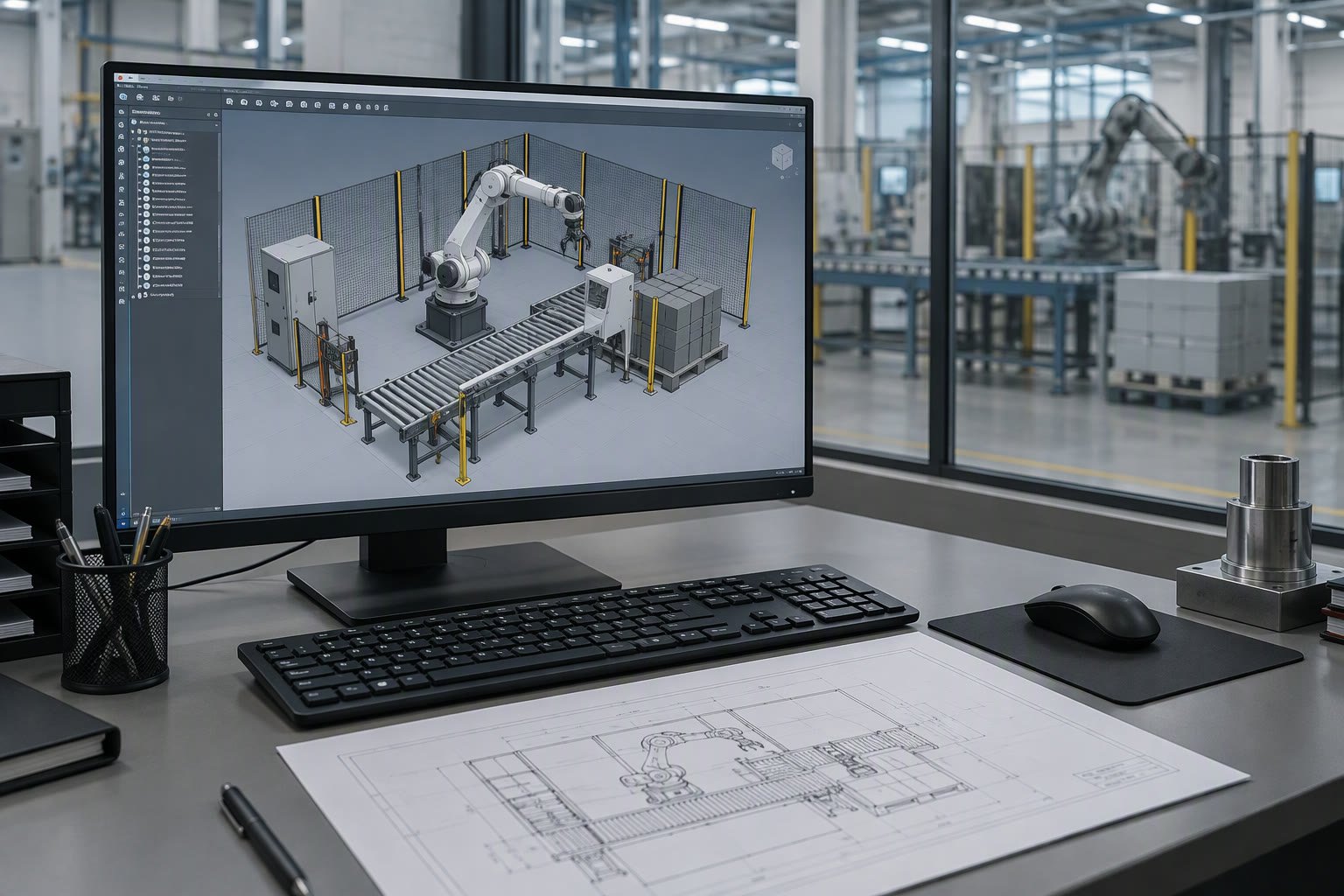
Offline programming pays for itself when the line cannot stop. It fails when the digital model is prettier than it is accurate.
This guide compares the vendor tools, the independent platforms and the open-source options, explains what fidelity actually means, and sets out what simulation and offline programming cost in India.
Five jobs people call simulation
| Job | Question it answers | Fidelity needed |
|---|---|---|
| Reach and collision check | Can the arm get there without hitting the guard? | Geometry and joint limits |
| Cycle time estimate | Will the cell meet takt? | Acceleration, blending, external waits |
| Layout design | Where does everything stand? | Footprints and clearances |
| Offline programming | Can the path be written before the robot arrives? | Post-processor and calibrated frames |
| Commissioning rehearsal | What breaks on day one? | I/O, handshakes, safety logic |
Most buyers start with the first job and expect the fourth. A tool that is good at reach checks is not automatically good at generating programs a real controller will accept.
The three families of tools
| Family | Examples | Strength | Limitation |
|---|---|---|---|
| Robot vendor | RobotStudio, KUKA.Sim, ROBOGUIDE, MotoSim | Exact controller behaviour, native programs | One brand per tool |
| Independent | DELMIA, Process Simulate, Visual Components, RoboDK | Multi-brand, line-level layout | Post-processors vary in quality |
| Open source | Gazebo, Isaac Sim, MoveIt | No licence cost, deep customisation | You build the integration yourself |
A vendor tool is usually the safest route for offline programming because the program is generated for that controller. An independent tool wins when the cell has robots from two brands, or when the layout includes conveyors, machines and operators that the vendor tool does not model well.
Vendor tools in one line each
- RobotStudio for ABB: strong offline programming, virtual commissioning and the widest training material.
- KUKA.Sim for KUKA: close to the controller, good for KRL programs and reach studies.
- ROBOGUIDE for FANUC: mature, widely used in Indian automotive shops.
- MotoSim for Yaskawa: accurate for Motoman cells, less common outside them.
- Other vendors ship their own tools; check whether yours can export a program or only a reach study.
What fidelity really means
A digital twin is only as good as the numbers you feed it. The robot model from the vendor is accurate. Everything else is your responsibility, and it is where the errors come from.
- Tool geometry and TCP: measure the real gripper, do not model a block.
- Fixtures: model the clamps, not just the part; most collisions happen at the clamp.
- Machine models: door travel, spindle envelope, conveyor height.
- Positions: the robot base, fixture and machine must be placed from measured coordinates, not from a sketch.
- External waits: the machine cycle and the PLC handshake dominate many real cycles.
- Safety: fences, light curtains and scanners belong in the model if reach is being checked.
Calibrating the twin
Before trusting a simulation, move the real robot to a set of known points and compare. Pick 20 to 30 points across the working envelope, record the real position and the simulated position, and look at the difference. If the offset is consistent, the base frame is wrong. If it grows with distance, the model scale or the tool length is wrong.
- Calibrate the base frame first, then the tool.
- Use points inside the working volume, not just at the corners.
- Record the residuals and the date; they change after any mechanical work.
- Recalibrate after a crash, a base repair or a tool change.
How accurate is a simulated cycle time?
Motion time is usually close, often within a few percent, when the path and the motion settings match. Real cycles run longer because of gripper actuation, sensor confirmation, PLC scan delays, part variation and operator intervention. A simulation that shows 5.0 s against a measured 5.3 s is doing well; one that shows 4.0 s is missing something.
Add the external waits explicitly rather than hoping the tool models them. If the machine takes 18 s, the cell cycle cannot be shorter than 18 s no matter what the robot does.
Offline programming in practice
- Build the cell from measured coordinates, not from the CAD layout alone.
- Generate the path with the real tool and the real TCP.
- Post-process to the controller’s native language and check the generated code.
- Transfer the program and run it in step mode at reduced speed.
- Touch up points that the model got wrong; expect some, not none.
- Record the differences so the next program needs fewer touch-ups.
The benefit is not zero touch-up. It is starting commissioning with a program that is 80 to 95 percent right instead of an empty controller, which can save days of production time on a line that cannot stop.
Virtual commissioning earns the most
Virtual commissioning connects the simulated robot and the real or emulated PLC so the handshake, interlocks and error handling can be tested before the cell is built. It catches the problems that cost the most during installation: a missing ready signal, a reset that clears the wrong fault, a sequence that can advance while a guard is open.
It needs a PLC emulator or a real PLC on a bench, a supported interface such as OPC UA or a fieldbus simulation, and someone who understands both sides. That is more work than a reach study, and it removes days of on-site debugging from the critical path.
- Test the start, stop and restart sequence, including what happens after an e-stop.
- Test every fault the operator is likely to cause.
- Test the safety signals in the same order as the real panel.
- Record the test cases; they become the commissioning checklist.
What it costs in India
Planning ranges for budgeting; licence models change and Indian resellers quote in rupees with tax and support separate.
| Option | Planning range | Notes |
|---|---|---|
| Vendor tool, single robot licence | ₹2,00,000–₹8,00,000 | Often bundled with a robot purchase |
| Independent platform, per seat | ₹3,00,000–₹12,00,000 | Multi-brand, annual support extra |
| Open source stack | ₹0 licence | Engineering time to integrate |
| Training, 3–5 days | ₹25,000–₹1,00,000 per person | Cheapest way to reduce risk |
| Workstation with GPU | ₹1,00,000–₹3,00,000 | Only needed for heavy scenes |
When simulation does not pay
- One simple pick-and-place cell that will be taught by hand in an afternoon.
- A project with no time to build an accurate model; a wrong twin is worse than none.
- A shop with nobody trained to maintain the model after handover.
- A robot that is already installed and running, with no change planned.
Mistakes that waste the licence
| Mistake | Consequence |
|---|---|
| Using a sketch layout | Programs miss by centimetres |
| Modelling a block instead of the gripper | Collisions appear on the real cell |
| Ignoring external waits | Cycle time is optimistic by seconds |
| No twin calibration | Every program needs heavy touch-up |
| Trusting a post-processor unverified | Controller rejects the program |
| No one trained to update the model | The twin dies after handover |
A selection checklist
- Does it support every robot brand in the cell?
- Can it post-process to the controller you own?
- Does it model the machines, conveyors and operators you need?
- Can you import your CAD formats without conversion pain?
- Is the licence perpetual or subscription, and what does support cost?
- Is training available in India, in person or online?
- Can you export the layout and the data if you change tools?
Related: Isaac Sim vs Gazebo, robot cell layout, cycle time calculation, teach pendant programming, integration checklist.
What is offline programming for robots?
Writing and validating a robot program in a simulation of the cell, then transferring it to the real controller. It reduces production downtime because most of the work happens before the robot is installed.
Which simulation software should I buy?
Start with the robot vendor's tool if the cell is single-brand, because its programs match the controller. Choose an independent platform when there are multiple brands or complex machines, and open source when you have the engineering time.
How accurate is simulated cycle time?
Motion time is often within a few percent when the path and settings match. Real cycles are longer because of gripper, sensor, PLC and machine waits, so add those explicitly.
What is a digital twin calibration?
Comparing real robot positions with simulated ones at 20 to 30 points across the working envelope, then correcting base, tool and model errors. Redo it after a crash or tool change.
How much does robot simulation software cost in India?
Vendor tools plan from about ₹2 lakh per seat and independent platforms from about ₹3 lakh, with support and training extra. Open source has no licence cost but needs integration time.
Practise offline using RobotStudio, and this programming guide gives you something worth simulating.
Sources and further reading
- ABB RobotStudio — offline programming and virtual commissioning.
- KUKA — KUKA.Sim and controller documentation.
- FANUC — ROBOGUIDE simulation software.
- RoboDK — multi-brand offline programming.

