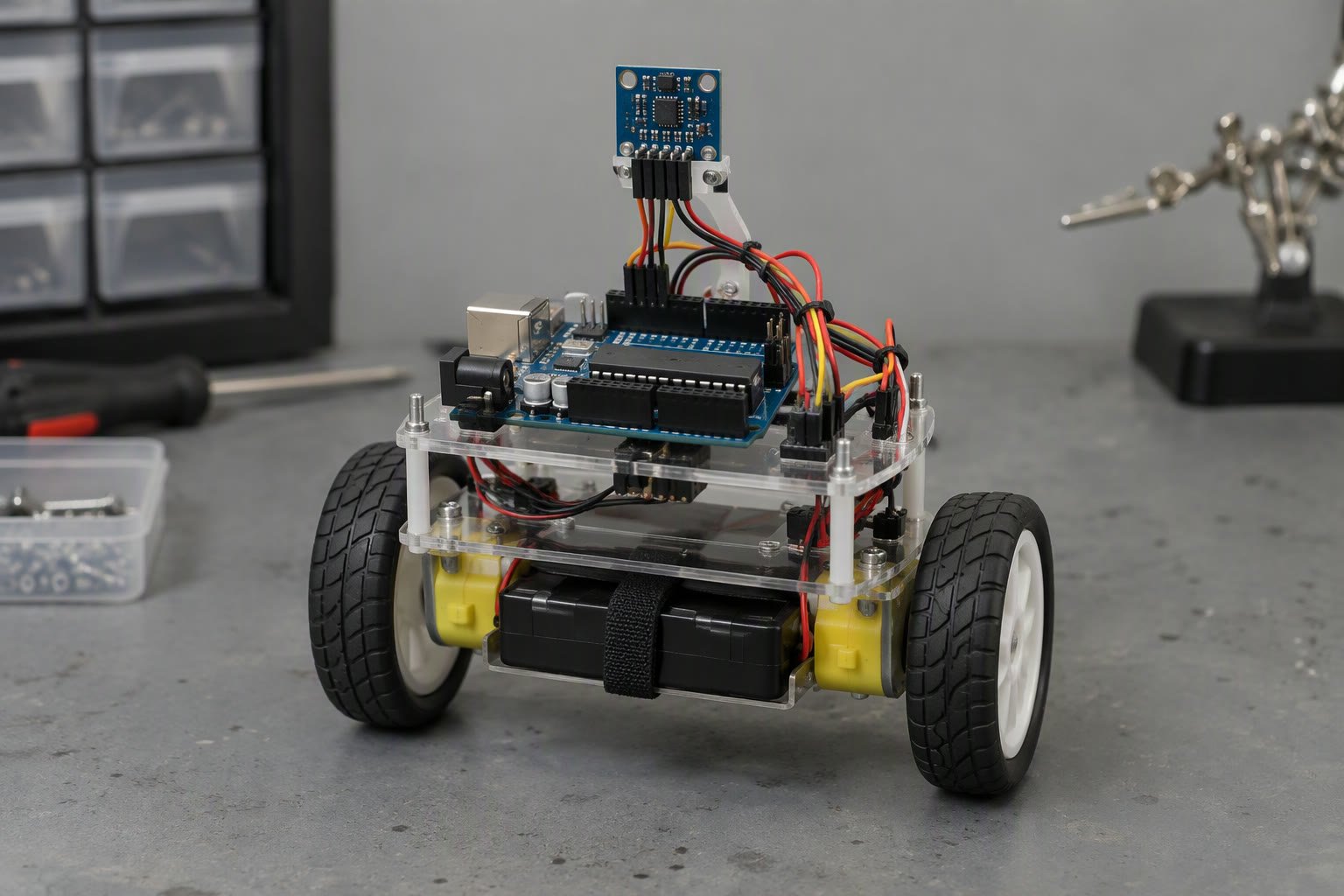
A balancing robot is a control problem wearing a hardware costume. Most builds fail because the angle estimate is wrong or the loop is too slow, not because the motors are weak.
This guide covers the parts, the IMU mounting, the complementary filter, the two-loop controller, tuning order, and the failures that make a self-balancing robot fall on the first attempt.
What you actually need
| Part | Choice | Why |
|---|---|---|
| Controller | Arduino Nano or ESP32 | Fast loop, enough pins |
| IMU | MPU6050 | Gyro plus accelerometer on one chip |
| Motors | NEMA 17 steppers or geared DC with encoders | Torque and position feedback |
| Drivers | DRV8825 or a dual H-bridge | Current and direction control |
| Wheels | 65–90 mm, rubber tread | Grip and a sensible gear ratio |
| Battery | 3S Li-ion or 12 V pack | Headroom for motor current |
| Power | Separate 5 V regulator for logic | Motor noise must not reset the MCU |
Encoders are not optional if you want the robot to stay in one place. Without wheel feedback, the robot balances but drives away, because a pure angle controller has no idea it is moving.
What the build costs in India
Planning prices from Indian hobby suppliers; buy spares for the parts that fail during tuning.
| Part | Planning price |
|---|---|
| Arduino Nano or ESP32 board | ₹400–₹1,200 |
| MPU6050 module | ₹150–₹450 |
| Two NEMA 17 steppers and DRV8825 drivers | ₹2,400–₹4,500 |
| Geared DC motors with encoders, pair | ₹1,800–₹5,000 |
| Wheels and hubs | ₹400–₹1,200 |
| 3S Li-ion pack, holder and charger | ₹1,200–₹2,500 |
| Buck converter and capacitors | ₹200–₹600 |
| Frame, fasteners and wiring | ₹800–₹2,500 |
Mount the IMU properly
- Mount it rigidly to the chassis, not on a flexible bracket or a breadboard.
- Keep it away from motors and driver chips; heat causes offset drift.
- Align one axis with the direction of travel and label it.
- Run the offset calibration with the robot perfectly still on a level surface.
- Store the offsets in code or EEPROM so you do not recalibrate every boot.
Vibration is the enemy. A soft mount that looks tidy will add noise to the accelerometer and make the angle jump. Firm mounting plus a light low-pass filter works better than a springy mount.
Estimate the angle
The accelerometer gives an absolute angle but reacts to every bump. The gyro gives a smooth rate but drifts. A complementary filter combines them: trust the gyro for short movements and the accelerometer for long-term truth.
float angle = 0.0;

void updateAngle(float accelAngle, float gyroRate, float dt) {
  angle = 0.98 * (angle + gyroRate * dt) + 0.02 * accelAngle;
}

// accelAngle = atan2(ay, az) * RAD_TO_DEG
// gyroRate in degrees per second, dt in seconds
The weight near 0.98 is a starting point. Higher trusts the gyro more and responds faster but drifts; lower is noisier. Tune it by watching the angle while you rock the robot by hand.
Two loops, not one
The angle loop keeps the robot upright. The velocity loop keeps it in place. Feed the velocity correction into the angle setpoint, not directly into the motors, and the two loops work together instead of fighting.
// angle loop: PD
float angleError = targetAngle - angle;
float angleOut = Kp * angleError + Kd * (angleError - lastAngleError) / dt;

// velocity loop: PI, output moves the angle setpoint
float velError = targetVelocity - velocity;
velIntegral += velError * dt;
targetAngle = velOut = Kv_p * velError + Kv_i * velIntegral;

// motor command
float cmd = angleOut + velOut;
Signs matter. If increasing the command makes the robot lean further instead of correcting, one sign is wrong. Fix the sign before touching a gain, or you will tune the robot into a faster fall.
Tuning order
- Disable the velocity loop and set it to zero.
- Increase the angle proportional gain until the robot holds upright with a slow wobble.
- Add derivative gain until the wobble stops; too much makes it buzz.
- Enable the velocity loop with a small proportional gain and test a push.
- Add a small integral term to remove steady drift.
- Cap the motor command so a fall does not command full power into the floor.
Tune on a soft surface with the robot tethered or held loosely. A towel under the wheels saves the frame and the battery from repeated falls.
Timing is part of the design
The control loop must run at a steady rate, typically 200 to 500 Hz. Reading the IMU over I2C at 400 kHz takes around a millisecond; add serial prints and it takes much longer. Print every twentieth loop, not every loop.
- Use a fixed sample time and measure the real dt.
- Read the IMU first, compute second, write the motors last.
- Never block the loop with delays.
- Use hardware interrupts or a timer for wheel encoder counts.
- Keep the serial buffer small or disable prints during a test run.
Power and wiring
Motor current spikes reset microcontrollers. This is the most common “my code randomly restarts” cause in balancing robots, and it looks like a software bug.
- Power the motors from the battery, not through the Arduino’s regulator.
- Give the logic its own 5 V regulator with a capacitor near the board.
- Join the grounds at one point.
- Keep encoder and IMU wires away from motor power wires.
- Add a fuse and a switch; a shorted battery is a fire risk.
Mechanical choices that make control easier
- Put the battery low and near the axle; a low centre of mass is easier to balance.
- Keep the wheelbase narrow but the wheels large enough to roll over small obstacles.
- Use a rigid chassis; flex adds a second oscillation you cannot tune out.
- Gear down enough that the motors can hold the robot at low speed without stalling.
- Keep the total mass low; every extra gram is torque the motors must supply.
When it falls immediately
| Symptom | Likely cause |
|---|---|
| Falls in the direction it is pushed, faster | Motor or feedback sign reversed |
| Vibrates violently while upright | Derivative gain too high or loop too slow |
| Slowly drifts and then falls | Angle offset wrong or gyro drifting |
| Balances but drives away | No velocity loop or wrong encoder sign |
| Resets when motors start | Supply sag, shared regulator, missing capacitor |
| Angle jumps when the motors run | Vibration or electrical noise on the IMU |
| Only one wheel drives | Driver channel, wiring or a dead motor |
A test sequence that saves time
- Read the IMU and print the angle; rock the robot by hand and check the sign.
- Spin each motor separately and confirm direction and encoder count.
- Run the angle loop with the robot held upright by hand.
- Release it on a towel and catch it; adjust one gain at a time.
- Add the velocity loop and check that a push produces a return.
- Test on a hard floor, then add weight, then try a slope.
Related: Arduino interrupts and rotary encoders, PID control explained, wheel encoders, powering a robot, stepper motors with Arduino.
Why does my balancing robot fall immediately?
Usually a reversed motor or feedback sign, a wrong angle offset, or a control loop that is too slow. Check the sign first, then the offset, then the loop rate before changing gains.
What angle should a balancing robot target?
The angle at which the robot is mechanically balanced, measured with it held still and upright. It is rarely exactly zero because of battery and motor placement, so measure it rather than assuming.
Do I need encoders for a balancing robot?
Yes if you want it to stay in place. The angle loop keeps it upright, but without wheel feedback the robot has no information about velocity and will drift.
Why does my Arduino reset when the motors start?
Motor inrush current pulls the supply down. Power motors from the battery, use a separate regulator for logic, add capacitors and keep grounds joined at one point.
How fast should the control loop run?
Around 200 to 500 Hz. Below that the robot reacts too slowly to a fall; above it, timing noise and I2C overhead start to dominate.
A balancing robot lives or dies on its tilt estimate, and a complementary filter is the shortest path to a stable one.
A balancing loop is a special case of the method in the PID tuning guide.
Sources and further reading
- Arduino reference — timers, interrupts and I2C.
- TDK InvenSense — MPU6050 datasheet and register map.
- Pololu — motor drivers and encoder guidance.
- Texas Instruments — motor control and power supply application notes.

