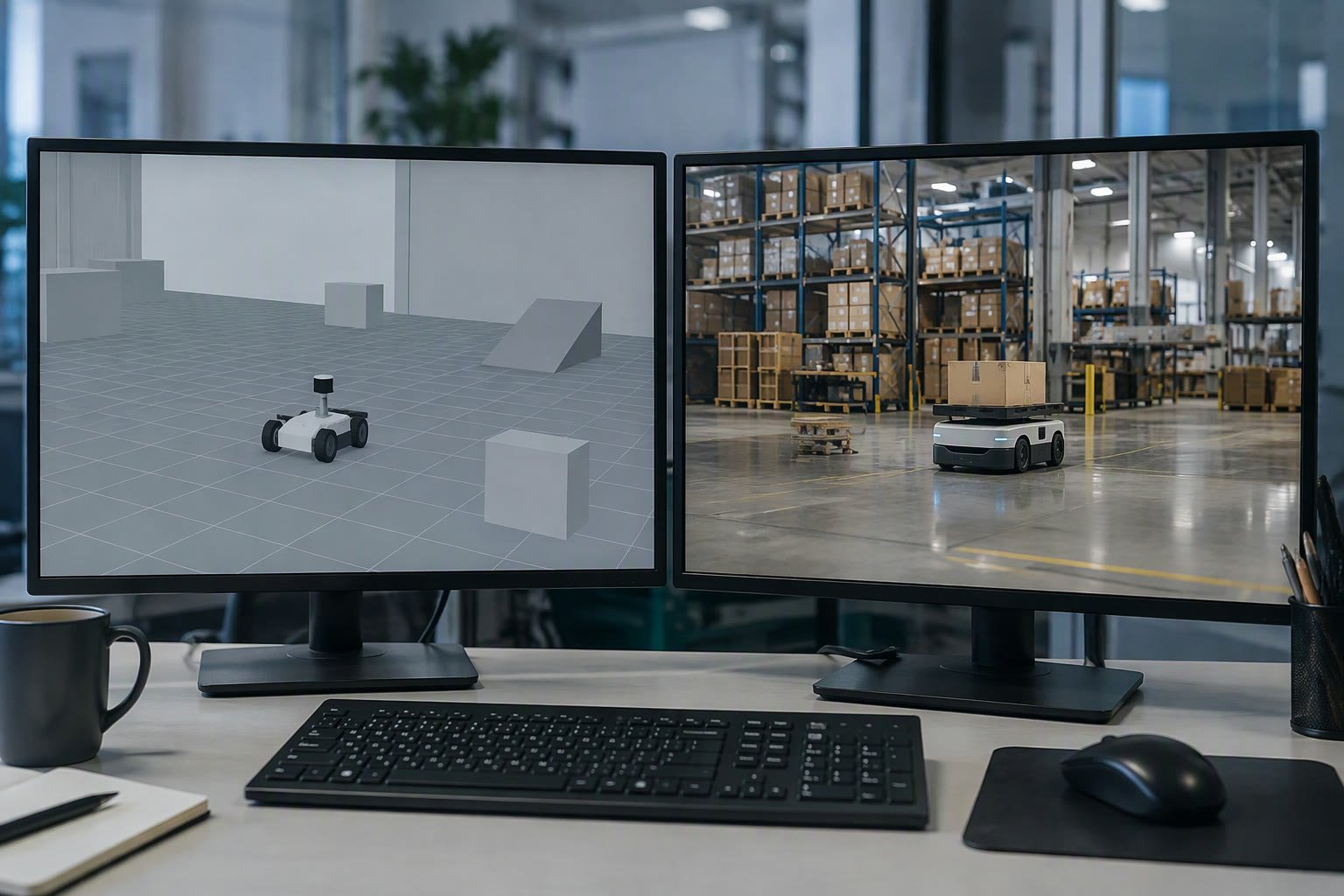
Gazebo is free and runs on a laptop. Isaac Sim is photorealistic and wants an RTX graphics card. Both can simulate a robot; they answer different questions, and choosing the wrong one either wastes a GPU budget or hides the sensor behaviour you needed to test.
This comparison covers physics, rendering, sensors, ROS 2 integration and the hardware each really needs, with 2026 prices for a workstation in India.
What each tool is for
| Aspect | Gazebo | Isaac Sim |
|---|---|---|
| License | Open source, free | Free for individuals and research, commercial terms apply |
| Renderer | Rasterised, functional | RTX ray tracing, physically based |
| Physics | DART and Bullet backends | PhysX 5, GPU-accelerated |
| Sensors | LiDAR, camera, IMU, depth | Physically modelled cameras, LiDAR, RTX sensors |
| ROS 2 support | Native via ros_gz | Native via the ROS 2 bridge |
| Hardware | Any modern CPU, optional GPU | RTX GPU with 8 GB+ VRAM recommended |
| Learning curve | Moderate | Steep; USD scene composition |
| Best for | Navigation, control, multi-robot logic | Perception, synthetic data, photoreal testing |
Where Gazebo is the right call
- Learning ROS 2. The tutorials, examples and community answers assume it.
- Navigation and SLAM. A simple world with walls and boxes tests Nav2 perfectly well.
- Control loops. Physics fidelity matters less than timing and stability.
- Laptops and lab machines. Runs without a discrete GPU.
- CI pipelines. Headless and fast enough for automated tests.
For a mobile robot project, Gazebo can carry you from first URDF to a working Nav2 stack. That is most of what an Indian student or early-stage team needs.
Where Isaac Sim earns its cost
- Camera-based perception. Lighting, reflections and materials change what a detector sees; ray tracing exposes failures that rasterised renders hide.
- Synthetic data. Domain randomisation generates labelled images for training at a scale real photos cannot match.
- Warehouse-scale scenes. Large USD environments with many robots and sensors.
- Human-robot interaction. Realistic rendering makes simulation useful for demos and safety studies.
- Reinforcement learning. GPU physics makes thousands of parallel environments practical.
The workstation bill
Isaac Sim changes the hardware conversation. Indicative 2026 India prices, before GST.
| Component | Indicative range | Comment |
|---|---|---|
| RTX 4060 Ti 16 GB | ₹42,000–55,000 | Minimum comfortable card for small scenes |
| RTX 4070 Ti Super 16 GB | ₹75,000–90,000 | Better for synthetic data at scale |
| RTX 4080 Super 16 GB | ₹1.0–1.2 lakh | Large scenes, faster iteration |
| RTX 4090 24 GB | ₹1.8–2.3 lakh | VRAM headroom for big USD scenes |
| Workstation (CPU, 64 GB RAM, SSD) | ₹1.2–2.5 lakh | GPU separate or included depending on vendor |
| Cloud GPU rental | ₹80–300 per hour | Sensible for occasional large runs |
A ₹2–3 lakh workstation is a real budget line for a college lab. If the project only needs navigation testing, that money is better spent on the robot.
ROS 2 integration
Both integrate with ROS 2, but the workflows differ. Gazebo uses the ros_gz_bridge to translate topics, with a launch file that starts the simulator and spawns the robot. Isaac Sim uses its own ROS 2 bridge extension and publishes camera, LiDAR and joint data as ROS topics.
In both cases, the quality of the URDF or USD description decides how much works. A wrong inertia or a missing collision mesh produces nonsense physics regardless of the renderer.
A practical split
- Develop kinematics, control and navigation in Gazebo.
- Collect and label a small real dataset for perception.
- Move perception training and synthetic data generation to Isaac Sim if rendering fidelity matters.
- Validate the final stack on the real robot, in the real lighting.
Do not simulate what you can test cheaply on hardware, and do not test on hardware what is dangerous or slow to reproduce. That line is different for every project.
Mistakes
| Mistake | Result | Fix |
|---|---|---|
| Buying an RTX card for a navigation project | Budget spent with no benefit | Start with Gazebo on existing hardware |
| Expecting Gazebo renders to match reality | Detector fails on the real robot | Test perception with real images early |
| Ignoring GPU memory | Scenes fail to load | Check VRAM before buying; 16 GB is a safer floor |
| Simulating only ideal conditions | No robustness | Vary light, dust, reflections and sensor noise |
| Trusting simulation timing | Control loops behave differently on hardware | Use sim time correctly and validate on the robot |
Related: Gazebo ROS 2 tutorial, URDF tutorial, Raspberry Pi vs Jetson, robot vision cameras, Nav2 tutorial.
Is Isaac Sim free?
It is free for individuals and many research uses, with commercial licensing terms for companies. Check the current licence before deploying it in a commercial pipeline.
Can Isaac Sim run without an RTX GPU?
It can start, but performance is poor and some features require RTX hardware. An RTX card with at least 8 GB of VRAM is the practical minimum; 16 GB is safer.
Is Gazebo enough for a mobile robot project?
For navigation, SLAM, control and multi-robot logic, yes. It is less suitable when camera realism or large-scale synthetic data matters.
Which is easier to learn?
Gazebo. It has more ROS 2 tutorials and simpler scene files. Isaac Sim adds USD scene composition and a heavier toolchain.
Can I use both in one project?
Yes. Many teams develop in Gazebo, then use Isaac Sim for perception and synthetic data, and validate on the real robot.
If you only need fast dynamics and contact research, MuJoCo is worth testing before committing to a heavier simulator.
Model format matters here: see URDF vs SDF before porting an asset between simulators.
For vendor offline programming rather than open-source simulation, see the simulation software guide.
Sources and further reading
- Gazebo documentation — installation, physics and ROS 2 integration.
- Isaac Sim documentation — ROS 2 bridge, sensors and synthetic data.
- ros_gz — the ROS 2 and Gazebo bridge.
- MuJoCo — an alternative for contact-rich control research.

