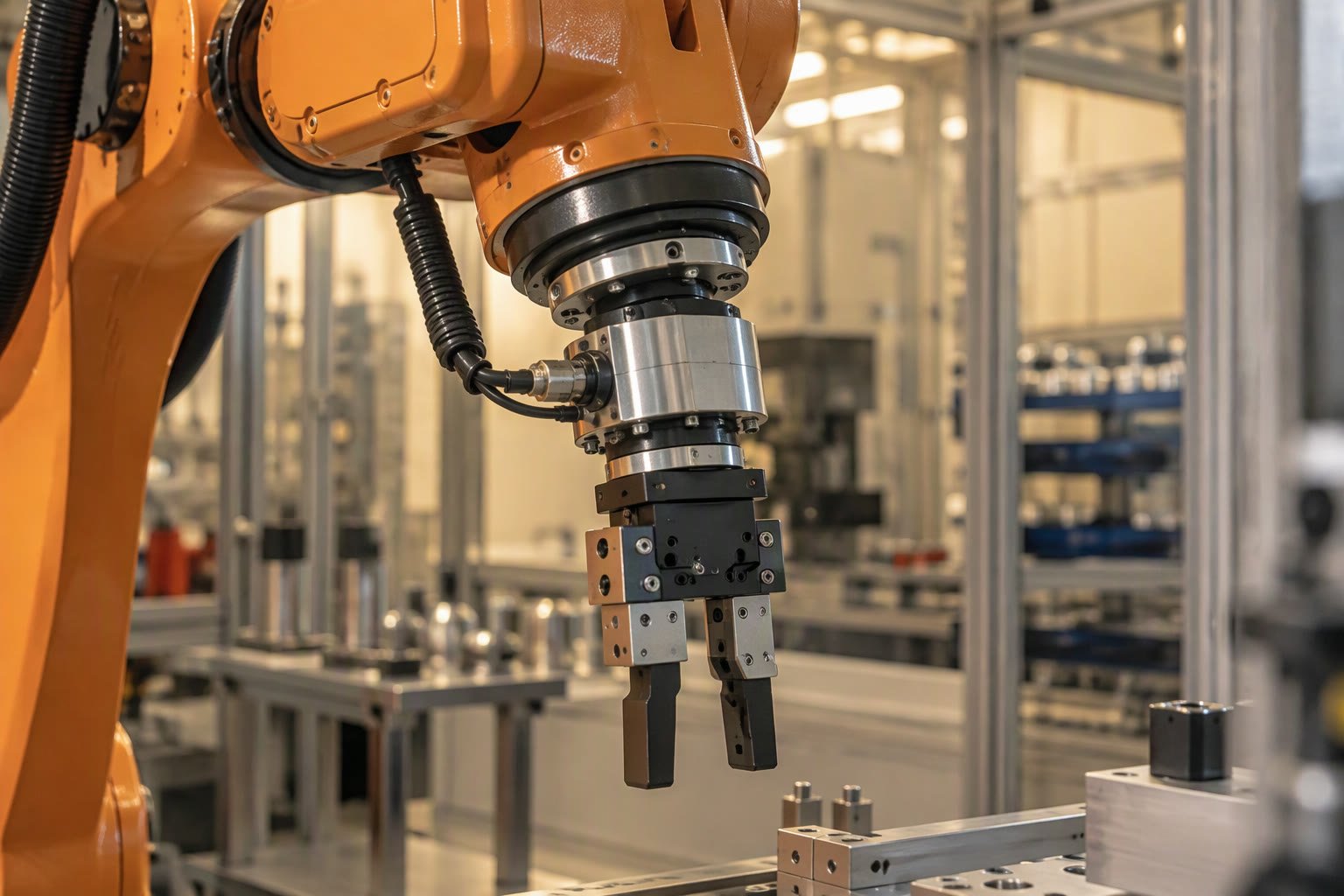
A robot that cannot feel force is a robot that breaks things. Force torque sensing is what separates a machine that moves to a point from one that can press, insert, polish and stop when something goes wrong.
This guide explains what a six-axis force torque sensor measures, how the main sensing technologies compare, which specifications actually matter when you buy, and how to integrate one without wrecking its accuracy. It also covers the cheap single-axis alternative that most Indian student and startup projects should start with.
What the six numbers mean
A wrist force torque sensor reports three forces along the axes and three moments about them: Fx, Fy, Fz in newtons and Mx, My, Mz in newton metres. The values are resolved in the sensor’s own frame, so the first integration task is always to express them in the frame you care about, usually the tool centre point.
| Axis | Measures | Typical use |
|---|---|---|
| Fx, Fy | Lateral force in the flange plane | Sideways contact, dragging, wiping |
| Fz | Force along the tool axis | Press fitting, polishing pressure, stacking |
| Mx, My | Bending moments | Detecting a jammed or tilted part |
| Mz | Twist about the tool axis | Screw driving, cap tightening |
A load cell gives you one of those numbers, usually Fz. That is enough for a surprising number of jobs, and it is where most projects should begin. Six axes become necessary when the task has a direction that is not known in advance, such as deburring a curved edge or inserting a peg that can bind in any radial direction.
Sensing technologies compared
| Type | How it works | Strengths | Weaknesses |
|---|---|---|---|
| Strain gauge | Bonded gauges on a machined flexure | Mature, wide range, well documented | Temperature drift, needs warm-up |
| Capacitive | Plate spacing changes with load | High resolution, stiff | Sensitive to humidity and EMI |
| Optical | LED and photodiode across a compliant body | Immune to electrical noise | Bulkier, costlier |
| Joint torque sensing | Strain or torque sensor inside each joint | No wrist stack height, whole arm feels force | Only available on specific robot models |
| Series elastic | Spring between motor and load, measure deflection | Safe, cheap, filters shocks | Low bandwidth, position lag |
Most cobots sold in India either embed joint torque sensing or offer a wrist sensor as an option. For a retrofit on an industrial arm or a student build, a wrist sensor or a load cell is the practical route.
Specifications that decide the purchase
Datasheets list a dozen numbers. Five of them decide whether the sensor works for your task.
- Rated range per axis. Must exceed the worst case including tool weight and acceleration, not the nominal process force.
- Resolution as a fraction of rated range. A sensor with a huge range and poor resolution cannot detect a light touch.
- Crosstalk between axes. A pure Fz load should not appear in Fx. Two percent is common, one percent is good.
- Overload capacity. A crash or a dropped tool can exceed several times the rated load; mechanical stops prevent permanent damage.
- Sample rate and interface. Force control loops need hundreds of hertz, and the fieldbus must deliver it deterministically.
| Task | Force range needed | Resolution target | Rate |
|---|---|---|---|
| Collision detection on a cobot | Tens of newtons | 1 to 2 N | 100 Hz or more |
| Peg in hole assembly | Up to 100 N | 0.5 N | 500 Hz |
| Surface polishing | 20 to 80 N | 1 N | 200 to 1000 Hz |
| Screw driving | Torque up to 10 Nm | 0.05 Nm | 200 Hz |
| Hand guiding | Under 50 N | 1 N | 100 Hz |
These are planning figures. Measure your own process forces with a cheap load cell before spending on a six-axis sensor, because the number is usually smaller than people expect and the resolution requirement is usually larger.
Gravity, tool weight and why zeroing is not enough
The sensor measures everything bolted beyond it, including the gripper. When the wrist rotates, the tool’s weight redistributes across axes and the reading changes even though nothing is touching the part. Zeroing at one pose fixes one pose only.
The correct approach is to identify the tool mass and centre of gravity, then subtract the predicted gravity wrench at every orientation. Most robot controllers and cobot APIs provide a payload identification routine; use it, then verify by moving through the working envelope with nothing in the gripper and checking that the compensated force stays near zero.
// gravity compensation for a wrist sensor, tool frame
// tool_mass in kg, com in metres from sensor origin, R is 3x3 tool rotation
wrench_gravity = [0, 0, -9.81 * tool_mass, 0, 0, 0]

// rotate gravity into sensor frame, then add the moment arm term
F_sensor = R.transpose() @ wrench_gravity[0:3]
M_sensor = cross(com, F_sensor)

compensated = measured - concat(F_sensor, M_sensor)
Get this wrong and force control becomes unstable in a way that looks like a control tuning problem. If the reading drifts with wrist orientation, stop tuning gains and check the payload model.
Force control in practice
There are two common schemes. Direct force control adjusts position to hold a measured force, which is what you want for pressing and polishing. Admittance control treats the sensor as an input to a virtual spring mass damper, letting the operator or the environment push the robot around; it is what makes hand guiding and compliant assembly feel natural.
# admittance control, one axis, discrete step
# m damping and stiffness define the virtual dynamics
a = (f_measured - c * v - k * x) / m
v += a * dt
x += v * dt
command_position(base_pose + x)- Start with low stiffness and high damping, then stiffen as the loop proves stable.
- Filter the force signal, but keep the filter delay well below the loop period.
- Clamp the commanded correction so a sensor glitch cannot throw the arm.
- Log force and position together; most instability is visible as growing oscillation in that plot.
- Keep a hardware over-force limit independent of software.
A load cell is often the right first step
For a project that needs to detect contact, hold a constant push, or stop when a gripper closes on a part, a single-axis load cell with an HX711 amplifier costs a few hundred rupees and teaches the same control ideas. Mount it in the tool path, calibrate with known masses, and treat the reading as force.
#include <HX711.h>

HX711 scale;
const float CALIBRATION = 2280.0; // counts per kg, measure this yourself

void setup() {
  scale.begin(2, 3);
  scale.set_scale(CALIBRATION);
  scale.tare();
}

float forceNewton() {
  return scale.get_units(5) * 9.81;
}
Two limits to understand before you rely on it. A load cell measures along one axis only, so any side load becomes an error. And the HX711 converter is slow, typically ten to eighty samples per second, so it is suitable for slow pressing and gripping, not for impact detection.
Mounting and wiring mistakes
- Respect the specified mounting pattern and bolt torque; uneven clamping bends the flexure and biases every axis.
- Keep the sensor cable short and screened, and route it away from motor cables.
- Do not support the tool weight by the cable, and leave a service loop.
- Allow warm-up. Strain gauge sensors drift for the first ten to thirty minutes.
- Re-zero after warm-up, not immediately after power on.
- Recalibrate after any crash, even if the readings look normal.
Cost expectations in India
Price scales steeply with resolution and certification. A single-axis load cell and amplifier is a hobby-level purchase. A six-axis wrist sensor with a fieldbus interface is a capital item comparable to a mid-range cobot accessory, and imported units attract duty and long lead times.
Before committing, ask suppliers for the resolution at the range you will actually use, the crosstalk figure, and a sample calibration certificate. A datasheet that quotes only rated capacity tells you almost nothing about whether the sensor can feel a five newton touch.
Related: robot gripper design basics, end effector types, cobot buying guide, cobot risk assessment, robot arm kinematics, payload calculation.
Do I need six axes or is one enough?
If the contact direction is fixed and known, one axis along the tool is usually enough. Six axes are needed when the force can come from any direction, such as deburring a curved edge or inserting a peg that may bind.
Why does my force reading change when the wrist rotates?
The tool weight is being redistributed across the axes. You need gravity compensation using the tool mass and centre of gravity, not just a one-time zero at a single pose.
How often should a force torque sensor be calibrated?
Follow the manufacturer interval, typically annual, and recalibrate after any overload or crash. Also re-zero after warm-up each session, since strain gauge sensors drift while they reach thermal equilibrium.
Can I use a load cell for collision detection?
Only for slow motion. A load cell with an HX711 converter samples too slowly for impact detection, so use it for pressing and gripping and rely on motor current or a compliant mode for collisions.
What sampling rate does force control need?
Hundreds of hertz for stable contact control, and more for hard surfaces. Report the rate end to end, including the fieldbus and the controller loop, not just the sensor conversion rate.
Force feedback turns a blind insertion into a searched one; the assembly guide shows when that is worth the cost.
Sources and further reading
- ATI Industrial Automation force torque sensors — model ranges and specification examples.
- Robotiq force torque sensor — cobot integration and payload compensation notes.
- onsemi sensor portfolio — load cell bridge and signal conditioning references.

