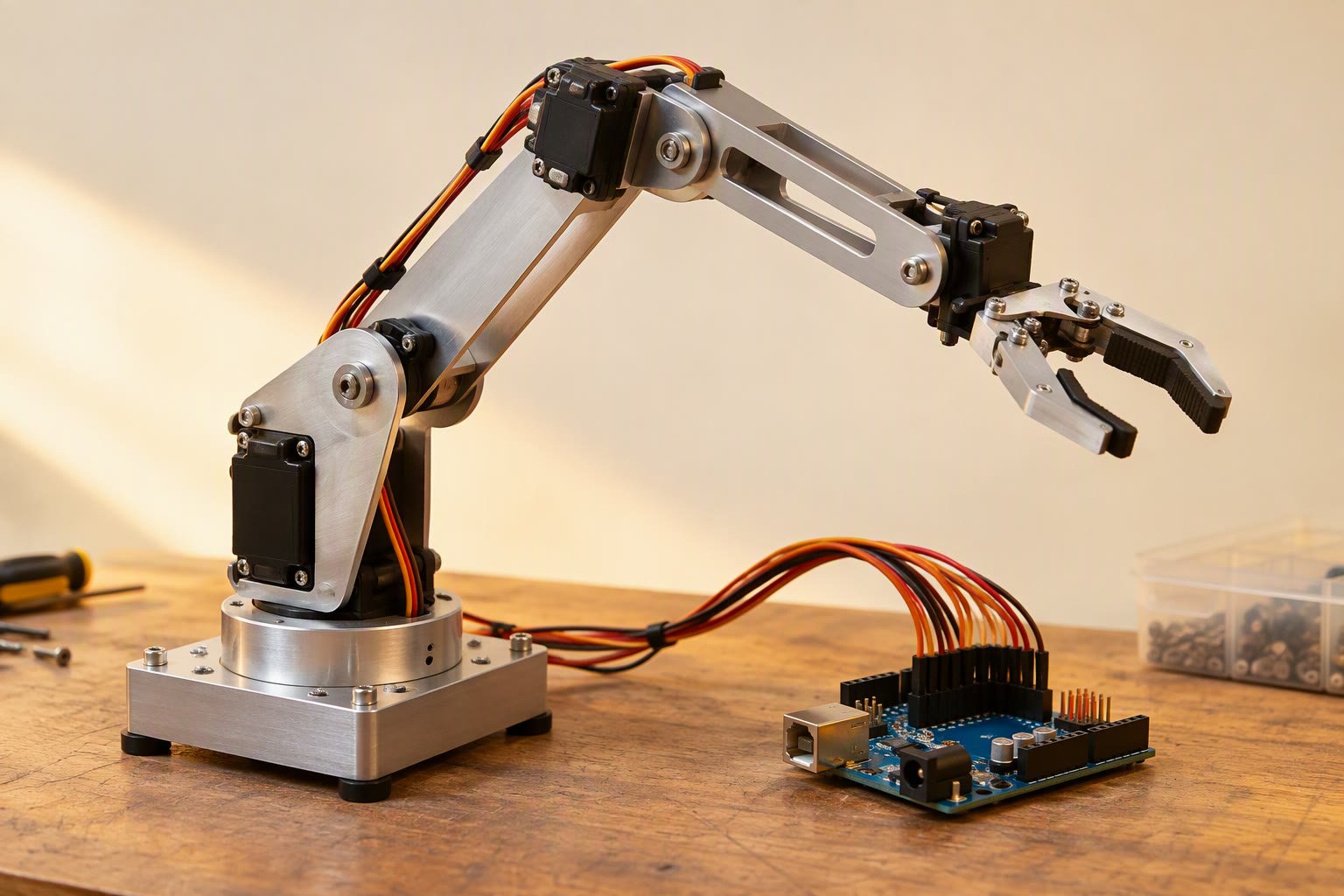
Every robot arm project hits the same wall: you know where you want the gripper, but not what angle each servo should hold. Forward kinematics turns angles into a position. Inverse kinematics turns a position into angles. For a two-link arm the whole thing is two equations and one cosine rule — no matrices required. Robot arm kinematics sounds heavy, but a two-link arm needs only two equations and one cosine rule.
Degrees of freedom, in plain terms
A degree of freedom is an independent motion. A robot arm on a fixed base with a rotating base, a shoulder, an elbow and a wrist roll has four. Each additional joint adds reach or orientation, and also adds weight, cost, sag and a new way for the arm to collide with itself.
| Joints | What it can do | Typical hobby build |
|---|---|---|
| 2 | Reach a point in a plane, no orientation control | Shoulder and elbow on a fixed base |
| 3 | Reach a point in 3D space | Rotating base plus shoulder and elbow |
| 4 | Reach a point and set the wrist angle | Most Arduino pick-and-place arms |
| 5–6 | Reach a point and fully orient the tool | Industrial arms, 3D-printed six-axis projects |
For a pick-and-place task on a table, three joints to reach the point plus one wrist joint to keep the gripper level is usually enough. More joints mean more servos fighting gravity and a heavier arm that sags at full extension.
Forward kinematics: angles to position
Take a two-link planar arm with link lengths L1 and L2, shoulder angle θ1 measured from the horizontal, and elbow angle θ2 measured relative to the first link. The gripper position is:
x = L1 * cos(θ1) + L2 * cos(θ1 + θ2)
y = L1 * sin(θ1) + L2 * sin(θ1 + θ2)
That is all forward kinematics is for this arm: add the two link vectors. It is always solvable, always has one answer, and is what you use to check that your inverse kinematics code is correct.
Inverse kinematics: position to angles
The distance from the shoulder to the target is r = √(x² + y²). The elbow angle comes from the cosine rule on the triangle formed by the two links and that distance:
cos(θ2) = (r² − L1² − L2²) / (2 * L1 * L2)
θ2 = ± acos(cos(θ2))

θ1 = atan2(y, x) − atan2(L2 * sin(θ2), L1 + L2 * cos(θ2))
The ± is not a bug. There are two ways to reach most points: elbow up and elbow down. A real arm picks one based on clearance, and keeps using it consistently or the arm will flip mid-move.
A worked example you can check by hand
Let L1 = 120 mm, L2 = 100 mm, and the target be x = 150 mm, y = 60 mm.
- r = √(150² + 60²) = √(22,500 + 3,600) = 161.6 mm.
- cos θ2 = (26,115 − 14,400 − 10,000) / 24,000 = 1,715 / 24,000 = 0.0715, so θ2 = 85.9°.
- θ1 = atan2(60, 150) − atan2(99.7, 127.2) = 21.8° − 38.1° = −16.3°.
- Check with forward kinematics: x = 120 cos(−16.3°) + 100 cos(69.6°) = 115.2 + 34.8 = 150.0 mm. y = 120 sin(−16.3°) + 100 sin(69.6°) = −33.7 + 93.8 = 60.1 mm.
The other solution is θ2 = −85.9° and θ1 = 59.9°, which reaches the same point with the elbow on the other side. Both are valid. Whichever one your code returns, the forward check should land within a millimetre.
The same maths in Python
import math

L1, L2 = 120.0, 100.0

def forward(t1, t2):
    x = L1 * math.cos(t1) + L2 * math.cos(t1 + t2)
    y = L1 * math.sin(t1) + L2 * math.sin(t1 + t2)
    return x, y

def inverse(x, y, elbow_up=True):
    r2 = x * x + y * y
    r = math.sqrt(r2)
    if r > L1 + L2 or r < abs(L1 - L2):
        raise ValueError("target outside workspace")
    c2 = (r2 - L1 * L1 - L2 * L2) / (2 * L1 * L2)
    c2 = max(-1.0, min(1.0, c2))          # guard against rounding
    t2 = math.acos(c2)
    if not elbow_up:
        t2 = -t2
    t1 = math.atan2(y, x) - math.atan2(L2 * math.sin(t2), L1 + L2 * math.cos(t2))
    return t1, t2

t1, t2 = inverse(150, 60, elbow_up=True)
print(math.degrees(t1), math.degrees(t2))   # -16.3, 85.9
print(forward(t1, t2))                      # (150.0, 60.1)
Two checks make this code trustworthy: the workspace test before the acos, and the forward-kinematics verification after it. Clamp cos θ2 to the range −1 to 1 as well, because floating-point rounding can produce 1.0000000002 at full stretch and crash the acos.
Robot arm kinematics with the base and the wrist
A four-degree-of-freedom arm solves in two stages. First the base rotation points the arm toward the target in the horizontal plane: θ0 = atan2(y, x). The horizontal distance to the target becomes the planar radius r = √(x² + y²). Then the shoulder and elbow solve in the vertical plane using that r and the target height z.
The wrist angle sets the gripper orientation. If you want the gripper to point down at the table, the wrist joint must compensate for the shoulder and elbow: θ3 = desired_pitch − (θ1 + θ2). That is why a four-joint arm can keep a gripper level while the shoulder and elbow move.
Turning angles into servo pulses
Hobby servos accept a pulse width, not an angle. Most SG90 and MG996R servos map 500–2500 µs to roughly 0–180°, but the endpoints vary by unit and the horn must be mounted at the mechanical centre. Two steps make the arm behave:
- Calibrate each joint: find the pulse that puts the link at 0°, 90° and 180°, and store the three values. Do not trust the datasheet endpoints.
- Respect the mechanical range: clamp the commanded angle to what the linkage can physically reach before it hits a frame or stretches a wire.
- Move in small steps: a servo commanded from 0° to 180° instantly will overshoot, drop the payload and stress the gears. Interpolate over 300–800 ms.
- Power servos separately: four MG996R servos can pull several amps in bursts. The 5 V pin of an Arduino cannot supply that.
The servo motor guide covers wiring and the servo buying guide compares torque and price. If the arm has more than four servos, use a PCA9685 driver board rather than tying up timer pins.
Where inverse kinematics bites
- Out of reach: r greater than L1 + L2 has no solution. Clamp the target and move the base instead of letting the arm stretch.
- Inside the dead zone: r smaller than |L1 − L2| is also unreachable; the arm cannot fold that tightly.
- Singularities: at full stretch the elbow angle is near zero, small position errors need huge angle changes, and the arm lurches. Keep the workspace away from the fully stretched pose.
- Gravity sag: the maths assumes rigid links. A 3D-printed forearm with an MG996R at the elbow bends under load, so the real position differs from the calculated one.
- Servo deadband and backlash: a cheap servo may not move for a 1° command, and gear backlash adds a few degrees of error at the gripper.
None of these break a table-top pick-and-place arm. They do mean that a calculated position is a starting point, and a vision or limit-switch correction is what makes it repeatable. The pick-and-place arm project puts this maths into a complete build.
Common questions
Do I need inverse kinematics for a simple robot arm?
Not always. If the arm repeats one taught sequence, record the servo angles once and replay them. Inverse kinematics matters when the target position changes, such as when a camera or sensor supplies coordinates.
What maths do I need for robot arm kinematics?
Trigonometry and vectors are enough for a two- or three-link arm. Matrices and the Jacobian become useful for six-axis arms, velocity control and singularities.
Why are there two answers to inverse kinematics?
Most reachable points can be reached with the elbow above or below the line to the target. The arm must choose one and stay consistent, or it will flip between poses.
How accurate is a hobby servo arm?
Roughly 1–3° per joint with an MG996R, and worse under load. At 200 mm from the base, 2° of error is about 7 mm at the gripper.
Can I use this maths with stepper motors?
Yes. The kinematics only produce joint angles; the motor type only changes how you command them. Steppers hold position better under gravity but need homing switches.
Related: pick-and-place robot arm, 3-DOF Arduino arm project, servo motor with Arduino, stepper motor guide.
Kinematics gets the wrist to the part; the gripper design guide covers what happens once it gets there.
The same inverse kinematics for legs maths used for arms applies to each leg of a walking robot, just with different link lengths.
Kinematics assumes a known tool centre point; calibration is the practical half.
Kinematics maths assumes a correct frame tree; URDF for ROS 2 shows how to define one.
Kinematics gives you the pose; accuracy and repeatability decide whether the arm reaches it. Printed links and brackets are covered in 3D printed robot parts.
Kinematics assumes the joint holds position; gearbox backlash decides whether it does.
Joint actuators decide what the math can achieve; compare NEMA 17 and NEMA 23.
Joint reducers set the backlash that appears in the accuracy budget.
For a planner that solves those kinematics for you, see the MoveIt 2 tutorial.
Once the geometry is clear, work through the two-link inverse kinematics with code.
Kinematics decides where to go, and the PID tuning guide decides how well each joint gets there.
Kinematic models assume ideal geometry, while the ISO 9283 figures describe what the real arm does.
Sources and further reading
- Kinematics — the link-and-joint model used above.
- ROS 2 documentation — how robot arms are modelled with URDF and solved with MoveIt.
- Arduino Servo library — pulse generation and limits.
Last reviewed: October 2026. Worked example uses ideal rigid links; real hobby arms deviate through sag, backlash and servo deadband. Not bench-tested by this site.

