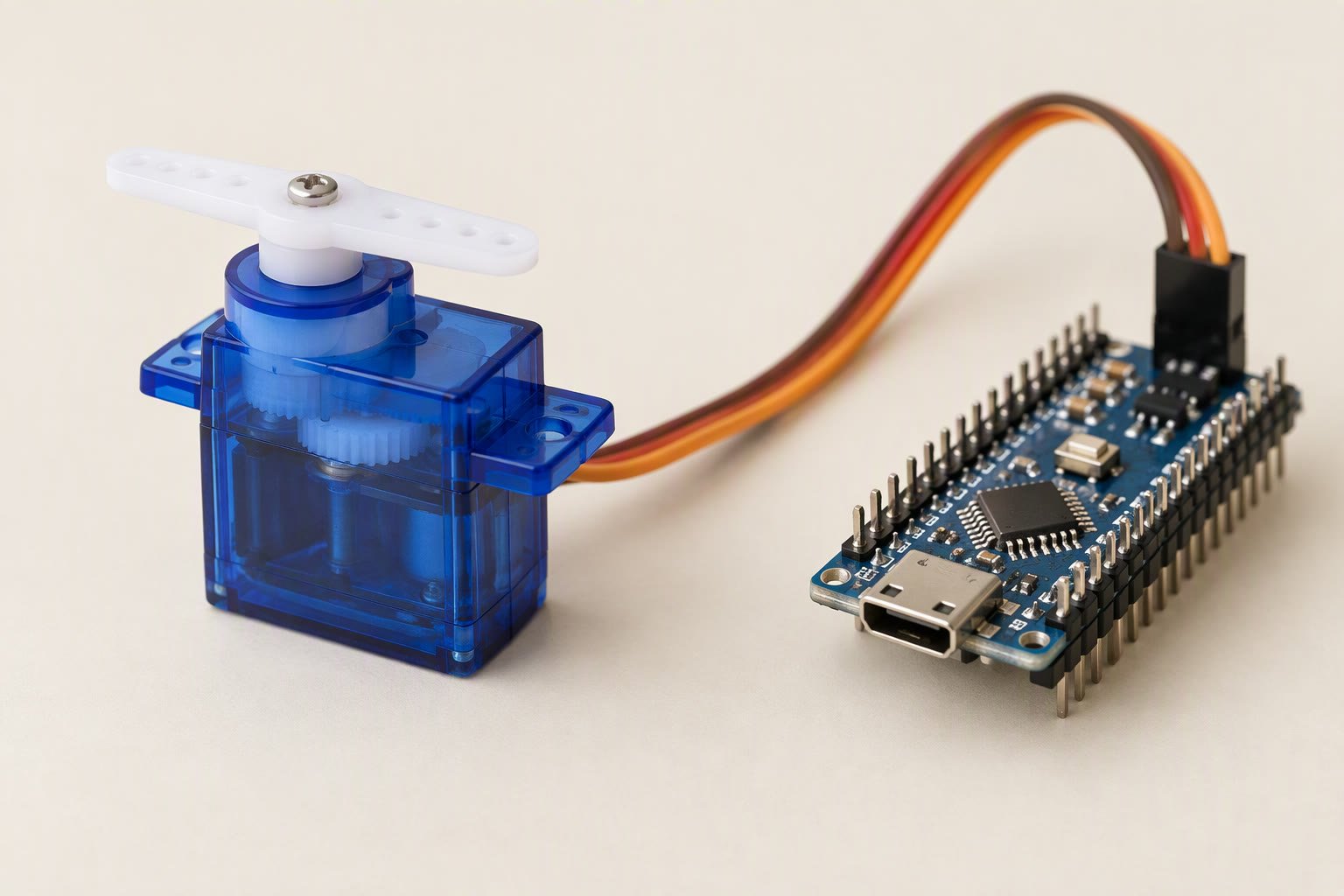
A servo is the easiest actuator to control and the easiest one to blame when a robot jitters, browns out or burns a pin. The signal is simple — a pulse every 20 ms — but the power side is where most builds fail.
This guide covers the two servos that dominate Indian student builds, the SG90 and the MG996R, the pulse timing the Arduino Servo library produces, the current each one can pull, and the wiring that keeps the board alive when a joint stalls. It is written for someone who has the servo in hand and wants the robot to move today.
How a hobby servo is controlled
Inside the case are a small DC motor, a gear train, a potentiometer and a control board. The board compares the commanded pulse width with the potentiometer’s position and drives the motor until they match. That closed loop is why a servo holds an angle under load and why it buzzes when it cannot reach the commanded position.
The command is a pulse repeated about 50 times per second. A 1.0 ms pulse is one end of travel, 1.5 ms is centre and 2.0 ms is the other end on a standard 180° servo. Many servos accept 0.5–2.5 ms for a wider sweep, but pushing beyond the mechanical limit makes the motor stall against its own end stop and draw maximum current.
| Servo | Weight | Torque (typical) | Stall current | Best for |
|---|---|---|---|---|
| SG90 | 9 g | About 1.8 kg·cm at 4.8 V | Several hundred mA, peaking near 0.7 A | Small arms, sensor pan, lightweight lids |
| MG90S | 13.4 g | About 1.8–2.2 kg·cm | Similar to SG90 | Same jobs where plastic gears keep stripping |
| MG996R | 55 g | About 9.4 kg·cm at 4.8 V, 11 kg·cm at 6 V | Around 2.5 A at 6 V stalled | Robot arm joints, grippers, steering |
Wiring: signal to the board, power to the battery
The three-wire connector is ground (brown or black), power (red) and signal (orange, yellow or white). The signal goes to any Arduino output pin. The power wire does not go to the Arduino’s 5V pin.
An SG90 moving freely pulls 100–250 mA. An MG996R moving under load can pull over 1 A, and 2.5 A when stalled. The Uno’s 5V pin is fed through a regulator and a USB fuse with a few hundred milliamps to spare. A servo on that pin causes brownout resets, garbled serial output and, on some clones, a dead regulator.
Use a separate 5–6 V supply sized for the number of servos: a 2 A buck converter for two MG996R joints, or a 5 V 3 A adapter for a small arm. Connect the servo supply ground to the Arduino ground, and put a 470–1000 µF electrolytic capacitor across the servo supply near the connector to absorb startup current. The power guide shows the star-ground layout.
The Servo library, in five lines
#include <Servo.h>

Servo joint;

void setup() {
  joint.attach(9);        // signal pin
  joint.write(90);        // centre
  delay(500);
}

void loop() {
  joint.write(0);         // one end
  delay(1000);
  joint.write(180);       // other end
  delay(1000);
}
write() takes degrees. writeMicroseconds() takes the pulse width directly and gives finer control, which matters when you are calibrating a joint that must stop at exactly the same place every cycle. detach() stops sending pulses and lets the servo go limp — useful to save current and stop the buzz when a joint is not needed.
On an Uno the library can drive up to 12 servos, because it uses one timer for all of them. That timer is shared with PWM on pins 9 and 10, so a robot using the Servo library loses PWM on those two pins. Move motor speed control to pins 3, 5, 6 or 11. The Uno pinout guide lists the conflicts.
Why servos jitter
- Shared power. The most common cause. The servo and the logic draw from the same rail, and every motor movement dips the voltage the servo’s own controller sees.
- Long or thin signal wires. A signal wire running next to motor power picks up noise. Keep it short and route it away from the motor leads.
- Commanding beyond travel. If 180° is past the mechanical stop, the servo fights the stop and hunts. Calibrate the real limits and stay a few degrees inside them.
- Cheap potentiometers. Clone servos develop dead spots and twitch at certain angles. Replacing the servo is often cheaper than filtering the signal.
- Weight and leverage. A heavy arm on a small servo sags, the loop overcorrects, and the joint oscillates. Torque margin fixes this, not code.
Sizing torque before you buy
Torque is force times distance. A 200 g load at 10 cm from the joint needs about 2 kg·cm before friction and dynamic loads, so an SG90 at 1.8 kg·cm is already marginal. Add a 1.5–2× safety factor, then pick the servo class. The servo torque calculator does the arithmetic in rupees and grams, and the buying guide compares the common models and the copies to avoid.
Many servos: the PCA9685 route
Once a robot has six or more servos, wiring each signal back to the Arduino and powering them all from one connector becomes messy. A PCA9685 board drives 16 servos over I2C using two pins, has its own power terminals for the servo rail, and keeps the timing off the microcontroller. It is the standard choice for robot arms and hexapods. The trade-off is one more board to power and one more library to learn.
For a first arm, two or three servos on a 5 V 3 A supply and the Servo library are enough. The 3-DOF arm build uses exactly that approach, and the MG996R component guide covers the clone markings and current draw in more detail.
Continuous rotation servos
A continuous rotation servo removes the position feedback stop: 1.5 ms means stop, shorter pulses drive one way, longer pulses the other. It behaves like a slow gearmotor with built-in speed control, which is convenient for small wheels but useless for holding an angle. Do not buy one expecting to position a joint; the product name is the same and the behaviour is not.
Driving more than four servos? The PCA9685 guide explains the 16-channel alternative.
If the servo is moving an arm rather than a wheel, the robot arm kinematics guide explains how joint angles map to a gripper position.
If the horn twitches instead of holding position, the servo jitter fixes guide separates supply, signal and mechanical causes.
Sources and further reading
- Arduino Servo library documentation for attach, write, writeMicroseconds and the timer limits.
- Arduino language reference: analogWrite() for the PWM pins the Servo library shares.
- TowerPro MG996R product page for the manufacturer’s torque and speed figures.
Last reviewed: October 2026. Torque and current figures are manufacturer claims for genuine parts; clone servos vary widely. Pulse widths are the standard hobby-servo convention, not a guarantee for every model. Not bench-tested by this site.

