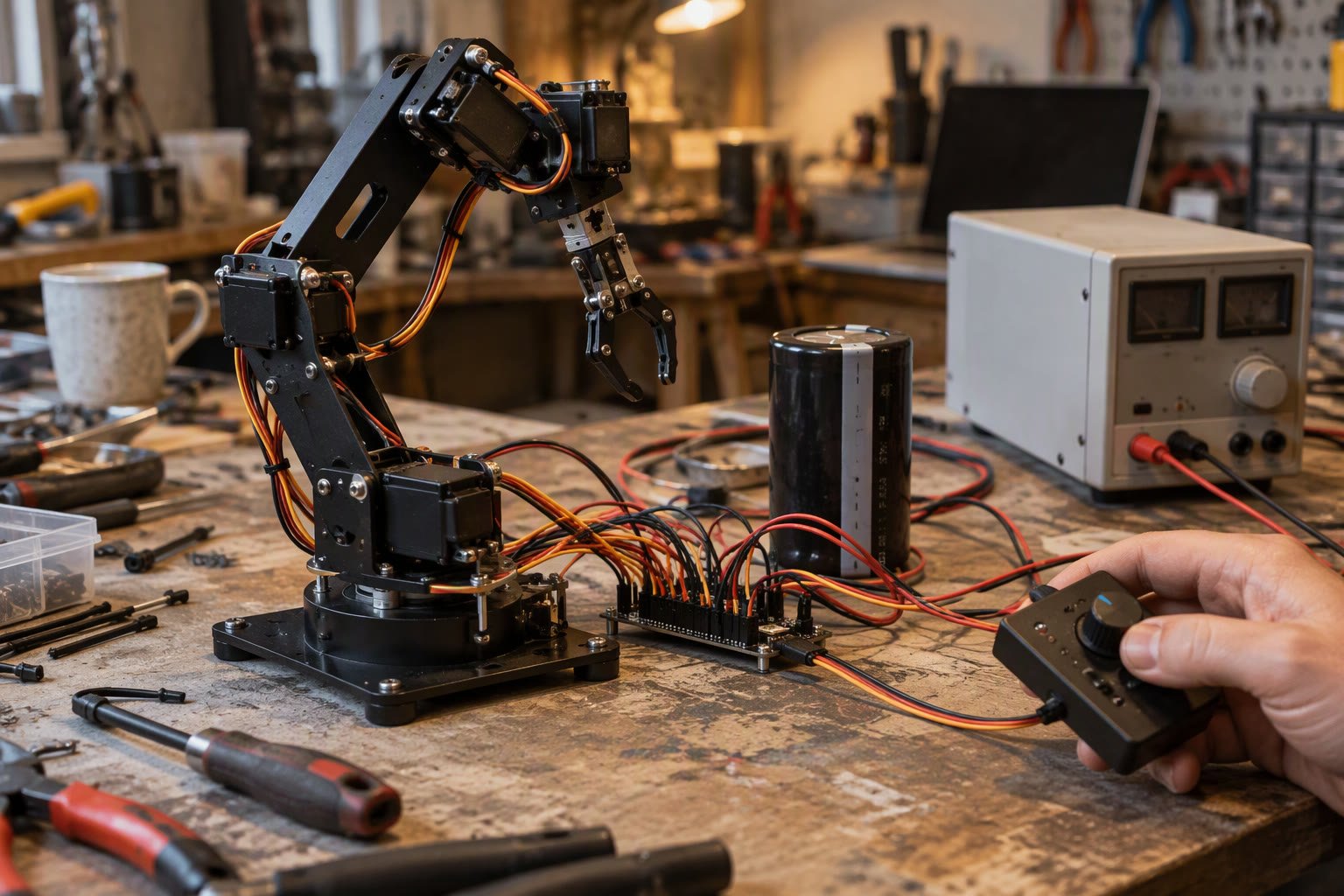
A servo that twitches at rest is usually fighting its own power supply. The signal is fine, but the 5 V rail collapses every time the motor moves.
This guide separates the three different problems people call jitter: twitching at rest, hunting under load, and glitching when other motors run. Each has a different cause and a different fix.
Three problems, not one
| Behaviour | Usual cause | First fix |
|---|---|---|
| Twitches at rest, no load | Noisy signal or unstable supply | Separate supply and capacitor |
| Hunts back and forth under load | Weak supply, mechanical binding or deadband | Measure voltage at the servo under load |
| Glitches when DC motors run | Electrical noise on the shared rail | Separate regulators, filter, twisted leads |
| Jitters only on one channel | Signal pin, shared timer or bad servo | Swap the channel and the servo |
| Jitters after a few minutes | Heating or regulator dropout | Check temperature and supply droop |
Power is the first suspect
A hobby servo can draw a burst of current well above its idle figure when it starts moving or meets resistance. A small MG90S may peak near an amp; an MG996R can draw several amps under load. If that current comes from a microcontroller board’s 5 V regulator, the rail sags, the servo’s internal electronics reset or misread, and the horn twitches.
- Power servos from a separate 5–6 V supply rated for the stall current of all servos combined.
- Add a 470–1000 µF electrolytic capacitor near the servo power pins.
- Join the grounds of the servo supply and the controller.
- Do not power servos from the Arduino 5 V pin or a small USB port.
- Use a UBEC or a dedicated buck converter for robot builds.
Measure the supply at the servo connector while the servo moves, not at the regulator output with no load. A rail that reads 5.0 V at rest and 4.2 V during a move explains a lot of jitter.
Signal problems
Servos expect a pulse between roughly 1 and 2 ms, repeated about every 20 ms. Long signal wires pick up noise, and a weak or floating signal makes the servo move unpredictably. Keep signal wires short, avoid running them beside motor power cables, and make sure the signal pin is actually driven with a valid pulse.
- Keep servo signal leads under about 30 cm where possible.
- Twist signal and ground together if the run is long.
- Add a series resistor near the servo on very noisy builds.
- Check the controller’s servo library timer allocation.
- Confirm the pulse range matches the servo’s mechanical limits.
The ESP32 timer trap
On the ESP32, the common servo library uses LEDC timers. Wi-Fi and the servo library can conflict, and some Arduino-ESP32 versions allocate timers differently. Updating the core, using the ESP32Servo library with explicit timer channels, or moving to an external servo driver usually fixes “servo jitters when Wi-Fi connects”.
A PCA9685 16-channel servo driver removes the timing burden from the microcontroller and gives each servo a stable pulse. It needs its own 5–6 V supply, and the logic side still connects to the controller’s I2C pins.
Mechanical causes of hunting
An analog servo with a worn potentiometer hunts because it cannot find a stable position. A digital servo with a tight deadband can oscillate around the target when the linkage has backlash. Both look like electrical jitter but respond to mechanical fixes.
- Check for play in the horn, linkage and hinge.
- Reduce the load or add a counterbalance.
- Ensure the servo is not pushed against its mechanical stop.
- Replace a worn analog servo rather than chasing the signal.
- Use a servo with a suitable deadband for the application.
Sizing the supply for a bank of servos
Add the stall currents, not the idle currents. A walking robot with eight MG996R servos can demand more than 15 A for a fraction of a second when several legs move together, and a 5 A supply will sag exactly at that moment. Check the datasheet figure for your exact model rather than trusting a forum number.
| Servo class | Typical stall current | Practical supply note |
|---|---|---|
| SG90 micro | Around 0.6–0.8 A | Fine on a small UBEC |
| MG90S metal gear | Around 1 A | Separate supply for more than two |
| MG996R standard | Around 2.5 A at 6 V | Plan 5 A per pair, add capacitance |
| High-torque digital | 3 A and above | Dedicated BEC or battery pack |
Choose a supply rated above the summed stall current if several servos can move at once, and above the largest single stall current if only one moves at a time. Add a fuse or a current-limited supply so a stalled servo does not cook the wiring.
Brownout resets look like jitter too
When the rail sags far enough, the microcontroller resets. The servo loses its pulse train, the controller reboots and re-sends the last position, and the joint visibly jerks. If the serial monitor shows a startup banner in the middle of a run, the problem is a brownout, not servo tuning. Fix the supply before touching the code.
Isolate the fault in four steps
- Power the servo from a bench supply and a servo tester, disconnected from the robot.
- If it is smooth, the robot’s supply or signal is the problem.
- If it still jitters, swap the servo with a known good one.
- If the replacement is smooth, the original servo is faulty.
A servo tester costs very little and removes the microcontroller, the code and the robot wiring from the equation in one step. It is the fastest diagnostic tool in this whole guide.
Smoothing commands in software
Jumping the target from 0° to 180° in one write makes the servo accelerate as hard as it can, which draws maximum current and can sag the supply. Ramping the target over 200–500 ms produces smoother motion, lower current and less jitter.
for (int a = current; a != target; a += step) {
  servo.write(a);
  delay(15);
}
For robot joints, this also protects the gears. A servo that slams into a limit every cycle wears out its output shaft and the horn splines.
A short checklist
- Separate, adequately rated servo supply.
- Large capacitor near the servos.
- Common ground between controller and servo supply.
- Short signal leads away from motor power.
- Valid pulse timing and matched range.
- No mechanical binding or backlash.
- Ramped commands rather than jumps.
Related: servo motor with Arduino, servo buying guide, how to power a robot, stepper losing steps, buck converters.
Why does my servo jitter at rest?
Usually an unstable supply or a noisy signal. Power servos from a separate regulator rated for stall current, add a large capacitor, share ground with the controller and keep signal wires short.
Why does my servo jitter when DC motors run?
Electrical noise from the motors is reaching the servo supply or signal. Use separate regulators for motors and electronics, add filtering and route signal wires away from motor cables.
How much current does an MG996R draw?
It can draw well over an amp and peak at several amps under load or stall. Size the supply for the combined stall current of all servos, not the idle current.
Why does my ESP32 servo jitter when Wi-Fi is on?
The common servo library shares timer resources with other peripherals, and some core versions conflict with Wi-Fi. Update the core, use a servo library with explicit timer channels, or use an external PCA9685 driver.
Should I use a servo tester?
Yes. A servo tester removes the microcontroller, code and robot wiring from the diagnosis and quickly tells you whether the servo or the system is at fault.
Jitter is a control-loop problem as much as a servo problem, and the MPU6050 tuning order covers gain and filter settings.
Persistent jitter is sometimes a tuning limit of the drive itself, which the servo drive selection guide discusses.
Some jitter is a gain problem and some is mechanical, and the PID tuning guide separates the two.
Sources and further reading
- Arduino Servo library — timing and usage reference.
- Arduino ESP32 — LEDC and timer behaviour.
- Adafruit — PCA9685 servo driver guides.
- Pololu — servo and power supply application notes.

