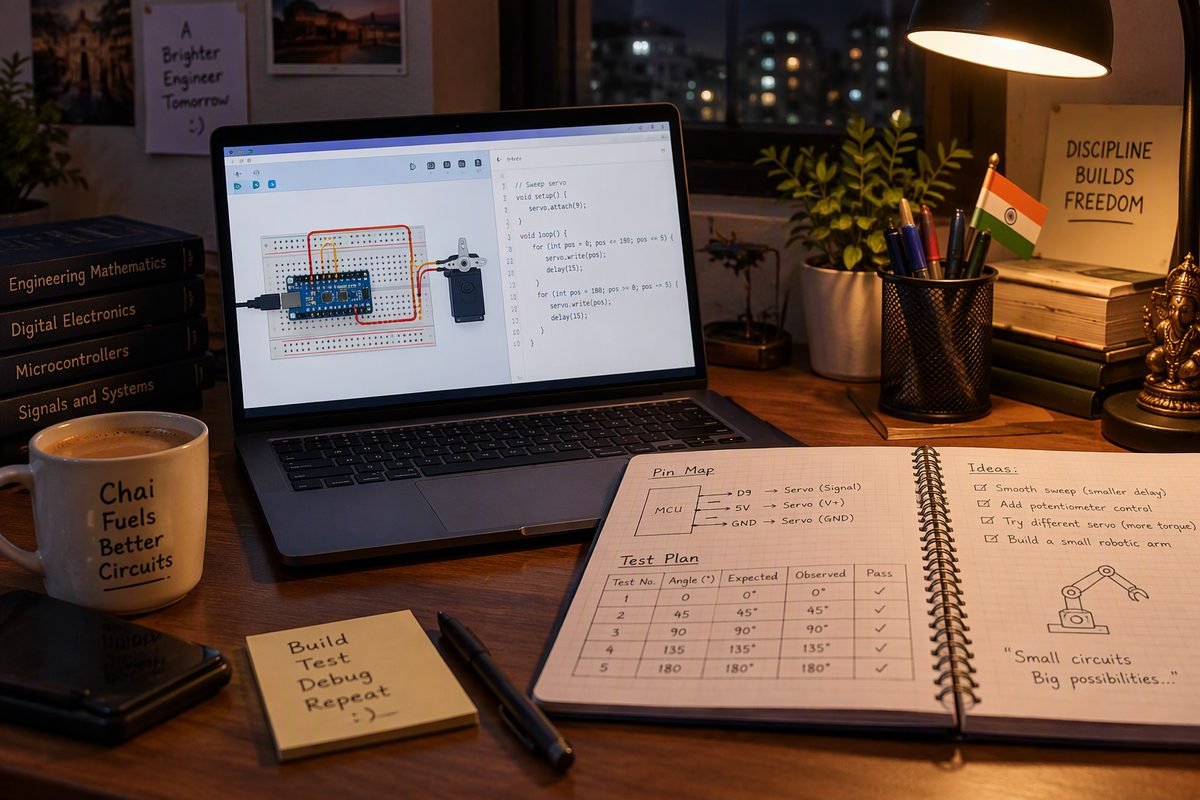
Yes, you can start learning robotics with no hardware and no lab. Tinkercad Circuits and Wokwi are free browser simulators: wire an Arduino Uno, run a sketch, watch a servo or sensor respond. Simulation proves logic, pin map and code structure. It cannot prove current, timing, real sensors or mechanical fit. Use it to earn the right to spend money, not to pretend you built something.
This guide is for Indian students with a laptop, a phone and no lab. It covers what simulation proves, five evening projects, the limits to disclose, and the first ₹2,000. Costs are October 2026 retail indications.
What simulation actually proves
A simulator is a code and logic laboratory. It is honest about what you type and silent about what you solder.
| Skill | Does simulation prove it | What you must add |
|---|---|---|
| Pin map and wiring order | Yes, for the pins you typed | A multimeter continuity check |
| Code logic and state machines | Yes, if you test every state | Serial logs from the real board |
| Datasheet reading | No, parts arrive pre-wired | Pinout, voltage and current limits |
| Sensor behaviour | Only ideal values | Calibration on your demo floor and light |
| Motor and power | No | Current measurement, driver, separate supply |
A circuit that runs in a browser has passed a logic review, not a build review. Open the simulation for an examiner and name it: a tested design, not a built robot.
Set up in an evening
Both are free online Arduino simulators that run in a browser with nothing to install. Tinkercad needs a free Autodesk account; Wokwi’s free plan saves public projects, paid plans make them unlisted.
Tinkercad Circuits
- Open tinkercad.com, create a free account and start a new Circuit.
- Drag in an Arduino Uno and a breadboard. Wire 5V and GND to the rails first.
- Add one part at a time, wire it, then run the simulation before adding the next.
- Switch from Blocks to Text for C++, add Servo or Wire, then run the serial monitor. Change one value, note what changed, and save the share link with the pin map.
Wokwi
- Open wokwi.com and start an Arduino Uno project. The Uno runs as compiled code.
- Add HC-SR04, servo, LCD1602, potentiometer or DHT22 parts and wire pin to pin.
- Paste the sketch and add libraries from the Library Manager; Wokwi tracks them in libraries.txt.
- Press play, open the Serial Monitor, and use the logic analyzer to see a pulse.
- Sign in to save, then put the project link in your README.
Wokwi wins on timing, I2C addresses and logic analysis. Tinkercad is the gentler start.
Five projects to build first
Each fits in one evening and leaves one bug you will meet again on hardware. Repeat one on a breadboard; the ten Arduino projects for beginners lists hardware versions.
1. Line-follower logic with two buttons
Simulator: either. Parts: Uno, two pushbuttons, two LEDs, two 10 kOhm resistors. Wire the buttons as left and right sensor inputs and print the four states. The bug it teaches: a robot that spins in place because “both black” was coded as stop instead of a recovery turn. Offline equivalent: two IR reflectance modules and a threshold calibrated on the real floor.
2. Ultrasonic distance display
Simulator: Tinkercad’s ultrasonic part or Wokwi’s HC-SR04. Parts: Uno, sensor, serial monitor. Pulse the trigger, time the echo with pulseIn() and divide by 58 for centimetres: sound covers about 29 microseconds per centimetre, there and back. Watch the reading jump at the range limit and drop to 0 with no echo. The bug: pulseIn() blocks the loop and returns 0 on timeout, so code that reads 0 as close lurches at empty air. Offline equivalent: a ₹79 to ₹150 HC-SR04 aimed at a wall, a cushion and a book.
3. Servo sweep with a potentiometer
Simulator: either. Parts: Uno, SG90 servo, 10 kOhm potentiometer. Read 0 to 1023, map it to 0 to 180 degrees and move the servo. Watch the jitter at the ends and the dead band. The bug: map() does not constrain its output, so a noisy pot can command an angle the servo cannot reach. Power is the second bug: the Servo library disables analogWrite() on pins 9 and 10, and a real servo fed from the 5V pin can brown out the board. Simulation never sags. Offline equivalent: an SG90 at ₹89 to ₹150 on its own 5V supply, shared ground.
4. I2C LCD status screen
Simulator: Wokwi, whose LCD1602 with a PCF8574 backpack defaults to address 0x27. Parts: Uno, I2C LCD, four wires. Print two lines, then move the cursor. Watch what happens when the address is wrong, SDA and SCL are swapped, or the contrast pot sits at the wrong end. The bug: a blank screen with the backlight on is usually an address or contrast fault. Offline equivalent: a ₹189 to ₹300 module and the same three checks.
5. Temperature logger
Simulator: Tinkercad’s TMP36 or Wokwi’s DHT22. Parts: Uno, sensor, serial monitor. Log one reading a second without delay() and print a millisecond timestamp beside it. Watch delay() drop samples silently and integer maths lose the decimal you wanted. The bug: a logger built on delay() cannot do anything else, and millis() rolls over after about 49.7 days, because 2^32 milliseconds is 49.7 days. Offline equivalent: a ₹59 to ₹120 DHT11, with the serial output copied into a spreadsheet once.
The limits you must not hide
A simulated robot is a plan. A built robot is evidence. Five gaps decide whether a demo survives.
- Timing. Browser time is not loop time. A 20 ms loop can stretch well past 20 ms once serial prints are added. Measure with millis() on the board.
- Real sensors. A real ultrasonic sensor misses soft cloth and angled walls, an IR module shifts threshold with floor colour, and a DHT11 is slow and coarse.
- Motor current. A TT gearmotor draws far more at stall than the board can supply. An L298N wastes a volt or two as heat, and 5V is not a motor rail.
- Mechanical tolerance. Wheel alignment, tyre slip, chassis flex and a dragging caster decide whether a line follower tracks straight. No simulator models that.
- EMI and power integrity. Motor brushes, long jumpers and a shared ground cause resets and false sensor edges that appear only on the bench.
None of this appears in a simulator, so the first hardware build feels like a different project.
Turn a simulation into evidence
A recruiter or examiner will not read code from a screenshot. Give them a link, a recording and a table.
- Repository. One folder per project: sketch, wiring diagram, README, test log, simulator link at the top.
- Short video. Sixty to ninety seconds of the simulation running, explaining the bug you fixed. Show the failing version first.
- README. What it does, the pin map, how to run it, what is simulated, what is built, and the limits.
- Test table. Input, expected, observed, pass or fail. Six to ten rows, including one failure and its fix.
- Resume and report wording. Simulated an Arduino Uno line follower in Tinkercad Circuits and validated the four sensor states and PWM logic. Hardware build pending.
Do not write that you built or deployed hardware when you simulated it. One honest line survives an interview; an inflated one collapses at the first follow-up. Label the report figure “simulated circuit”, name the tool and date it. The project report format shows where it belongs.
When to spend the first ₹2,000
Buy in this order and stop when the next project does not need the part. Prices are October 2026 retail indications from Indian sellers, parts only, before shipping.
- Arduino Uno R3 CH340 clone with cable, ₹300 to ₹450. The board you have been simulating.
- Breadboard and jumper wires, ₹150 to ₹200. Robu lists a 400-point board at ₹109 and wires from ₹69.
- HC-SR04 ultrasonic sensor, ₹79 to ₹150. The first sensor whose readings depend on the room.
- SG90 servo, ₹89 to ₹150. The first actuator and the first power lesson.
- 16×2 I2C LCD, ₹189 to ₹300. A debug window that does not need the laptop.
- Digital multimeter, ₹177 to ₹400. Continuity and voltage checks turn guessing into measuring.
That lands between about ₹1,000 and ₹1,650. Keep the rest for a chassis, two TT motors and an L298N at ₹129 to ₹190 once a project must move. Check torque and runtime with the free calculators, read the guide to buying robotics parts in India, and copy the robot under ₹2,000 build if you want one validated list.
Once you want to build a robot in software, the ROS 2 beginner tutorial is the next step after the first simulations.
Frequently asked questions
Is Tinkercad Circuits free, and do I need to install anything?
Tinkercad is a free Autodesk web app, and Circuits runs inside it. You need a free account and a connection; nothing to install. The Arduino editor has Blocks and text modes, with built-in libraries such as Servo and Wire. Save each project separately so you can link to it.
Can I learn Arduino with no hardware at all?
You can learn the code, pin map and debugging habit, which is most of the first month. You cannot learn soldering, power wiring, motor noise, or why a sensor misreads on a tiled floor. Simulate for two to four weeks, then repeat one project on a breadboard.
Which is better for beginners, Tinkercad or Wokwi?
Start with Tinkercad if you have never wired a breadboard; its drag-and-drop parts and block editor are gentler. Move to Wokwi for a logic analyzer, an I2C LCD at 0x27 or a chip-level Uno. Many students keep both tools across a semester.
Will a simulated project count for my college review or viva?
It can count as a design and code review, not a hardware build. Open the live simulation, show the test table and the bug you fixed, and say plainly that the circuit is simulated. That can pass a minor project; a final-year build normally expects hardware, so ask your guide early.
Do I still need to buy an Arduino after simulating?
Yes, if you want the skill rather than the certificate. Buy the Uno clone, breadboard, jumpers and one sensor, then repeat a project you already simulated. Comparing the simulated run with the real one is the lesson. At October 2026 prices that set is near ₹600 to ₹800. The learn section covers the basics.
Related reading: Arduino IDE setup · Arduino projects for beginners in India · Robotics project report format · Final year robotics projects.
Sources
- Tinkercad Circuits, Autodesk
- Tinkercad Help Center: Arduino
- Wokwi documentation
- Wokwi supported hardware
- Wokwi plans and pricing
- Wokwi LCD1602 reference
- Wokwi libraries guide
- Arduino map() reference
- Arduino pulseIn() reference
- Arduino Servo library
- Arduino I2C and the Wire library
- Robu: Uno R3 CH340G board
- Robu: HC-SR04 ultrasonic sensor
- Robu: TowerPro SG90 servo
- Robu: LCD1602 with I2C interface
- Robu: DHT11 sensor module
- Robu: L298N motor driver
- Robu: 400-point breadboard
- Robu: DT830D digital multimeter