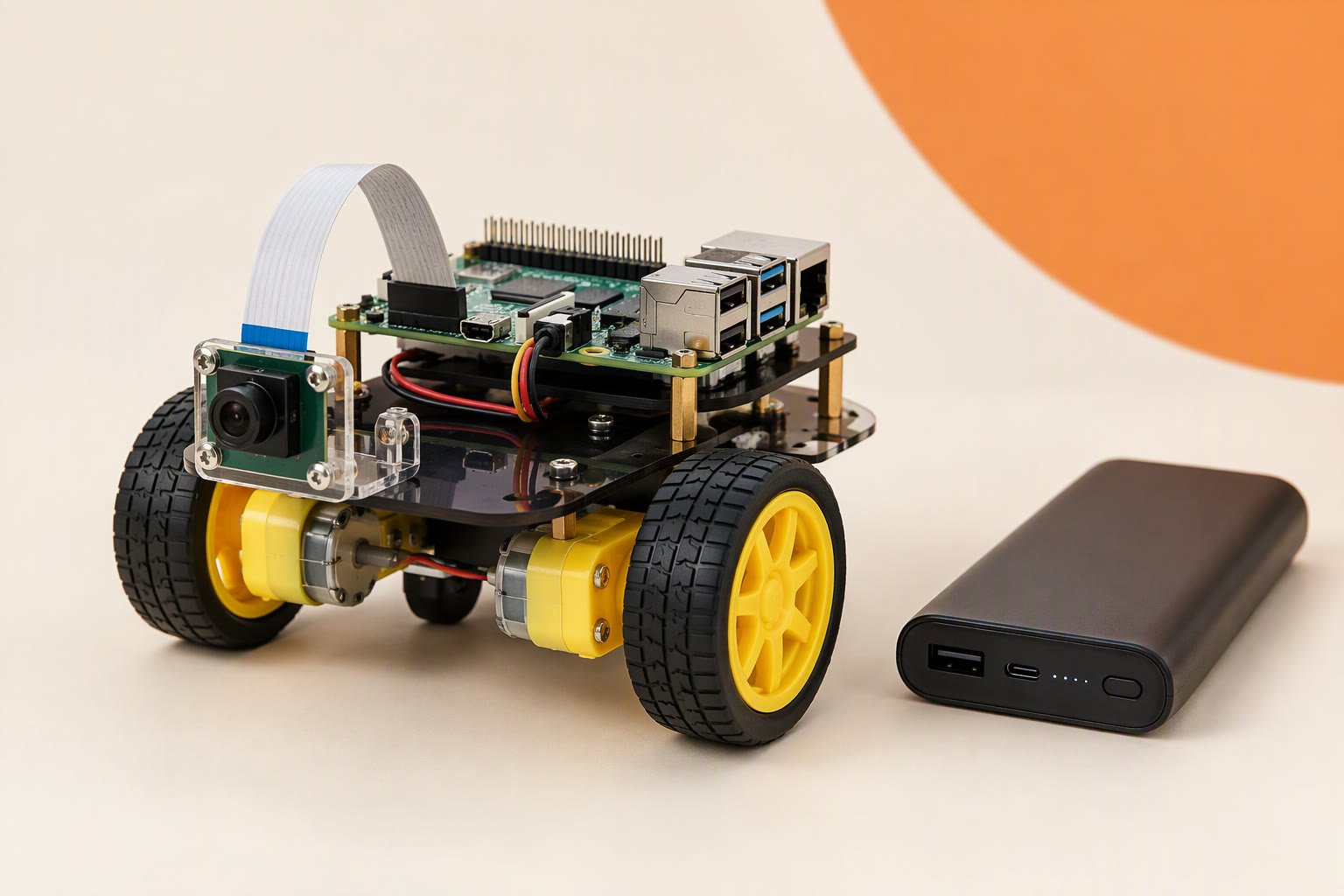
A Raspberry Pi robot is not an Arduino with a faster chip: the Pi runs Linux and earns its place on vision, networking and ROS, while a microcontroller keeps the motors on a fixed clock — and most disappointing Pi robots fail because one board was asked to do both jobs.
The question is which part needs a computer and which needs a timing guarantee. The Arduino vs Raspberry Pi comparison covers the buying decision; this guide covers the architecture.
The division of labour
| Job | Raspberry Pi (Linux) | Microcontroller |
|---|---|---|
| Camera capture, OpenCV, QR or colour tracking | Native camera port and Python libraries | Not practical |
| Wi-Fi, SSH, dashboards, log files | Built in | Needs a radio module and custom code |
| ROS 2 nodes, TF and path planning | The usual target | Only through micro-ROS |
| Motor PWM at a fixed frequency | Works until the CPU is busy | Hardware timers, repeatable |
| Encoder counting and limit switches | Can miss edges under load | Interrupts handle it |
| Boot time | 20–60 seconds | Instant |
| Safe stop if software hangs | Cannot guarantee | Watchdog and command timeout |
| Power | 5 V, 3–5 A | 5 V, tens of milliamps |
A Pi can generate a 50 Hz servo pulse from Python, and often does for a demo. The problem appears when the same board is also decoding a camera frame, writing to an SD card and serving a Wi-Fi connection. Python’s timing drifts, the servo twitches, and the bug looks like a servo fault. On a microcontroller the pulse is produced by a timer that does not care what else is happening.
What Linux actually buys you
Linux is the reason to pay for a Pi: camera capture, Python and OpenCV, SSH, a dashboard, MQTT and a filesystem for logs. It also runs ROS 2, which is why most mapping robots use one; Jazzy targets Ubuntu 24.04 on arm64, so the routes are Ubuntu Server or Docker. The costs are a 20–60 second boot, SD-card corruption risk and no hard real-time guarantee. The ROS 2 beginner tutorial covers the first node and topic.
Power: 5 V and 3 A is the floor, not the target
- Pi 4 Model B: 5 V at 3 A through USB-C is the official recommendation.
- Pi 5: 5 V at 5 A over USB-C Power Delivery with the official 27 W supply. A 3 A supply usually boots it, but the USB ports are limited and a weak adapter can brown it out under camera and Wi-Fi load.
- Pi Zero 2 W: 5 V at 2.5 A through micro-USB.
On a robot, do not feed the Pi from a linear regulator; a 2S pack at 7.4–8.4 V through a 7805 turns the difference into heat. A 5 V 5 A UBEC or buck is the part that makes the build reliable. Motors stay on the pack through the driver, the Pi gets its own regulated 5 V, and both meet at one ground. The robot power guide and the 2S pack guide cover the wiring and current budget.
The 5 V logic problem
The 40-pin header is 3.3 V logic and is not 5 V tolerant; the absolute maximum on a GPIO is roughly 3.6 V. Most hobby sensors sold in India assume 5 V, so the Pi is the odd board out. The fix is a divider or a level shifter, not hope.
- HC-SR04: power it from 5 V, but its Echo output is 5 V. A 1 kΩ and 2 kΩ divider brings 5 V down to about 3.3 V. Triggering it from a 3.3 V pin usually works.
- L298N: the datasheet’s high threshold is 2.3 V, so 3.3 V logic often switches it, but clone modules and long wires make that marginal. Its 1.4–2 V drop is the bigger issue; a TB6612FNG is the cleaner 3.3 V pairing. Read the L298N limits before wiring one.
- Servo signal: a 3.3 V PWM signal normally drives an SG90 or MG996R, because the signal threshold is low. The servo’s power still comes from a separate 5–6 V supply.
- I2C modules: a breakout with 5 V pull-ups will put 5 V on SDA and SCL. Check the schematic, or use a bidirectional level shifter.
There is also no analog input. An analog sensor needs an external ADC such as an ADS1115 or MCP3008, powered at 3.3 V so its inputs cannot exceed the Pi’s limit. That is another argument for letting a microcontroller own the sensors.
GPIO current limits are lower than the internet implies
Raspberry Pi’s documentation puts a single GPIO at about 16 mA and the 3.3 V header pin at about 50 mA in total. Figures move between models and documentation revisions, so treat them as ceilings, not targets. A pin asked for 100 mA can drag the voltage down and damage the pin.
That rules out motors, servos, relay coils and LED strips connected directly. A small relay coil can draw 70–100 mA, so it needs a transistor and a flyback diode. A servo needs its own 5–6 V supply. A 5 V LED strip needs a MOSFET. The 5 V header pins are tied to the input rail, not a regulator output for motors; treating them as one is how a Pi and an SD card die together.
Camera options that fit a student budget
- USB webcam, ₹800–2,500: the easiest start. It is a UVC device, so OpenCV opens it like any laptop camera. Expect more latency and less manual control than a CSI camera.
- Camera Module 3, ₹2,800–4,200: 12 MP, autofocus and HDR, in standard and wide versions. It is the default choice for a first vision robot, driven by libcamera and Picamera2.
- HQ Camera, ₹5,000–8,000 before a lens: 12.3 MP with a C/CS mount, for interchangeable lenses and longer range. It is heavier and needs a proper mount.
- Global Shutter Camera, ₹5,000–7,500: 1.6 MP and no rolling-shutter skew, which matters when the robot or object moves.
Connectors are the trap. The Pi 5 uses a 22-pin camera connector and needs the matching cable, the Pi 4 uses 15-pin, and the Zero 2 W uses a narrower 22-pin connector with its own adapter. Buy the cable for the exact board. Then choose resolution for speed: 640×480 or 1280×720 is usually enough for colour or marker tracking, and lighting decides accuracy long before megapixels do.
The Arduino-over-USB pattern
The most reliable student architecture is boring: the Pi runs the vision or ROS node and sends short commands over USB serial to an Arduino, which owns the motors and encoders. The Pi sees /dev/ttyACM0 for an official Uno and often /dev/ttyUSB0 for a clone with a CH340 chip.
Pi to Arduino:   "M 160 160\n"    # left PWM, right PWM
Arduino to Pi:   "OK\n"
Pi to Arduino:   "S\n"            # stop
Keep the protocol line-based and readable while you debug it. The Arduino should stop the motors if no command arrives for 300–500 ms; that timeout is the safety case for the split, because a crashed Python process then cannot leave the robot driving. On an Uno, opening the serial port toggles DTR and resets the board, so wait about two seconds before the first command. Use 115200 baud on both sides and log every command.
For ROS 2, run the micro-ROS agent on the Pi with a compatible board, or write a small bridge node for your serial protocol. The old rosserial route belongs to ROS 1; do not build a new ROS 2 project around it. And do not power the Arduino from the Pi’s USB port and a separate 5 V supply at the same time.
A realistic starter bill of materials
| Part | Specification | Typical range |
|---|---|---|
| Raspberry Pi 5, 4 GB | Or a Pi 4, 2 GB at ₹5,500–7,500 | ₹9,000–12,000 |
| microSD card | 64 GB high-endurance | ₹800–1,500 |
| USB-C power supply | 27 W PD for a Pi 5 | ₹1,500–2,500 |
| Camera Module 3 | Standard or wide, with the right cable | ₹2,800–4,200 |
| Arduino Uno R3 clone | Motor and sensor controller | ₹450–800 |
| TB6612FNG driver | 3.3 V-friendly dual motor driver | ₹250–450 |
| Two TT gear motors and wheels | With or without encoders | ₹300–600 |
| Chassis | Acrylic or 3D-printed, two-wheel | ₹400–900 |
| 2S 18650 pack with BMS | Protected cells, 7.4 V nominal | ₹500–900 |
| 18650 charger | CC/CV, two-cell | ₹300–500 |
| 5 V 5 A UBEC | Pi rail, set and checked before connecting | ₹250–500 |
| Level shifter and divider parts | For the 5 V sensors you already own | ₹80–200 |
| Wires, headers, switch | 22 AWG for power, Dupont for signals | ₹150–300 |
| Total | Pi 5 build as listed | ₹16,800–25,400 |
That total is why the Arduino-first advice exists. If the project does not need a camera, a network or ROS 2, an ESP32 or an Arduino does the same job for a fraction of the cost. Run your list through the project cost calculator before ordering, and keep a spare SD card.
If a full Linux board is more than the job needs, the Pico W robot guide covers the pin map, 3.3 V power rules and MicroPython drive code.
See also: the Raspberry Pi 5 robot guide and OpenCV robot vision on a Pi.
Once a Pi robot needs real inference, the next question is a Jetson: Raspberry Pi vs Jetson compared.
If you only need a camera feed and not a full computer, an ESP32-CAM is the cheaper starting point.
Sources and further reading
Power, GPIO and camera specifications come from the official Raspberry Pi 5 product brief. The ROS 2 side is documented in the ROS 2 Jazzy documentation. For lithium-ion pack safety, read Battery University on lithium-ion types before you solder a pack.
Last reviewed: October 2026. Prices are Indian retail ranges for typical boards and vary with model, memory, seller and stock; they are not fixed. Specifications are checked against official documentation and clone hardware differs.

