Choose the actuator by what the joint has to deliver: a servo when you need a commanded angle, a geared DC motor when you need speed or push, a stepper when you need repeatable moves without a sensor. Torque decides the size, and the driver decides whether the rest of the robot behaves. A ₹150 servo and a ₹900 stepper can both position a joint; only one of them will survive being pushed by hand.
What each one actually gives you
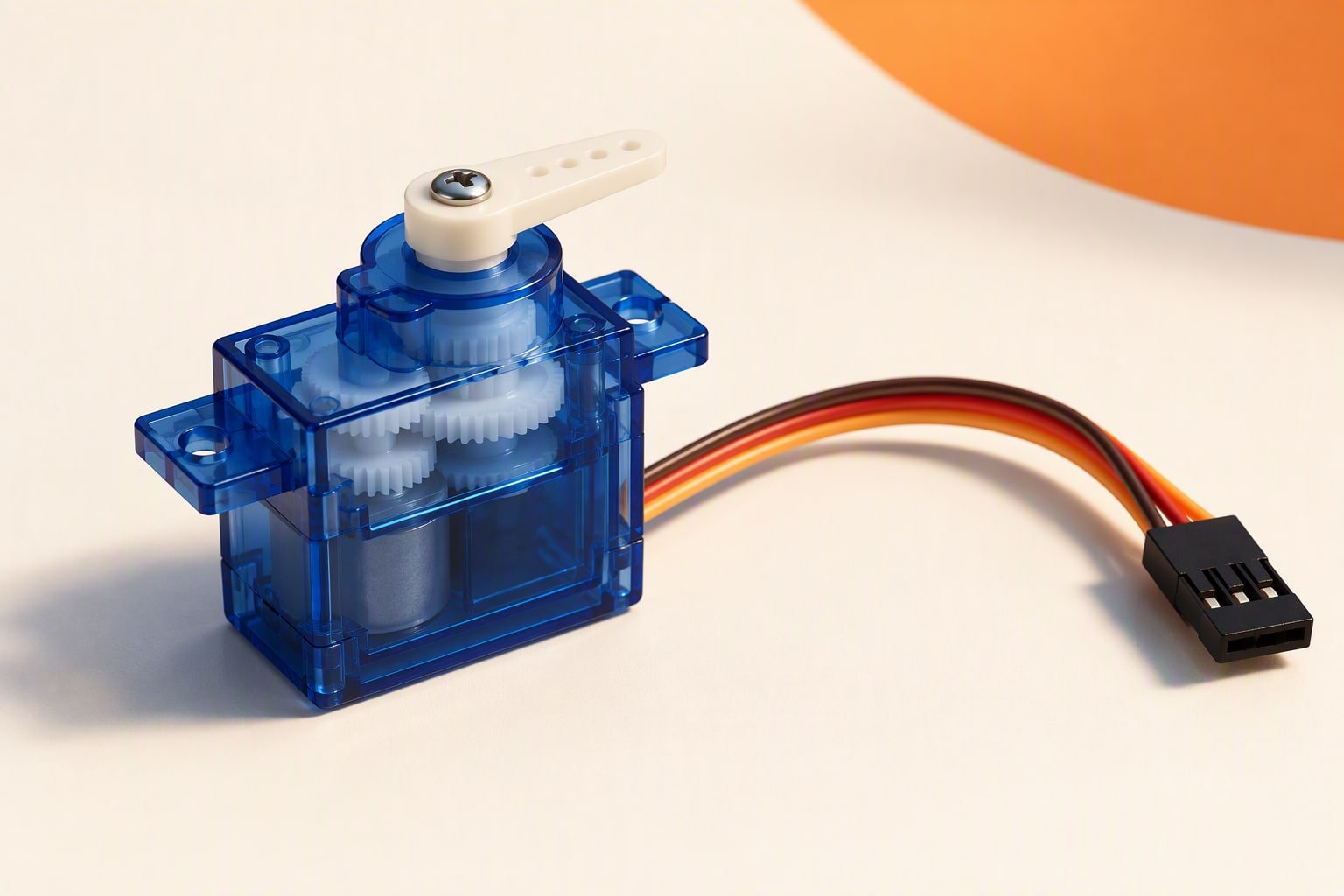
A hobby servo contains a motor, a gearbox, a potentiometer and a controller. You send a pulse and it drives until its internal feedback agrees with the commanded angle. That loop is why a servo holds position against a small load and why it fights you when you try to move the horn by hand. The travel is usually 180 degrees, the feedback is not exposed as a signal, and the gears are the first thing to fail.
A geared DC motor gives you a shaft that turns when voltage is applied and stops when it is not. Speed scales roughly with voltage, torque with current, and there is no idea of position. Add a quadrature encoder and a control loop and you have a servo you can tune; without one, you have a wheel.
A stepper divides a full rotation into steps and moves one step per pulse. It holds position when stopped, it needs no sensor to count where it is, and it loses that position silently if the load exceeds its torque. Torque falls as step rate rises, which is the opposite of what most people expect from a motor.
Control complexity, ranked
From least to most work: a servo needs one PWM pin and the Servo library, which on an Uno uses a timer and limits you to about 12 servos. A stepper needs a driver board and a step and direction signal, which is easy until you want acceleration ramps and homing. A DC motor with an encoder needs a PID loop, an interrupt or timer for counting edges, and tuning that changes with battery voltage and load.
That ranking changes with the job. If the joint only ever moves between two positions, a DC motor with two limit switches is simpler than any of them. If the joint must hold torque while stationary for minutes, a stepper’s holding current is doing useful work while a servo is buzzing and heating up.
Typical robot uses
- Servo: arm joints, grippers, pan and tilt brackets, sensor turrets, steering on a small car. Anything where the angle is the output.
- Geared DC motor: drive wheels, conveyor rollers, a lifting screw, anything that needs continuous rotation and torque per rupee. Add an encoder when you need to travel a measured distance.
- Stepper: 3D printer axes, camera sliders, a drawbot, a precise linear stage, a turret that must return to the same angle after a power cycle. Anything where repeatability matters more than speed.
A small geared DC motor costs less per unit of torque than any servo, and a servo costs less than any stepper once you count the driver. That is why the cheap end of hobby robotics is full of servos and TT motors, and why every 3D printer uses steppers.
Cost per axis
| Actuator | What you command | Position feedback | Driver needed | Cost per axis |
|---|---|---|---|---|
| SG90 micro servo | Angle, 0–180 degrees | Inside the case, not exposed | None, but give it a 5 V rail | ₹120–250 |
| Standard metal-gear servo | Angle, 0–180 degrees | Inside the case | None, but budget current | ₹250–500 |
| Geared DC motor with encoder | Speed or target counts | Quadrature encoder | One H-bridge channel | ₹250–500 plus ₹65–200 for the channel |
| 28BYJ-48 stepper with ULN2003 | Steps | None, open loop | Included on the driver board | ₹90–200 |
| NEMA17 stepper with A4988-class driver | Steps or microsteps | None, open loop | Current-controlled driver, 8 V and up | ₹700–1,250 |
The servo column looks cheapest until you count the 5 V supply. Four metal-gear servos moving together can pull more current than your buck converter was sized for, which is a power problem rather than an actuator problem, and the battery guide explains why the pack, not the servo, sets the limit.
A worked example: a 3-DOF arm
Take a small arm with a 20 cm upper link and a 10 cm forearm, lifting a 150 g payload at the wrist. The shoulder joint carries the payload at 20 cm and its own link at about 10 cm. Convert everything to kilogram-centimetres, because that is the unit on servo listings.
# Torque at the shoulder, arm horizontal, worst case
payload_Nm = 0.150 * 9.81 * 0.20   # 0.294 N.m
link_Nm    = 0.080 * 9.81 * 0.10   # 0.078 N.m
total_Nm   = payload_Nm + link_Nm  # 0.373 N.m
total_kgcm = total_Nm * 10.2       # 3.80 kg.cm
required   = total_kgcm * 1.5      # 5.70 kg.cm with a 1.5 safety factor
So the shoulder needs a servo rated at least 6 kg·cm at the voltage you will actually supply. Servo listings quote torque at 4.8 V and at 6 V, and those are different numbers: if your rail is 5 V, read the 4.8 V column. The servo torque calculator does the same arithmetic for each joint so you do not have to redo it when a link changes length.
The rest of the arm follows the same logic. The elbow carries only the payload at 10 cm, which is about 1.5 kg·cm before the safety factor, so a micro servo is marginal and a standard servo is comfortable. A gripper that closes on a 100 g object needs very little torque, which is where an SG90 belongs. The full 3-DOF arm build shows the same joints with the wiring and the sketch.
An Arduino Uno can drive those three servos from one timer, but the servos should not take their current from the board. Give them a separate 5 V rail with a common ground, or the first simultaneous move will reset the board mid-gesture.
This build sheet is reviewed against datasheets and vendor listings; test your own robot before relying on it.
When is a servo the wrong choice?
A servo is the wrong actuator in five situations, and each one shows up as a stripped gear or a burnt board:
- Continuous rotation. A standard servo cannot spin; a modified one loses its position feedback and becomes an expensive geared motor.
- Back-driving loads. An arm that is pushed by hand, or a joint holding a heavy link, loads the gears in a way plastic will not survive.
- High speed over long travel. A servo rated 0.1 s per 60 degrees takes 0.3 s for a half turn, which is slow for a scanning mechanism that must sweep repeatedly.
- Precision beyond a degree. The internal potentiometer and the gear backlash limit repeatability. A stepper or an encoded DC motor does better.
- Heavy holding torque. A servo holding a load draws current continuously and heats up. A stepper with holding current, or a mechanical brake, is the honest solution.
Common questions
Can I use a DC motor for a robot arm joint?
Yes, if you add an encoder and a position loop, and accept the tuning work. Without an encoder, the joint will drift and you will not know its angle. For a first arm, a servo gives you position control for less money and far less code.
Why does my stepper skip steps?
Almost always because the load torque at that speed exceeds what the motor can deliver, or the driver current limit is set too low. Steppers lose torque as speed rises, so accelerate gradually instead of jumping to a high step rate, and check the driver’s current setting against the motor’s rated current.
Is a geared DC motor with an encoder as good as a servo?
For position, it can be better, because you choose the gearbox, the encoder resolution and the control loop. It costs more time: PID tuning, encoder counting and a homing routine are all yours to write. A servo arrives with that work already done inside the case.
Last reviewed: October 2026. Torque and speed figures come from vendor listings; confirm the rating at the voltage you will actually use.
When the job is positioning rather than continuous rotation, the A4988 stepper driver guide covers current limits and microstepping.
Once the actuator family is decided, the next step is sizing it: the motor selection guide works through torque, RPM and duty cycle with a 2 kg rover example.
If you have only used brushed DC gearmotors, brushless motors with an ESC is the next step up in efficiency and power density.
The comparison widens once cylinders are included: hydraulic, pneumatic and electric actuators compared.
Geared DC and stepper setups live or die on the gearbox; compare planetary, spur and harmonic drives.
For stepper builds, NEMA 17 vs NEMA 23 covers drivers, supply voltage and real axis cost.
Open-loop steppers can skip steps under load, and the causes and fixes are worth knowing before you choose a motor type.
If the axis needs closed-loop position control, compare drive options in the servo drive selection guide.
Whichever motor type you pick, the frame has to carry it; see designing a robot chassis.
Sources and further reading
Documents used to check the numbers on this page:
- Arduino Servo library — pulse timing and attach() behaviour.
- Arduino servo motor guide — wiring and power notes.
- TI L293D datasheet page — a comparable dual H-bridge for current and drop-out numbers.
Newer builds and guides
- Stepper motor with Arduino — Driver choice, current limit and code that does not miss steps.

