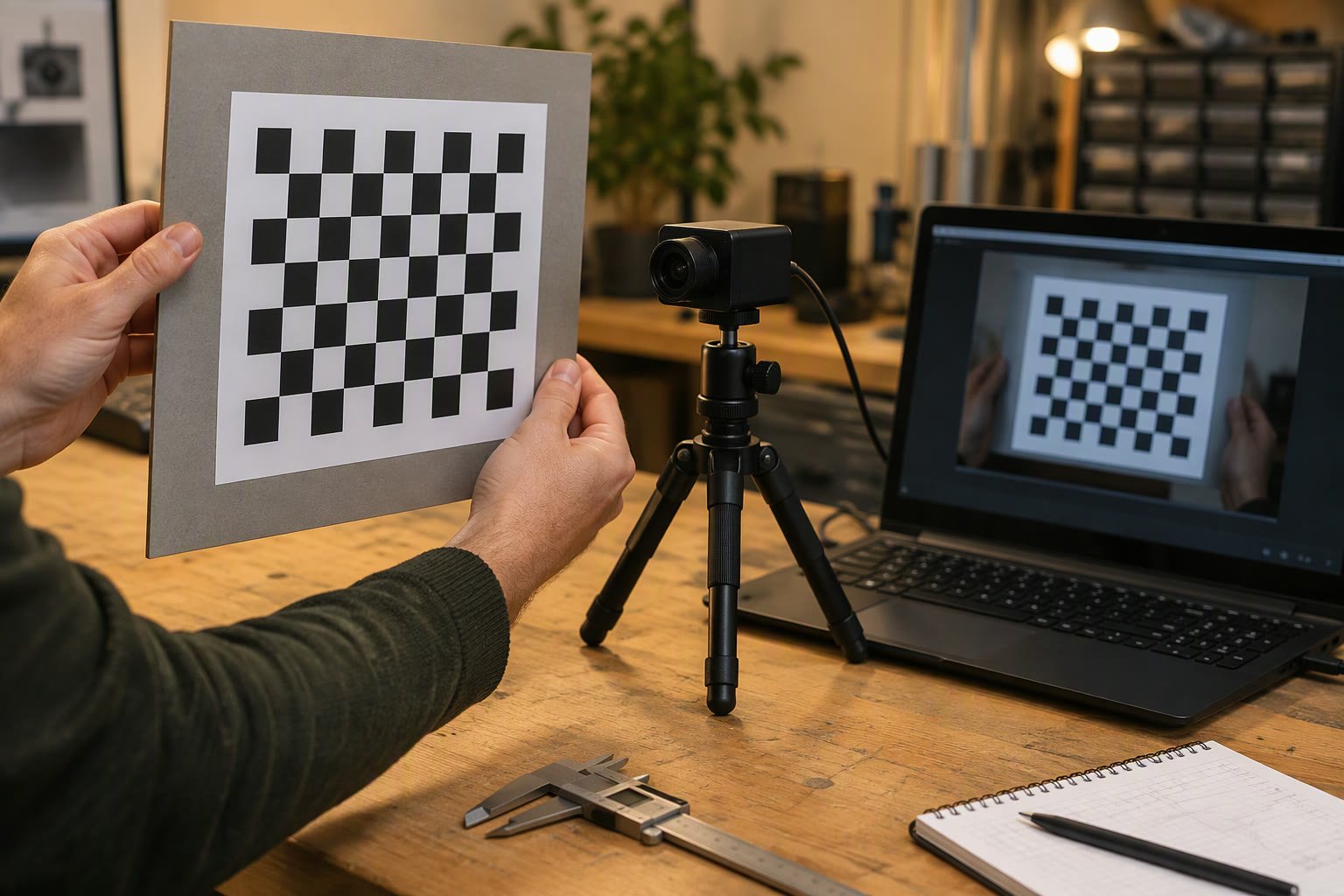
Camera field of view (FOV) follows from sensor width w and focal length f as FOV = 2 x atan(w / 2f). The width of scene covered at distance d is w x d / f, and dividing that by the pixel count gives how much real-world length each pixel covers.
Key takeaways
- Field of view depends only on sensor size and focal length, and a shorter focal length gives a wider view.
- The scene width at distance d is w x d / f, so it grows in direct proportion to distance.
- Pixel footprint is scene width divided by horizontal pixel count, and it shows the smallest detail you can resolve at that distance.
- Pick a lens by working backwards from the object size, the distance and the number of pixels you need across the object.
Field of View from Sensor Size
Field of view is the angle of the scene a camera can see, measured across the width, height or diagonal of the sensor. For a simple lens, it comes from a right-angled triangle: half the sensor width on one side and the focal length on the other.
The formula is FOV = 2 x atan(w / (2 x f)), where w is the sensor dimension and f is the focal length, both in the same unit, usually millimetres. Use the sensor width for horizontal FOV and the sensor height for vertical FOV. The atan function returns an angle, and you double it because the triangle covers only half the view.
Two things follow. A smaller focal length gives a larger angle, which is why a wide-angle lens sees more. A larger sensor with the same lens also sees more. This is geometry for an ideal lens. Real lenses add distortion, especially wide ones, so calibrate before you trust edge pixels. The guide to camera calibration with OpenCV in Python covers that step.
Pixel Footprint at a Distance
Pixel footprint is the length of the real scene that one pixel covers at a given distance. It tells you how fine a detail the camera can show.
By similar triangles, scene width S at distance d is S = w x d / f. Then footprint p = S / N, where N is the number of pixels across the width. Because S grows with d, the footprint grows too, and an object that is 40 pixels across at 1 m is only 20 pixels across at 2 m.
The same method works vertically using the sensor height and the vertical pixel count. For most cameras the pixels are square, so the horizontal and vertical footprints match.
Worked Example for a Robot Camera
Assumptions, chosen for easy arithmetic: sensor width w = 3.6 mm, sensor height h = 2.7 mm, focal length f = 3.6 mm, and a 640 x 480 image. These are example numbers. Replace them with your camera’s real values.
- Horizontal FOV = 2 x atan(3.6 / (2 x 3.6)) = 2 x atan(0.5). The value atan(0.5) is about 26.57 degrees, so the horizontal FOV is about 53.13 degrees.
- Vertical FOV = 2 x atan(2.7 / (2 x 3.6)) = 2 x atan(0.375). The value atan(0.375) is about 20.56 degrees, so the vertical FOV is about 41.11 degrees.
- Scene width at d mm = 3.6 x d / 3.6 = d mm. So at 1 m (1000 mm) the camera sees a strip 1000 mm wide.
- Pixel footprint at 1 m = 1000 / 640 = 1.5625 mm per pixel.
Because w equals f in this example, scene width in millimetres equals the distance in millimetres, which keeps the table easy to check.
| Distance | Scene width (mm) | Footprint (mm per pixel) |
|---|---|---|
| 0.5 m | 500 | 500 / 640 = 0.78 |
| 1 m | 1000 | 1000 / 640 = 1.56 |
| 2 m | 2000 | 2000 / 640 = 3.13 |
| 3 m | 3000 | 3000 / 640 = 4.69 |
Choosing a Lens
Choosing a lens means picking the focal length that gives the view you need on your sensor. Rearranging the FOV formula gives f = w / (2 x tan(FOV / 2)).
Suppose you want a 90 degree horizontal view on the same 3.6 mm wide sensor. Half the FOV is 45 degrees and tan(45 degrees) is 1, so f = 3.6 / (2 x 1) = 1.8 mm. Check: 2 x atan(3.6 / 3.6) = 2 x 45 = 90 degrees. At 1 m the scene is then 3.6 x 1000 / 1.8 = 2000 mm wide, and the footprint is 2000 / 640 = 3.125 mm per pixel, double the earlier value. A wider view always costs resolution on the target.
Many hobby boards such as the ESP32-CAM come with a fixed lens, so check the sensor and lens documentation to find your real FOV. For swappable lenses and trade-offs such as distortion and depth of field, read the machine vision lens selection guide.
Resolution Needed for Detection
The resolution you need depends on the smallest feature you must detect. A common working rule is to want at least 10 to 20 pixels across a target for reliable colour or shape detection. Treat this as a starting assumption, since it depends on your algorithm and lighting.
Example: a 50 mm ball must be 20 pixels across, so the footprint must be at most 50 / 20 = 2.5 mm per pixel. Using the example camera, footprint = d / 640 (in mm per mm of distance), so d = 2.5 x 640 = 1600 mm. Check at 1600 mm: scene width = 1600 mm, footprint = 1600 / 640 = 2.5 mm, and 50 / 2.5 = 20 pixels. So the ball is reliably visible up to about 1.6 m under these assumptions.
If you need a longer range, either narrow the FOV with a longer focal length, or use a sensor with more horizontal pixels. Both cost something, such as a narrower view or more processing, so see the robot vision camera guide for India for how to balance them.
How to check this yourself
- Find your camera’s sensor width, sensor height and focal length in the datasheet, and write the unit next to each value.
- Calculate horizontal FOV with 2 x atan(w / 2f) and compare it to the FOV quoted in the datasheet.
- Stick a ruler on a wall, place the camera exactly 1 m away, and note how many millimetres of the ruler fit across the image width.
- Divide that width by the horizontal pixel count and compare it with w x 1000 / f / N.
- If the numbers differ by more than a few percent, check that you used the right resolution mode, since many cameras crop the sensor at lower resolutions.
Common mistakes
- Mixing units, for example sensor size in inches and focal length in millimetres.
- Using the diagonal FOV from a datasheet where you need the horizontal FOV.
- Forgetting that a lower resolution mode may crop the sensor and change the FOV.
- Trusting pixels near the edge of a wide lens without calibrating for distortion.
Quick checklist
- Get real sensor size and focal length from the datasheet.
- Use FOV = 2 x atan(w / 2f) for each axis.
- Compute scene width as w x d / f and footprint as scene width divided by pixels.
- Decide how many pixels you need across the target before picking a lens.
- Verify with a ruler at a known distance.
Frequently asked questions
How do I calculate the field of view of a camera?
Use FOV = 2 x atan(w / 2f), where w is the sensor width and f is the focal length in the same unit. Use sensor height for vertical FOV. For example, a 3.6 mm wide sensor with a 3.6 mm lens gives about 53 degrees horizontally.
How many pixels do I need to detect an object?
It depends on the algorithm, but a common starting assumption is 10 to 20 pixels across the object. Work out the pixel footprint at your working distance, divide the object size by it, and check you get at least that many pixels. Test with your real lighting and target.
Does a wider lens give better detection?
Not for distant objects. A wider lens sees more of the scene but spreads the same pixels over a larger area, so each pixel covers more of the real world and small targets get fewer pixels. Choose the narrowest view that still covers the area you need.
Related reading
- Raspberry Pi colour tracking with pan-tilt and OpenCV to see pixel position turned into servo angle.
- ESP32-CAM robot car for a build that uses a small fixed-lens camera.
- Learn hub for more vision and sensing explainers.
- Field-Oriented Control in Plain Language
- I2C Pull-Up Resistors: How to Size Them
- Compressed Air Consumption for Cylinders: Calculation
About the author and how this is kept accurate
Written, checked and maintained by Jignesh Panchal of Jaadu Digital. Figures in worked examples come from the stated assumptions, not from a bench test of our own. Read the editorial standard, follow the author on LinkedIn, or send a correction. Last reviewed: November 2026.