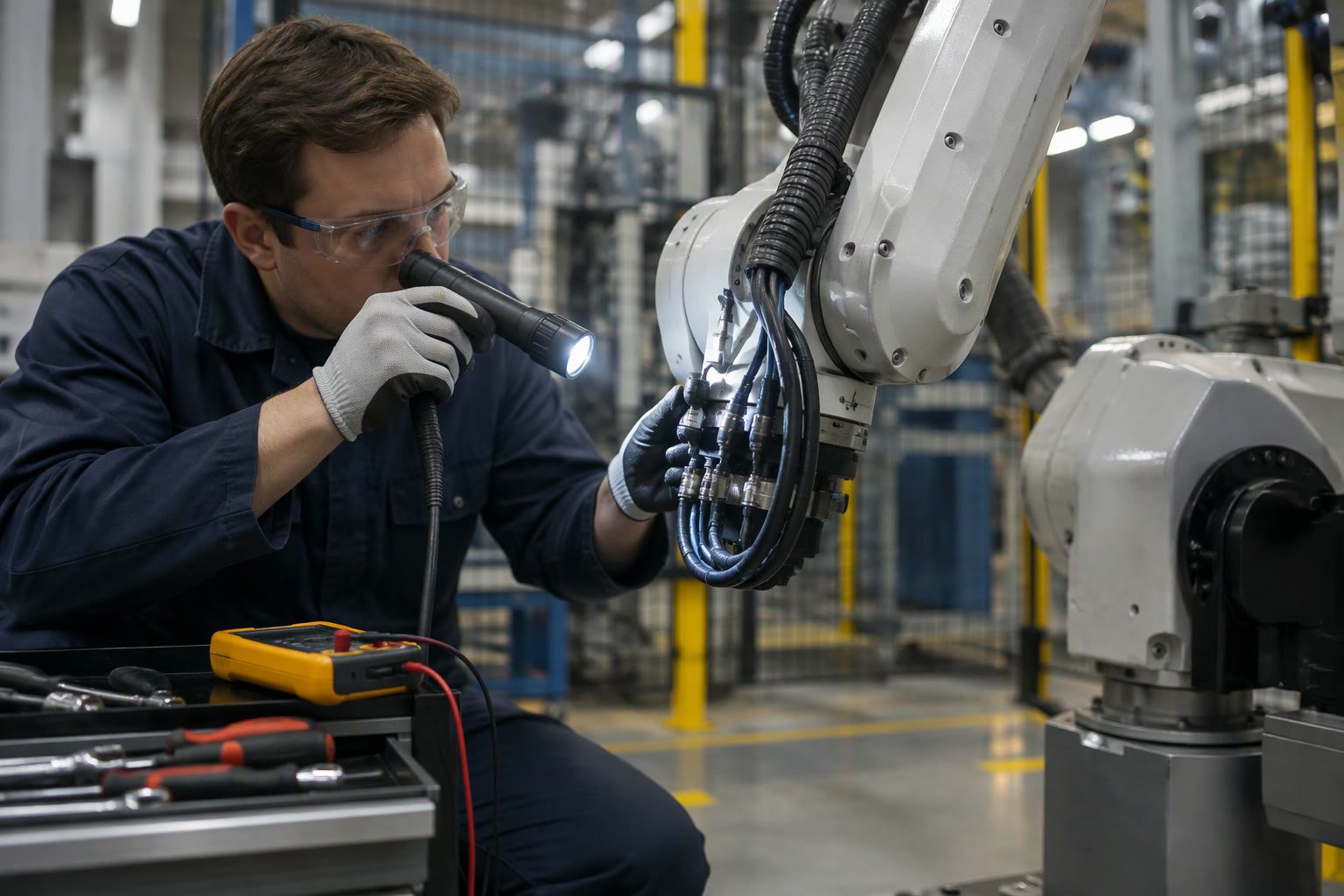
Industrial robots rarely die at the joint. They die at the cable, the connector, the battery and the filter. A planned maintenance routine that checks the boring parts will keep a robot running for a decade longer than one that only reacts when an alarm appears.
This checklist is written for a small plant or a lab with a few robots and no dedicated reliability team. Intervals are starting points — the manufacturer’s manual always wins on grease type, torque and replacement limits.
What actually fails
| Failure | Typical cause | Early warning |
|---|---|---|
| Encoder or comms faults | Cable fatigue at the wrist, contaminated connector | Intermittent position errors, alarms after certain moves |
| Battery-backed memory loss | Old backup battery | Lost zero position, clock reset, parameter warnings |
| Brake wear | Heavy payload, frequent emergency stops | Axis sag after stop, longer brake release |
| Gearbox noise | Grease breakdown, overload | Whine or rumble under load |
| Overheating | Clogged fan or filter, sealed cabinet | Thermal alarms, derated speed |
| Drift in accuracy | Crash, loose tool, thermal growth | Parts slowly move out of tolerance |
| Unexpected stops | Loose safety wiring, worn interlock | Faults that clear when the door is wiggled |
Daily checks, five minutes
- Listen. A new whine, click or air leak is the cheapest fault you will ever catch.
- Look at the cables. Wrist dress packs bend millions of times; look for abrasion, bulges and tie-wraps pulling tight.
- Test the E-stop. Press it once per shift on the operator side and confirm the robot stops and the machine stops with it.
- Check air pressure if the gripper uses pneumatics. A dropping pressure shows up as missed picks, not as a robot fault.
- Check the cell. Chips, coolant, loose fixtures and objects inside the fence cause more stoppages than software.
Weekly checks
- Inspect the full cable route from cabinet to wrist, including the strain relief.
- Check gripper pads and vacuum cups for wear, cracks and contamination.
- Clean or replace cabinet filters. In a foundry or wood shop, weekly is not too often.
- Confirm the teach pendant and controller show no stored alarms that were repeatedly cleared.
- Back up the controller program and configuration, and store the backup off the machine.
Monthly checks
| Item | Check | Action if abnormal |
|---|---|---|
| Backup battery | Age and any memory warnings | Replace before it fails, not after |
| Anchors and mounting bolts | Visible movement, cracked grout | Torque to the manual specification and investigate |
| Tool mount | Loose TCP, worn dowels | Re-seat the tool and re-calibrate the TCP |
| Safety devices | Interlocks, light curtains, fence gates | Repair immediately; do not bypass |
| Gripper force | Slip marks, crushed parts | Adjust pressure or replace worn pads |
| Grease points | Per manufacturer schedule | Use the specified grease only |
Quarterly and annual work
- Brake test. Verify each axis holds the rated load when stopped, following the manufacturer’s procedure.
- Accuracy check. Touch a reference point and check repeatability; re-calibrate the TCP and payload if needed.
- Gearbox oil or grease at the interval in the manual, with the specified quantity.
- Safety validation. Re-test stops, interlocks, speed limits and the risk assessment assumptions after any layout or tool change.
- Electrical inspection. Thermal check of cabinet terminals, earth continuity and supply voltage.
- Spare parts review. Replace what you used; check shelf-life items such as batteries and seals.
Maintenance safety rules
Lock out the energy source before reaching into the cell. A robot holding a part with a brake is not the same as a robot with energy removed; gravity can still move an arm or drop a tool. Follow the plant’s lockout-tagout procedure, support gravity loads mechanically, and never troubleshoot inside the fence with the drive enabled.
Teach pendant work is not maintenance by default. If a technician must jog the robot to inspect a cable, that person needs the same training and the same respect for the E-stop as an operator.
Measure availability, not activity
Track three numbers: mean time between failures, mean time to repair and availability. Availability is uptime divided by planned uptime. A robot that stops twice a month but takes two days to repair is worse than one that stops weekly and is fixed in an hour.
Log every stop with a cause code: mechanical, electrical, software, upstream machine, operator, material. After three months, the pattern tells you where to spend. Most plants discover that the robot is not the main source of downtime; the magazine, gripper or machine interface is.
Spares worth keeping
| Spare | Why keep it | Notes |
|---|---|---|
| Wrist cable or dress pack | Highest-wear item on the robot | Lead time can be weeks |
| Gripper pads and vacuum cups | Consumable, cheap, stops the line | Keep a full set per gripper |
| Controller backup battery | Failure loses calibration | Replace on schedule, not on alarm |
| Cooling fan and filter | Thermal faults in summer | Match the cabinet, not a generic fan |
| Fuses and relays | Fast electrical fixes | Exact ratings only |
| Teach pendant cable | Fragile and often borrowed | Check connector type |
Related: industrial robot cost, robot safety standards, TCP calibration, industrial robot programming, machine tending robots.
How often should an industrial robot be serviced?
Daily visual checks, weekly cable and filter checks, monthly battery and safety checks, and quarterly or annual work per the manufacturer's manual. Grease and brake intervals differ by robot model and duty cycle.
What are the most common robot failures?
Cable and connector fatigue at the wrist, backup battery failure, brake wear and contaminated cooling filters. Most are preventable with inspection.
Do robots need oil changes?
Many modern robot axes use sealed grease for life or long intervals; others need periodic grease or oil. Follow the specific manual, not a generic schedule.
Can I do maintenance myself?
Basic checks and cleaning yes, if your staff are trained and lockout-tagout is followed. Gearbox, brake and safety-system work should follow the manufacturer's procedure, and safety validation should be documented.
What should I record?
Every stop with a cause code, repair time, parts used and the maintenance task completed. This gives you MTBF, MTTR and availability, and shows where to invest.
After service work, re-check accuracy and repeatability, and keep the integration checklist updated with any changes.
Buying used means inheriting the maintenance history; the used robot guide lists what to demand.
Technicians who jog the arm for checks should follow the teach pendant safety routine.
Light curtain lenses collect dust, and a dirty lens causes nuisance stops; the light curtain guide covers cleaning and validation.
Re-assess after any tooling change, as the cobot risk assessment guide sets out.
If the checklist is becoming your whole job, it may be time to formalise it, which is what the robotics maintenance career guide describes.
Add the dress pack to the quarterly inspection, and our dress pack routing guide lists what to look for.
Changer mating faces and air lines need their own inspection interval, listed in the robot tool changer guide.
Filter and cooler condition shows up on the meter, as the robot cell energy guide explains.
Maintenance on a robot linear track adds rail alignment, lubrication and cable-chain inspection to the usual arm checks.
A positioner adds brake checks, rail or bearing lubrication and interlock testing to the weekly routine.
Tool wear is the dominant maintenance item in a deburring cell; track wheel or brush life against parts produced.
Protective suits, filters and water curtains need a defined cleaning cycle in any painting cell.
Tip dressing and electrode life belong on the maintenance schedule of any spot welding cell.
Backlash, brake holding torque and gearbox condition decide whether a retrofit is worth doing at all.
Availability losses are usually maintenance and changeover losses, and the OEE guide shows how to attribute them.
What all of this costs over a year is covered in the robot maintenance cost guide.
Sources and further reading
- ISO 10218 — safety requirements and maintenance-related provisions for industrial robots.
- OSHA lockout/tagout — the control-of-hazardous-energy principle behind safe maintenance.
- ABB robot manuals — maintenance schedules and spare parts for IRC5 and OmniCore systems.
- FANUC — recommended maintenance intervals and battery replacement guidance.

